This Chromecast Volume Knob Has A Certain ’70s Chic

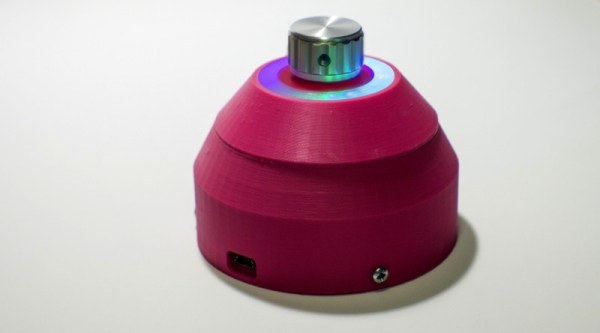
Chromecast devices have become popular in homes around the world in the last few years. They make it easy to cast audio or video from a smartphone or laptop, to a set of speakers or a display connected to the same network. [Akos] wanted to control the volume on these devices with a single, simple piece of equipment, rather than always reaching for a smartphone. Thus was built the CastVolumeKnob.

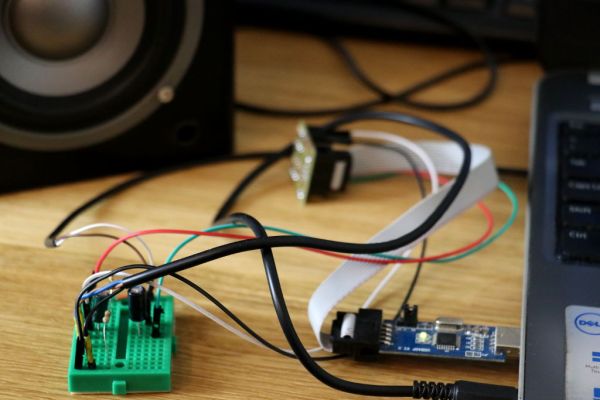
The project began by using Wireshark to capture data sent by the pychromecast library. Once [Akos] understood the messaging format, this was implemented in MicroPython on an ESP8266. A rotary encoder is used as a volume knob, and a Neopixel ring is used for visual feedback as to the device being controlled and the current volume level.

Further work was done to improve usability, with an ATtiny85 microcontroller being used to monitor the encoder for button presses before waking up the ESP8266, greatly reducing power consumption. The device is also rechargeable, thanks to an 18650 lithium polymer battery, and charger and boost converter boards. It’s all wrapped up in a sleek 3D printed case, with a translucent bezel for the LEDs and a swanky machined aluminium knob as the cherry on top.

It’s a homemade device that nonetheless would be stylish and unobtrusive in the living room environment. We imagine it proves very useful when important phone calls come in and it’s necessary to cut the stereo down to a more appropriate volume.

For another take, check out this USB volume knob with a nice weighty feel, courtesy of lead shot.

Listening To Mains Power, Part 2

The electricity on the power grid wherever you live in the world will now universally come to you as AC. That is to say that it will oscillate between positive and negative polarity many times every second. The frequency of 50 or 60Hz just happens to be within the frequency range for human hearing. There’s a lot more than this fundamental frequency in the spectrum on the power lines though, and to hear those additional frequencies better you’ll have to do a little bit of signal processing.

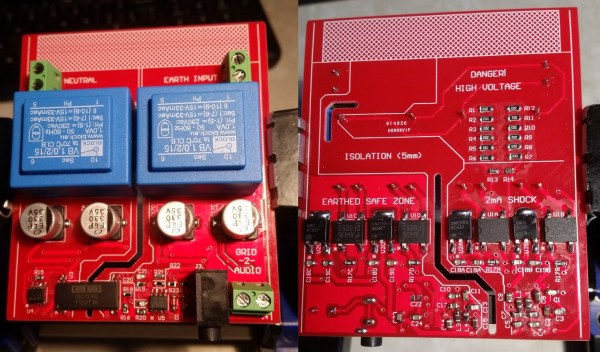
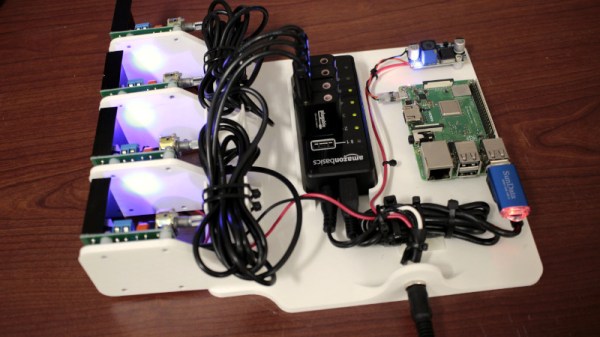
We first featured this build back when it was still in its prototyping phase, but since then it’s been completed and used successfully to find a number of anomalies on the local power grid. It takes inputs from the line, isolates them, and feeds them into MATLAB via a sound card where they can be analyzed for frequency content. It’s been completed, including a case, and there are now waterfall diagrams of “mystery” switching harmonics found with the device, plus plots of waveform variation over time. There’s also a video below that has these harmonics converted to audio so you can hear the electricity.

Since we featured it last, [David] also took some feedback from the comments on the first article and improved isolation distances on his PCB, as well as making further PCB enhancements before making the final version. If you’ve ever been curious as to what you might find on the power lines, be sure to take a look at the updates on the project’s page.

Continue reading “Listening To Mains Power, Part 2”

DIY Ribbon Element Upgrades A Studio Microphone

For those with some experience with pro audio, the term “ribbon microphone” tends to conjure up an image of one of those big, chunky mics from the Golden Age of radio, the kind adorned with the station’s callsign and crooned into by the latest heartthrob dreamboat singer. This DIY ribbon mic is none of those things, but it’s still really cool.

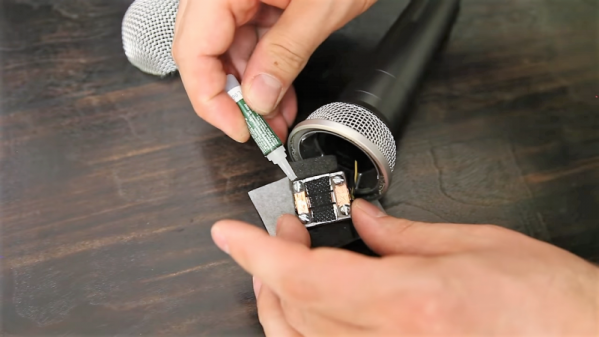
Of course the ribbon mic isn’t always huge, and the technology behind it is far from obsolete. [Frank Olsen]’s ribbon mic starts out with gutting a run-of-the-mill studio mic of its element, leaving only the body and connector behind. The element that he constructs, mostly from small scraps of aluminum and blocks of acrylic, looks very much like the ribbon element in commercial mics: a pair of magnets with a thin, corrugated strip of foil suspended between them. The foil was corrugated by passing it through a jig that [Frank] built, which is a neat tool, but he says that a paper crimper used for crafting would work too. There’s some pretty fussy work behind the cartridge build, but everything went together and fit nicely in the old mic body. The video below was narrated using the mic, so we know it works.

Fun fact: the ribbon microphone was invented by Walter Schottky. That Walter Schottky. Need more on how these mics work? Our colleague [Al Williams] has you covered with this article on the basics.

Continue reading “DIY Ribbon Element Upgrades A Studio Microphone”

A Hacked Solution For Non-Standard Audio Modules

When life hands you lemons, lemonade ends up being your drink of choice. When life hands you non-standard components, however, you’ve got little choice but to create your own standard to use them. Drinking lemonade in such a situation is left to your discretion.

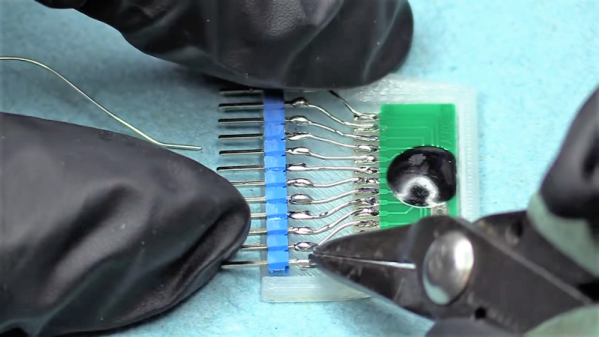
The little audio record and playback modules [Fran Blanche] scored from eBay for a buck a piece are a good example. These widgets are chip-on-board devices that probably came from some toy manufacturer and can record and playback 20 seconds of audio with just a little external circuitry. [Fran] wants to record different clips on a bunch of these, and pictured using the card-edge connector provided to plug them the recording circuit. But the pad spacing didn’t fit any connector she could find, so she came up with her own. The module and a standard 0.1″ (2.54 mm) pitch header are both glued into a 3D-printed case, and the board is connected to the header by bonding wires. It makes a nice module that’s easily plugged in for recording, and as [Fran] points out, it’s pretty adorable to boot. Check it out in the video below.

Sure, the same thing could have been accomplished with a custom PCB breaking out the module’s pins to a standard card-edge connector. But [Fran] knows a thing or two about ordering PCBs, and our guess is she wanted to get this done with what was on hand rather than wait for weeks. There’s something to be said for semi-instant gratification, after all. And lemonade.

Continue reading “A Hacked Solution For Non-Standard Audio Modules”

A 3D-Printed Egg-Shaped Speaker Cabinet

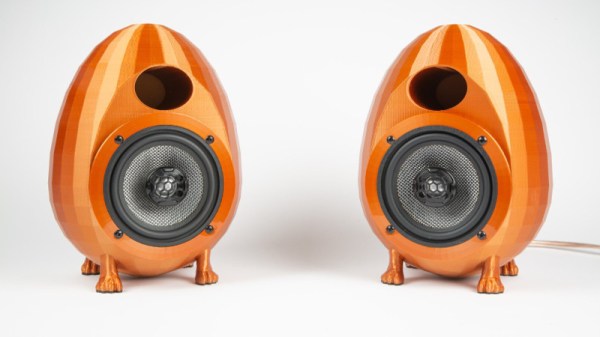
There are few limits to the extent audiophiles will go in their quest for the perfect sound. This applies in particular to the loudspeaker, and with that aim [Heine Nielsen] has created an eye-catching set of 3D-printed egg-shaped enclosures.

The theory of a loudspeaker enclosure is that it should simulate an infinite space behind an infinite plane in which the speaker driver is mounted, and the reasoning behind spherical or egg-shaped enclosures goes that they better achieve that aim through presenting a uniform inner surface without the corners of a more conventional rectangular enclosure. [Heine]’s enclosures 3D-printed ported enclosures achieve this more easily than traditional methods of building this shape.

A loudspeaker enclosure is more than just a box though, whatever material it is made from must adequately dampen any resonances and absorb as much energy as possible. Conventional speakers try to achieve this by using high-mass and particulate materials, but 3D-printing does not lend itself to this. Instead, he created a significant air gap between two layers which he hopes will create the same effect.

This is an interesting design and approach to speaker cabinet construction, but we think from an audio perspective its one that will be well served by more development. What would be the effect of filling that air gap with something of higher mass, for example, and should the parameters of the egg shape and the port be derived for a particular driver by calculation from its Thiele-Small parameters. We look forward to more on this theme.

These aren’t the first 3D-printed enclosures we’ve seen, but if you’re after something truly unusual how about an electrostatic?

Speak Your WiFi

When you create a Thing for the Internet of Things, you’ve made a little computer that does a simple job and which probably has a minimal interface. But minimal interfaces leave little room for configuration, such as entering WiFi details. Perhaps if you made the Thing yourself you’ve hard-coded your WiFi credentials in your code, but that hardly translates to multiple instances. So, how to put end-user WiFi credentials easily on more than one Thing? Perhaps [Rob Dobson] has the answer with his technique of sending them as a sequence of audible tones.

There is a piece of Javascript code in a browser into which you enter your WiFi credentials, which are then expressed through the speaker as a set of FSK tones to be picked up by a microphone on the Thing. They can then be decoded into the credentials, and the Thing can connect. All the code is available, on GitHub, should you fancy it yourself.

Of course, this is nothing new, as any owner of an 8-bit machine that had a cassette interface will tell you. And on the face of it it’s much easier than those awkward impromptu hotspots with a web interface to which you connect and pass on your credentials. But while we quite like the convenience, we can’t help wondering whether expressing the credentials in audible free space might be a bit too insecure for many readers. The technique however remains valid, and we’re sure that other less sensitive applications might be found for it. Meanwhile we hope he hasn’t inadvertently shared his WiFi password in the video below the break.

Continue reading “Speak Your WiFi”

The Swiss Army Knife Of Audio Synthesis

Thirty years ago, we would be lucky if a computer could play audio. Take a computer from twenty years ago, and you’ll be lucky if it can play an MP3 in real-time. Now, computers can handle hundreds of tracks of CD-quality audio, and microcontrollers are several times more powerful than a desktop computer of the mid-90s. This means, of course, that microcontrollers can do audio very, very well. For his entry to the Hackaday Prize, [Fabien] is capitalizing on this power to create a Swiss Army knife of audio synthesis. It’s called the Noise Nugget, and it’s just what you need when you want to put audio in anything.

The microcontroller in question is an ARM Cortex-M4 running at 180MHz, with a quality DAC. There’s connectivity in the form of USB, two audio outs, one audio in, I2C, UART, and GPIOs. With this, you’ve got a digital synthesizer with a MIDI interface, audio effects for guitar pedal tomfoolery, an audio effect trigger board for playing pre-recorded sounds, a digital recorder, and a USB sound interface.

So, with all that processing power, what can the Noise Nugget actually do? Well, first of all, it’s a sampler. [Fabien] has a video demo of the Noise Nugget set up in sampler mode, where it can play a lute-ish sample and a cat sound. All of this is controlled over MIDI and played through a cheap speaker. The results — except for the cat sample — sound great. You can check that video out below.

Continue reading “The Swiss Army Knife Of Audio Synthesis”