Wyze are a company that produces a variety of home automation products. Their Wyze Sense package is a system of contact and PIR home security sensors, that piggy backs off their Wyze Cam product. In the interests of being able to use this hardware outside the prescribed corporate ecosystem, [Xuan Xing] got down to hacking.
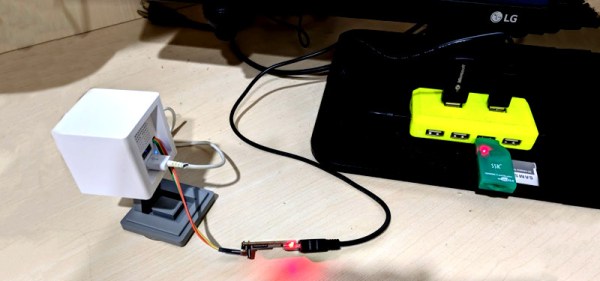
The project starts by tearing down the Wyze Cam, and getting serial console access. This was made easier by an existing Github project, which develops custom firmwares for smart cameras. With that in place he was able to see what was going on under the hood, and read the camera’s system logs.
By poring over these logs, and examining the disassembled Wyze Sense dongle, he’s well on the way to discovering how the sensors communicate with the Wyze Cam. The end goal is to enable the Wyze security sensors to be used with the Raspberry Pi platform, and to share the code on Github for other makers to experiment with.
A common complaint about open hardware and software is that the aesthetic aspects of the projects often leave something to be desired. This isn’t wholly surprising, as the type of hackers who are building these things tend to be more concerned with how well they work than what they look like. But there’s certainly nothing wrong with putting a little polish on a well designed system, especially if you want “normal” people to get excited about it.
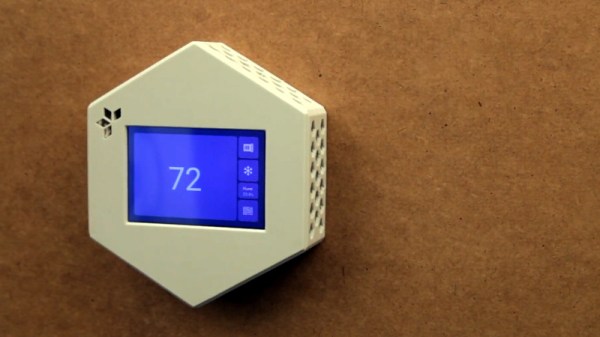
For a perfect example, look no further than the HestiaPi Touch. This entry into the 2019 Hackaday Prize promises to deliver all the home automation advantages of something like Google’s Nest “smart” thermostat without running the risk of your data being sold to the highest bidder. But even if we take our tinfoil hat out of the equation, it’s a very slick piece of hardware from a functional and visual standpoint.
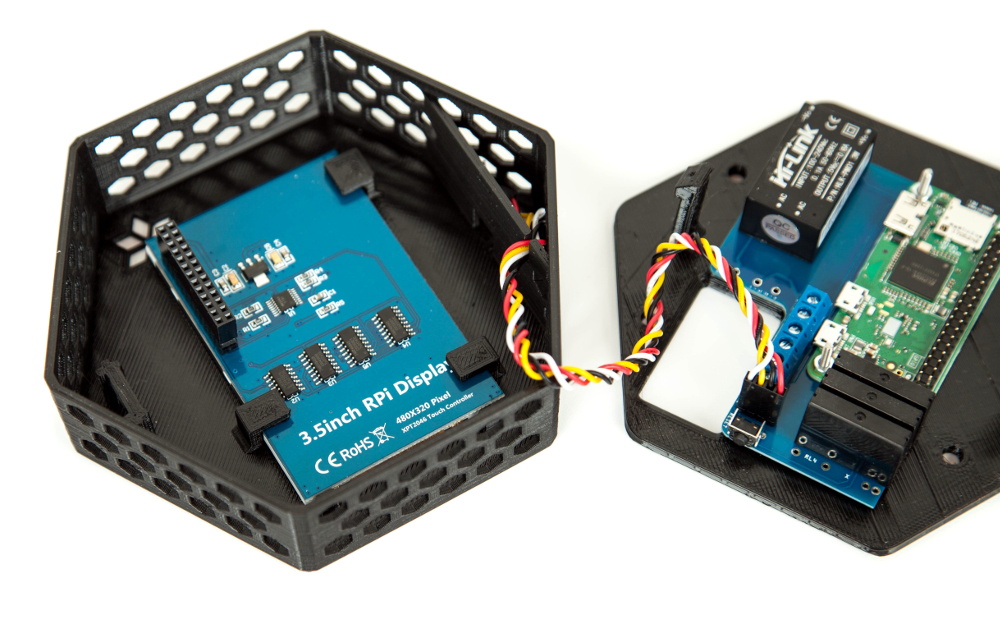
As you probably guessed from the name, the thermostat is powered by the Raspberry Pi Zero, which is connected to a custom PCB that includes a couple of relays and a connector for a BME280 environmental sensor. The clever design of the 3D printed case means that the 3.5 inch touch screen LCD on the front can connect directly to the Pi’s GPIO header when everything is buttoned up.
Of course, the hardware is only half the equation. To get the HestiaPi Touch talking to all the other smart gadgets in your life, it leverages the wildly popular OpenHAB platform. As demonstrated in the video after the break, this allows you to use the HestiaPi and its mobile companion application to not only control your home’s heating and air conditioning systems, but pretty much anything else you can think of.
The HestiaPi Touch has already blown past its funding goal on Crowd Supply, and the team is hard at work refining the hardware and software elements of the product; including looking at ways to utilize the unique honeycomb shape of the 3D printed enclosure to link it to other add-on modules.
If you’re looking for “smart” home appliances, there’s no shortage of options on the market. Even relatively low-end gadgets are jumping on the Internet of Things bandwagon these days (for better or for worse). But what if you’re not looking to purchase a brand new major appliance right now? In that case, you might be interested in seeing how [Giulio Pons] added some high-tech features to his existing air conditioner on the cheap.
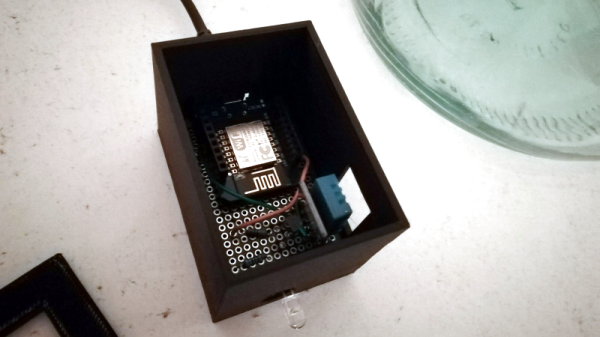
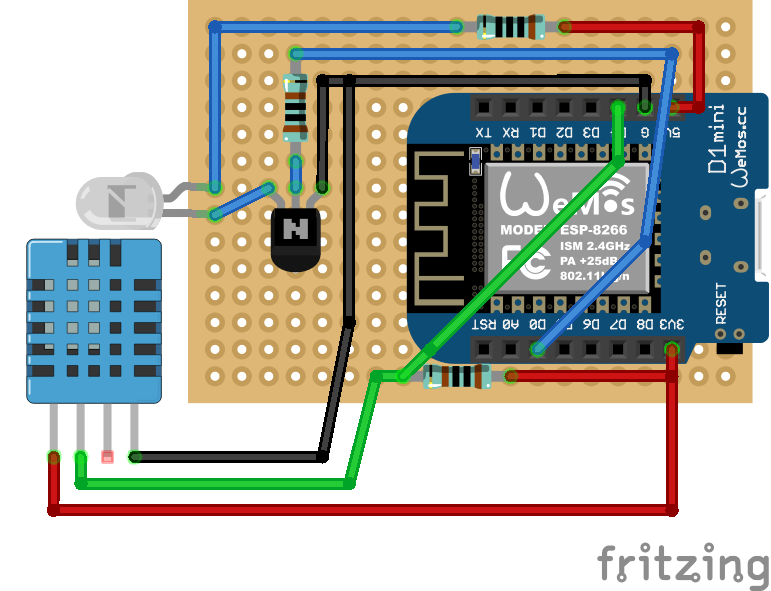
Since his AC unit had an infrared remote control, the first thing [Giulio] needed to do was come up with a way to emulate it. An easy enough project using the ESP8266 and an IR LED, especially when he found that somebody had already written a IR communications library for his particular brand of AC. From there, he could start tacking on sensors and functionality.
With the addition of a DHT11 sensor, [Giulio] can have the AC turn on and off based on the current room temperature. It also gives him an easy way to verify the AC is actually on and operating. By checking to see if the room starts cooling off after sending the IR command to start the AC, his software can determine whether it should try resending the code, or maybe send a notification to alert him that something doesn’t seem right. Of course, it wouldn’t be a proper ESP8266 project without some Internet connectivity, so he’s also created a smartphone application that lets him control the system while away from home.
Now admittedly nothing in this project is exactly new, we’ve seen plenty of hackers switch on their AC with the ESP8266 at this point. But what we particularly liked was how well thought out and documented the whole process was. The rationale behind each decision is explained, and he even documented things like his network topology to help illustrate how the whole system comes together. Even if the techniques are well known by many of us, this is the kind of project documentation that makes it accessible to newcomers. Our hats off to [Giulio] for going the extra mile.
The idea of the so-called “smart bulb” sounds good; who wouldn’t want to be able to verify the porch light is on if you’re out of town for the night, or check to see if you left the bathroom lights on in your rush out the door in the morning? But in practice, it can be a nightmare. Each brand wants to push their own protocol. Even worse, it seems you can’t get anything done without signing up for three different services, each with its own application that needs to be installed on your phone. It’s a frustrating and often expensive mire to find yourself in.
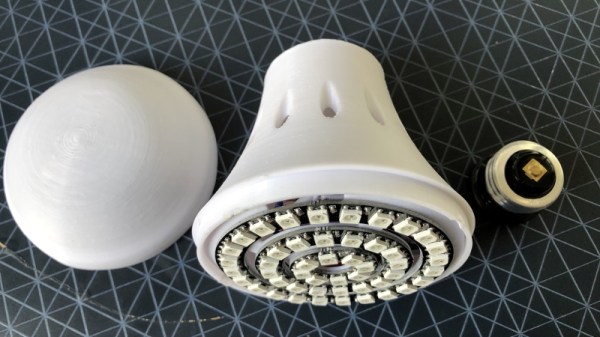
[Dom Gregori] liked the Hue bulbs offered by Philips, but didn’t want to buy into the whole ecosystem of phone apps and hardware hubs they require. So he decided to create his own open source version that would do everything he wanted, without any of the seemingly unavoidable baggage of the commercial offerings. The final result is a professional looking ESP8266 controlled RGB bulb that hooks into Home Assistant via MQTT.
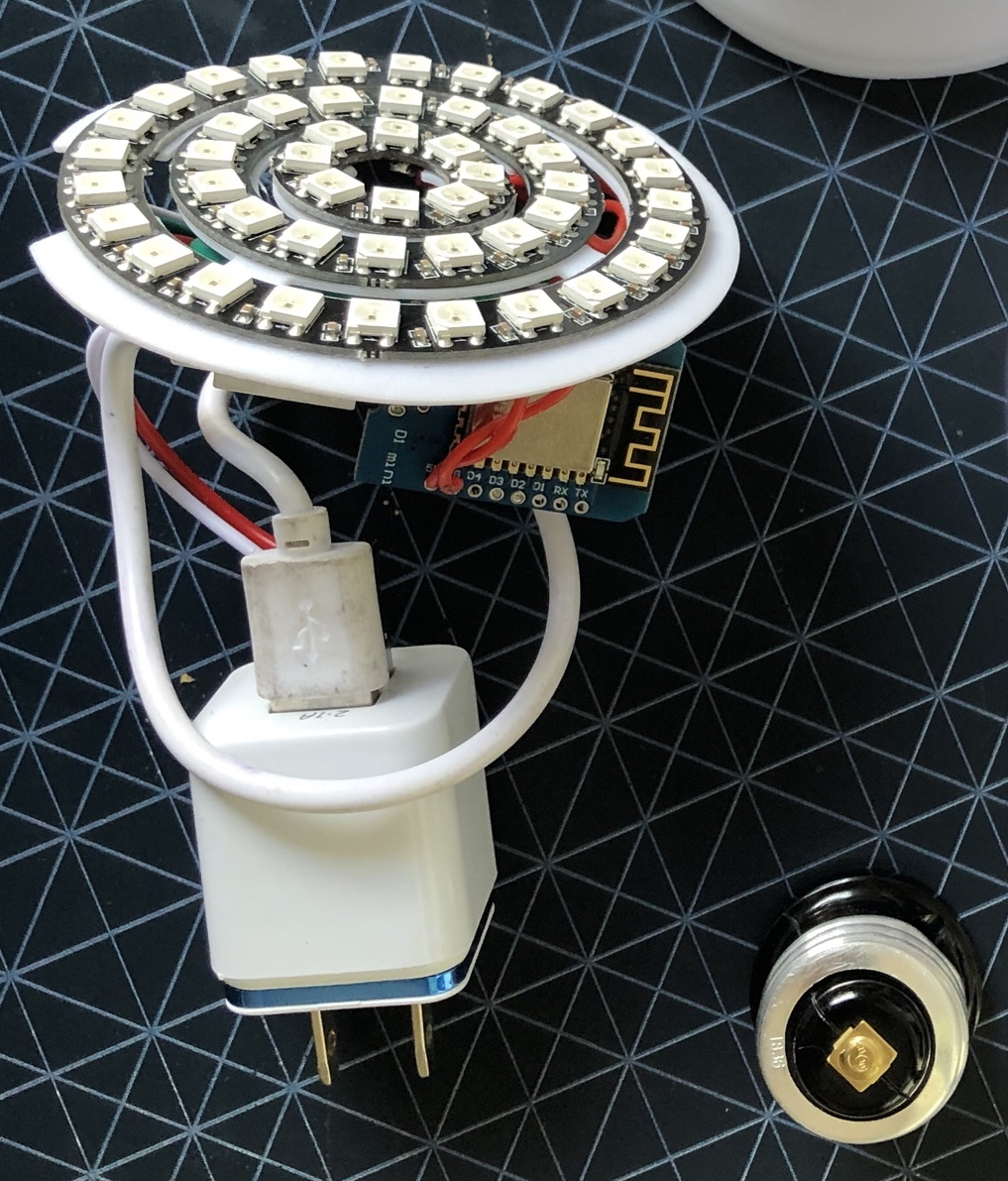
Looking at his Bill of Materials, it’s actually pretty amazing to see how little it really takes to pull a project like this off. Outside of the Wemos D1 Mini board, [Dom] just needed a few concentric WS2812 rings, and a USB charger small enough to fit into the base of his 3D printed enclosure.
We especially like how he handled the socket-side of the bulb, as that’s the part that would have left us scratching our heads. Rather than trying to salvage the base from an existing bulb, or come up with his own printed piece to stick in the socket, he just used a cheap and readily available light socket adapter. The solution might be a little bulky, but we like how he’s deftly avoided having to handle any AC voltages in this project.
There is something strangely amusing about the idea of a sprinkler system relying on a cloud. But it was this limitation in some commercial offerings that led [Zack Lalanne] to create his own controller when it was time to upgrade his aging irrigator.
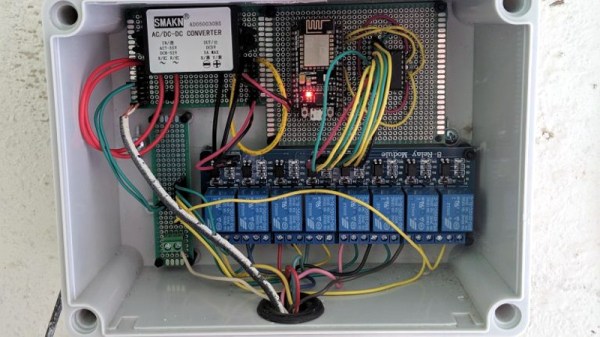
It’s a straightforward enough device, he’s taken an ESP8266 on the ubiquitous NodeMCU board, and added a shift register for some output line expansion to drive a set of relays. The interest here lies with the software, in which he’s used the ESPHome firmware and added his own custom part for the shift register. This change alone should be useful for many other experimenters with the ‘8266 and ESPHome combination.
The ESP8266 end of the device ties in with his instance of the Home Assistant home automation hub software. On this he’s been able to tie in all his various sprinkler outputs he added, and apply whatever automation scripts he chooses. The result is a freshly watered lawn, with not a cloud in the sky (or backend).
The value of this project lies only partly in its use for sprinkler owners, for us it also lies in the clear write-up showing the way for others with similar home automation tasks. It’s not the only way to make an ESP sprinkler controller, you should also see this one from 2017.
Visitors to the Wizarding World of Harry Potter at Universal Studios are able to cast “spells” by waving special interactive wands in the air. Hackers like us understand that there must be some unknown machinations happening behind the scenes to detect how the wands are moving, but for the kids wielding them, it might as well be real magic. So when his son asked to have a Harry Potter themed birthday party, [Adam Thole] decided to try recreating the system used at Universal Studios in his own home.
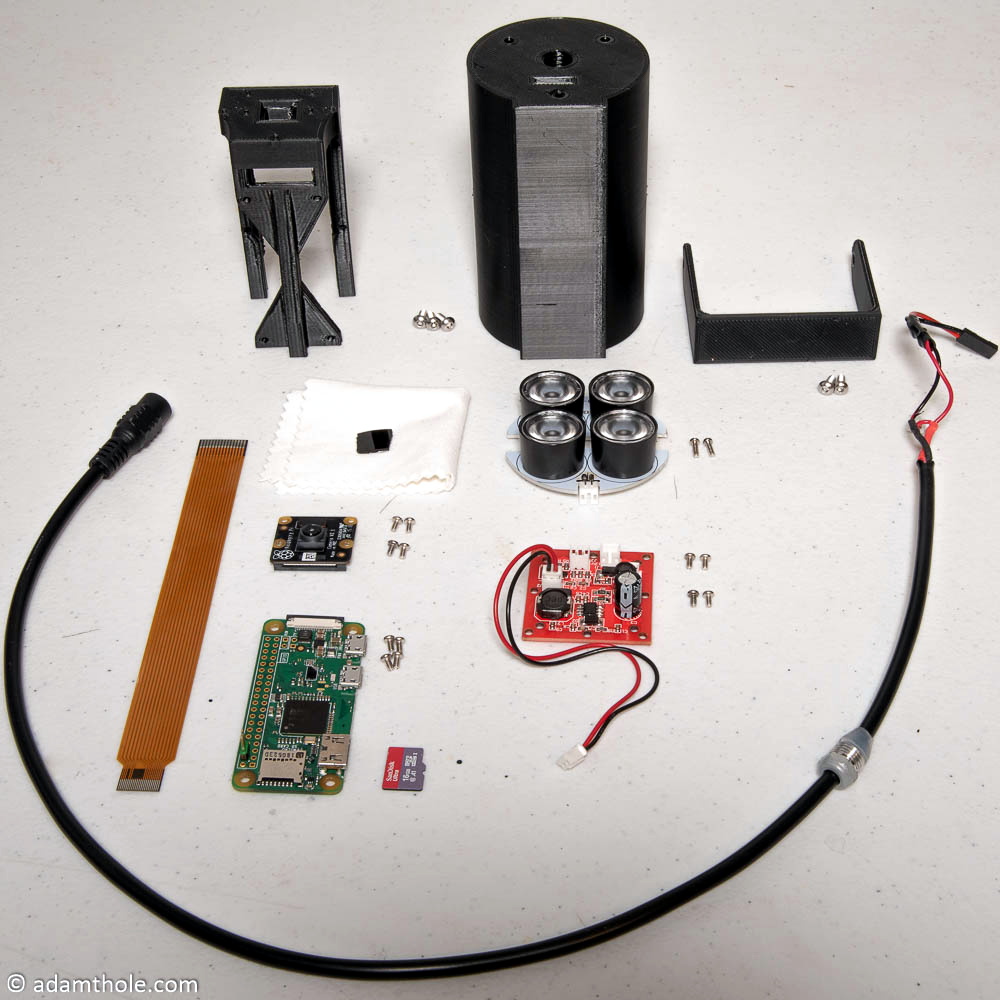
Components used in the IR streaming camera
The basic idea is that each wand has a reflector in the tip, which coupled with strong IR illumination makes them glow on camera. This allows for easy gesture recognition using computer vision techniques, all without any active components in the wand itself.
[Adam] notes that you can actually buy the official interactive wands from the Universal Studios online store, and they’d even work with his system, but at $50 USD each they were too expensive to distribute to the guests at the birthday party. His solution was to simply 3D print the wands and put a bit of white prismatic reflective tape on the ends.
With the wands out of the way, he turned his attention to the IR imaging side of the system. His final design is a very impressive 3D printed unit which includes four IR illuminators, a Raspberry Pi Zero with the NoIR camera module. [Adam] notes that his software setup specifically locks the camera at 41 FPS, as that triggers it to use a reduced field of view by essentially “zooming in” on the image. If you don’t request a FPS higher than 40, the camera will deliver a wider image which didn’t have any advantage in this particular project.
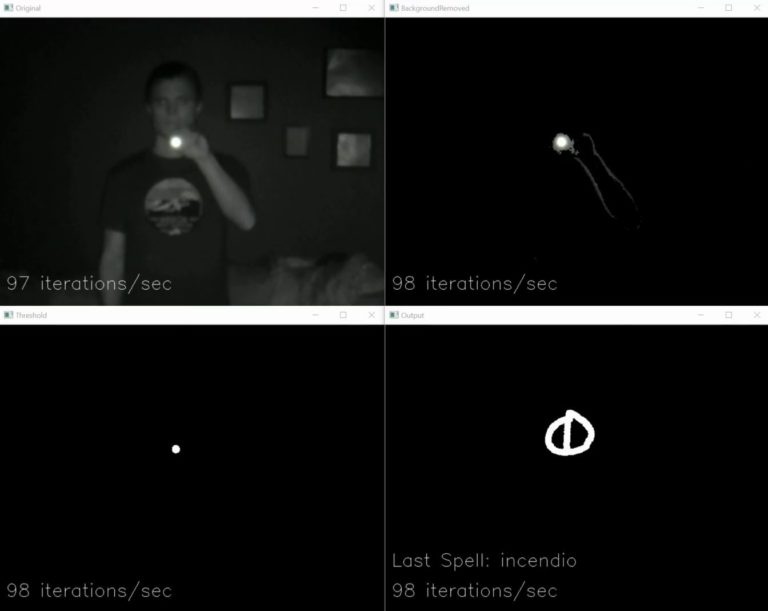
The last part of the project was taking the video stream from his IR camera and processing it to detect the bright glow of a wand’s tip. For each frame of the video the background is first removed and then any remaining pixel that doesn’t exceed a set brightness level if ignored. The end result is an isolated point of light representing the tip of the wand, which can be fed into Open CV’s optical flow function to show [Adam] what shape the user was trying to make. From there, his software just needs to match the shape with one of the stock “spells”, and execute the appropriate function (such as changing the color of the lights in the room) with Home Assistant.
Overall, it’s an exceptionally well designed system considering the goal was simply to entertain a group of children for a few hours. We almost feel bad for the other parents in the neighborhood; it’s going to take more than a piñata to impress these kids after [Adam] had them conjuring the Dark Arts at his son’s party.
The increase in network-connected devices the past years has been something of a dual-edged sword. While on one hand it’s really nice to have an easy and straight-forward method to have devices talk with each other, this also comes with a whole host of complications, mostly related to reliability and security.
With WiFi, integrating new devices into the network is much trickier than with Ethernet or CAN, and security (e.g. WPA and TLS) isn’t optional any more, because physical access to the network fabric can no longer be restricted. Add to this reliability issues due to interference from nearby competing WiFi networks and other sources of electromagnetic noise, and things get fairly complicated already before considering which top-layer communication protocol one should use. Continue reading “Transcending The Stack With The Right Network Protocol”→