Are Patent Claims Coming For Your WS2812?

There are some components which are used within our sphere so often as to become ubiquitous, referred to by their part number without the need for a hasty dig through a data sheet to remind oneself just what we are talking about. You can rattle a few of them off, the 555, the 741, the ESP8266, and so on.

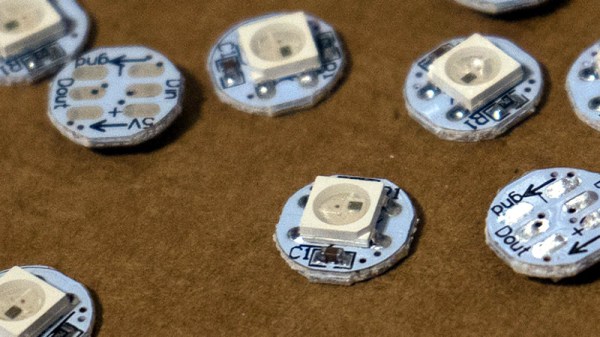
In the world of LEDs, the part that most immediately springs to mind is the Worldsemi WS2812 addressable LED. This part consists of three LEDs in red, green, and blue, all in the same package with a serial interface allowing a chain of individually addressable multicolour lights to be created. We’ve seen them in all sorts of places, and if you don’t recognise the part number then perhaps you will by one of the names they’re sold under: Neopixel.

Yesterday we received an email from our piratical friends at Pimoroni, the British supplier of all forms of electronic goodies. Among their range they have a reasonable number of products containing WS2812s, and it was these products that had formed the subject of an unexpected cease-and-desist letter. APA Electronic are the manufacturer of the APA102 addressable LED (which you may know as the Dotstar), and their cease-and-desist asking for the products to be withdrawn from sale rests on their holding a patent for an addressable multicolour LED. We’d be very interested to hear whether any other suppliers of WS2812-based parts have received similar communications.

US patent number 8094102B2 is indeed a patent for a “Single full-color LED with driving mechanism”, which does look a lot like a WS2812. But as always, such things are not as cut-and-dried as they might first appear. The LED in the patent for example relies upon a clock line for its operation, while the Worldsemi part doesn’t. I am not a lawyer so I’d hesitate to call this a baseless and speculative move, but I suspect that there will be plenty over which the two semiconductor companies can duke it out in the courtroom.

It’s fair to say that a large part of the ethos of our movement shares something with that of the world of open-source, so news of legal manoeuvres such as this are never likely to go down well. We’re small fry in this context and our commercial influence on APA102 or WS2812 sales will be minimal, but inevitably APA’s standing in our eyes will be diminished. Companies such as Pimoroni are not the target but a piece of collateral damage in a battle between manufacturers.

Whether the patent has been violated or not can only be decided by the courts. It is not uncommon for patent holders to go after companies selling the “infringing” products in hopes that rather than risk a costly court battle, they simply adhere to the demands, in this case buying parts from APA and not from Worldsemi.

So, if you rely on addressable LEDs, watch out! There may be trouble ahead.

Header image: Tristan Robitaille [CC BY-SA 4.0].
Light Painting Animations Directly From Blender

Light painting: there’s something that never gets old about waving lights around in a long exposure photo. Whilst most light paintings are single shots, some artists painstakingly create frame-by-frame animations. This is pretty hard to do when moving a light around by hand: it’s mostly guesswork, as it’s difficult to see the results of your efforts until after the photo has been taken. But what if you could make the patterns really precise? What if you could model them in 3D?

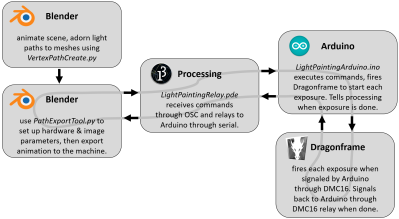
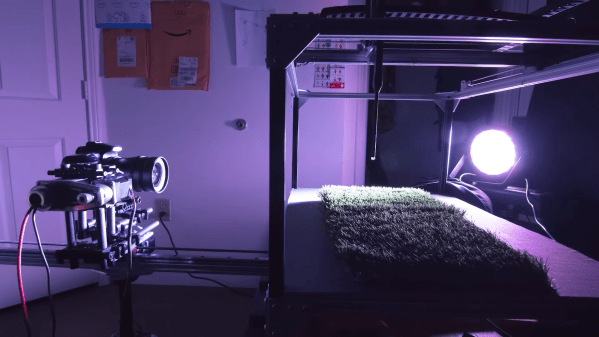
[Josh Sheldon] has done just that, by creating a process which allows animations formed in Blender to be traced out in 3D as light paintings. An animation is created in Blender then each frame is automatically exported and traced out by an RGB LED on a 3D gantry. This project is the culmination of a lot of software, electronic and mechanical work, all coming together under tight tolerances, and [Josh]’s skill really shines.

The first step was to export the animations out of Blender. Thanks to its open source nature, Python Blender add-ons were written to create light paths and convert them into an efficient sequence that could be executed by the hardware. To accommodate smooth sliding camera movements during the animation, a motion controller add-on was also written.

The gantry which carried the main LED was hand-made. We’d have been tempted to buy a 3D printer and hack it for this purpose, but [Josh] did a fantastic job on the mechanical build, gaining a solidly constructed gantry with a large range. The driver electronics were also slickly executed, with custom rack-mount units created to integrate with the DragonFrame controller used for the animation.

The video ends on a call to action: due to moving out, [Josh] was unable to continue the project but has done much of the necessary legwork. We’d love to see this project continued, and it has been documented for anyone who wishes to do so. If you want to check out more of [Josh]’s work, we’ve previously written about that time he made an automatic hole puncher for music box spools.

Thanks for the tip, [Nick].

Continue reading “Light Painting Animations Directly From Blender” →

Custom ATTiny85 Board Powers Kids’ Light Show

We’ve often said that kids with hackers and makers for parents must be some of the luckiest kids in the world. While all the other children have to settle for some mass produced drivel from Toys“R”Us Amazon, they’ve got some of the most thoughtfully engineered and built toys and gadgets on the planet. After all, there’s no way any hacker worth their salt is going to give anything less than 110% for their own child.

A case in point is this RGB star nightlight that [Unexpected Maker] built for his children. The star itself is simple enough, just a basic shape printed in transparent PLA on his Prusa i3. The impressive part is how he lights it up. Rather than stick an Arduino or ESP8266 in there as we have seen plenty of times before, he’s put together his own custom ATTiny85 board specifically for controlling the RGB LED strips.

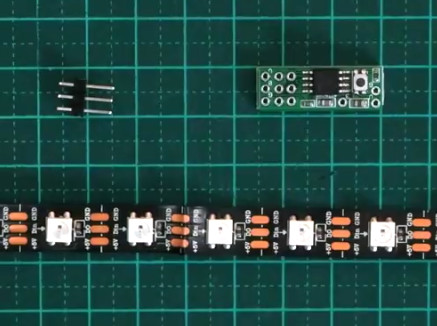
The board, which he calls TinyDev, is designed to be the same thickness as NeoPixel style LED strips so it can fit inside tight spaces. He solders it onto the tail end of his LED strip, adds a photoresistor so the star can tell when it’s time to light up, and then snakes the whole arrangement through a channel printed in the star itself. There’s a battery pack in the middle, but that’s about it. It really does allow for a remarkably clean LED strip implementation, and the mind can’t help but start thinking of interesting possibilities when you can tuck the controller into the same space as the lights themselves.

[Unexpected Maker] has made the TinyDev completely open source for anyone who wants to build their own, but it’s also available on Tindie if you want to get one to play with quickly. If you’re looking to light up the little one’s room with somewhat more mainstream methods, we’ve got that covered too.

Continue reading “Custom ATTiny85 Board Powers Kids’ Light Show” →

ESP8266 Internet Controlled LED Dimmer

There’s no shortage of debate about the “Internet of Things”, largely centered on security and questions about how much anyone really needs to be able to turn on their porch light from the other side of the planet. But while many of us are still wrestling with the realistic application of IoT gadgets, there’s undoubtedly those among us who have found ways to put this technology to work for them.

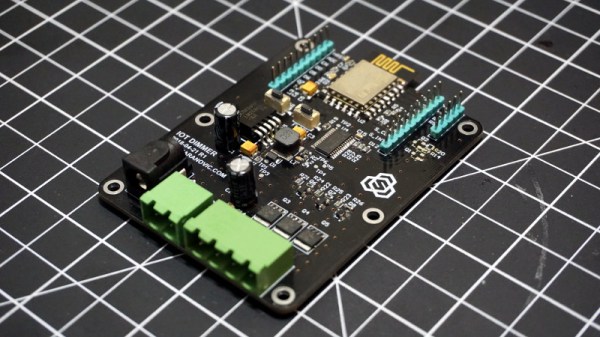
One such IoT devotee is [Sasa Karanovic], who writes in to tell us about his very impressive custom IoT LED dimmer based on the ESP8266. Rather than rely on a commercial lighting controller, he’s designed his own hardware and software to meet his specific needs. With the LED strips now controllable by any device on his network, he’s started working on Python scripts which can detect what he’s doing on his computer and react accordingly. For example, if he’s watching a movie the lights will automatically dim, and come back up when he’s done.

[Sasa] has provided all the files necessary to follow in his footsteps, from the Gerber files for his PCB to the Arduino code he’s running on the ESP. The source code is especially worth checking out, as he’s worked in a lot of niceties that we don’t always see with DIY projects. From making sure the ESP8266 gets a resolvable DNS hostname on the network to using websockets which update all connected clients with status info in real-time, he’s really put a lot of work into making the experience as complete as possible.

He’s explains in his blog post what needs to be edited to put this code to work in your own environment, and there’s even some descriptive comments in the code and a helpful debug mode so you can see how everything works. It’s always a good idea to consider that somebody else down the road might be using your code; taking a few minutes to make things clear can save them hours of stumbling around in the dark.

If you need more inspiration for your ESP8266 lighting project, check out this ambient lighting controller for a kid’s room, or this professional under-cabinet lighting controller.

ESP8266 Zelda Heart Responds To Tweets

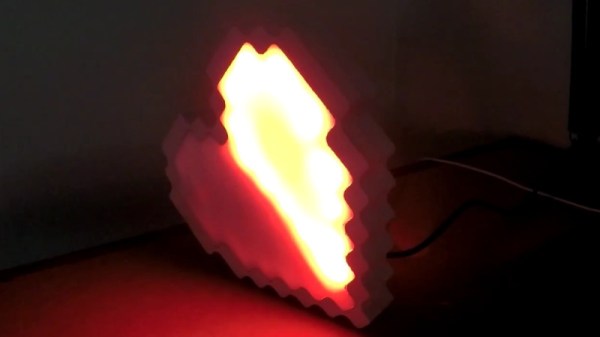
It might not be enough to make you the Hero of Time, but this piece of Hylian interactive art would still be a worthy addition to your game room. [Jeremy Cook] writes in to tell us about how he put together this 8-bit style heart display, and goes into enough detail on the hardware and software sides of things that you shouldn’t have any problem adapting his design for your own purposes.

The build is pretty simple overall but it does assume you have a CNC to cut the basic shape out of MDF. You could cut the shape by hand if you had to, but if you don’t have a CNC the next best thing might be to 3D print the case. You’d potentially have to print it in two parts right down the center though, depending on how big your bed is. Whichever way you create the case, you’ll then need to cut the shape out of a piece of acrylic to make the face.

In any event, once the pieces are cut out [Jeremy] adds in a Wemos D1 Mini, a power supply, and some red LED strips. He provides a wiring diagram, but it’s fairly straightforward stuff. With a couple of 2N2222 transistors he controls the LED strips right from the digital pins of the ESP8266.

The software side is setup to be controlled via IFTTT by way of Adafruit.io. When IFTTT sees one of the keywords on Twitter, it passes a message to Adafruit.io which ultimately talks to the ESP8266 and gets the heart going. The software supports three states (on, off, and half) and gives a good example of a basic IoT implementation on the ESP8266 if you’re looking for some inspiration.

This hack seems like it would fit in perfectly with the Zelda home automation project we covered last year.

Recycle LCDs Into LEDs

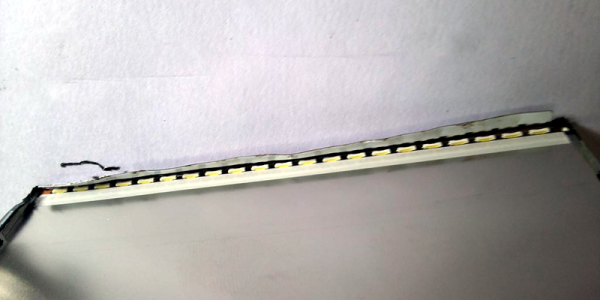
We always find it funny when we see ads for modern LED TVs. These TVs don’t use LEDs to show the picture. They are nothing more than LCD screens with LED backlighting instead of cold cathode fluorescent lamps. [Akshaylals] had a few LCD laptop and phone panels that were defunct and decided to recycle them to get to the LEDs within.

Most panels are lit from one or two edges with a bar of LEDs. You only have to peel off some tape and plastic. If you wonder what all those plastic sheets do, see the [Engineer Guy’s] video, below.

Continue reading “Recycle LCDs Into LEDs” →

Arduino Powered Arcade Button Lighting Effects

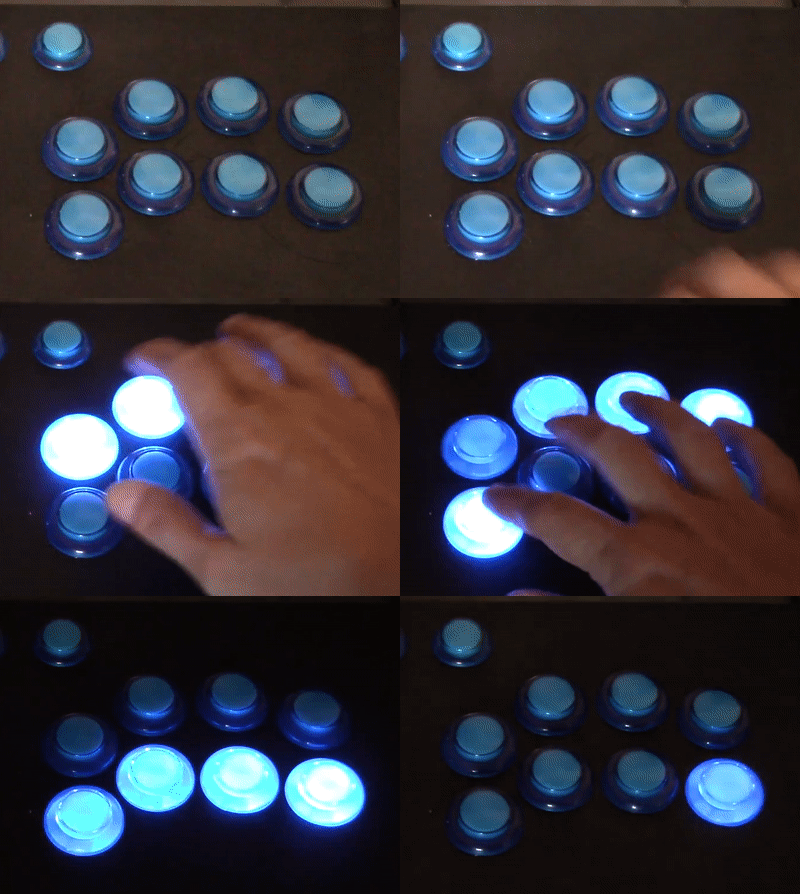
As if you already weren’t agonizing over whether or not you should build your own arcade cabinet, add this one to the list of compelling reasons why you should dedicate an unreasonable amount of physical space to playing games you’ve probably already got emulated on your phone. [Rodrigo] writes in to show off his project to add some flair to the lighted buttons on his arcade controller. (Google Translate)

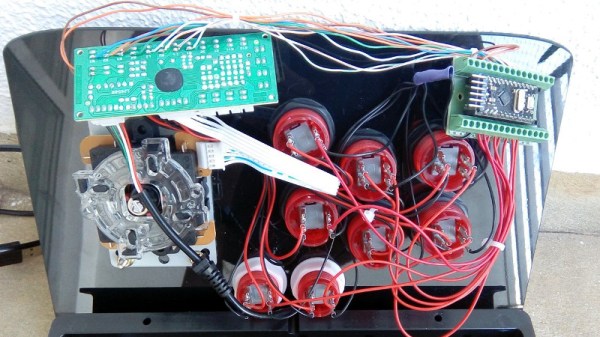
The wiring for this project is about as easy as you’d expect: the buttons connect to the digital inputs on the Arduino, and the LEDs on the digital outputs. When the Arduino code sees the button getting pressed, it brings the corresponding LED pin high and starts a fade out timer using the SoftPWM library by [Brett Hagman].

It’s worth noting that the actual USB interface is being done with a stand-alone controller, so the Arduino here is being used purely to drive the lighting effects. The more critical reader might argue that you could do both with a single microcontroller, but [Rodrigo] was in a classic “Use what you’ve got” situation, and already had a USB controller on hand.

Of course, fancy lit arcade buttons won’t do you much good without something to put them in. Luckily we’ve covered some fantastic looking arcade cabinets to get you inspired.

Continue reading “Arduino Powered Arcade Button Lighting Effects” →