Dynamicland Makes The Whole Building The Computer

Every once is a while a research project comes along that has the potential to totally shake up computing and what it even means to interact with a system. The project Dynamicland.org, is a result of [Bret Victor]’s research journey over the years, looking into various aspects of human computer interaction and what it even means to think like a human.

One of the overhead projectors tied to a realbox
In Realtalk, paper is your programming medium

Dynamicland is an instantiation of a Realtalk ecosystem, deployed into a whole building. Tables are used as computing surfaces, with physical objects such as pieces of paper, notebooks, anything which can be read by one of the overhead cameras, becoming the program listing, as well as the user interface. The camera is associated with a projector, with the actual hardware hooked into so-called ‘Realboxes’ which are Linux machines running the Realtalk software. Separate Realboxes (and other hardware such as a Raspberry Pi, running Realtalk) are all federated together using the Realtalk protocol, which allows communication from hardware in the ceiling, to any on the desk, and also to other desks and computing surfaces.

Realtalk itself is described as an environment for authoring and using computation media. The Realtalk system provides a language extension to Lua. Together these form a domain-specific language. Realtalk is also a kind of reactive database, which means that the emphasis is on the flow of data and connections between data producing things, and data consuming things. For a bit more explanation of how reactive programming can be used with modern relational databases, check out this article on the subject.

For a good overview of how this works in practice, from a programming perspective, checkout [Omar Rizwan]’s article about his ‘Geokit’ project. Another interesting read is the work by [Andrés Cuervo.]

Continue reading “Dynamicland Makes The Whole Building The Computer”

Useless Machine Is A Clock

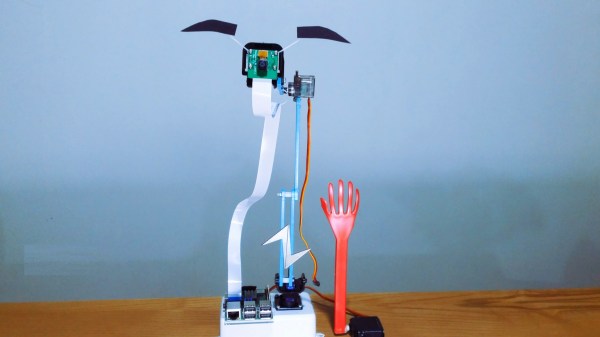
Useless machines are a fun class of devices which typically turn themselves off once they are switched on, hence their name. Even though there’s no real point, they’re fun to build and to operate nonetheless. [Burke] has followed this idea in spirit by putting an old clock he had to use with his take on a useless machine of sorts. But instead of simply powering itself off when turned on, this useless machine dislodges itself from its wall mount and falls to the ground anytime anyone looks at it.

It’s difficult to tell if this clock was originally broken when he started this project, or if many rounds of checking the time have caused the clock to damage itself, but either way this project is an instant classic. Powered by a small battery driving a Raspberry Pi, the single-board computer runs OpenCV and is programmed to recognize any face pointed in its general direction. When it does, it activates a small servo which knocks it off of its wall, rendering it unarguably useless.

[Burke] doesn’t really know why he had this idea, but it’s goofy and fun. The duct tape that holds everything together is the ultimate finishing touch as well, and we can’t really justify spending too much on fit and finish for a project that tosses itself around one’s room. On the other hand, if you’re looking for a more refined useless machine, we have seen some that have an impressive level of intricacy.

Thanks to [alchemyx] for the tip!

Continue reading “Useless Machine Is A Clock”

3d printed GLaDOS home assistant

GLaDOS Voice Assistant Passive-Aggressively Automates Home

With modern voice assistants we can tell a computer to play our favorite music, check the weather, or turn on a light. Like many of us, [nerdaxic] gave in to the convenience and perceived simplicity of various home automation products made by Google and Amazon. Also like many of us, he found it a bit difficult to accept the privacy implications that surround such cloud connected devices. But after selling his Home and Echo, [nerdaxic] missed the ability to control his smart home by voice command. Instead of giving in and buying back into the closed ecosystems he’d left behind, [nerdaxic] decided to open his home to a murderous, passive aggressive, sarcastic, slightly insane AI: GLaDOS, which you can see in action after the break.

Using open source designs from fellow YouTube creator [Mr. Volt], [nerdaxic] 3d printed as much of the GLaDOS animatronic model as he was able to, and implemented much of the same hardware to make it work. [nerdaxic] put more Open Source Software to use and has created a functional but somewhat limited home AI that can manage his home automation, give the weather, and tell jokes among other things. GLaDOS doesn’t fail to deliver some great one liners inspired by the original Portal games while heeding [nerdaxic]’s commands, either.

A ReSpeaker from Seeed Studio cleans up the audio sent to a Raspberry Pi 4, and allows for future expansion that will allow GLaDOS to look in the direction of the person speaking to it. With its IR capable camera, another enhancement will allow GlaDOS to stare at people as they walk around. That’s not creepy at all, right? [nerdaxic] also plans to bring speech-to-text processing in-house instead of the Google Cloud Speech-To-Text API used in its current iteration, and he’s made everything available on GitHub so that you too can have a villainous AI hanging on your every word.

Of course if having GLaDOS looming isn’t enough, you could always build a functional life size Portal turret or listen to the radio on your very own Portal Radio.

Continue reading “GLaDOS Voice Assistant Passive-Aggressively Automates Home”

Breadboard containing speech synthesis chip

RPi Python Library Has Retro Chiptunes And Speech Covered

The classic SP0256-AL2 speech chip has featured a few times on these pages, and if you’ve not seen the actual part before, you almost certainly have heard the resulting audio output. The latest Python library from prolific retrocomputing enthusiast [Nick Bild] brings the joy of the old chip to the Raspberry Pi platform, with an added extra trick; support for the venerable AY-3-8910 sound generator as well.

The SP0256-AL2 chip generates vaguely recognisable speech using the allophone system. Allophones are kind of like small chunks of speech audio which when reproduced sequentially, result in intelligible phonemes that form the basis of speech. The chip requires an external device to feed it the allophones at a regular rate, which is the job of his Gi-Pi library.

This speech synthesis technology is based on Linear-predictive coding, which is used to implement a human vocal tract model. This is the same coding method utilized by the first generation of GSM digital mobile phones, implementing a system known as Full-Rate. Both an LPC encoder and an LPC decoder are present on the handset. The LPC encoder takes audio in from the user, breaks it into the tiny constituent parts of speech, and then simply sends a code representing the audio block, but not the actual audio. Obviously there are a few more parameters sent as well to adjust the model at the receiving side. The actual decoding side is therefore not all that dissimilar to what the AY-3-8910 and related devices are doing, except you the user have to create the list of audio blocks up-front and feed the chip at the rate it demands.

Continue reading “RPi Python Library Has Retro Chiptunes And Speech Covered”

A Raspberry Pi next to a small circuit board

An Inexpensive FM Receiver For The Raspberry Pi

At this point, there are no shortage of impressive hacks for the Raspberry Pi. [Dilshan Jayakody] recently documented his experience in designing and building an inexpensive FM Stereo Receiver for the Pi platform, and the results are impressive.

Quite a few FM receiver projects center around the RDA5807 or TEA5767 ICs, however [Dilshan] has used the QN8035 by Quintic Corporation in his build. A handful of discrete components on a pleasing single-sided PCB is all that is needed to interface the QN8035 with the Pi’s I2C bus.

After demonstrating that the FM tuner could be, well, tuned at the command line, [Dilshan] then coded a smart looking GUI application that makes tuning a breeze. The software allows the listener to manually and automatically scan through FM stations, decode program service data, control the volume, and display the RSSI and SNR readings from the tuner.

As we reported earlier, FM radio is on a slow decline into obsolescence. This latest project isn’t aiming to break new ground, however its simplicity and inexpensive components are the perfect combination for beginner hackers and radio enthusiasts alike. More details can be found over on Hackaday.io. The schematic, source code and bill of materials can be found on GitHub.

Continue reading “An Inexpensive FM Receiver For The Raspberry Pi”

MC68k SBC with a monitor, keyboard and mouse

Motorola 68000 SBC Runs Again With A Raspberry Pi On Top

Single-board computers have been around a long time: today you might be using a Raspberry Pi, an Arduino, or an ESP32, but three decades ago you might find yourself programming a KIM-1, an Intel SDK-85, or a Motorola 68000 Educational Computer Board. These kind of boards were usually made by processor manufacturers to show off their latest chips and to train engineers who might use these chips in their designs.

[Adam Podstawczyński] found himself trying to operate one of these Motorola ECBs from 1981. This board contains a 68000 CPU (as used in several Macintoshes and Amigas), 32 kB of RAM, and a ROM program called TUTOR. Lacking any keyboard or monitor connections, the only way to communicate with this system is a pair of serial ports. [Adam] decided to make the board more accessible by adding a Raspberry Pi extended with an RS232 Hat. This add-on board comes with two serial ports supporting the +/- 12 V signal levels used in older equipment.

It took several hours of experimenting, debugging, and reading the extensive ECB documentation to set up a reliable connection; as it turns out, the serial ports can operate in different modes depending on the state of the handshake lines. When the Pi’s serial ports were finally set up in the right mode, the old computer started to respond to commands entered in the terminal window. The audio interface, meant for recording programs on tape, proved more difficult to operate reliably, possibly due to deteriorating capacitors. This was not a great issue, because the ECB’s second serial port could also be used to save and load programs directly into its memory.

With the serial connections working, [Adam] then turned to the aesthetics of his setup and decided to make a simple case out of laser-cut acrylic and metal spacers. Custom ribbon cables for the serial ports and an ATX break-out board for power connections completed the project, and the 40-year-old educational computer is now ready to educate its new owner on all the finer points of 68000 programming. In the video (embedded after the break) he shows the whole process of getting the ECB up and running.

[Adam] made a similarly clever setup with a Commodore 64 and an Arduino earlier. [Jeff Tranter] recreated a similar 68000 development board from scratch. And a few years ago we even featured our own custom-built 68k computer.

Continue reading “Motorola 68000 SBC Runs Again With A Raspberry Pi On Top”

A Simpsons TV For A Golden Age

While the pace of technology continues to advance at breakneck speed, certain things in the past are left behind largely subject to the whims of nostalgia. Televisions, for example, are lighter, cheaper, and bigger than they were in the early 90s, but they did have a certain design aesthetic that doesn’t exist anymore. Meanwhile, Simpsons episodes have been (arguably) on the decline since the golden age of the 90s, so [buba447] decided to combine these two facets of a nostalgic past into a custom TV that only plays these older Simpsons episodes.

Update: Now there’s a build guide.

The TV is 3D printed but takes design cues from CRT-based technology from decades past. It even has working knobs emblematic of that era as well. Inside the “television” is a Raspberry Pi which is hooked up to a small screen. The Pi powers up and automatically starts playing Simpsons episodes once it boots. There is a power button at the top of the TV which mutes the sound and also turns off the display. As an added touch, the display outputs in 640×480 resolution, which is also somewhat historically accurate, even if the TV itself is much smaller than its ancient relatives.

Of course, the TV only plays episodes from The Simpson’s first eleven seasons, which includes all of the episodes of The Simpson’s golden era (and a few extra) and omits those episodes from the modern era, which will please certain Simpsons fans as well. This actually isn’t the first time we’ve seen a 24 hour Simpsons device. This Pi-based build serves up Simpsons episodes nonstop as well, but sends them out over the airwaves instead.

Continue reading “A Simpsons TV For A Golden Age”