Chip Transplant Brings Timex 2048 Back From Grave

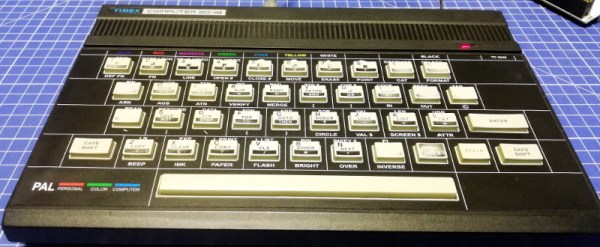
The 1984 Timex Computer 2048 that [Drygol] recently got his hands on was in pretty poor shape. Not only did it have the mangled exterior that comes from several decades of hard use and furious typing, but the internals appeared to be shot as well, with the machine showing nothing but vertical lines when powered up. Thankfully, this retro computer virtuoso was more than up to the challenge of bringing it back from the brink.

After a good cleaning and the installation of a reproduction front panel, the Timex was already looking much better. Unfortunately [Drygol] says he doesn’t currently have the equipment necessary to touch up the graphics and lettering on the key caps, but the fact that he had to qualify that statement with “currently” has us all sorts of excited to see what he’s planning down the line.

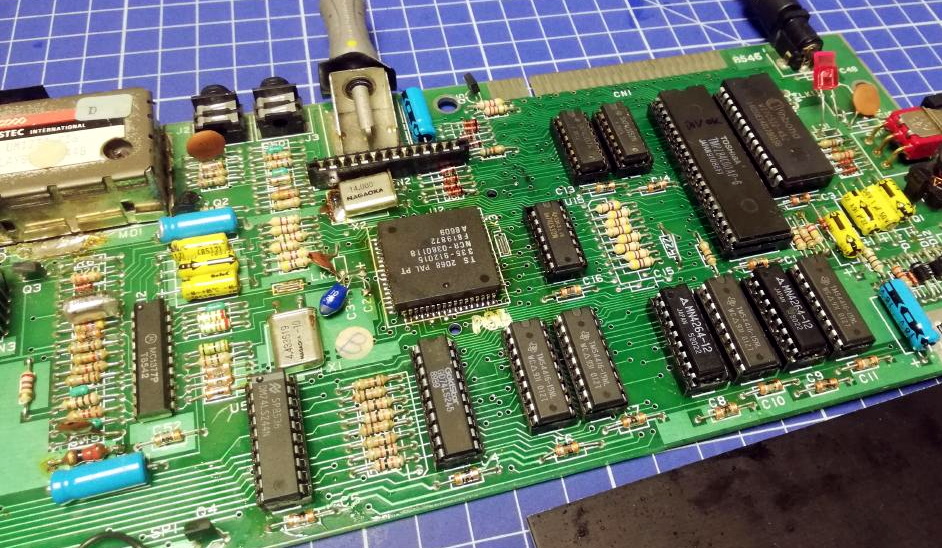
A bevy of fresh chips.

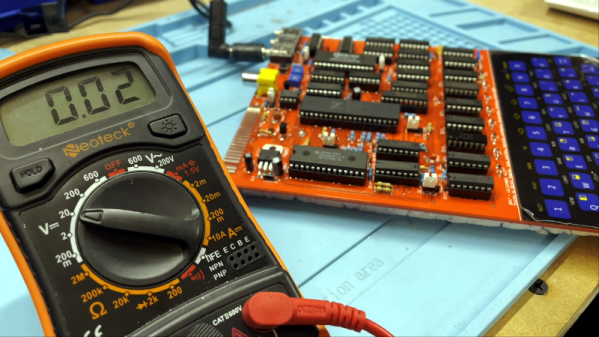
Of course beauty is only skin deep, and this particular TC-2048 was still bad to the bone. [Drygol] had a hunch its Z80 processor was dead, but after swapping it and its socket out, the machine still wouldn’t start. Though he did note that the garbled graphics shown on the screen had changed, which made him think he was on the right track. He then replaced all the RAM on the board, but that didn’t seem to change anything.

There isn’t a whole lot else to go wrong on these old machines, so the final step was to try and replace the ROM. Sure enough, after installing a new Winbond W27C512 chip with the appropriate software burned onto it, the nearly 40 year old computer sprang back to life.

Another classic computer saved from the trash heap, but it’s all in a day’s work for [Drygol]. Over the years we’ve seen him perform meticulous repairs on computer hardware that any reasonable person would have given up on. Even if you’re not into retro hardware, his restorations are always full of fascinating tips and tricks that can be applied when repairing gadgetry from whatever era happens to tickle your fancy.

See Acorn Archimedes Get Repaired And Refurbished, In Glorious Detail

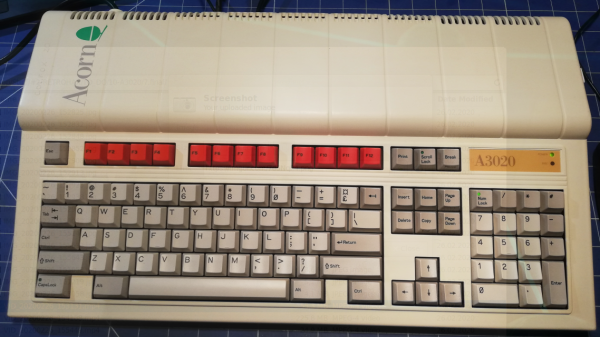
Want to see a 90s-era Acorn Archimedes A3020 home computer get opened up, refurbished, and taken for a test drive? Don’t miss [drygol]’s great writeup on Retrohax, because it’s got all that, and more!

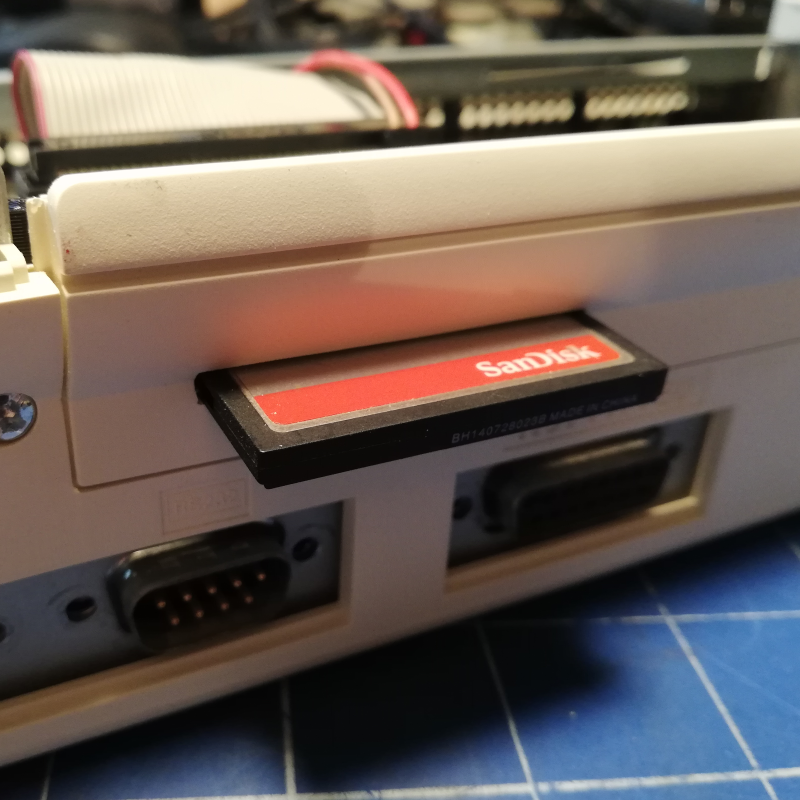
A modern upgrade allowing the use of a CF card in place of an internal hard drive, via a CF2IDE adapter and 3D-printed fixture.

The Archimedes was a line of ARM-based personal computers by Acorn Computers, released in the late 80s and discontinued in the 90s as Macintosh and IBM PC-compatible machines ultimately dominated. They were capable machines for their time, and [drygol] refurbished an original back into working order while installing a few upgrades at the same time.

The first order of business was to open the machine up and inspect the internals. Visible corrosion gets cleaned up with oxalic acid, old electrolytic capacitors are replaced as a matter of course, and any corroded traces get careful repair. Removing corrosion from sockets requires desoldering the part for cleaning then re-soldering, so this whole process can be a lot of work. Fortunately, vintage hardware was often designed with hand-assembly in mind, so parts tend to be accessible for servicing with decent visibility in the process. The keyboard was entirely disassembled and de-yellowed, yielding an eye-poppingly attractive result.

Once the computer itself was working properly, it was time for a few modern upgrades. One was to give the machine an adapter to use a CF card in place of an internal IDE hard drive, and [drygol] did a great job of using a 3D-printed piece to make the CF2IDE adapter look like a factory offering. The internal floppy drive was also replaced with a GOTEK floppy emulator (also with a 3D-printed adapter) for another modern upgrade.

The fully refurbished and upgraded machine looks slick, so watch the Acorn Archimedes A3020 show off what it can do in the video (embedded below), and maybe feel a bit of nostalgia.

Continue reading “See Acorn Archimedes Get Repaired And Refurbished, In Glorious Detail”

Growing Up With Computers

My son is growing up with computers. He’s in first grade, and had to list all of the things that he knows how to do with them. The list included things like mousing around, drawing ghosts with the paint program, and — sign of the times — muting and unmuting the microphone when he’s in teleconferences. Oh yeah, and typing emojis. He loves emojis.

When I was just about his age, I was also getting into computers. But home computers back then were in their early years as well. And if I look back, I’ve been getting more sophisticated about computers at just about the same pace that they’ve been getting more sophisticated themselves. I was grade school during the prime of the BASIC computers — the age of the Apple II and the C64. I was in high school for the dawn of the first Macs and the Amiga. By college, the Pentiums’ insane computational abilities just started to match my needs for them to solve numerical differential equations. And in grad school, the rise of the overclockable multi-cores and GPUs powered me right on through a simulation-heavy dissertation.

We were both so much younger then.

When I was a kid, they were playthings, and as a grownup, they’re powerful tools. Because of this, computers have never been intimidating. I grew up with computers.

But back to my son. I don’t know if it’s desirable, or even possible, to pretend that computers aren’t immensely complex for the sake of a first grader — he’d see right through the lie anyway. But when is the right age to teach kids about voice recognition and artificial neural networks? It’s a given that we’ll have to teach him some kind of “social media competence” but that’s not really about computers any more than learning how to use Word was about computers back in my day. Consuming versus creating, tweeting versus hacking. Y’know?

Of course every generation has its own path. Hackers older than me were already in high-school or college when it became possible to build your own computer, and they did. Younger hackers grew up with the Internet, which obviously has its advantages. Those older than me made the computers, and those younger have always lived in a world where the computer is mature and taken for granted. But folks about my age, we grew up with computers.

Build A New ZX81

[Retro Shack’s] ZX81 died, and while he tried to figure out the fix, he decided to build a new one. Of course, building a circa-1980-something computer from new parts is a bit daunting. Unless you start with an existing design that has it all ready to put together.

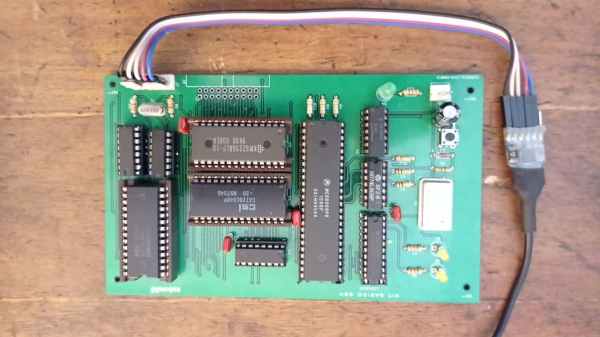
The PCB looks great and we like that the silkscreen shows acknowledgments of projects that helped the designer, [Alejandro Sebastian]. The case is, of course, 3D printed. At first, the power LED didn’t work, but voltages looked correct and the board powered up.

Continue reading “Build A New ZX81”

Inside The VIC-20

Commodore machines are well-loved around here, but usually when you think Commodore, you think about the Commodore 64, or maybe the PET or Amiga. But the Commodore 64 had an older sister, the VIC 20. This was the first computer to sell a million units and has a lot in common with its better-known successor. The machine was only made for a few years, and [Dubious Engineering] has been restoring one over a few videos. In the video below, he opens it up for a look inside, among other things.

If you want to get straight to the opening, you’ll need to fast forward about 5 and a half minutes. The keyboard pulls off and a nice old-fashioned set of cables made from individual wires connect to the skinny main board with all the smarts on it. No ribbon cables or flex PCBs!

Continue reading “Inside The VIC-20”

Retro ISA Card Means Old, Slow Computers No Longer Need Old, Heavy Monitors

One thing about vintage computers is that they depend greatly on whether or not one can plug a compatible monitor into them. That’s what’s behind [Tube Time]’s Graphics Gremlin, a modern-design retro ISA video card that uses an FPGA to act just like a vintage MDA or CGA video card on the input end, but provides a VGA port for more modern display output options. (Actually, there is also an RGBI connector and a composite video out, but the VGA is probably the most broadly useful.)

Handy silkscreen labels make everything crystal clear. Click to enlarge.

Why bother making a new device to emulate an old ISA video card when actual vintage video cards are still plentiful? Because availability of the old cards isn’t the bottleneck. The trouble is that MDA or CGA monitors just aren’t as easy to come across as they once were, and irreplaceable vintage monitors that do still exist risk getting smashed during shipping. Luckily, VGA monitors (or at least converters that accept VGA input) are far more plentiful.

The board’s design files and assembly notes are all on the project’s GitHub repository along with plenty of thoughtful detail about both assembly and troubleshooting, and the Verilog code has its own document. The Graphics Gremlin is still under development, but you can also watch for the latest on [Tube Time]’s Twitter feed.

Thanks to [NoxiousPluK] for the tip!

A “Disgusting” 1980s Computer Restored

It takes a special eye to see a junkyard car and envision it as your latest hotrod. The guys at RMC found what they termed a “disgusting” Acorn Electron and decided to restore it to its former glory. The Electron was a budget version of the BBC micro with a 6502 running at 2 MHz when executing code from ROM and 1 MHz when it hit the RAM. Apparently, at least some of the bus was operating at 4 bits instead of 8. Go figure.

The 1982 machine was meant to head off the Sinclair ZX and was set to sell for about £200. However, the machine didn’t catch on like the Sinclair and undersold it by around 20 times with a paltry quarter of a million units.

Continue reading “A “Disgusting” 1980s Computer Restored”