Microsoft is showing off five concepts for added mouse functionality. All of them seek to replace traditional move-and-click with touch sensitivity through either capacitive sensing, video recognition, sensor articulation, or laser scanning. We’re excited about the prospects of some of these features but at the same time wonder what this does to the price of this much-abused peripheral. After the break we’ll touch on each of the devices, along with time references for the video embedded above. Read the rest of this entry »
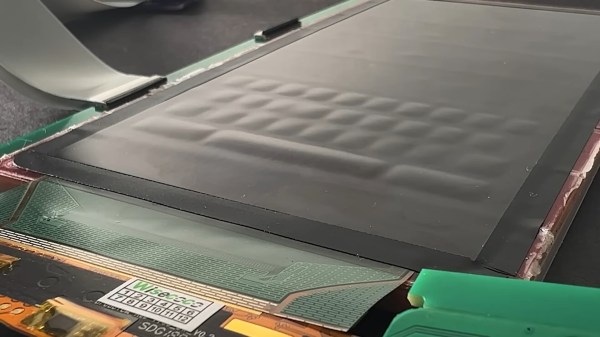
The Applied Sciences group in Microsoft Hardware have come up with an interesting tool. This is a pressure sensitive keyboard. Our minds went strait to gaming, as theirs did too apparently. They show how this could give you more control in your games based on how hard you push the button. Remember the first time you got to use an analog stick, it sure is hard to go back to a D-pad. We want to know when we’ll get to play with these cool toys made by Microsoft.
As you watch that video, you’ll probably find yourself wondering several things about the tangible hologram project. Why haven’t we seen these simple hologram setups used more often? Where did that cool air puff system come from and why haven’t we seen more on that? When will this be integrated into the latest Xbox/PS3/Wii? We don’t know the answers to those questions, but we would really love to play with this in person to see how convincing it is.
With the availability of webcams and projectors, multitouch and interactive demos have become increasingly popular because they’re so easy. Students at the University of Tokyo took a new approach that uses lasers instead. They created Sticky Light, which uses mirrors, a laser, and a single photodetector. Unlike camera-tracking setups, this system requires no visual processing. The laser moves around and bumps into dark objects, sticking to them. It can follow drawings on the table or objects in space, such as shirt designs. They also created a few basic games and a demo that makes sounds based on the movement of the spots. Video of the project after the break.
[Kyle McDonald] had a Visioneer XP 100 portable scanner laying around, so he started trying to come up with alternative uses for it. In the video above, we can see a multitouch setup rigged together using Openframeworks in Ubuntu. As you can see in the video, there’s some considerable lag. That is due to the 250-500 ms of buffering built into the scanner. It does have nice resolution; 10k pixels wide at 60 fps, so it has to be useful for something (aside from scanning). Anyone got any ideas? He says if the field of view was wider, he’d use it on a river bed to watch fish.
[HyPe] over at the Natural User Interface Group developed this concept as part of his Master’s Degree in Industrial Design. This suitcase sized projector and computer allows people to have a 60″ multitouch screen available wherever there is a large enough surface. The current software is designed for ad-hoc meetings about large-scale construction plans. The rolling case includes a short-throw projector and webcam. Just set it on top of your work surface, lift the lid, and it’s ready to go.
Embedded above is an interesting multitouch demo by [Lahiru]. The goal of the project was to find an easy way to retrofit current LCDs for multitouch. Instead of using infrared or capacitive recognition, it uses a standard webcam mounted overhead. To calibrate, you draw polygon around the desktop screen as the webcam sees it. The camera can identify the location of markers placed on the screen and their color. iDisplay can also recognize hands making the pinch motion and sends these as touch events via TUIO, so it works with existing touch software. It’s written in C++ using OpenCV for image processing with openFrameworks as the application framework.
[Jacob] wrote us to show off his latest project. He built his multitouch interface out of an LCD monitor. We’ve seen plenty of multitouch projects here, but usually they are projection style. This project uses the panel out of an LCD, with the diffusers and backlighting removed. The panel itself is fairly transparent, so a webcam with IR filter can see the light pens right through it. It does seem a bit dim in the video, we’re wondering if it is better in real life.
[Alex] sent us this project he’s working on where he’s building a phototransistor based multitouch input system. Though many people have built systems with phototransistors, most of them are quite large and very sensitive light and dark variances. [Alex] has done some fancy background subtraction through software. He believes his is the first to do this. As you can see in the video after the break, it seems impervious to the lamp he is moving around, and still fairly sensitive to his hand. We’re curious to see where he takes this one.
Liquidware has put together an interesting kit called the WiNet. It has a battery powered touchscreen controlled by an Arduino. Using an XBee shield, it can send commands to a paired XBee and Arduino attached to a computer. The computer can also update the touchscreen display. This is demoed in the video below. It’s a unique interface, but the TouchShield alone costs $174 so we’re guessing you’re going to be pretty damn confident in your project before you go this route.