External Battery Mod For Action Camera Does It Non-destructively

[Facelesstech] owns an SJCAM SJ4000 action camera, but the internal battery was no longer functional. Not wishing to buy a replacement and unwilling to hook up an ungainly USB cable to feed power, the solution was to design and 3D print an adapter to power the camera from a single rechargeable 14500 sized battery (which is the same size as an AA cell, and a good match for the width of the camera.)

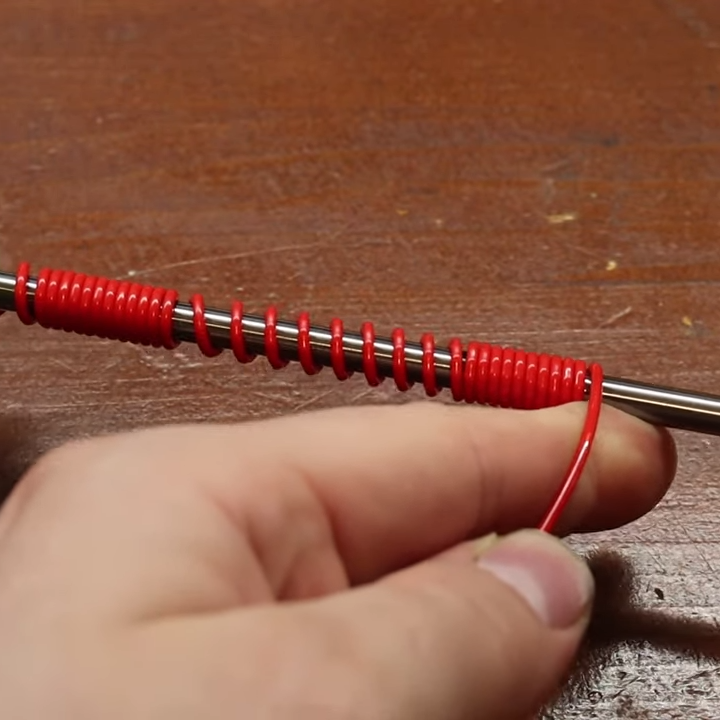
The adapter works by mimicking the original battery, so the camera never knows the difference. A 3D-printed holder for the 14500 battery (which doubles as a GoPro compatible mount) has an extension the same size and shape of the camera’s original internal battery. The tricky part was interfacing to the power connectors buried inside the camera’s battery bay. For a solution, [Facelesstech] eventually settled on the small connectors harvested from inside a female header, using them to connect to the small blades inside the camera. We broke open a spare female 0.1″ header, shown here, to make it clear where these little pieces come from. The only other battery hardware needed are the contacts for an AA cell, but those are also easy to harvest and reuse.

The GitHub repository for the project includes STL files as well as the FreeCAD files for the parts. A video overview is embedded below.

Continue reading “External Battery Mod For Action Camera Does It Non-destructively”

Finding Perfect Part Fits With The Goldilocks Approach (and OpenSCAD)

There is something to be said for brute force or trial-and-error approaches to problems, especially when finding a solution has an empirical element to it. [Tommy] perceived that to be the case when needing to design and 3D print servo horns that would fit factory servos as closely as possible, and used OpenSCAD to print a “Goldilocks array” from which it was possible to find a perfect match for his printer by making the trial and error process much more efficient. By printing one part, [Tommy] could test-fit dozens of options.

What made doing this necessary is the fact that every 3D printer has some variance in how accurately they will reproduce small features and dimensions. A 6.3 mm diameter hole in a CAD model, for example, will not come out as exactly 6.3 mm in a 3D-printed object. It will be off by some amount, but usually consistently so. Therefore, one way around this is to empirically determine which measurements result in a perfect fit, and use those for production on that specific 3D printer.

That’s exactly what [Tommy] did, using OpenSCAD to generate an array of slightly different sizes and shapes. The array gets printed out, servos are test-fitted to them, and whichever option fits best has its dimensions used for production. This concept can be implemented in any number of ways, and OpenSCAD makes a decent option due to its programmatic nature. Interested in OpenSCAD? It will run on nearly any hardware, and you can get up and running with the basics in probably less than ten minutes.

Tic-Tac-Toe Implemented In Single Call To Printf()

[Nicholas Carlini] programmed a C implementation of two-player Tic Tac Toe, and he did it in a single call to printf(). The arguments for that single function call get mind-bendingly complex, so it may come as no surprise that it was written for The International Obfuscated C Code Contest (IOCCC).

Most of us are aware that printf() is one of those functions that is considerably more complex under the hood, and capable of far more, than it may appear to be. But did you know that it is capable of Turing-complete computation?

[Nicholas] clearly steps through the theory, so give it a read. In short, a maze of arguments handles the logic of the game while an embedded scanf() reads user input, and printing the game board is always preceded by an escape code to clear the screen.

[Nicholas] is certainly no stranger to in-depth understandings; we’ve seen his work before in demonstrating how to fool speech recognition with hidden commands, including a powerful example showing how two virtually identical-sounding audio files transcribe entirely differently.

Palm’s Mini-Mobile Phone Becomes Bike Phone

The mini-mobile phone [Jim Yang] got his hands on deserves a bit of background. Palm had the concept of a companion mobile phone, and this manifested itself in late 2018 as a cute palm-sized smartphone that one could carry around when one didn’t wish to haul along their “real” phone. This smaller and simpler phone was originally intended to share the same mobile number as one’s primary phone (though it has since been made able to work as a standalone device.)

[Jim]’s device, in use as a bike-mounted smartphone.
[Jim] got his hands on a refurbished Palm PVG100, rooted it, and shared some pictures of the internal components. The phone was not carrier-locked, but getting it up and running was still a bit more complex than plugging in a SIM card. For example, voice calls worked fine but to gain access to mobile data on the Three UK mobile network required updating the Access Point Name (APN) settings. [Jim] also rooted the Android-based phone and describes how he removed Verizon bloatware.

Palm’s companion phone idea hasn’t really caught on in a commercial sense, but in a way, [Jim] is validating the concept. After getting it up and running, he attached it to his bike with a custom mount to enjoy the benefits of having a mobile phone along without actually risking his primary device.

In case you’re wondering, this Palm is indeed the same Palm that launched the PalmPilot in 1996, whose distinctive folding keyboard accessory has shown up in past hacks.

Art of 3D printer in the middle of printing a Hackaday Jolly Wrencher logo

3D Printering: Sticky Resin Prints And How To Fix Them

After going through all the trouble of printing a part in resin, discovering it feels sticky or tacky to the touch is pretty unwelcome. Giving the model some extra ultraviolet (UV) curing seems like it should fix the problem, but it probably does not. So, what can be done?

The best thing to do with a sticky print is to immediately re-wash it in clean isopropyl alcohol (IPA) before the UV present in ambient light cures stray resin. If the part remains sticky after it is dry, more aggressive steps can be taken.

We’ll get into those more extreme procedures shortly, but first let’s understand a bit more about how resin works, then look at how that applies to preventing and removing tacky surfaces on finished prints. Continue reading “3D Printering: Sticky Resin Prints And How To Fix Them”

Building One Test Fixture To Rule Them All

Test and programming fixtures are great time-savers for anyone who needs to deal with more than a handful of PCBs. Instead of plugging in connectors (or awkwardly holding probe tips or wires) to program some firmware or run tests, one simply pops a PCB into a custom fixture with one hand, and sips a margarita with the other while a program decides whether everything is as it should be. Test fixtures tend to be custom-made for specific board layouts, meaning one tester is needed per board or device type, but this work is easily justified by the huge time savings they offer.

An inserted PCB sits atop the thick acrylic piece, with pogo pins making contact from below. Generous space on the left and right make sure there is clearance for any mounted components. Visible near the bottom of the green board are output LEDs, and two touch-sensitive pads.

But the fine folks at Sparkfun’s quality control department figured they could save even more time by exploiting common design features across different boards, and shared details about designing a single test fixture flexible enough to handle multiple board types and designs.

The test unit looks like pretty familiar stuff at first glance: some hardware responsible for running the test program, laser-cut acrylic jig to hold a test PCB in a consistent position, spring-loaded pogo pins to make temporary electrical connections, and LEDs to clearly indicate PASS and FAIL states. The clever part is the way the fixture is designed to accommodate multiple board designs, and how it uses several 74LVC4066 quad bilateral switch ICs to take care of switching which pogo pins are connected and to where.

As mentioned, to be compatible with multiple boards there must be common design elements to exploit. In Sparkfun’s case, the through-hole connections on their breakout boards are all in a row with standard 0.1″ spacing. By using the aforementioned pogo pins and 4066 ICs, different pinouts can be accommodated and multiple board types can be used without any need to swap to different test hardware.

Test and programming fixtures, being one-offs, tend to have a lot of space for creativity and often show clever design or re-purposing of parts. Our own [Bob Baddeley] explains all about them here.

Rolling Your Own LED Matrix Driver, With Copper Foil Tape To The Rescue

It all started when [Damien Walsh] got his hands on some surplus LED boards. Each panel contained 100 mini-PCBs hosting a single bright LED that were meant to be to be snapped apart as needed. [Damien] had a much better idea: leave them in their 20×5 array and design a driver allowing each LED to be controlled over WiFi. He was successful (a brief demo video is embedded down below after the break) and had a few interesting tips to share about the process of making it from scratch.

The first hurdle he ran into was something most of us can relate to; it’s difficult to research something when one doesn’t know the correct terms. In [Damien]’s case, his searches led him to a cornucopia of LED drivers intended to be used for room lighting or backlights. These devices make a large array of smaller LEDs act like a single larger light source, but he wanted to be able to individually address each LED.

Eventually he came across the IS32FL3738 6×8 Dot Matrix LED Driver IC from ISSI which hit all the right bases. Three of these would be enough to control the 100-LED panel; it offered I2C control and even had the ability to synchronize the PWM of the LEDs across multiple chips, so there would be no mismatched flicker between LEDs on different drivers. As for micontroller and WiFi connectivity, we all have our favorites and [Damien] is a big fan of Espressif’s ESP32 series, and used the ESP32-WROOM to head it all up.

LED pads bridged to copper tape, with Kapton (polyimide) tape insulating any crossovers.

The other issue that needed attention was wiring. Each of the LEDs is on its own little PCB with handy exposed soldering pads, but soldering up 100 LEDs is the kind of job where a little planning goes a long way. [Damien] settled on a clever system of using strips of copper tape, insulated by Kapton (a super handy material with a sadly tragic history.) One tip [Damien] has for soldering to copper tape: make sure to have a fume extractor fan running because it’s a much smokier process than soldering to wires.

A 3D-printed baffle using tracing paper to diffuse the light rounds out the device, yielding a 20 x 5 matrix of individually-controlled rectangles that light up smoothly and evenly. The end result looks fantastic, and you can see it in action in the short video embedded below.

Continue reading “Rolling Your Own LED Matrix Driver, With Copper Foil Tape To The Rescue”