Teardown: VTech Smart Start

Regular readers may be aware that I have a certain affinity for vintage VTech educational toys, especially ones that attempted to visually or even functionally tie in with contemporary computer design. In the late 1980s, when it became obvious the personal computer was here to stay, these devices were seen as an affordable way to give kids and even young teens hands-on time with something that at least somewhat resembled the far more expensive machines their parents were using.
Much Smarter: VTech PreComputer 1000

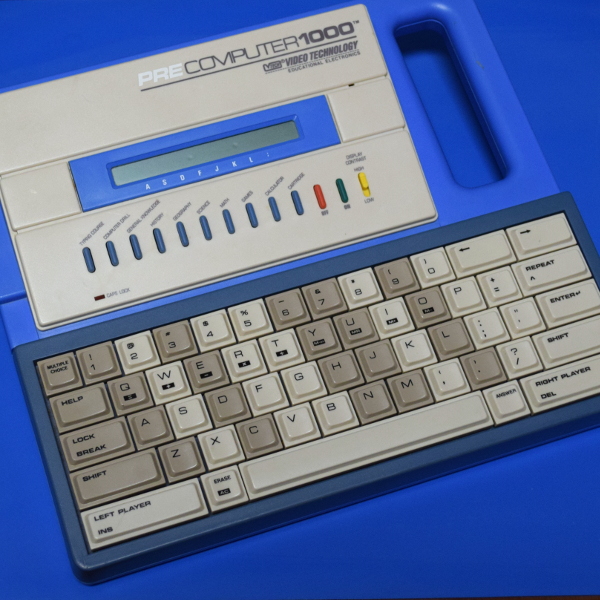
A perfect example is the PreComputer 1000, released in 1988. Featuring a full QWERTY keyboard and the ability to run BASIC programs, it truly blurred the line between toy and computer. In fact from a technical standpoint it wasn’t far removed from early desktop computers, as it was powered by the same Zilog Z80 CPU found in the TRS-80 Model I.

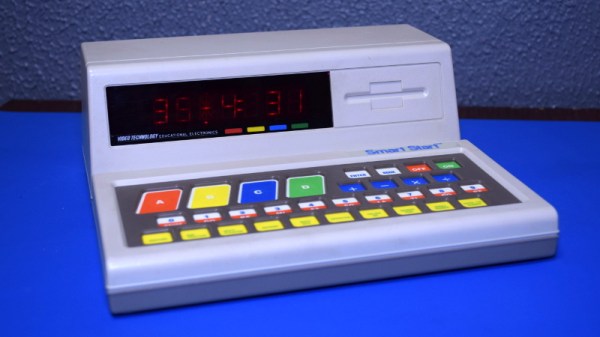
By comparison, the Smart Start has more in common with a desktop electronic calculator. Even though it was released just two years prior to the PreComputer 1000, you can tell at a glance that it’s a far more simplistic device. That’s due at least in part to the fact that it was aimed at a younger audience, but surely the rapid advancement of computer technology at the time also played a part. Somewhat ironically, VTech did still at least attempt to make the Smart Start look like a desktop computer, complete with the faux disk drive on the front panel.

Of course, looks can be deceiving. While the Smart Start looks decidedly juvenile on the outside, that doesn’t mean there aren’t a few surprising technical discoveries lurking under its beige plastic exterior. There’s only one way to find out.
Continue reading “Teardown: VTech Smart Start”

Chip Transplant Brings Timex 2048 Back From Grave

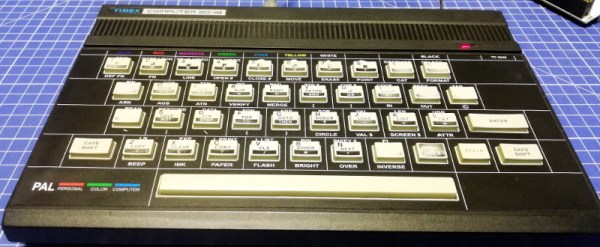
The 1984 Timex Computer 2048 that [Drygol] recently got his hands on was in pretty poor shape. Not only did it have the mangled exterior that comes from several decades of hard use and furious typing, but the internals appeared to be shot as well, with the machine showing nothing but vertical lines when powered up. Thankfully, this retro computer virtuoso was more than up to the challenge of bringing it back from the brink.

After a good cleaning and the installation of a reproduction front panel, the Timex was already looking much better. Unfortunately [Drygol] says he doesn’t currently have the equipment necessary to touch up the graphics and lettering on the key caps, but the fact that he had to qualify that statement with “currently” has us all sorts of excited to see what he’s planning down the line.

A bevy of fresh chips.

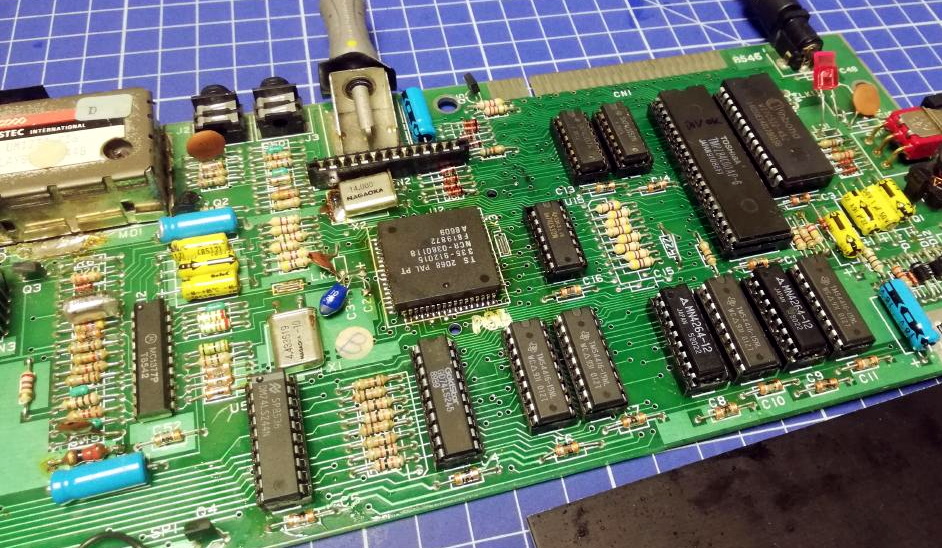
Of course beauty is only skin deep, and this particular TC-2048 was still bad to the bone. [Drygol] had a hunch its Z80 processor was dead, but after swapping it and its socket out, the machine still wouldn’t start. Though he did note that the garbled graphics shown on the screen had changed, which made him think he was on the right track. He then replaced all the RAM on the board, but that didn’t seem to change anything.

There isn’t a whole lot else to go wrong on these old machines, so the final step was to try and replace the ROM. Sure enough, after installing a new Winbond W27C512 chip with the appropriate software burned onto it, the nearly 40 year old computer sprang back to life.

Another classic computer saved from the trash heap, but it’s all in a day’s work for [Drygol]. Over the years we’ve seen him perform meticulous repairs on computer hardware that any reasonable person would have given up on. Even if you’re not into retro hardware, his restorations are always full of fascinating tips and tricks that can be applied when repairing gadgetry from whatever era happens to tickle your fancy.

Motorized Camera Slider Gives Your Shots Style

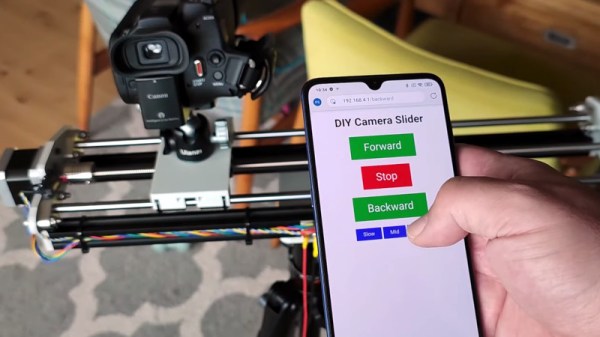
We’ve all seen those smooth panning shots, which combined with some public domain beats, are a hallmark of the modern YouTube tech video. Recreating that style in your own productions is as easy as pointing your browser to Amazon and picking up a motorized camera slider, so long as you don’t mind parting with a few hundred bucks, anyway. But [Paweł Spychalski] had a better idea. He decided to build his own camera slider and make it an open source project so others could spin up their own versions.

His design uses many components that have become popular and affordable thanks to the desktop 3D printer explosion, such as 2020 aluminum extrusion, LM8UU linear bearings, an 8 mm lead screw, and a NEMA 17 stepper motor. In fact, if you’ve got a broken 3D printer that you don’t know what to do with, stripping it for parts would get you a long way towards completing the BOM for this project.

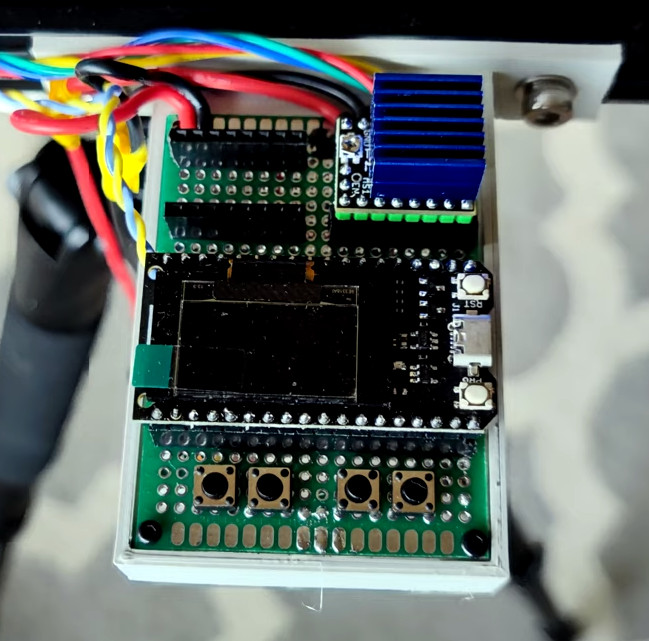
To control the slider, [Paweł] is using an ESP32 and TMC2209 “StepStick” driver connected to an OLED display and a few buttons. As designed, a smartphone connected to a simple web page hosted by the ESP32 is the primary method of controlling the camera, but the buttons and display on the slider itself gives you a physical backup should you need it.

If you need something a bit more advanced than a linear slider, we’ve seen some impressive DIY motion rigs that can spin the camera around the target and produce some very professional looking shots.

Continue reading “Motorized Camera Slider Gives Your Shots Style”

Tuning Into Medical Implants With The RTL-SDR

With a bit of luck, you’ll live your whole life without needing an implanted medical device. But if you do end up getting the news that your doctor will be installing an active transmitter inside your body, you might as well crack out the software defined radio (SDR) and see if you can’t decode its transmission like [James Wu] recently did.

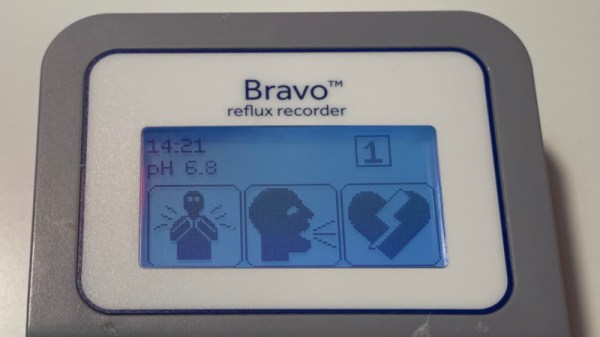
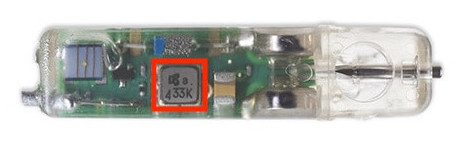
Before the Medtronic Bravo Reflux Capsule was attached to his lower esophagus, [James] got a good look at a demo unit of the pencil-width gadget. Despite the medical technician telling him the device used a “Bluetooth-like” communications protocol to transmit his esophageal pH to a wearable receiver, the big 433 emblazoned on the hardware made him think it was worth taking a closer look at the documentation. Sure enough, its entry in the FCC database not only confirmed the radio transmitted a 433.92 MHz OOK-PWM encoded signal, but it even broke down the contents of each packet. If only it was always that easy, right?

The 433 ended up being a coincidence, but it got him on the right track.

Of course he still had to put this information into practice, so the next step was to craft a configuration file for the popular rtl_433 program which split each packet into its principle parts. This part of the write-up is particularly interesting for those who might be looking to pull data in from their own 433 MHz sensors, medical or otherwise

Unfortunately, there was still one piece of the puzzle missing. [James] knew which field was the pH value from the FCC database, but the 16-bit integer he was receiving didn’t make any sense. After some more research into the hardware, which uncovered another attempt at decoding the transmissions from the early days of the RTL-SDR project, he realized what he was actually seeing was the combination of two 8-bit pH measurements that are sent out simultaneously.

We were pleasantly surprised to see how much public information [James] was able to find about the Medtronic Bravo Reflux Capsule, but in a perfect world, this would be the norm. You deserve to know everything there is to know about a piece of electronics that’s going to be placed inside your body, but so far, the movement towards open hardware medical devices has struggled to gain much traction.

Up Close And Personal With Some Busted Avionics

When he found this broken Narco DME 890 that was headed for the trash, [Yeo Kheng Meng] did what any self-respecting hardware hacker would do: he took it back to his workbench so he could crack it open. After all, it’s not often you get to look at a piece of tech built to the exacting standards required by even outdated avionics.

DME stands for “Distance Measuring Equipment”, and as you might expect from the name, it indicates how far the aircraft is from a given target. [Yeo Kheng Meng] actually goes pretty deep into the theory behind how it works in his write-up if you’re interested in the nuts and bolts of it all, but the short version is that the pilot selects the frequency of a known station on the ground, and the distance to the target is displayed on the screen.

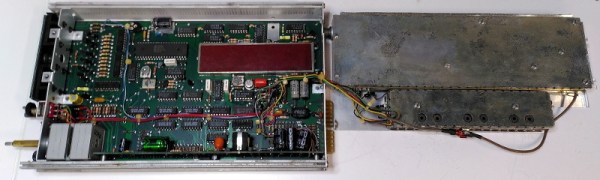
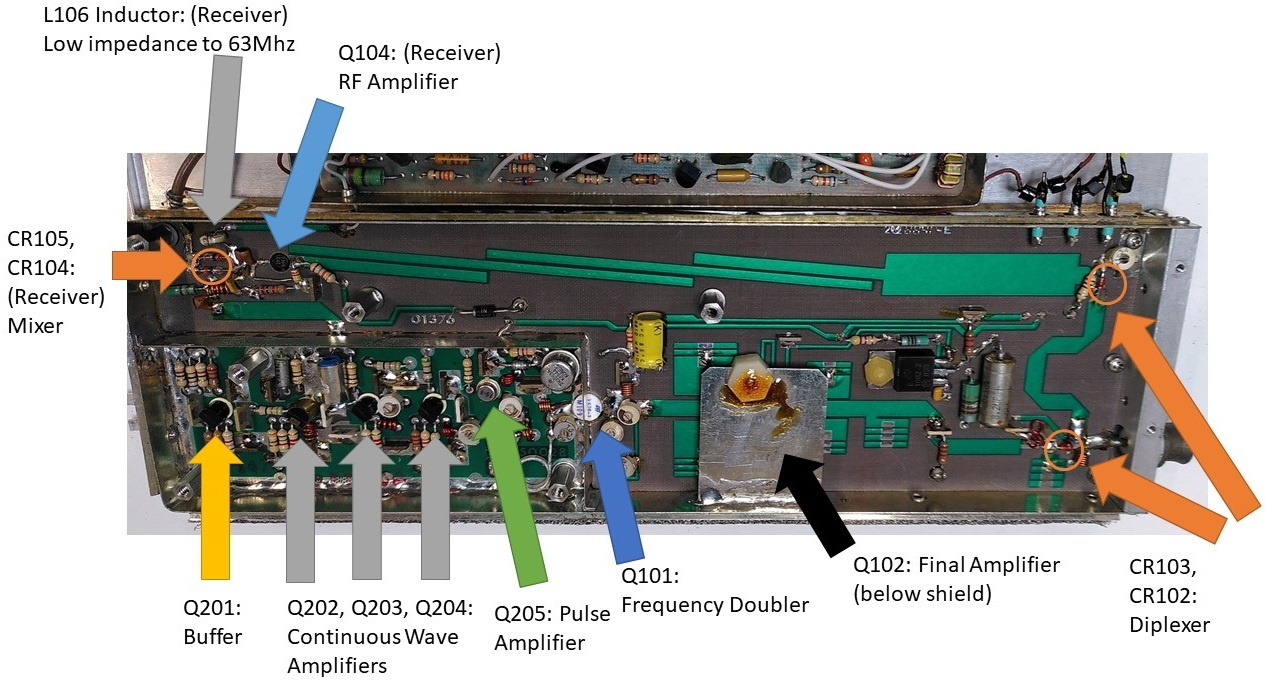
Inside the device, [Yeo Kheng Meng] found several densely packed boards, each isolated to minimize interference. The main PCB plays host to the Mostek MK3870 microcontroller, an 8-bit chip that screams along at 4 MHz and offers a spacious 128 bytes of RAM. It doesn’t sound like much to the modern AVR wrangler, but for 1977, it was cutting edge stuff.

Digging further, [Yeo Kheng Meng] opens up the metal cans that hold the transmitter and receiver. Thanks to the excellent documentation available for the device, which contains extensive schematics and block diagrams, he was able to ascertain the function of many of the components. Even if you’re unlikely to ever go hands on with this type of technology, it’s fascinating to see the thought and attention to detail that goes into even seemingly mundane aspects of the hardware.

Hungry for more airworthy engineering? We’ve taken a close look at some hardware pulled from a civilian airliner, as well as some battle-hardened electronics that once graced the cockpit of an AH-64 Apache attack helicopter.

Raspberry Pi Cameras Stand In For Stereo Microscope

Handling tiny surface mount components and inspecting PCBs is a lot easier with a nice stereo microscope, but because of their cost and bulk, most hobbyists have to do without. At best they might have a basic digital microscope, but with only one camera, they can only show a 2D image that’s not ideal for detail work.

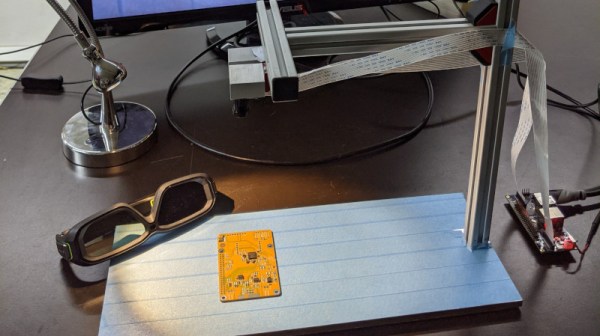
The team behind [Stereo Ninja] hopes to improve on the situation by developing a stereoscopic vision system that puts tiny objects up on the big screen in three dimensions. Utilizing the Raspberry Pi Compute Module, a custom carrier board that enables the use of both MIPI CSI camera interfaces, and a 3D gaming monitor, their creation combines the capabilities of a traditional stereo microscope with the flexibility of a digital solution.

With two Raspberry Pi cameras suspended over the work area, and the addition of plenty of LED light, Stereo Ninja is able to generate the 3D image required by the monitor. While the camera’s don’t have the same magnification you’d get from a microscope, they’re good enough for enlarging SMD parts, and looking at a big screen monitor certainly beats hunching over the eyepiece of a traditional microscope. Especially if you’re trying to show something to a group of people, like at a hackerspace.

Of course, not everyone has a large 3D gaming monitor on their workbench. In fact, given how poorly the tech went over with consumers the last time it was pushed on us, we’d wager more hackers have stereo microscopes than 3D displays. Which is why the team’s next step is to have the Raspberry Pi generate the signals required by the shutter glasses, allowing Stereo Ninja to show a three dimensional image on 2D monitors; bringing this valuable capability to far larger audience than has previously been possible.

Continue reading “Raspberry Pi Cameras Stand In For Stereo Microscope”

Hacked On SO-DIMM Slot Was Worth A Shot

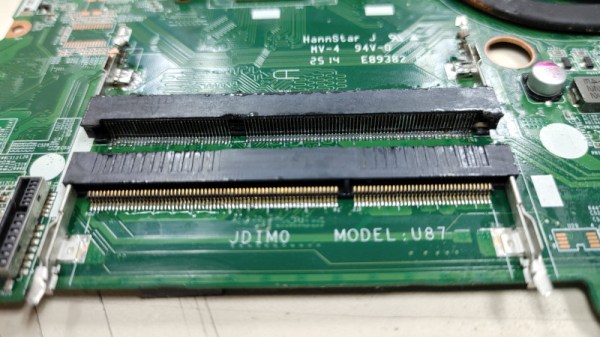
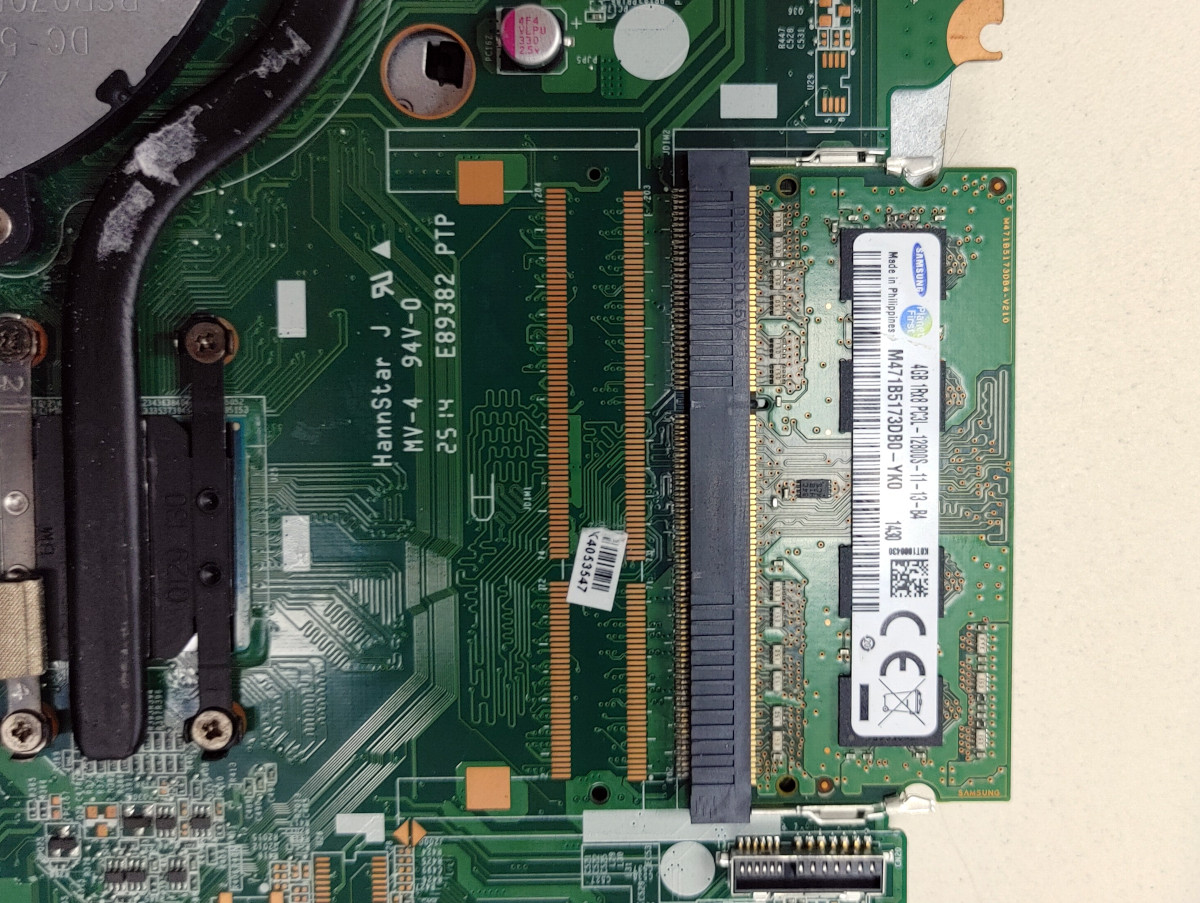
Finding unpopulated pads on a circuit board is often a sign that the device in question has some untapped potential. These blank spots on the board could be left over from features or capabilities that were deleted from the design, or perhaps even represent an optional upgrade that wasn’t installed on this particular specimen. So we certainly understand why [d0rk] was fascinated by the empty SO-DIMM footprint he recently found on a laptop’s motherboard.

The budget Celeron machine shipped with 4 GB of RAM installed in its single socket, a situation [d0rk] hoped he could improve upon with the addition of a second module. But could it really be as simple as pulling the socket from a dead motherboard and soldering it into place? Would other components need to be added to the board? Could the BIOS cope with the unexpected upgrade? There was only one way to find out…

Room to grow

At first, it seemed like the patient didn’t survive the operation. But a close look uncovered that the power button had actually gotten damaged somewhere along the line. Once [d0rk] fixed that the machine started up, but unfortunately the operating system didn’t see the extra RAM module. Even after upgrading the BIOS, the computer remained oblivious to the additional memory.

When he went back in to inspect his solder work for shorts or bad joints, disaster struck. For reasons that aren’t immediately clear, the computer no longer starts. Even after pulling the transplanted SO-DIMM slot off the board entirely, [d0rk] says it won’t make it through the self-test. Obviously a disappointing conclusion, but we respect the effort he put into the attempt.

While this memory upgrade didn’t go according to plan, we’ve seen enough success stories over the years to balance it out. From old wireless routers to cutting-edge video cards, plenty of gadgets have received a memory boost courtesy of a soldering iron and a steady hand.

[Thanks to Timothy for the tip.]