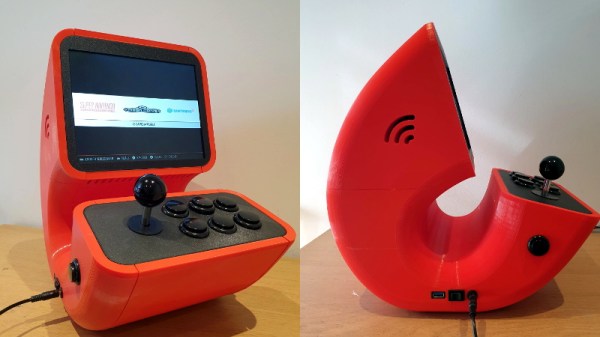
3D Printed Pi Arcade Is An Emulation Horn Of Plenty

Let’s be honest, building a home arcade cabinet isn’t exactly the challenge it once was. There’s plenty of kits out there that do all the hard work for you, and they even sell some pretty passable turn-key units at Walmart now. If you want to put a traditional arcade cabinet in your home, it’s not hard to get one.

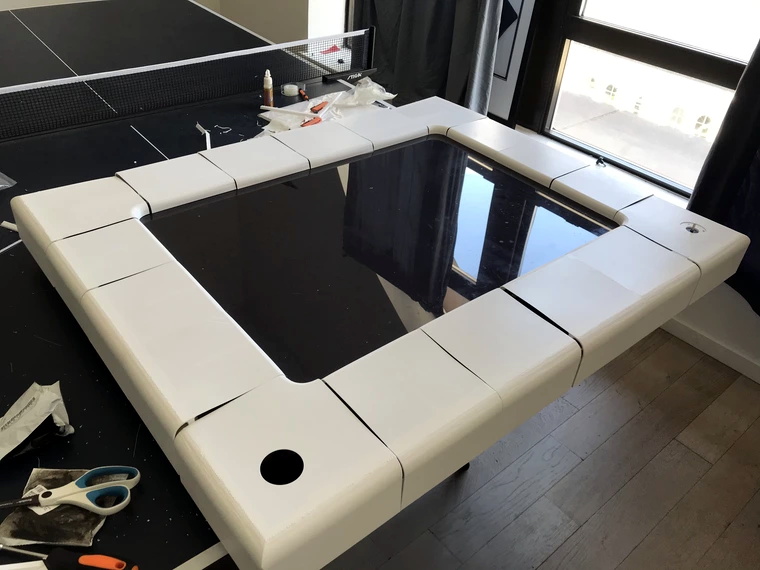
Which is why this wild build by [Rafael Rubio] is so interesting. The entirely 3D printed enclosure looks like some kind of art piece from the 1970s, and is a perfect example of the kind of unconventional designs made possible by low-cost additive manufacturing. Building something like this out of wood or metal would be nightmare, especially for the novice; but with even a relatively meager desktop 3D printer you’re only a few clicks away from running off your own copy.
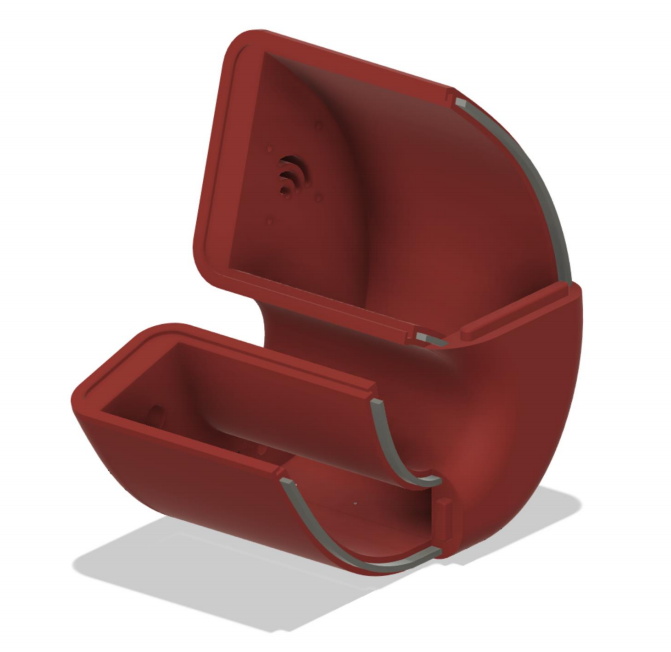
Removable side panels allow access to the electronics.

Inside the nautilus-like enclosure is a Raspberry Pi running Retropie, a 10″ LCD panel from Pimoroni, and a GeeekPi interface board that connects up to the 8-way joystick and arcade buttons. [Rafael] has included a Bill of Materials and an assembly overview that you can follow along with, though the cavernous internal dimensions of the enclosure certainly give you ample of room for improvisation if you’d rather blaze your own path.

Like the retro-futuristic computer terminals created by [Oriol Ferrer Mesià], this arcade machine completely reinvents a traditional design that most people take for granted. Is this layout actually better than the standard arcade cabinet? It’s not really our place to say. But it’s certainly a new and unconventional approach to “solved” problem, and that’s what we’re all about.
Multi-Channel Battery Monitor Aces First Sea Trial

A little over a a year ago, we covered an impressive battery monitor that [Timo Birnschein] was designing for his boat. With dedicated batteries for starting the engines, cranking over the generator, and providing power to lights and other amenities, the device had to keep tabs on several banks of cells to make sure no onboard systems were dipping into the danger zone. While it was still a work in progress, it seemed things were progressing along quickly.

But we know how it is. Sometimes a project unexpectedly goes from having your full attention to winning an all-expense-paid trip to the back burner. In this case, [Timo] only recently put the necessary finishing touches on his monitor and got it installed on the boat. Recent log entries on the project’s Hackaday.io page detail some of the changes made since the last time we checked in, and describe the successful first test of the system on the water.

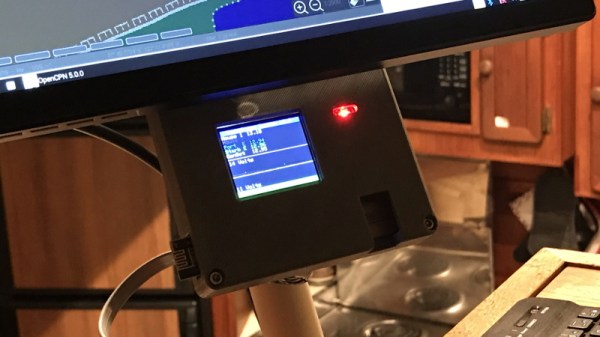
Certainly the biggest issue that was preventing [Timo] from actually using the monitor previously was the lack of an enclosure and mounting system for it. He’s now addressed those points with his 3D printer, and in the write-up provides a few tips on shipboard ergonomics when it comes to mounting a display you’ll need to see from different angles.

The printed enclosure also allowed for the addition of some niceties like an integrated 7805 voltage regulator to provide a solid 5 V to the electronics, as well as a loud piezo beeper that will alert him to problems even when he can’t see the screen.

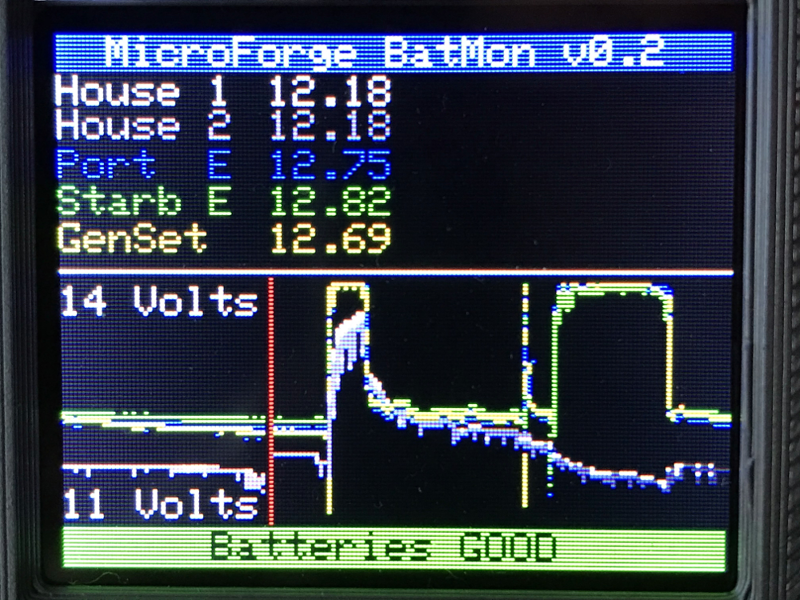
Under the hood he’s also made some notable software improvements. With the help of a newer and faster TFT display library, he’s created a more modern user interface complete with a color coded rolling graph to show voltages changes over time. There’s still a good chunk of screen real estate available, so he’s currently brainstorming other visualizations or functions to implement. The software isn’t using the onboard NRF24 radio yet, though with code space quickly running out on the Arduino Nano, there’s some concern about getting it implemented.

As we said the first time we covered this project, you don’t need to have a boat to learn a little something from the work [Timo] has put into his monitoring system. Whether you’re tracking battery voltages or temperatures reported by your BLE thermometers, a centralized dashboard that can collect and visualize that data is a handy thing to have.

Scanner Snooping Uncovers Focus Farce

From his comments about the noisy image and limited controls, we’re going to go out on a limb and assume [Andrew Jeddeloh] isn’t a huge fan of using his Epson V550 for scanning film. But is it really irredeemable? That’s what he set out to determine in a recent series of posts on his blog, and from what we can tell, it’s not looking good for the old Epson.

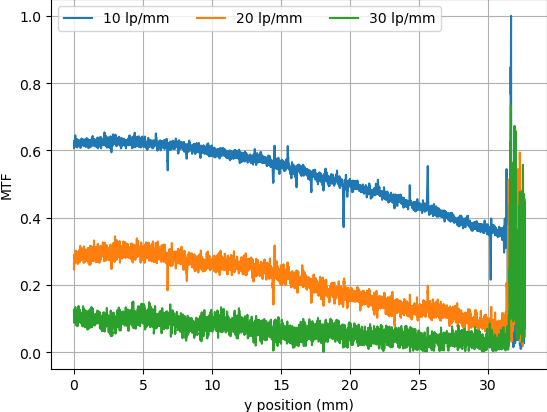
The first post attempts to quantify the optical capabilities of the scanner by determining its modulation transfer function (MTF), point spread function (PSF), and comparing its horizontal and vertical resolution. As you might expect, the nuances of these measurements are a bit beyond the average user. The short version of his analysis is that the scanner’s slide frame does indeed seem to be holding objects at the proper “sweet spot” for this particular image sensor; meaning that contrary to the advice he’d seen online, there’s nothing to be gained by purchasing custom film or slide holders.

MTF versus height of film from bed.

While investigating the optical properties of the scanner, [Andrew] became curious about the automatic focus options offered by the VueScan software he was using. The images produced appeared to be identical regardless of what option he selected, and he began to suspect the feature wasn’t actually doing anything. To confirm his theory, he wrote a shim program that would sit between the proprietary VueScan program and the V550 driver and log all of the data passing between them.

After tweaking various options and comparing the captured data streams, [Andrew] determined that enabling automatic focus in VueScan doesn’t do anything. At least, not with his scanner. He did notice a few extra bytes getting sent to the driver depending on which focus options were selected, but the response from the scanner didn’t change. He thinks the program likely has some kind of generic framework for enabling these kind of features on supported hardware, and it’s just mistakenly showing the autofocus options for a scanner that doesn’t support it.

If there’s some film you want to digitize, but you’re saddled with a scanner like the V550, you could always do it with a camera instead. You could even put together a passable film scanner with LEGO.

A New Era Of Spacecraft Delivers Science On Time

When the Space Shuttle Atlantis rolled to a stop on its final mission in 2011, it was truly the end of an era. Few could deny that the program had become too complex and expensive to keep running, but even still, humanity’s ability to do useful work in low Earth orbit took a serious hit with the retirement of the Shuttle fleet. Worse, there was no indication of when or if another spacecraft would be developed that could truly rival the capabilities of the winged orbiters first conceived in the late 1960s.

While its primary function was to carry large payloads such as satellites into orbit, the Shuttle’s ability to retrieve objects from space and bring them back was arguably just as important. Throughout its storied career, sensitive experiments conducted at the International Space Station or aboard the Orbiter itself were returned gently to Earth thanks to the craft’s unique design. Unlike traditional spacecraft that ended their flight with a rough splashdown in the open ocean, the Shuttle eased itself down to the tarmac like an airplane. Once landed, experiments could be quickly unloaded and transferred to the nearby Space Station Processing Facility where science teams would be waiting to perform further processing or analysis.

Atlantis is towed from the runway for payload processing.

For 30 years, the Space Shuttle and its assorted facilities at Kennedy Space Center provided a reliable way to deliver fragile or time-sensitive scientific experiments into the hands of researchers just a few hours after leaving orbit. It was a valuable service that simply didn’t exist before the Shuttle, and one that scientists have been deprived of ever since its retirement.

Until now. With the successful splashdown of the first Cargo Dragon 2 off the coast of Florida, NASA is one step closer to regaining a critical capability it hasn’t had for a decade. While it’s still not quite as convenient as simply rolling the Shuttle into the Orbiter Processing Facility after a mission, the fact that SpaceX can guide their capsule down into the waters near the Space Coast greatly reduces the time required to return experiments to the researchers who designed them.

Continue reading “A New Era Of Spacecraft Delivers Science On Time”

TRS-80 Model 100 Gets 64-Bit CPU And A Very Wide LCD

To say the TRS-80 Model 100 was ahead of its time would be something of an understatement. It had a high-quality mechanical keyboard, phenomenal battery life, plenty of I/O and expansion capabilities, and was actually small and light enough to easily carry around. While its layout might seem to be a bit dated to modern eyes, there’s little debate that it was one of the most successful and influential computers in history.

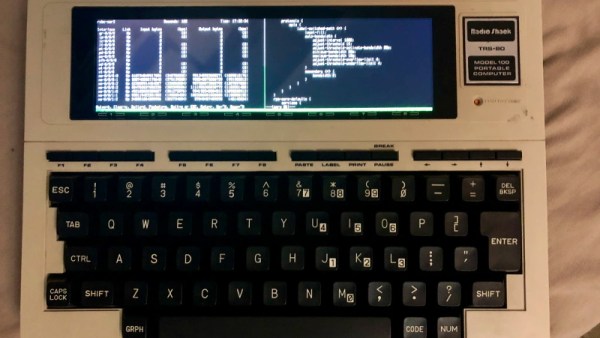
So it’s little surprise that [belsamber] thought the Model 100 might make an ideal platform for his mobile command line work. With a few modifications, naturally. While technically the nearly 40 year old portable could connect to a Linux computer as a simple serial terminal, its outdated and non-backlit LCD leaves a bit to be desired in 2021. But there’s little sense in upgrading the display if he’d still be saddled with the anemic Intel 80C85 motherboard, so he decided to clean house and replace everything.

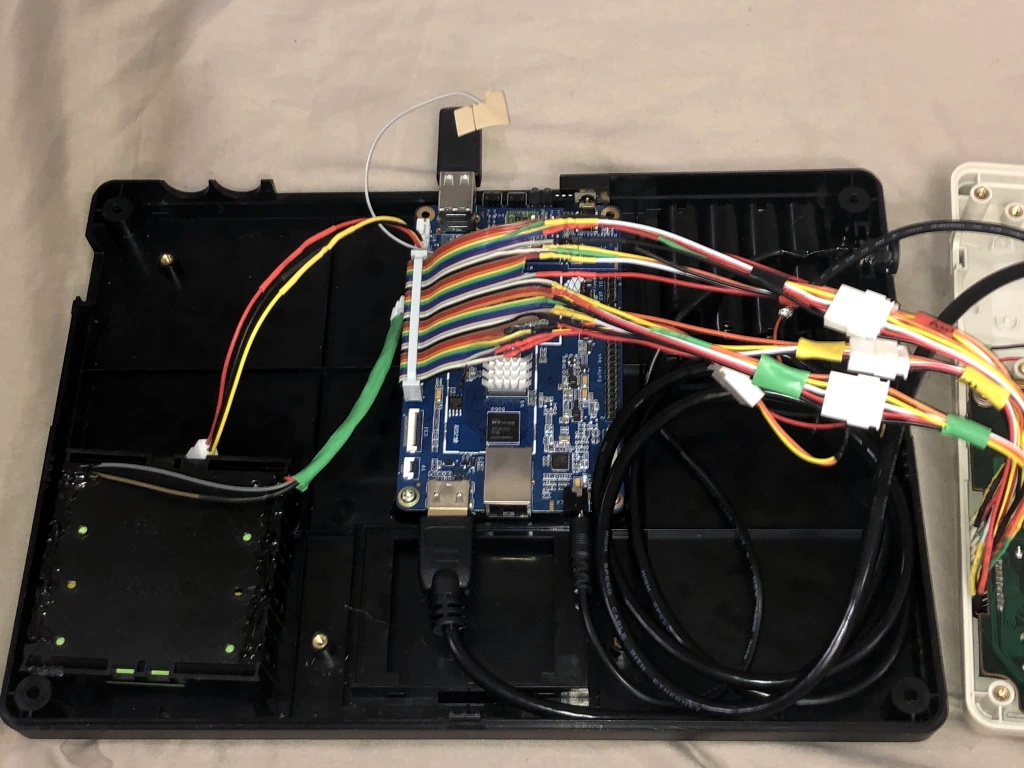
Once stripped of the original hardware, the Model 100’s enclosure offered up plenty of room for a Pine A64 LTS single-board computer, four 18650 cells, and a 1920×480 ultra-wide LCD. While not a perfect match for the dimensions of the original panel, the new screen is an exceptionally close fit. The keyboard has been left intact, but rather than adding a QMK-compatible microcontroller to the mix, [belsamber] wired the matrix directly into the GPIO of the A64.

While we know some retro aficionados might shed a tear to see an iconic computer get gutted, [belsamber] mentions that nothing will go to waste; the parts he pulled from this machine will serve as spares for a second Model 100 he has in his collection. Besides, given the immense popularity of these machines, they aren’t exactly rare to begin with.

As an aside, we recently saw this same unique display used in a 3D printed desktop computer with distinctively retro-futuristic styling. We didn’t have miniature 4:1 ratio displays on our list of 2021 hardware predictions, but it seems they’re already making a strong showing.

TV Turned Automatic Etch A Sketch With Raspberry Pi

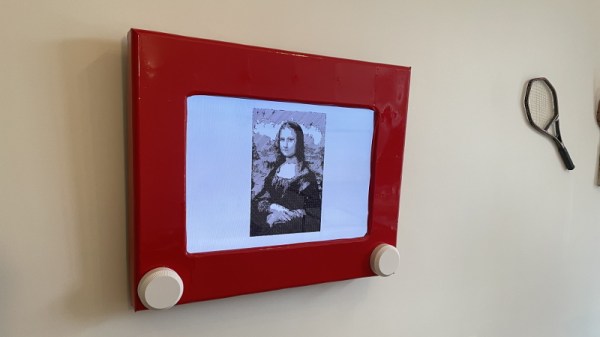
Considering one of the biggest draws of the original Etch a Sketch was how simple it was, it’s always interesting to see the incredible lengths folks will go to recreate that low-tech experience with modern hardware. A perfect example is this giant wall mounted rendition of the iconic art toy created by [Ben Bernstein]. With a Raspberry Pi and some custom electronics onboard, it can even do its own drawing while you sit back and watch.

At a high level, what we’re seeing here is a standard Samsung LCD TV with a 3D printed Etch a Sketch shell mounted on top of it. That alone would be a pretty neat project, and had [Ben] just thrown some videos of designs getting sketched out onto the display, he could have achieved a similar end result with a lot less work. But where’s the fun in that?

It took hundreds of hours to print the shell.

To make his jumbo Etch a Sketch functional, [Ben] spent more than a year developing the hardware and software necessary to read the user input from the two large 3D printed knobs mounted under the TV. The knobs are connected to stepper motors with custom PCBs mounted to their backs that hold a A4988 driver chip as well as a AS5600 absolute magnetic rotary encoder. This solution allows the Raspberry Pi to not only read the rotation of the knobs when a person is using the Etch a Sketch interactively, but spin them realistically when the software takes over and starts doing an autonomous drawing.

Several Python scripts pull all the various pieces of hardware together and produce the final user interface. The software [Ben] wrote can take an image and generate paths that the Etch a Sketch can use to realistically draw it. The points that the line is to pass through, as well as variables that control knob rotation and pointer speed, are saved into a JSON file so they can easily be loaded later. Towards the end of the Imgur gallery [Ben] has created for this project, you can see the software working its way through a few example sketches.

We’ve seen several projects that motorize an Etch a Sketch to draw complex images, but this may be the first example we’ve seen where everything was done in software. This digital version doesn’t need to follow the traditional “rules”, but we appreciate that [Ben] stuck to them anyway. Incidentally this isn’t the first Etch a Sketch TV conversion to grace these pages, though to be fair, the other project took a radically different approach.

Continue reading “TV Turned Automatic Etch A Sketch With Raspberry Pi”

Civil Defense Disco Ball Rocks Ground Zero

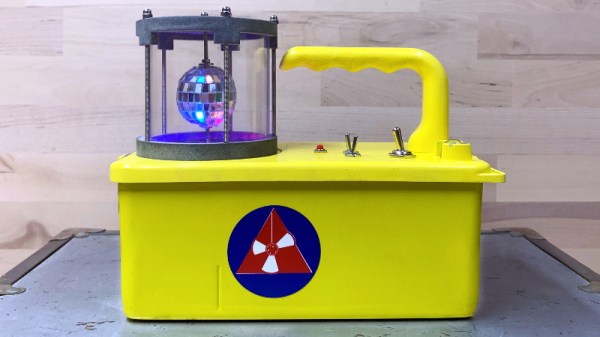
Old Civil Defense survey meters like the V-715 are interesting conversation starters, but of very little practical use today. These devices were intended to be a sort of litmus test that survivors of a nuclear blast could use to determine when it was safe to venture out of their radiation shelter: if the needle on the meter moves, even when it’s on the most sensitive setting, you should probably go back inside. Since [Hamilton Karl] would (hopefully) never need such an indicator, he decided to have a little fun with this Cold War holdover and turn it into a Disco Containment Unit.

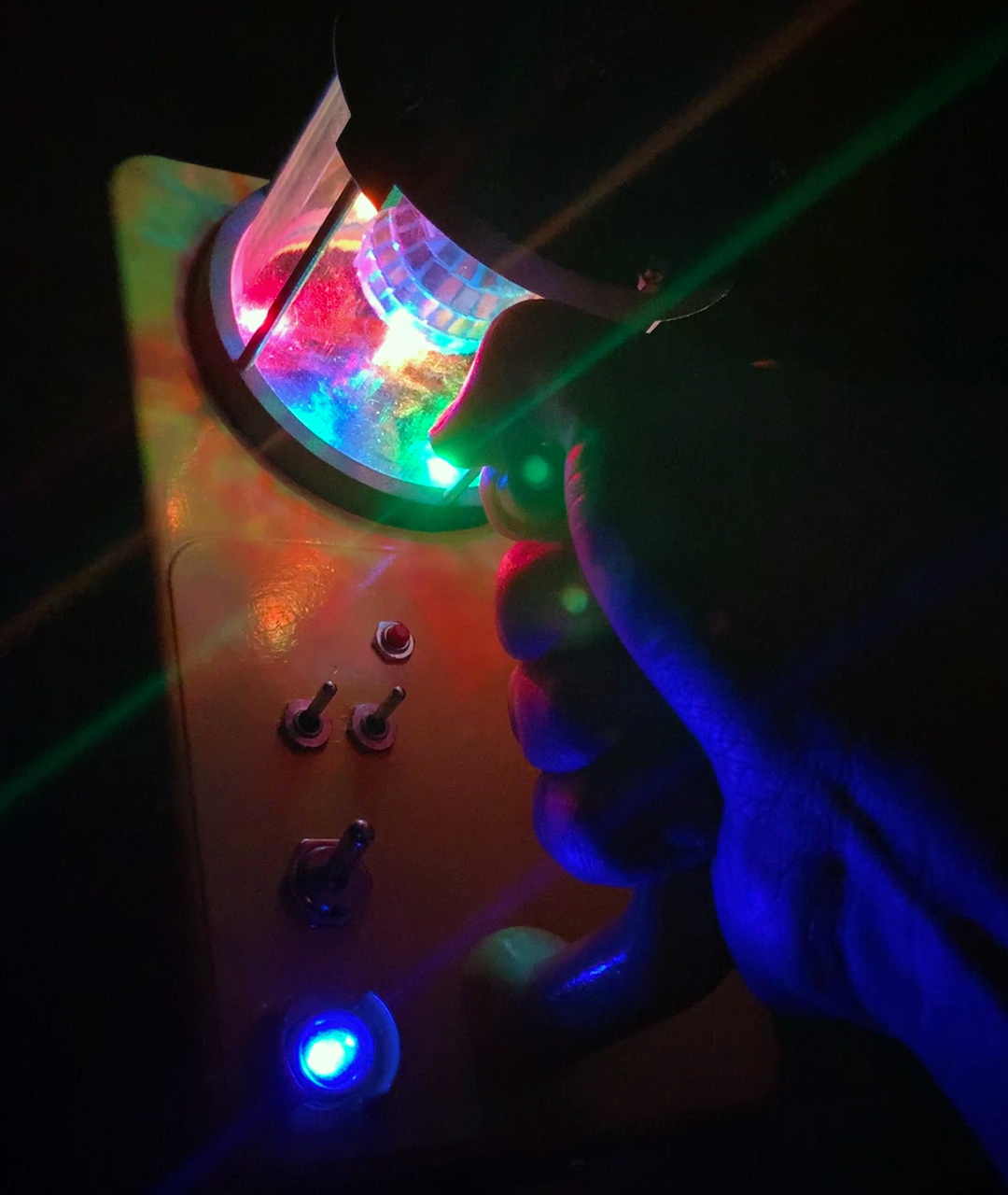
Technical details are a little sparse on this one, but we can infer most of it just from the pictures. In place of the original meter [Hamilton] has mounted a tiny mirrored ball inside of a protective cage, which is spun by a geared motor that’s occupying the space that used to be taken up by the ion chamber.

A handful of Adafruit NeoPixel RGB LEDs, an Arduino Nano, and a few switches to control it all round out the functional aspects of the build, and a new disco-themed trefoil replaces the original Civil Defense logo on the side. The project page mentions there’s a piezo buzzer onboard that performs a stirring rendition of “Stayin’ Alive” by the Bee Gees, but alas there’s no video that shows it in action.

Thanks to the rugged construction and built-in handle of these old survey meters, [Hamilton] can now take the party with him wherever he goes. Not that he can really go anywhere with this whole global pandemic hanging over our heads, but at least he’ll be ready when things start trending towards normal. In a way the device’s functionality has now been reversed from how it originally worked, since the meter going wild will now be an indicator that its safe to come out.

While the V-715 isn’t of much use outside of a post-apocalyptic hellscape, the V-700 is actually a proper Geiger counter that’s still useful for surveying or research. An important distinction to remember if you ever get a chance to snap one of them up at a swap meet or flea market. Whenever we can start having those again, anyway.