China’s Moon Mission Was About More Than Rocks

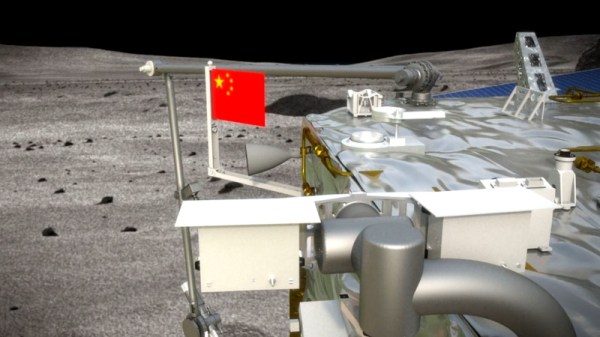
If everything goes according to plan, China will soon become the third country behind the United States and the Soviet Union to successfully return a sample of lunar material. Their Chang’e 5 mission, which was designed to collect 2 kilograms (4.4 pounds) of soil and rock from the Moon’s surface, has so far gone off without a hitch. Assuming the returning spacecraft successfully renters the Earth’s atmosphere and lands safely on December 16th, China will officially be inducted into a very exclusive club of Moon explorers.

Of course, spaceflight is exceedingly difficult and atmospheric reentry is particularly challenging. Anything could happen in the next few days, so it would be premature to celebrate the Chang’e 5 mission as a complete success. But even if ground controllers lose contact with the vehicle on its return to Earth, or it burns up in the atmosphere, China will come away from this mission with a wealth of valuable experience that will guide its lunar program for years to come.

In fact, one could argue that was always the real goal of the mission. While there’s plenty of scientific knowledge and not an inconsequential amount of national pride to be gained from bringing a few pounds of Moon rocks back to Earth, it’s no secret that China has greater aspirations when it comes to our nearest celestial neighbor. Starting with the launch of the Chang’e 1 in 2007, the Chinese Lunar Exploration Program has progressed through several operational phases, each more technically challenging than the last. Chang’e 5 represents the third phase of the plan, with only the establishment of robotic research station to go before the country says they’ll proceed with a crewed landing in the 2030s.

Which helps explain why, even for a sample return from the Moon, Chang’e 5 is such an extremely complex mission. A close look at the hardware and techniques involved shows a mission profile considerably more difficult than was strictly necessary. The logical conclusion is that China intentionally took the long way around so they could use it as a dry run for the more challenging missions that still lay ahead.

Continue reading “China’s Moon Mission Was About More Than Rocks”
RC Starship Perfects Its Skydiving Routine

There’s a good chance you already saw SpaceX’s towering Starship prototype make its impressive twelve kilometer test flight. While the attempt ended with a spectacular fireball, it was still a phenomenal success as it demonstrated a number of concepts that to this point had never been attempted in the real world. Most importantly, the “Belly Flop” maneuver which sees the 50 meter (160 foot) long rocket transition from vertical flight to a horizontal semi-glide using electrically actuated flight surfaces.

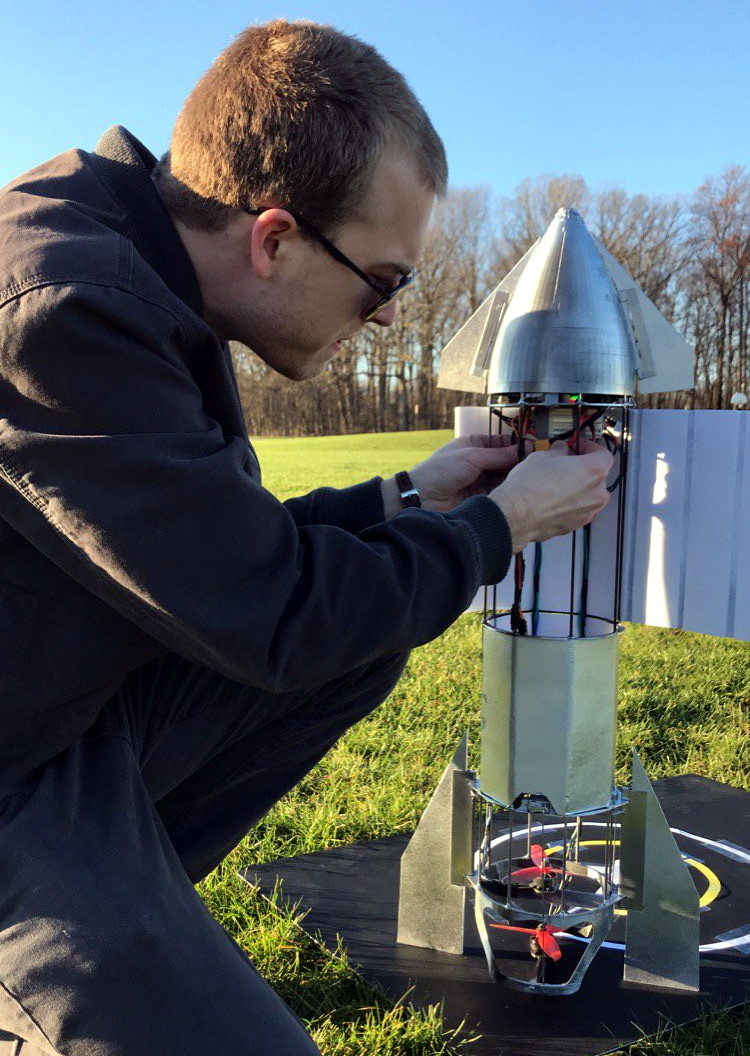
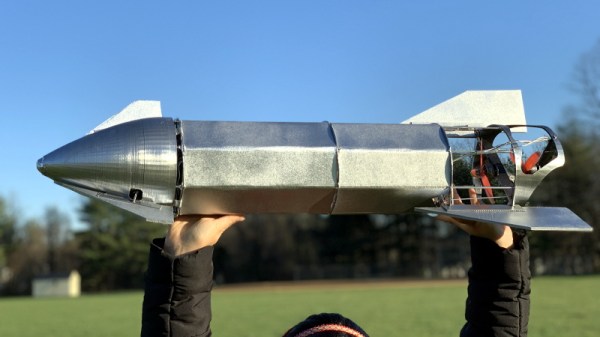
Finding himself inspired by this futuristic spacecraft, [Nicholas Rehm] has designed his own radio controlled Starship that’s capable of all the same aerobatic tricks as the real-thing. It swaps the rocket engines for a pair of electric brushless motors, but otherwise, it’s a fairly accurate recreation of SpaceX’s current test program vehicle. As you can see in the video after the break, it’s even able to stick the landing. Well, sometimes anyway.

Just like the real Starship, vectored thrust is used to both stabilize the vehicle during vertical ascent and help transition it into and out of horizontal flight. Of course, there are no rocket nozzles to slew around, so [Nicholas] is using servo-controlled vanes in the bottom of the rocket to divert the airflow from the motors. Servos are also used to control the external control surfaces, which provide stability and a bit of control authority as the vehicle is falling.

As an interesting aside, Internet sleuths looking through pictures of the Starship’s wreckage have noted that SpaceX appears to be actuating the flaps with gearboxes driven by Tesla motors. The vehicle is reportedly using Tesla battery packs as well. So while moving the control surfaces on model aircraft with battery-powered servos might historically have been a compromise to minimize internal complexity, here it’s actually quite close to the real thing.

Unfortunately, the RC Starship made a hard landing of its own on a recent test flight, so [Nicholas] currently has to rebuild the craft before he can continue with further development. We’re confident he’ll get it back in the air, though it will be interesting to see whether or not he’s flying before SpaceX fires off their next prototype.

Continue reading “RC Starship Perfects Its Skydiving Routine”

IRC Over LoRa, For When Things Really Go South

As a society, we’ve become accustomed to always-on high-speed data connections, whether we’re at home on the computer or out and about with a mobile device. But what happens if a natural disaster knocks out the local infrastructure? Sure some people will be able to fire up their radio if they need to reach out and touch someone, but even among hackers, hams are a minority. What we really need is a backup Internet.

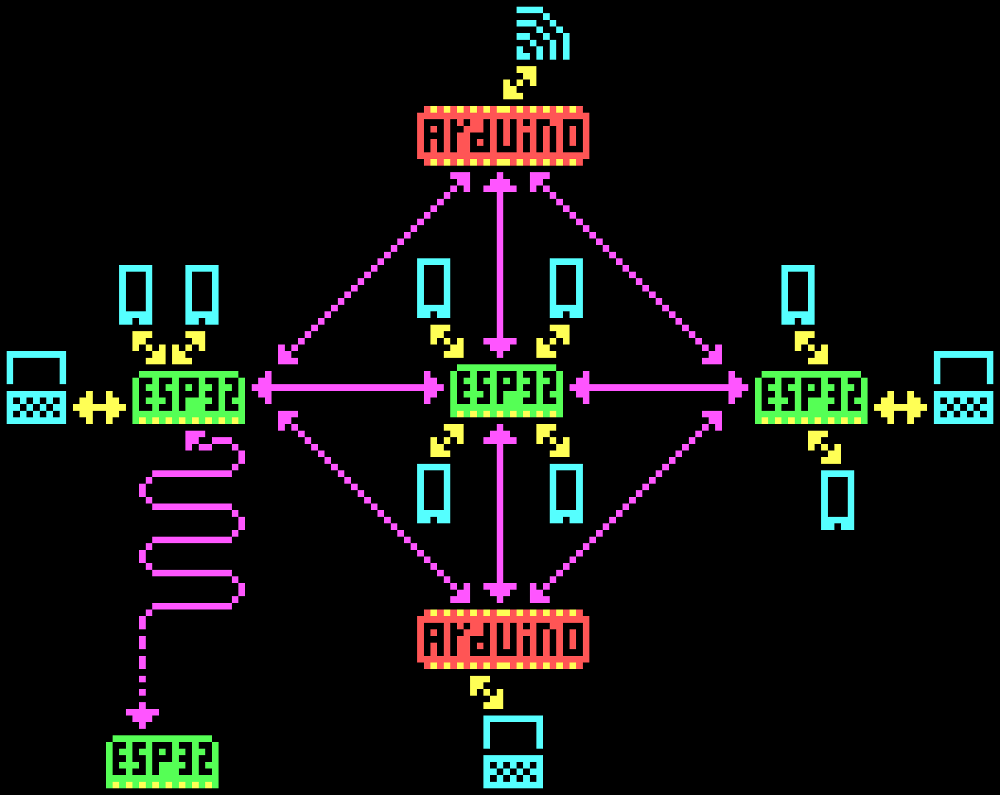
The team behind the CellSol project hopes to show that building a volunteer-operated distributed communications network is not only within the capabilities of the hacker community but probably much easier and cheaper to do than you might think. Each node in the network, known as a Pylon in CellSol parlance, can shuttle data between the LoRa backbone and WiFi-enabled devices like smartphones and computers. Once the network is up and running, users don’t need any special hardware or software to use it.

Now to be clear, nobody is talking about surfing the web here. When a user connects to one of the ESP32 Pylons, they’ll be able to access a simplistic chat system through their browser. If the Pylon has an active Internet connection the chat can be bridged to an IRC channel. Without Internet connectivity, the pylon will simply give users on the CellSol network a means to communicate among each other. To keep things simple there’s no user names, private messages, or encryption. This is bare-bones, end-of-the-world style communication.

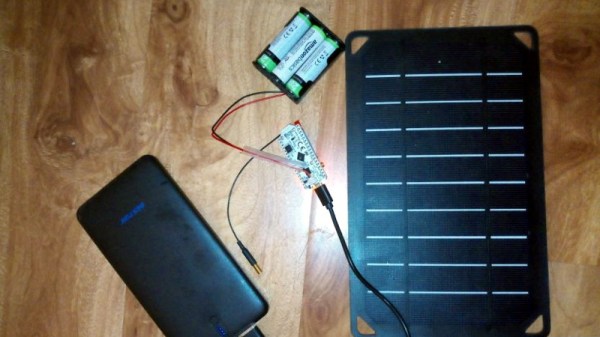
Want to join the CellSol revolution? All you really need is an ESP32, a LoRa radio, and the open-source firmware. If you get something like the Heltec LoRa 32 development board, you don’t even need to solder anything together. Just flash the board and go. Once you have a few Pylons going, you can also put together a cheap repeater node using a LoRa equipped Arduino. Both devices are small and energy efficient enough that they could easily be battery or solar powered. As you can see in the video after the break, the team even envisions a future where they could be dropped off in public areas via drone.

This isn’t the first time we’ve seen the ESP32 used to establish an off-grid LoRa communications network, and like those previous attempts, it’s usefulness will largely depend on how many people you can convince to set up their own nodes and repeaters. But if you’ve got some open minded friends who live relatively close by, this could be a great way to have a little chat.

Continue reading “IRC Over LoRa, For When Things Really Go South”

Putting The Finishing Touches On A 60W Laser

At this point if you’re even remotely interested in home laser cutters, you know about the K40. These imported machines are very impressive considering they only cost around $400 USD, but naturally, quite a few corners had to be cut to get the price down. If you’re looking for something with a bit more punch and much higher build quality, a new breed of 60 watt lasers have started popping up on the usual import sites for around $2,000 USD.

While these more expensive machines are certainly much higher quality than the K40, [Jeremy Cook] found there was still plenty of room for improvement. For example, the machine didn’t have any switch cut off the laser when somebody opens the lid. While we don’t doubt some readers will consider this more of a feature than a bug, it’s hard to believe that a tool that costs this much wouldn’t at least offer such a thing as an option.

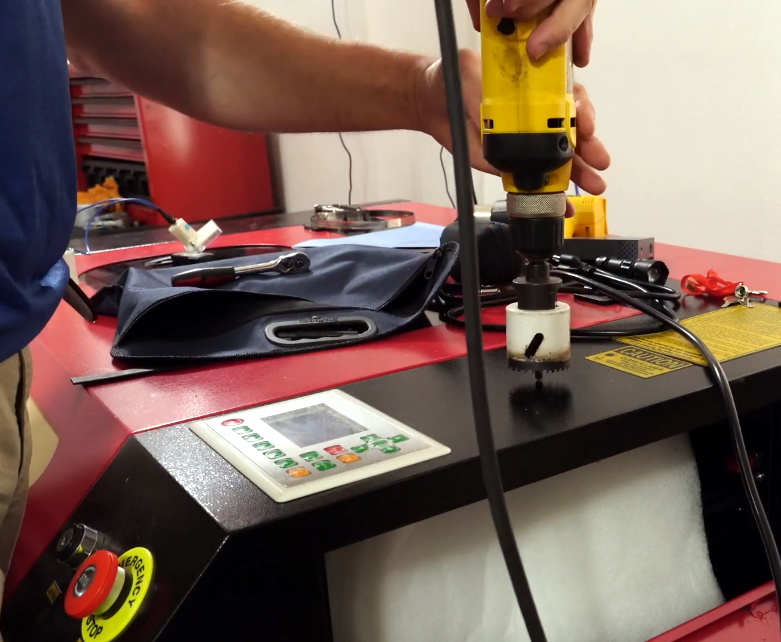
Drilling a hole for the ammeter.

[Jeremy] also decided to add his own ammeter so he could see how much power the laser is drawing. While not strictly required for day to day operation, it turns out that the controller in many of these machines has a tendency to push the laser tubes beyond their design limits on the higher power settings. With the spec sheet for your tube and a permanent in-line ammeter, you can verify you aren’t unwittingly shortening the life of your new cutter.

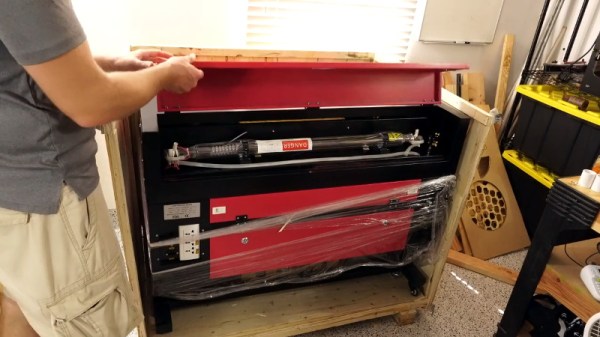
Even if you ignore the modifications [Jeremy] makes in his video, it’s still a very illuminating look at what it takes to get one of these lasers ready for operation. Not only do you have to get the thing out of its shipping crate safely, but you need to come up with some way to deal with the fumes produced and get the water cooling system hooked up. It’s a decent amount of work, but the end results certainly look impressive.

While the K40 is still probably the better bet for new players, it’s good to see that there are some viable upgrades for anyone who’s outgrown their entry level machine but isn’t in a position to spend the money on an Epilog.

Continue reading “Putting The Finishing Touches On A 60W Laser”

ESP32 Spectrum Analyzer Taps Into Both Cores

We probably don’t need to tell the average Hackaday reader that the ESP32 is a powerful and extremely flexible microcontroller. We’ve seen some incredible projects using this affordable chip over the last few years, and by the looks of it, the best is yet to come. That’s because it always takes some time before the community can really figure out how to get the most out of a piece of hardware.

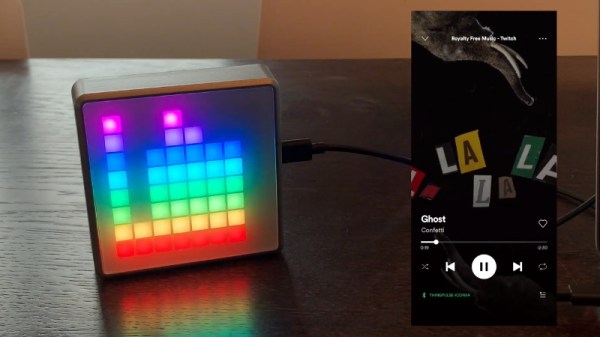
Take for example the Bluetooth audio player that [squix] was recently working on. Getting the music going was no problem with the esp32-a2dp library, but when he wanted to add some visualizations the audio quality took a serious hit. Realizing that his Fast Fourier transform (FFT) code was eating up too much processor power, it seemed like a great time for him to explore using the ESP32’s second core.

[squix] had avoided poking around with the dual-core nature of the ESP32 in the past, believing that the second core was busy handling the WiFi communication. But by using the FreeRTOS queue system, he wrote some code that collects audio data with one core and runs the actual FFT magic on the other. By balancing the workload like this, he’s able to drive the array of 64 WS2812B LEDs on the front of the Icon64 seen in the video after the break.

Even if you’re not terribly interested in running your own microcontroller disco, this project may be just the example you’ve been waiting for to help get your mind wrapped around multitasking on the ESP32. If you want to master a device with this many tricks up its sleeve, you’ll need all the help you can get.

Continue reading “ESP32 Spectrum Analyzer Taps Into Both Cores”

Wireless Quad Voltmeter Brings It All Together

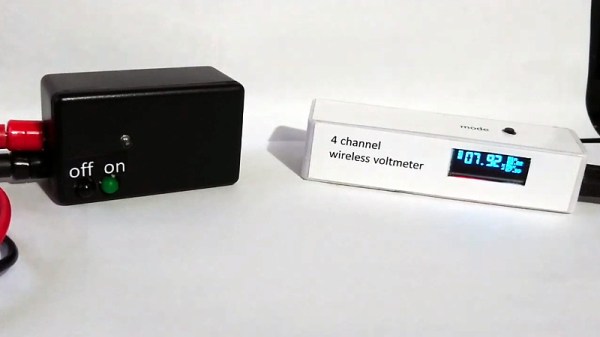
If you’re reading Hackaday, you almost certainly have a voltmeter. Matter of fact, we wouldn’t be surprised to hear you had two of them. But what if you needed to monitor four voltage levels at once? Even if you had four meters, getting them all connected and in a convenient enough place where you can see them all at once is no small feat. In that case, it sounds like the multi-channel wireless voltmeter put together by [Alun Morris] is for you.

Built as an exercise in minimalism, this project uses an array of components that most of us already have kicking around the parts bin. For each transmitter you’ll need an ATtiny microcontroller, a nRF24L01+ radio, a small rechargeable battery, and a handful of passive components. On the receiver side, there’s an OLED screen, another nRF radio module, and an Arduino Nano. You could put everything together on scraps of perfboard like [Alun] has, but if you need something a bit more robust for long-term use, this would be a great excuse to create some custom PCBs.

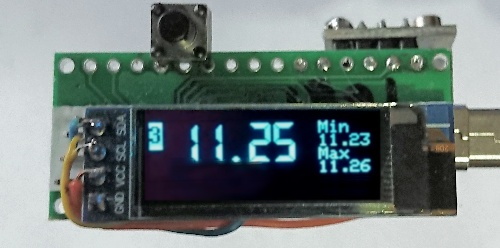
While the hardware itself is pretty simple, [Alun] clearly put a lot of work into the software side. The receiver’s 128 x 32 display is able to show the voltages from four transmitters at once, complete with individual indicators for battery and signal level. When you drill down to a single transmitter, the screen will also display the minimum and maximum values. With the added resolution of the full screen display, you even get a very slick faux LCD font to ogle.

Of course, there are some pretty hard limitations on such a simple system. Each transmitter can only handle positive DC voltages between 0 and 20, and depending on the quality of the components you use and environmental considerations like temperature, the accuracy may drift over time and require recalibration. Still, if you need a way to monitor multiple voltages and potentially even bring that data onto the Internet of Things, this is definitely a project to take a look at.

Continue reading “Wireless Quad Voltmeter Brings It All Together”

DevTerm Beats Cyberdeck Builders To The Punch

What makes a cyberdeck? Looking as though it came from an alternate reality version of the 1980s is a good start, but certainly isn’t required. If you’re really trying to adhere to the cyberpunk ethos, any good deck should be modular enough that it can be easily repaired and upgraded over time. In fact, if it’s not in a constant state of evolution and flux, you’ve probably done something wrong. If you can hit those goals and make it look retro-futuristic at the same time, even better.

Which is why the Clockwork DevTerm is such an interesting device. It ticks off nearly every box that the custom cyberdeck builds we’ve covered over the last couple years have, while at the same time being approachable enough for a more mainstream audience. You won’t need a 3D printer, soldering iron, or hot glue gun to build your own DevTerm. Of course if you do have those tools and the skills to put them to work, then this might be the ideal platform to build on.

With a 65% QWERTY keyboard and widescreen display, the DevTerm looks a lot like early portable computers such as the TRS-80 Model 100. But unlike the machines it draws inspiration from, the display is a 6.8 inch 1280 x 480 IPS panel, and there’s no pokey Intel 8085 chip inside. The $220 USD base model is powered by the Raspberry Pi Compute Module 3, and if you need a little more punch, there are a few higher priced options that slot in a more powerful custom module. Like the Waveshare Pi CM laptop we recently looked at, there’s sadly no support for the newer CM4; but at least the DevTerm is modular enough that it doesn’t seem out of the question that Clockwork could release a new mainboard down the line. Or perhaps somebody in the community will even do it for them.

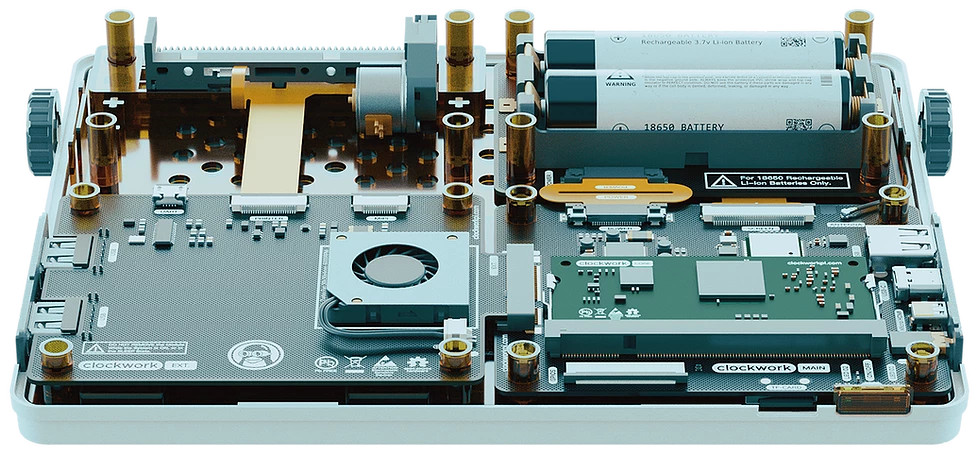
Speaking of which, the board in the DevTerm has been designed in two pieces so that “EXT Module” side can be swapped out with custom hardware without compromising the core functionality of the system. The stock board comes with extra USB ports, a micro USB UART port for debugging, a CSI camera connector, and an interface for an included thermal printer that slots into a bay on the rear of the computer. Clockwork says they hope the community really runs wild with their own EXT boards, especially since the schematics and relevant design files for the entire system are all going to be put on GitHub and released under the GPL v3.

They say that anything that sounds too good to be true probably is, and if we’re honest, we’re getting a little of that from the DevTerm. An (CPU BLOBs aside!) open hardware portable Linux computer with this kind of modularity is basically a hacker’s dream come true, and thus far the only way to get one was to build it yourself. It’s hard to believe that Clockwork will be able to put something like this out for less than the cost of a cheap laptop without cutting some serious corners somewhere, but we’d absolutely love to be proven wrong when it’s released next year.