Jeremy Cook Is Living His Strandbeest Dream

The first thing Jeremy Cook thought when he saw a video of Theo Jansen’s Strandbeest walking across the beach was how incredible the machine looked. His second thought was that there was no way he’d ever be able to build something like that himself. It’s a feeling that most of us have had at one time or another, especially when starting down a path we’ve never been on before.

But those doubts didn’t keep him from researching how the Strandbeest worked, or stop him from taking the first tentative steps towards building his own version. It certainly didn’t happen overnight. It didn’t happen over a month or even a year, either.

ClearCrawler at the 2019 Hackaday Superconference

For those keeping score, his talk at the 2019 Hackaday Superconference, “Strandbeests: From Impossible Build to Dominating My Garage” is the culmination of over six years of experimentation and iteration.

His first builds could barely move, and when they did, it wasn’t for long. But the latest version, which he demonstrated live in front of a packed audience at the LA College of Music, trotted across the stage with an almost otherworldly smoothness. To say that he’s gotten good at building these machines would be something of an understatement.

Jeremy’s talk is primarily focused on his Strandbeest creations, but it’s also a fascinating look at how a person can gradually move from inspiration to mastery through incremental improvements. He could have stopped after the first, second, or even third failure. But instead he persisted to the point he’s an expert at something he once believed was out of his reach.

Continue reading “Jeremy Cook Is Living His Strandbeest Dream”

A Pocket-Sized Terminal For Mobile Python Hacking

Inspired by the good old days when your computer would boot directly into BASIC, [Le Roux Bodenstein] has created a handheld device he calls “DumbDumb” that can drop you into a MicroPython environment at a moment’s notice. If that doesn’t interest you, think of it this way: it’s a (relatively) VT100 compatible serial terminal with a physical keyboard that can fit in your pocket.

Being essentially just a dumb terminal (hence the name), there’s actually not a lot of hardware on the board. Beyond the 320×240 NewHaven 2.4 inch LCD, there’s just an STM32G071R8 microcontroller and a handful of passives. Plus the 57 tactile buttons that make up the keyboard, of course.

The MicroPython part comes in thanks to the spot on the back of the board that accepts an Adafruit Feather Wing. In this case, it’s the HUZZAH32 with an ESP32 on board, but it could work with other variants as well. With the wide array of Feather boards available, this terminal could actually be used for an array of applications.

So even if fiddling around with MicroPython isn’t your idea of a good time, there’s almost certainly some interesting software you could come up with for a tiny network-attached terminal like this. For example, it might be just what you need to start working on that LoRa pager system.

A VFD Wall Thermometer

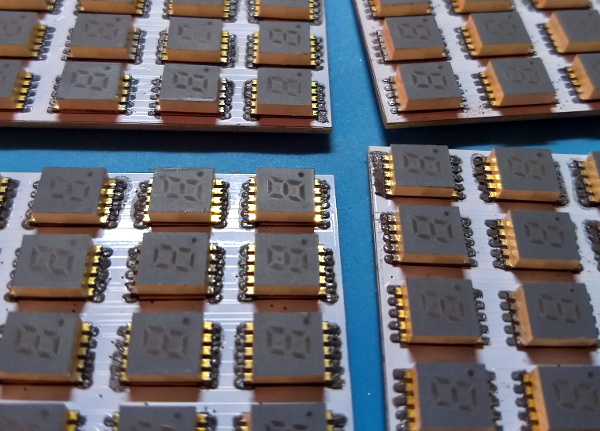
Want to build something using VFD tubes, but don’t need yet another clock project? In that case, this wall mounted temperature and humidity display created by [commanderkull] might be exactly what you’re looking for. With six IV-11 tubes, this display is a practical way to add some of that gorgeous blue-green glow to your home or office.

The USB powered display uses a XL6009 and an XL7015 to provide the 24 V and 1.8 V needed by the IV-11 tubes, respectively. Both of which can be disconnected with jumpers to shut down the tubes without powering off the entire device, a useful feature when programming and debugging the display’s ATmega328P microcontroller. Each tube is connected to the ATmega with an 74HC595 shift register and a UDN2981 driver. Temperature and humidity data is provided, perhaps unsurprisingly, by the exceptionally common DHT22 sensor.

If you are looking to build another clock with these style tubes, there’s certainly enough prior art out there to get you started. We’ve also seen faux VFDs that you could use for either project, just in case you aren’t looking to deal with the voltage requirements and relative rarity of the real thing.

Breathe Easy With This Online Dust Sensor Box

It’s an unfortunate reality that for many of us, our air isn’t nearly as clean as we’d like. From smog to wildfires, there’s a whole lot of stuff in the air that we’d just as soon like to keep out of our lungs. But in order to combat this enemy, you first need to understand it. That means figuring out just what’s in the air you breathe, and how much of it. That’s where devices like the Dust Box from [The IoT GURU] can come in handy.

Inside the 3D printed enclosure is a Wemos D1 Mini ESP8266 development board, sitting on a custom breakout PCB. This board gives you some easy expandability to add your own sensors and hardware, though in this particular configuration, the Dust Box is using the BME280 sensor for general environmental monitoring and the SDS011 laser particle sensor to determine what’s in the air. Just plug it into a convenient USB power source, make sure it’s connected to the WiFi, and off it goes.

But where does all that lovely data end up? That’s up to you, but in this case, the [The IoT GURU] is pushing everything out to a web interface that allows the user to view yearly, monthly, and weekly historical data for each of the parameters the Dust Box can check. This is probably a bit more granular than most of us need, but it’s a good example of what’s possible should you need that much information.

For a similar project that allows you to take your sensors a bit farther off the beaten path, checkout FieldKit, which was recently crowned winner of the 2019 Hackaday Prize.

2019: As The Hardware World Turns

Well, this is it. The end of the decade. In a few days the 2010s will be behind us, and a lot of very smug people will start making jokes on social media about how we’re back in the “Roaring 20s” again. Only this time around there’s a lot more plastic, and drastically less bathtub gin. It’s still unclear as to how much jazz will be involved.

Around this time we always say the same thing, but once again it bears repeating: it’s been a fantastic year for Hackaday. Of course, we had our usual honor of featuring literally thousands of incredible creations from the hacking and making community. But beyond that, we also bore witness to some fascinating tech trends, moments that could legitimately be called historic, and a fair number of blunders which won’t soon be forgotten. In fact, this year we’ve covered a wider breadth of topics than ever before, and judging by the record setting numbers we’ve seen in response, it seems you’ve been just as excited to read it as we were to write it.

To close out the year, let’s take a look at a few of the most popular and interesting stories of 2019. It’s been a wild ride, and we can’t wait to do it all over again in 2020.

Continue reading “2019: As The Hardware World Turns”

Handheld MQTT Remote For Home Automation

If you’re working on a home automation project, you’re probably knee-deep into MQTT by now. If not, you should be. The lightweight messaging protocol is an ideal choice for getting your “Things” on the Internet, and controlling them all can be done easily through a simple web interface or an application on your mobile device. Or if you’re [serverframework], you make yourself a handsome little all-in-one MQTT remote.

The hardware here is pretty simple; inside there’s just a NodeMCU ESP8266 development board, some buttons, an RGB LED to give feedback, and a 3.7v 1200mAh LiPo battery with associated charging module. Everything is held inside a nice little wooden box that looks like it would fit right in with the living room decor. We’d like to see some kind of a cover over the exposed perfboard the circuit is assembled on, but that’s arguably a personal preference kind of thing.

Most of the magic in this project is actually happening on the software side. Not only does the provided source code handle all the MQTT communications with Home Assistant, but it provides a clever user interface that allows [serverframework] to perform 25 functions with just five buttons. No, you aren’t seeing things. There are actually six buttons on the device, but one of them is a dedicated “power” button that wakes the remote out of deep sleep.

If you’d like to learn more about getting this protocol working for you, our resident MQTT guru [Elliot Williams] has plenty of thoughts on the subject. From his talk at the 2017 Hackaday Supercon to his home automation tutorial series, there’s plenty of information to get you started.

Continue reading “Handheld MQTT Remote For Home Automation”

New Part Day: Sonoff USB Smart Adaptor Taps A New WiFi Chip

For decades, we dreamt of a future where all of our electronics used a standardized power connector. Most of us probably didn’t expect that USB would ultimately fill that role, but we’ll take what we can get if it means a future without getting a new wall wart for every piece of tech we buy. From soldering irons to laptops, the number of things you can power with a lowly USB cable these days is pretty incredible.

Which makes it all the more surprising it took so long for somebody to come up with a way to toggle USB devices off and on over the network. The Sonoff “USB Smart Adaptor”, which the company says will start shipping before the end of the year, is the logical evolution of their exceptionally popular mains voltage smart switches. The Smart Adapter is designed to go between the device and its existing power supply, allowing the user to drag any USB powered device kicking and screaming into their existing smart home setup. All for the princely sum of $6.50 USD.

In the video after the break, Sonoff gives a few potential uses of the Smart Adapter: from controlling a string of LEDs to limiting how long a smartphone is allowed to charge for. But really, there’s a nearly limitless number of devices which could be easily and cheaply integrated into your home automation routines thanks to this gadget.

On the other end of the spectrum, those who are looking to keep a tighter control on the ears and eyes that are active in their home could use the Smart Adapter to make sure their Google and Amazon listening devices assistants are only powered up during certain hours of the day.

Unfortunately, there’s a catch. Sonoff smart switches are best known, at least among the type of folks who read Hackaday, for the fact that they’re based on the eminently hackable ESP8266 microcontroller. Given the size of this product and its intended use, it would seem logical enough to assume this device also utilizes the insanely popular chip. But according to a Sonoff representative, the USB Smart Adapter won’t be using an ESP at all; leaving its hackability an open question until people can actually get their hands on them and start poking around.

Continue reading “New Part Day: Sonoff USB Smart Adaptor Taps A New WiFi Chip”