Get Organized With This Raspberry Pi E-Ink Calendar

Like many hackers, we love e-ink. There’s something mesmerizing and decidedly futuristic about the way the images shift around and reconstitute themselves. Like something from Harry Potter, but that you can buy on Alibaba instead of from a shop in Diagon Alley. But as anyone who’s used the technology can tell you, the low refresh rate of an e-ink screen limits its potential applications. It works great for reading books, but beyond that its struggled to find its niche in a world of cheap LCDs.

But [Zonglin Li] has recently wrapped up a project which shows that e-ink has at least one more use case: personal calendars. You can get way with only updating the screen once a day so the refresh rate won’t matter, and the rest of the time it’s going to be static anyway so you might as well enjoy the energy savings of leaving the screen off. With a Raspberry Pi behind the scenes pulling data from the Internet, it can populate the calendar with everything from your personal schedule to when your favorite podcast drops.

In practice, [Zonglin] is actually updating the display every hour as he’s included the current weather conditions on the top left of the screen, but even still, this is a perfect application for the very unique properties of e-ink displays. The display is a 7.5 inch 640×384 model from Waveshare that retails for about $50 USD, so between the display, the Raspberry Pi, and something to put it all in (here, a picture frame) this is a pretty cheap build compared to some of the large format e-ink displays out there.

The software side is written in Python 3, and [Zonglin] has documented how others can easily plug in their own information so it can pull schedule data from Google Calendar and local conditions from Open Weather Map. The MIT licensed source code is also very well organized and commented, so this could serve as an excellent base if you’re looking to create a more comprehensive e-ink home information display.

If this seems a little too pedestrian for your tastes, you could always put together an e-ink movie player, a surprisingly functional Linux terminal, or a very slick ESP8266-based name tag. If you’ve got the better part of $1K USD and don’t know what to do with it, you could even get an e-ink license plate.

This 3D Printed LED Softbox Really Shines

Generally speaking, objects made on desktop 3D printers are pretty small. This is of course no surprise, as filament based printers are fairly slow and most don’t have very large beds to begin with. Most people don’t want to wait days for their project to complete, so they use 3D printed parts where it makes sense and supplement them with more traditional components such as aluminum extrusion wherever possible. But not always…

This 3D printed photography softbox created by [Nicholas Sherlock] doesn’t take the easy way out for anything. With the exception of the LEDs and the electronics to drive them, everything in the design has been printed on his Prusa i3. It wasn’t the easiest or fastest way to do it, but it’s hard to argue with the end result. Perhaps even more impressive than the final product is what it took to get there: he actually had to develop a completely new style of part infill he’s calling “Scattered Rectilinear” to pull it off.

Overall the design of the light itself isn’t that complex, ultimately it’s just a box with some LEDs mounted at the back and a pretty simple circuit to control their intensity. The critics will say he could have just used a cardboard box, or maybe wood if he wanted something a little bit stronger. But the point of this project was never the box itself, or the LEDs inside it. It’s all about the diffuser.

[Nicholas] forked Prusa’s version of Slic3r to add in his “Scattered Rectilinear” infill pattern, which is specifically designed to avoid the standard “ribs” inside of a 3D printed object. This is accomplished with randomized straight infill passes, rather than the traditionally overlapped ones. The inside of the print looks very reminiscent of fiberglass mat, which is perhaps the best way to conceptualize its construction. In terms of the final part strength, this infill is abysmal. But on the plus side, the light from the LEDs passing through it emerges with a soft pleasing look that completely obscures the individual points of light.

Anyone with a big enough 3D printer can run off their own copy of his light, as [Nicholas] has released not only his forked version of Slic3r but all of the STL files for the individual components. He’s also put together an exceptionally well documented Thingiverse page that has instructions and detailed build photos, something that’s unfortunately very rare for that platform.

If you’re in the market for a DIY softbox and don’t have a 3D printer handy, fear not. We’ve covered a few that you can build with more traditional methods, as well as several tips and tricks which you can use to get the most out of your photos and videos.

A Tiny IDE For Your ATtiny

When writing code for the ATtiny family of microcontrollers such as a the ATtiny85 or ATtiny10, people usually use one of two methods: they either add support for the chip in the Arduino IDE, or they crack open their text editor of choice and do everything manually. Plus of course there are the stragglers out there using Eclipse. But [Wayne Holder] thinks there’s a better way.

The project started out as a simple way for [Wayne] to program the ATtiny10 in C under Mac OS, but has since evolved into an open source, cross-platform integrated development environment (IDE) for programming a wide range of ATtiny chips in C, C++, or Assembly. Not only does it integrate the source code editor and programmer, but it even bundles in documentation for common variants of the chips including block diagrams and pinouts; making it a true one-stop-shop for ATtiny hacking.

His IDE runs under Java, including OpenJDK, and [Wayne] provides a stable pre-built executable for those who don’t want to clone the whole GitHub repository. He’s included the GNU/AVR toolchains, though notes that testing so far has been limited to Mac OS, and he’s interested in feedback from Windows and Linux users. Assembly is done either with GNU AVR-AS, or an assembler of his own design, though the latter is currently limited to the ATTiny10.

To actually get the code onto the chip, the IDE supports using the Arduino as a programmer as well as dedicated hardware like the BusPirate or the USBasp. If you go the Arduino route, [Wayne] has even come up with a little adapter board which he’s made available through OSH Park to help wrangle the diminutive chips.

The ATtiny10 might have something of a learning curve, but in exchange this family of tiny microcontrollers offers an incredible amount of capability. When you’re working with what’s essentially a programmable grain of rice, the only limit is your own creativity.

A Crash Course In 3D Printed Venturi Pumps

Venturi pumps, commonly referred to as aspirators, are a fantastic way of moving around things which you might not want spinning around inside of a pump, and one of the easiest ways to create a vacuum. According to his research, [Tuval Ben Dosa] believed such a device would be a good way to move corrosive gasses which would normally eat up a blower fan; all he had to do was figure out how to 3D print one to his specifications.

Put simply: if you take a “T” shaped pipe and pass a fluid (such as air or water) through the straight section, a vacuum will be created on the shorter side due to the Venturi effect. As long as you don’t mind the substance you wish to pump getting mixed into your working fluid, it’s a simple way to bring something “along for the ride” as the fluid makes its way through the pipe.

[Tuval] needed a way to remove the chlorine gasses produced by his PCB etching station, and an aspirator seemed like the perfect solution. He just needed to pump clean air through a Venturi, which would suck up the chlorine gas on the way through, and ultimately carry it outside. But he soon found that while a pump based on the Venturi effect is simple conceptually, getting it to work in the real world is a bit trickier. Especially when you’re dealing with something like 3D printing, which brings in its own unique challenges.

He tried modeling a few designs he found online in 3D and printing them out, but none of them worked as expected. The most common problem was simply that no vacuum was being generated, air was freely moving out of both sides. While [Tuval] doesn’t claim to have any great knowledge of fluid dynamics, he reasoned that the issue was due to the fact that most Venturi pumps seem designed to move water rather than air. So he designed a new version of the pump which had a more pronounced nozzle on the inlet surrounded by a cavity in which the gases could mix.

His modified design worked, and now anyone with a 3D printer can run off their own Venturi device for quickly and easily giving potentially harmful fumes or gases the boot. If this is one of those things you’d feel more comfortable buying than building, don’t worry, we’ve previously covered using a low-cost aspirator as a vacuum source in the home lab.

The Blackest Black, Now In Handy Pocket Size

If you thought “carbon nanotubes” were just some near-future unobtainium used in space elevators, don’t worry, you certainly aren’t alone. In reality, while the technology still has a way to go, carbon nanotube production has already exceeded several thousand tons per year and there are products you can buy today that are using this decidedly futuristic wonder material. Now there’s even one you can put in your pocket.

Created by [Simon], a designer in the UK, this small carbon nanotube array is described as “A simulated black hole” because the surface absorbs 99.9% of the visible light that hits it. Protected by a clear acrylic case, the sample of the material makes a circle that’s so black it gives the impression you’re looking into deep space. Unfortunately, no time-dilating gravitational forces are included at any of level of support in the ongoing Kickstarter campaign; but considering it was 100% funded in just a few hours, it seems like most people are OK with the trade-off.

[Simon] is well aware of the ongoing war between different methods of creating the “Blackest Black”, and he thinks he’s put his money (and by extension, his backer’s) money on the winner. Singularity is using a similar technology to the exclusively-licensed Vantablack, rather than a super-dark paint like “Black 3.0”. In fact he’s so confident that Singularity will appear darker than Black 3.0 that he mentions a head-to-head comparison is currently in the works.

If there’s a downside to the carbon nanotube array used in Singularity, it’s that you can’t actually touch it. [Simon] warns that while the acrylic case is only held together with magnets and can be opened for more careful inspection, actually touching the surface is absolutely not recommended. He says that even dust getting on the material is going to adversely effect its ability to absorb light, so you should really keep it buttoned up as much as possible.

While the Singularity looks like an interesting way to experience near perfect blackness, the concept itself is far from a novelty. A material that can absorb essentially all the light that hits it has important scientific, military, and of course artistic applications; so figuring out how to pull it off has become a pretty big deal.

State Of The Art Big Mouth Alexa Bass

Hackers seem intent on making sure the world doesn’t forget that, for a brief shining moment, everyone thought Big Mouth Billy Bass was a pretty neat idea. Every so often we see a project that takes this classic piece of home decor and manages to shoehorn in some new features or capabilities, and with the rise of voice controlled home automation products from the likes of Amazon and Google, they’ve found a new ingredient du jour when preparing stuffed bass.

[Ben Eagan] has recently completed his entry into the Pantheon of animatronic fish projects, and while we’ll stop short of saying the world needed another Alexa-enabled fish on the wall, we’ve got to admit that he’s done a slick job of it. Rather than trying to convince Billy’s original electronics to play nice with others, he decided to just rip it all out and start from scratch. The end result is arguably one of the most capable Billy Bass updates we’ve come across, if you’re willing to consider flapping around on the wall an actual capability in the first place.

The build process is well detailed in the write-up, and [Ben] provides many pictures so the reader can easily follow along with the modification. The short version of the story is that he cuts out the original control board and wires the three motors up to an Arduino Motor Driver Shield, and when combined with the appropriate code, this gives him full control over Billy’s mouth and body movements. This saved him the trouble of figuring out how to interface with the original electronics, which is probably for the better since they looked rather crusty anyway.

From there, he just needed to give the fish something to get excited about. [Ben] decided to connect the 3.5 mm audio jack of an second generation Echo Dot to one of the analog pins of the Arduino, and wrote some code that can tell him if Amazon’s illuminated hockey puck is currently yammering on about something or not. He even added a LM386 audio amplifier module in there to help drive Billy’s original speaker, since that will now be the audio output of the Dot.

A decade ago we saw Billy reading out Tweets, and last year we presented a different take on adding an Alexa “brain” to everyone’s favorite battery powered fish. What will Billy be up to in 2029? We’re almost too scared to think about it. Continue reading “State Of The Art Big Mouth Alexa Bass”

Cheap Power Over Ethernet For The ESP32

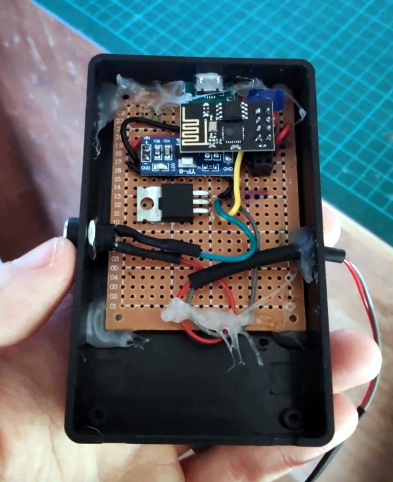
While most projects we see with the ESP32 make use of its considerable wireless capabilities, the chip can be connected to the wired network easily enough should you have the desire to do so. [Steve] liked the idea of putting his ESP32s on the wired network, but found the need for a secondary power connection burdensome. So he took it upon himself to modify some cheap Power Over Ethernet (PoE) hardware and create a single-cable solution (Google Translate).

[Steve] bought a PoE module intended for security cameras and ran a close eye over the board to figure out what kind of hardware it was using to generate the nominal 12 V output. He identified an MP2494 step-down converter, and with the datasheet in hand found how the output voltage is configured by changing the values of resistors in the circuit. Swapping out the stock 21.5 kΩ resistor for a 57.1 kΩ one changed the output of the converter to the 5 V necessary for his electronics.

But of course that was only half of the problem solved; he still had to connect the Ethernet side of the PoE device to the Waveshare LAN8720 board that’s providing Ethernet for the ESP32. So he removed the RJ45 jack from the LAN8720 completely, and wired that directly to the connector on the PoE board. Helpfully, the PoE board had all the pins labeled on the bottom side so this wasn’t nearly as tricky to figure out as you might expect (if only it was always that easy).

We’ve previously covered the Waveshare LAN8720 board for anyone who’s interested in the ins and outs of getting their ESP32 talking Ethernet. If you’re wondering how you can put PoE to work for you, our very own [Jonathan Bennett] has been showing off his home Raspberry Pi infrastructure which makes extensive use of the new PoE hat.