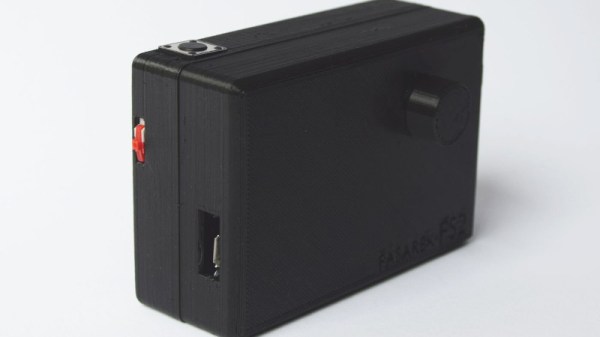
ESP8266 Wi-Fi Instant Camera Is A Simple Shooter

If a camera that combines the immediate gratification of a Polaroid with cloud hosting sounds like something that tickles your fancy, look no farther than this ESP-powered point and shoot camera created by [Martin Fasani]. There’s no screen or complicated configuration on this camera; just press the button and the raw picture pops up on the online gallery. Somehow it’s simultaneously one of the most simplistic and complex implementations of the classic “instant camera” concept, and we love it.
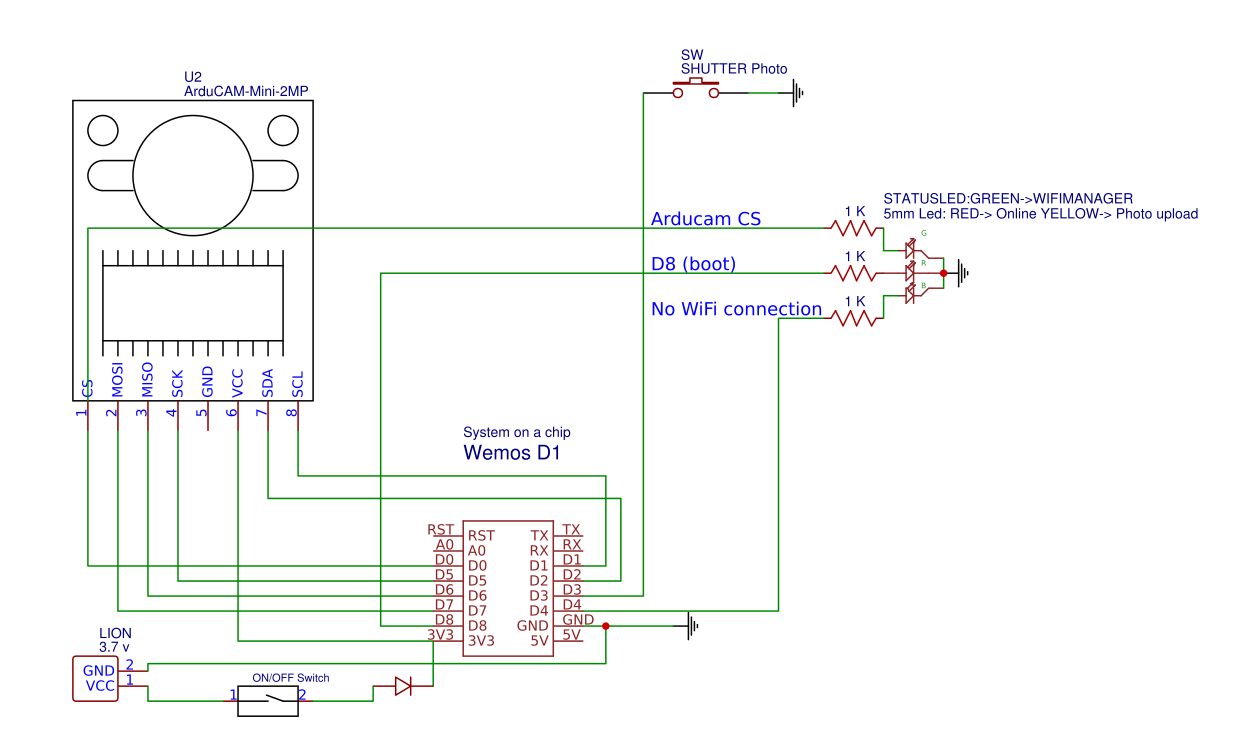
The electronics in the camera itself, which [Martin] calls the FS2, is quite simple. At the core, it’s nothing more than the ESP board, an ArduCAM camera module, and a momentary button for the shutter. To make it portable he added a 2000 mAh Li-ion battery and an Adafruit Micro Micro USB charger. [Martin] added support for an optional 128×64 OLED display for user feedback. Everything is housed in a relatively spacious 3D printed enclosure, leaving some room for possible future hardware.

There are firmware versions for both the ESP8266 and ESP32, so fans of either generation of the popular microcontroller are invited to the party. Processing images is obviously a bit faster if you go with the more powerful 32-bit chip, but on the flip side the ESP8266 uses 3MB of SPI flash as a local buffer for the images during upload, which helps prevent lost images if there’s a problem pushing them to the cloud. The camera is intended to be as simple as possible so right now the only option other than taking still images is a time-lapse mode. [Martin] hopes to implement some additional filters and effects in the future. He’s also hoping others might lend a hand with his firmware. He’s specifically looking for assistance getting autofocus working and implementing more robust error correction for image uploads.

We’ve seen some impressive DIY camera builds using everything from a salvaged thermal sensor to film and molten aluminum. But the quaint simplicity of what [Martin] has put together here really puts his project in a whole new category.

Continue reading “ESP8266 Wi-Fi Instant Camera Is A Simple Shooter”
The How And Why Of Laser Cutter Aiming

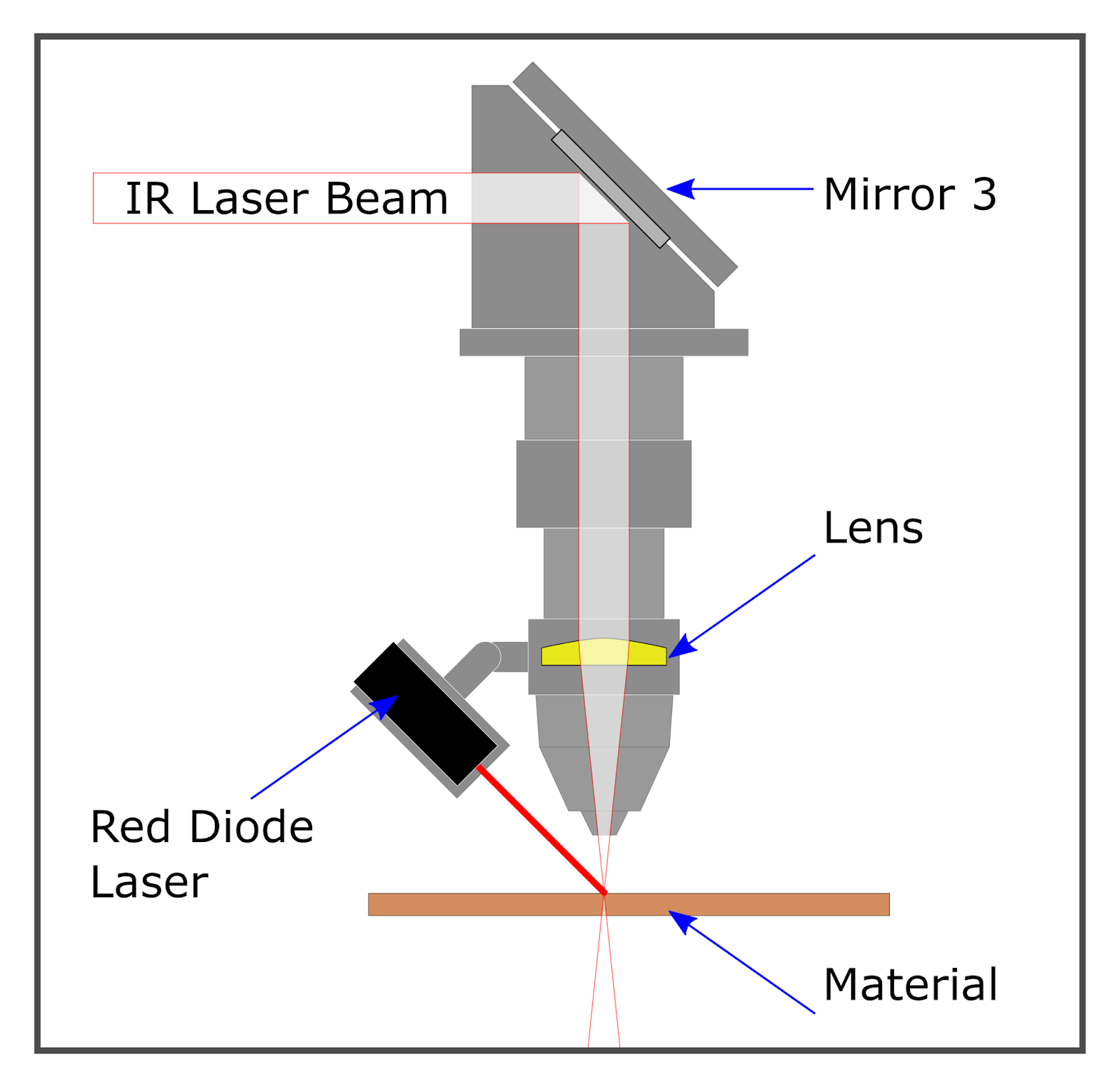
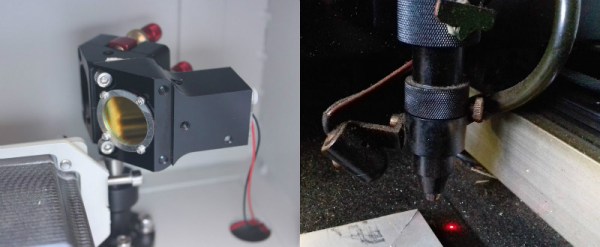
Laser aficionado [Martin Raynsford] has built up experience with various laser cutters over the years and felt he should write up a blog post detailing his first-hand findings with an often overlooked aspect of the machines: aiming them. Cheap diode laser cutters and engravers operate in the visible part of the spectrum, but when you get into more powerful carbon dioxide lasers such as the one used in the popular K40 machines, the infrared beam is invisible to the naked eye. A secondary low-power laser helps to visualize the main laser’s alignment without actually cutting the target. There are a couple of ways to install an aiming system like this, but which way works better?

[Martin] explains that there are basically two schools of thought: a head-mounted laser, or a beam combiner. In both cases, a small red diode laser (the kind used in laser pointers) is used to indicate where the primary laser will hit. This allows the user to see exactly what the laser cutter will do when activated, critically important if you’re doing something like engraving a device and only have one chance to get it right. Running a “simulation” with the red laser removes any doubt before firing up the primary laser.

That’s the idea, anyway. In his experience, both methods have their issues. Head-mounted lasers are easier to install and maintain, but their accuracy changes with movement of the machine’s Z-axis: as the head goes up and down, the red laser dot moves horizontally and quickly comes out of alignment. Using the beam combiner method should, in theory, be more accurate, but [Martin] notes he’s had quite a bit of trouble getting both the red and IR lasers to follow the same course through the machine’s mirrors. Not only is it tricky to adjust, but it’s also much more complex to implement and may even rob the laser of power due to the additional optics involved.

In the end, [Martin] doesn’t think there is really a clear winner. Neither method gives 100% accurate results, and both are finicky, though in different scenarios. He suggests you just use whatever method your laser cutter comes with from the factory, as trying to change it probably isn’t worth the effort. But if your machine doesn’t have anything currently, the head-mounted laser is certainly the easier one to retrofit.

In the past, we’ve covered a third and slightly unconventional way of aiming the K40, as well as a general primer for anyone looking to pick up eBay’s favorite laser cutter.

Soyuz Failure Leaves Questions Unanswered

The Russian space program experienced its first serious incident on a manned mission in 35 years when Soyuz MS-10 failed during ascent on October 11th, 2018. The abort system worked as designed, and crew members Aleksey Ovchinin and Nick Hague landed safely approximately 430 km from the launch site in Baikonur. Beyond being put through unusually high G forces, the two men suffered no injuries and will have their mission recycled for a future flight.

From an abort standpoint, the event went as well as could possibly be expected. The fact that the crew walked away unharmed is a testament to the emergency systems on the rocket and spacecraft, and serve as a reminder of why these functions are designed into manned rockets even if they are rarely (if ever) used. The success is especially impressive considering the Soyuz’s launch abort tower, the solid fuel rocket designed to pull the spacecraft away from the failing booster rocket, had already been jettisoned before the event occurred. The spacecraft was instead pulled to safety by the secondary abort thrusters, which were added to the vehicle’s design in 1975 as a contingency and until now had never been used in a real-life scenario.

What Went Wrong?

But while the safe return of the crew was naturally the first priority for all agencies involved, the questions soon turned to the Soyuz itself. What caused the loss of the rocket? Is it a defect which could be present in the other Soyuz rockets currently under construction? Perhaps most importantly, when could the Soyuz fly again? As it’s currently the only way to put humans into space, the International Space Station is completely dependent on regular Soyuz flights, and a delay in the program could endanger the orbiting outpost.

Now, with the initial findings of the Russian incident investigation being made public, we’re starting to get answers on some of those questions. The official report so far agrees with the conclusions many “Armchair Astronauts” made watching the live stream of the launch, and the evidence suggests that the core issue is the same which doomed previous Russian vehicles.

Continue reading “Soyuz Failure Leaves Questions Unanswered”

The Negative Rail Explained

With the high availability of modular components and incredible wealth of information and tutorials online, it’s now easier than ever for hackers and makers to assemble complex electronic projects without getting bogged down with the theory behind it all. But the downside is that the modern electronic hobbyist often doesn’t have as deep an understanding of the low-level concepts that they would have if they had to build everything from scratch. This can be a problem when they try diagnosing and repairing faults, or when they start to branch out into reverse engineering.

Which makes “Building Blocks” by [David Christensen] a very compelling series. Every week he will be demonstrating a new circuit on his blog, complete with a plain English explanation of how and why it’s used. In this first installment of the series, he’s tackling a concept most of us have seen when poking around in more complex electronic devices, but maybe never really gave much thought to: the negative rail.

What exactly is the negative rail, anyway? It’s pretty easy to understand the positive rail in a circuit and its relation to ground; even multiple positive rails, such as in devices which use both 5 V and 3.3 V, are simple enough to wrap your head around. Unfortunately when something drops below that logical 0V reference, it isn’t quite as intuitive. But as [David] explains, the negative rail in a circuit is critical for dealing with bipolar signals, such as audio, which ride above and below the 0 V center point.

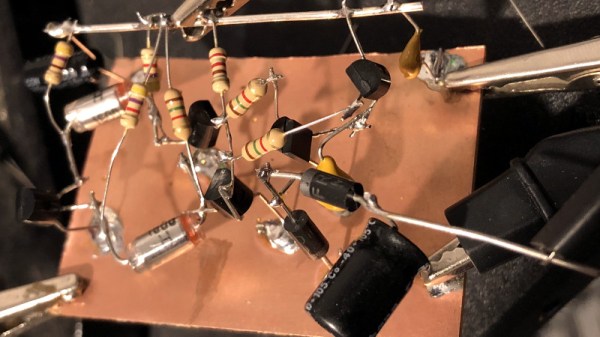
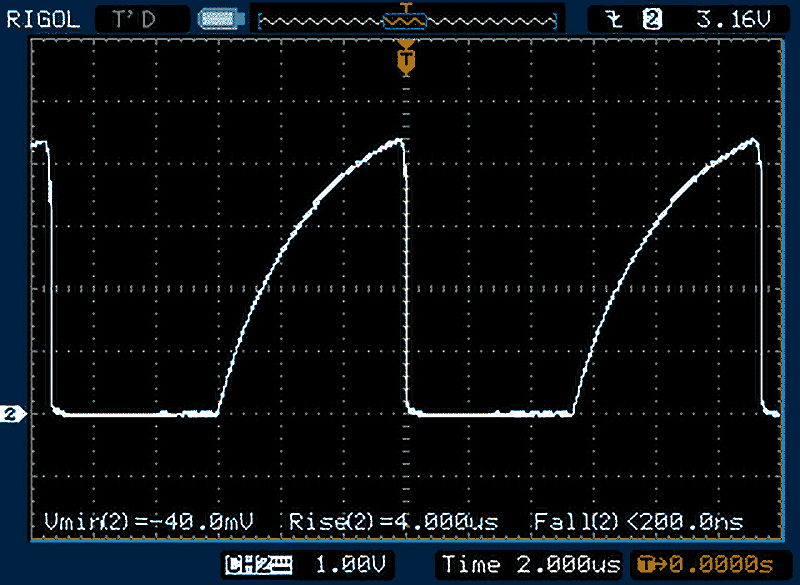
[David] goes over a few methods used to create the negative rail, from the classic center-tap transformer to using a buck-boost converter. But not content with just describing how these circuits work, he walks the reader through the creation of a charge pump circuit that you can drop into your next project if you find yourself in need of the elusive voltage. After explaining and diagramming it, he builds the circuit on a scrap piece of copper clad board and puts it through some benchmarks to prove it matches the theory he laid out.

If you’re in the mood for more negative talk, check out the battle our very own [Steven Dufresne] had with voltages of varying polarity when building his BB-8 robot.

Pringles Can Turned Vaporwave Lamp

We play host to a lot of incredibly complex projects here at Hackaday; take a look at some of the entries in the Hackaday Prize for some real world-class engineering. But the hacks you can knock out in an afternoon are often just as compelling as the flagship projects. After all, not everyone is looking to devote years of their lives into building some complex machine.

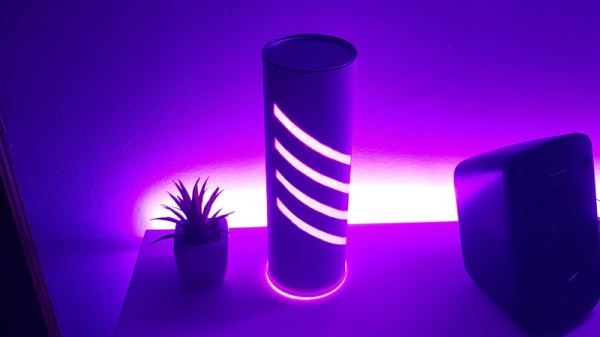
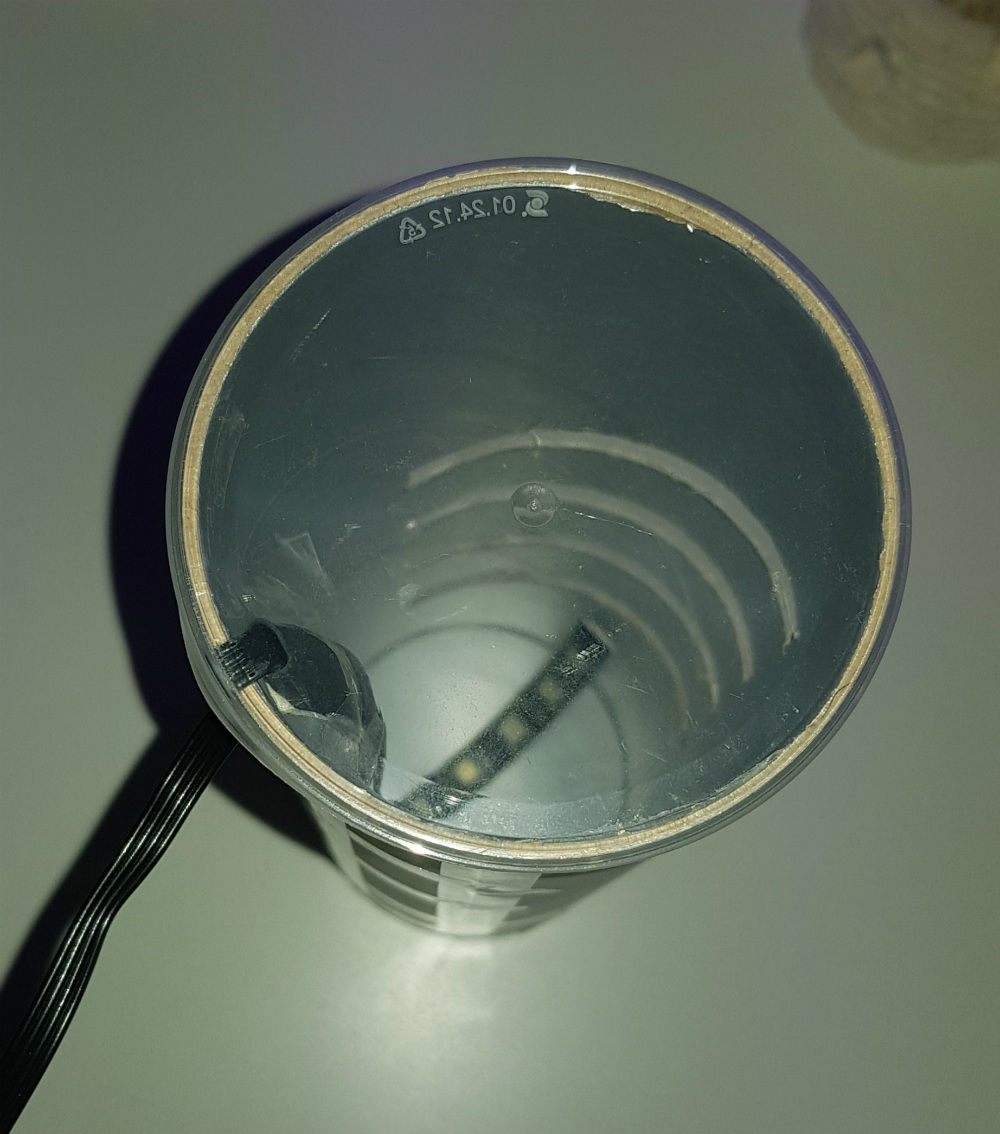
Case in point, this very slick lamp built by [mytzusky]. Made of nothing more exotic than an old Pringles can and an RGB LED strip, this is something that can potentially be built with what you have laying around right now. All you need to provide is a bit of geometry, a steady hand, and a love for anything that looks like it could pass as a prop in a TRON fan film.

The first step is getting the Pringles can: either find one in the trash or treat yourself to a stack of weird hard potato chip sorta things. Once you’ve got the can, you need to cut out your design. You could print out the template provided by [mytzusky] if you want, but you could put your own spin on it instead. Just remember that the design needs to make sense when you wrap it around the can.

With the lines cut out of the can, the whole thing gets wrapped with a few sheets of standard white paper. This will not only cover the original label but diffuse the light coming from the cuts you’ve just made. [Mytzusky] doesn’t mention it, but some kind of sealer applied to the paper might be a good idea if you’re looking to keep this thing around for the long haul.

Finally, an RGB LED strip goes inside the can. Make sure to flip the can upside down for this part, with the solid end on the top and the clear lid on the bottom. Not only does this let you run the wire out of the bottom, but provides a very cool ring of diffuse light at the bottom of the lamp.

This is another excellent example of an “upcycled” project which uses literal trash as a building material. It might take a little outside the box thinking, but the results can be very impressive.

Digital Picture Frame Turned Vectrex Overlay

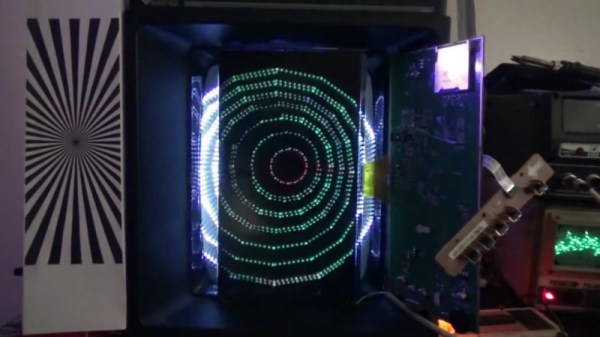
For Hackaday readers which might not be so well versed in the world of home video gaming before the 1983 crash, the Vectrex was an interesting attempt at bringing vector graphics into player’s living rooms. Priced around $500 in today’s dollars, the machine was unique in that it included its own black and white CRT display rather than requiring the owner to plug it into their television. To spice things up a little bit, games would include a thin plastic overlay you could put over the screen to give the game faux colors. What can we say? It was the 1980’s.

Like many vintage gaming systems, the Vectrex still commands a devoted following of fans, some of which continue to find ways to hack and mod the system nearly 40 years after its release. One such fan is [Arcade Jason], who’s recently been fiddling with the idea of creating a modern take on the overlay concept using a hacked LCD display. While it’s still a bit rough around the edges, it does hold promise. He hopes somebody might even run with the idea and turn it into a marketable product for the Vectrex community.

[Jason] started by getting an old digital picture frame and tearing it down until he liberated the LCD panel. By carefully disassembling it, he was able to remove the backlight and was left with a transparent display. He then installed the panel over the display of the Vectrex, leaving the picture frame’s PCB and controls dangling off to the side. Extending the display’s ribbon cable should be easy enough for a more robust installation.

He then loaded the frame with random psychedelic pictures he found online, as well as some custom overlays which he quickly whipped up using colored blocks in an art program. In the video after the break, [Jason] shuffles through images on the frame using the buttons on the PCB while loading different demos to show the kind of visual effects that are possible.

While a neat concept, there are a couple of issues that need to be resolved before this could really be put into practice. For one, the LCD panel isn’t the proper size or aspect ratio to match the Vectrex display, so it doesn’t cover the whole CRT. It’s also rather difficult to select images to show on the LCD panel; an improved version might use something like the Raspberry Pi to load images on the panel while exposing a control interface on a secondary screen of some type.

This isn’t the first time [Jason] has experimented with the Vectrex, or even the first time he’s tried to add color to the classic system. We’re interested to see what he comes up with next.

Continue reading “Digital Picture Frame Turned Vectrex Overlay”

Steady Hand Repurposes Cheap SSD Modules

For hackers, cheap (and arguably disposable) consumer hardware makes for a ready supply of free or low-cost components. When you can walk into a big box store and pick up a new low-end laptop for $150, how many are going to spend the money to repair or upgrade the one they have now? So the old ones go to the bin, or get sold online for parts. From an ecological standpoint our disposable society is terrible, but at least we get some tech bargains out of the deal.

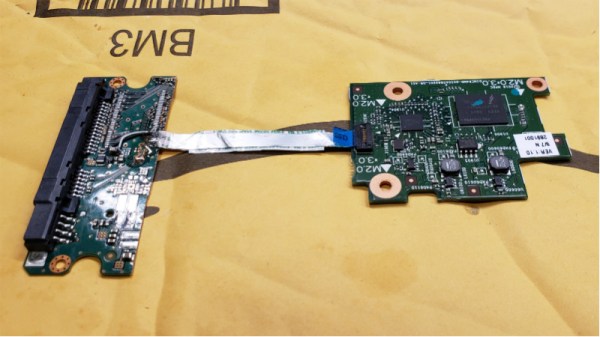
Case in point, the dirt cheap 32 GB eMMC SSDs [Jason Gin] recently scored. Used by Hewlett Packard on their line of budget laptops, he was able to snap up some of these custom drives for only $12 each. Only problem was, since they were designed for a very specific market and use case, they aren’t exactly the kind of thing you can just slap in your computer’s drive bay. He had to do some reverse engineering to figure out how to talk to them, and then some impressive fine-pitch soldering to get them plugged in, but in the end he got some very handy drives for an exceptionally low price.

[Jason] starts by figuring out the drive’s pinout using the cornerstone of the hacker’s electronic toolkit: the multimeter. By putting one lead on an obvious ground point such as the PCB’s screw holes, you can work through the pins on the connector and make some educated guesses as to what’s what. Ground pins will read as a short, but the meter should read power and data pins as a forward-biased diode. With a rough idea of the pin’s identities and some luck, he was able to figure out that it was basically a standard SATA connection in a different form factor.

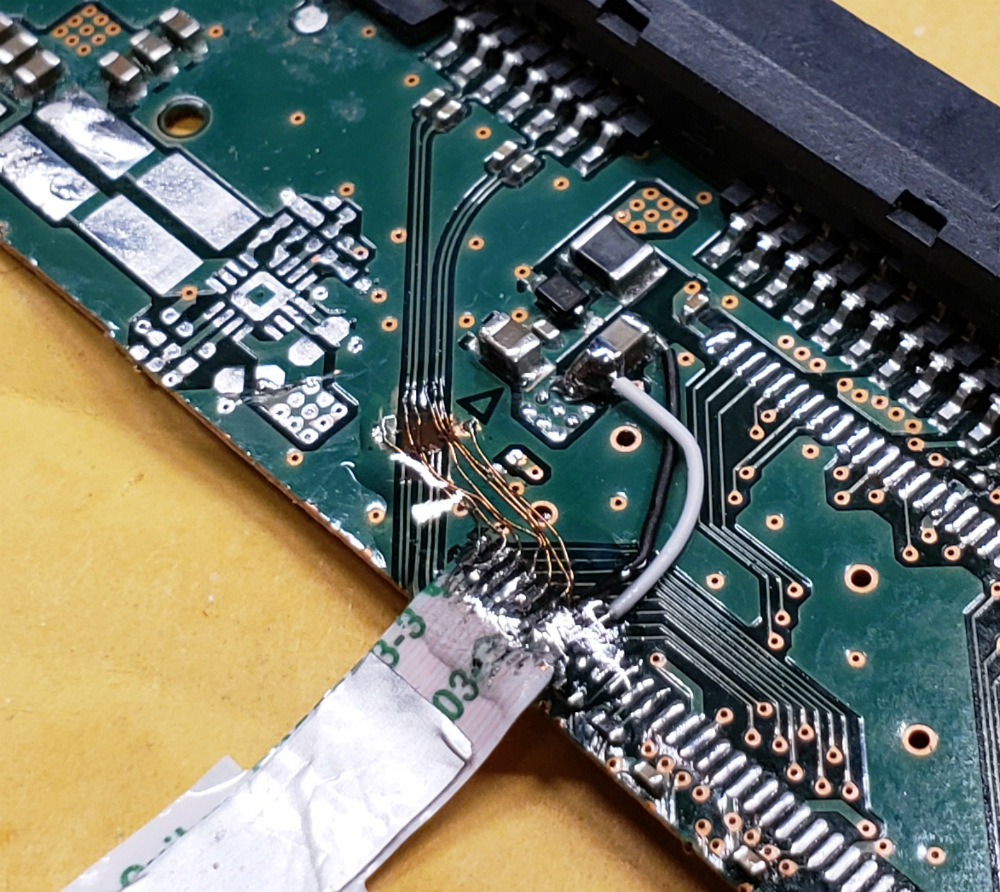
To actually hook it up to his computer, he pulled the PCB off of a dead SATA hard drive, cut it down to size, and was able to use fine magnet wire to attach the conductors in the drive’s ribbon cable to the appropriate pads. He sealed everything up with a healthy dose of hot glue to make sure it didn’t pull loose, and then ran some drive diagnostics on his cobbled together SSD to make sure it was behaving properly. [Jason] reports the drive isn’t exactly a speed demon, but given the low cost and decent performance he still thinks it’s worth the work to use them for testing out different operating systems and the like.

[Jason] seems to have something of an obsession with eMMC hacking. Last time we heard from him, he was bringing a cheap Windows tablet back from the dead by replacing its shot eMMC chip.