Linux Fu: Turn A Web App Into A Full Program

I hate to admit it. I don’t really use Linux on my desktop anymore. Well, technically I do. I boot into Linux. Then I do about 95% of my work in Chrome. About the only native applications I use anymore are development tools, the shell, emacs, and GIMP. If I really wanted to, I could probably find replacements for nearly all of those that run in the browser. I don’t use it, but there’s even an ssh client in the browser. Mail client? Gmail. Blogging? WordPress. Notes? OneNote or Evernote. Wouldn’t it be great to run those as actual applications instead of tabs in a browser? You can and I’ll show you how.

Having apps inside Chrome can be a real problem. I wind up with dozens of tabs open — I’m bad about that anyway. Restarting chrome is a nightmare as it struggles to load 100 tabs all at once. (Related tip: Go to chrome://flags and turn “Offline Auto-Reload Mode” off and “Only Auto-Reload Visible Tabs” on.) I also waste a lot of time searching since I try to organize tabs by window. So I have to find the window that has, say, Gmail in it and then find Gmail among the twenty or so tabs in that window.

What I want is a way to wrap web applications in their own window so that they’d show up in the task bar with their own icon, but external web pages that open from these apps ought to open in Chrome rather than in the same window. If applications were outside of the single browser window, I could move them to different desktops and organize them like they were any other program, including adding them to a launcher. Hopefully, this would let me have fewer windows like this:

Continue reading “Linux Fu: Turn A Web App Into A Full Program”

Getting Started With Free ARM Cores On Xilinx

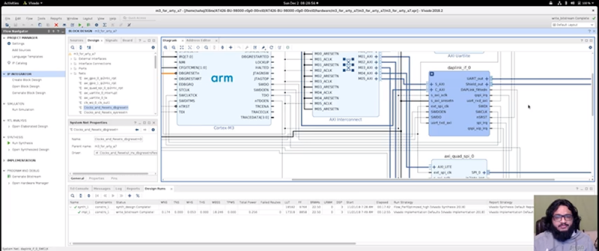
We reported earlier about Xilinx offering free-to-use ARM Cortex M1 and M3 cores. [Adam Taylor] posted his experiences getting things working and there’s also a video done by [Geek Til It Hertz] based on the material that you can see in the second video, below.

The post covers using the Arty A35T or Arty S50 FPGA boards (based on Artix FPGAs) and the Xilinx Vivado software. Although Vivado will allow you to do conventional FPGA development, it also can work to compose function blocks to produce CPUs and that’s really what’s going on here.

Continue reading “Getting Started With Free ARM Cores On Xilinx”

New Transistor Uses Metal And Air Instead Of Semiconductors

The more things change, the more things stay the same. Early electronic devices used a spark gap. These have been almost completely replaced with tubes and then semiconductor devices such as transistors. However, transistors will soon reach a theoretical limit on how small they can be which is causing researchers to find the next thing. If the  Royal Melbourne Institute of Technology has its way, we’ll go back to something that has more in common with a spark gap than a conventional transistor. You can find the source paper on the Nano Papers website although the text is behind a paywall.

The transistor uses metal, but instead of a semiconductor channel — which is packed with atoms that cause collisions as electrons flow through the channel — the new device uses an air gap. You might well think that if fewer atoms in the channel are better, why not use a vacuum?

Continue reading “New Transistor Uses Metal And Air Instead Of Semiconductors”

Etch-a-Sketch 3D Printed With Cell Phone

Most of us have fond memories of the Etch-a-Sketch from childhood. [Potent Printables] wanted to update the designs so he 3D printed an XY carriage for a stylus that works with a cell phone drawing program. You can see the video below and the 3D model details on Thingiverse.

The design is fun all by itself, but it also gave us a few ideas. For one thing, if you motorized it you could make some pretty clever drawing toys. But there could be a more practical use, too.

Continue reading “Etch-a-Sketch 3D Printed With Cell Phone”

3D Printed Brushed Motor Is Easy To Visualize

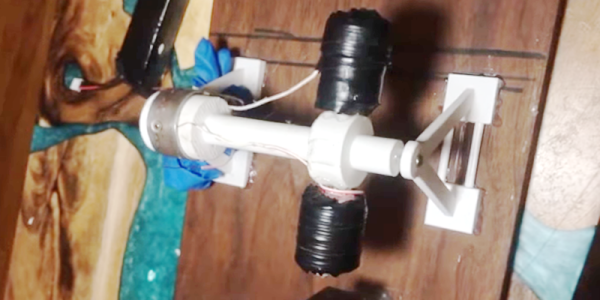
A motor — or a generator — requires some normal magnets and some electromagnets. The usual arrangement is to have a brushed commutator that both powers the electromagnets and switches their polarity as the motor spins. Permanent magnets don’t rotate and attract or repel the electromagnets as they swing by. That can be a little hard to visualize, but if you 3D Print [Miller’s Planet’s] working model — or just watch the video below — you can see how it all works.

We imagine the hardest part of this is winding the large electromagnets. Getting the axle — a nail — centered is hard too, but from the video, it looks like it isn’t that critical. There was a problem with the link to the 3D model files, but it looks like this one works.

Continue reading “3D Printed Brushed Motor Is Easy To Visualize”

Retrotechtacular: Before The Internet: MUDPIE

It is easy to forget how disconnected computers used to be. There was a time when sites with similar computers would do a tape rotation where a tape (or whatever media) would arrive in the mail. You’d spend some time looking at what was on it and then add anything interesting that you had to the end of it before sending it on to the next person. Eventually, the tape would come back to you, presumably loaded with more things. Late in 1967, Dr. James Peters started a newsletter called MUDPIE — Museum and University Data Program and Information Exchange. The newsletter would wind up with 26 issues over five years and while it started out with as few as 25 members, it would grow to over 250.

The newsletter was a real hardcopy newsletter, because as Dr. Peters put it:

MUDPIE represents an attempt to keep everyone up to date on the development of time-shared computing in museums and universities engaged in systematic research. Several individuals receiving this first copy had written asking the same questions, and this is a quick way of answering them. There was a tremendous temptation to set it up so that it could be received only through the teletype and computer — but that proved to be a little too advanced for the present!

Continue reading “Retrotechtacular: Before The Internet: MUDPIE”

The Arduino Hits The Rails

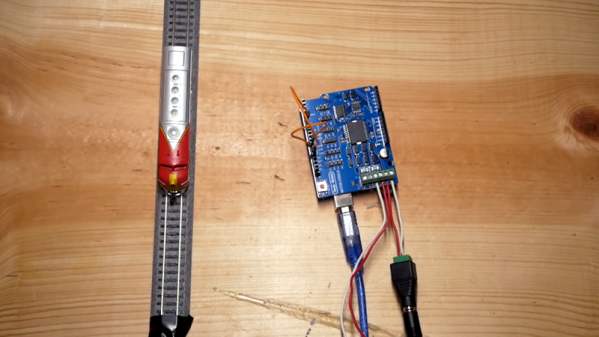
Certain hobbies come in clusters. It isn’t uncommon to see, for example, ham radio operators that are private pilots. Programmers who are musicians. Electronics people who build model trains. This last seems like a great fit since you can do lots of interesting things with simple electronics and small-scale trains. [Jimmy] at the aptly-named DIY and Digital Railroad channel has several videos on integrating railroad setups with Arduino. These range from building a DCC system for about $45 (see below) to a crossing signal.

There are actually quite a few basic Arduino videos on the channel, although most of them are aimed at beginners. However, the DCC — Digital Command and Control — might be new to you if you are a train neophyte. DCC is a standard defined by the National Model Railroad Association.

Continue reading “The Arduino Hits The Rails”