3D Prints And Food

We recently ran a post about a cute little 3D printed elephant that could dispense booze. The design didn’t actually have the plastic touching the liquid — there was a silicone tube carrying the shots. However, it did spark a conversation at the secret Hackaday bunker about how safe it is to use 3D printed objects for food. In particular, when I say 3D printing, I’m talking fused deposition modeling. Yes, there are other technologies, but most of us are printing using filament laid out in layers with a hot nozzle.

There’s a common idea that ABS is bad in general, but that PET and PLA are no problem because there are food-safe versions of those plastics available. However, the plastic is only a small part of the total food safety picture. Let me be clear: I am not a medical professional and although my computers have run a few plastics plants in years past, I am not really an expert on polymer chemistry, either. However, I don’t use 3D printed materials to hold or handle food and while you might not drop dead if you do, you might want to reconsider.

Continue reading “3D Prints And Food”

Dubai Police Test Quadcopter Motorcycle

If you ever wish you could be on your quadcopter when you fly it, you will really want to see the video showing the Dubai police department testing the Hoverbike. The Russian company Hoversurf that markets the device doesn’t provide a lot of technical details, but it looks fairly simple. It is basically a motorcycle seat along with a big quadcopter. From the videos about the device, you can deduce that the pilot can control it or you can fly it remotely. You can see one of the videos, below.

There are a few things that worry us here. Of course, the huge spinning propellers as the pilot’s knee level should give you sweaty palms. In the demo, they even show the removal of the propeller guards before the test flight but let’s be honest, those don’t look like they would keep a falling pilot out of the rotors at all anyway. When looking beyond the hype we find it curious that the demo doesn’t show many (if any) shots of the pilot making a turn. The benefit of a vehicle like this to police should be maneuverability and from what we saw the Hoversurf is still limited.

So is it real? Hard to say. The short videos mostly show vertical or horizontal flight with no maneuvering. Is it hard to turn? Is the battery life really short? One other oddity: When we first saw a letter from the US Patent Office on their site, we thought they might have some new technology. However, that letter is simply showing they registered a trademark and doesn’t reference a patent. If there is a patent we want to know what is new and novel here.

Of course, we know it’s possible to build such a machine since we saw [Colin Furze] do it with two rotors instead of four. The US Department of Defense is working on something with a company called Malloy and there are other practical examples. There are also some less practical examples. What we’re really on the lookout for is a product that works so well it will actually be used. You know, like those Segways that airport police use, right?

We hope Hoversurf can bring this to market because we definitely want one. There’s no reason to think they can’t, but we do wish there were more details forthcoming.

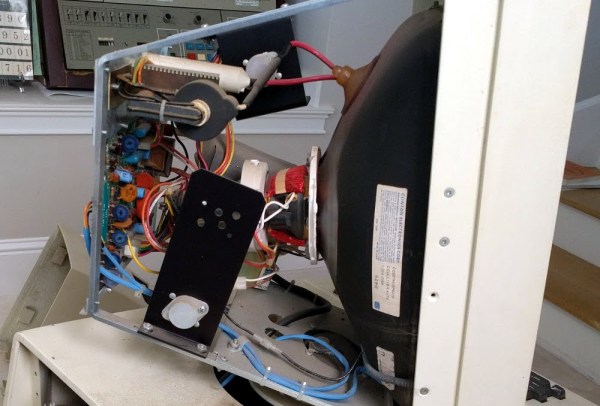
Xerox Alto CRTs Needed A Tiny Lightbulb To Function

In the real world, components don’t work like we imagine they do. Wires have resistance, resistors have inductance, and capacitors have resistance. However, some designers like to take advantage of those imperfections, something our old friend [Ken Shirriff] noted when he was restoring the CRT of a Xerox Alto.

[Ken] tried to connect a Xerox monitor to the Alto and — since it was almost as old as the Alto — he wasn’t surprised that it didn’t work. What did surprise him, though, is that when he turned the monitor off, a perfect picture appeared for just a split second as the unit powered off. What could that mean?

Keep in mind this is a CRT device. So a perfect picture means you have vertical and horizontal sweep all at the right frequency. It also means you have high voltage and drive on the electron guns. If you are too young to remember all that, [Ken] covers the details in his post.

He found that the CRT grid voltage wasn’t present during operation. The voltage derived from the high voltage supply but, mysteriously, the high voltage was fine. There was a small lightbulb in the grid voltage circuit. A 28V device about like a flashlight bulb. It measured open and that turned out to be due to a broken lead. Repairing the broken lead to the bulb put the monitor back in operation.

On paper, a light bulb lights up when you put current through it. In real life, it is a bit more complicated. An incandescent filament starts off as almost a dead short and draws a lot of current for a very brief time. As the current flows, the filament gets hot and the resistance goes up. That reduces the current draw. This effect — known as inrush current — is the scourge of designers trying to turn on light bulbs with transistors or other electronic switches.

However, the unknown Xerox power supply designer used that effect as a current limiter. The short 600V pulses would hardly notice the light bulb but if too much current or time elapsed, the resistance of the bulb would rise preventing too much current from flowing for too long. With the bulb open, the negative brightness grid provided an impassible barrier to the electrons. Apparently, the brightness grid lost power a bit earlier than the rest of the circuit and with it out of the way — or perhaps, partially out of the way — the picture was fine until the rest of the circuit also lost power.

We looked at [Ken’s] efforts on this machine earlier this year. Light bulbs, by the way, aren’t the only thing that changes resistance in response to some stimulus. You might enjoy the 1972 commercial from Xerox touting the Alto’s ability to do advanced tasks like e-mail and printing.

Continue reading “Xerox Alto CRTs Needed A Tiny Lightbulb To Function”

Computers That Never Were

Today it is easier than ever to learn how to program a computer. Everyone has one (and probably has several) and there are tons of resources available. You can even program entirely in your web browser and avoid having to install programming languages and other arcane software. But it wasn’t always like this. In the sixties and seventies, you usually learned to program on computers that didn’t exist. I was recently musing about those computers that were never real and wondering if we are better off now with a computer at every neophyte’s fingertips or if somehow these fictional computing devices were useful in the education process.

Back in the day, almost no one had a computer. Even if you were in the computer business, the chances that you had a computer that was all yours was almost unheard of. In the old days, computers cost money — a lot of money. They required special power and cooling. They needed a platoon of people to operate them. They took up a lot of space. The idea of letting students just run programs to learn was ludicrous.

Continue reading “Computers That Never Were”

Retrotechtacular: Radio To Listen To When You Duck And Cover

CONELRAD may sound like the name of a fictional android, but it is actually an acronym for control of electronic radiation. This was a system put in place by the United States at the height of the cold war (from 1951 to 1963) with two purposes: One was to disseminate civil defense information to the population and, also, to eliminate radio signals as homing beacons for enemy pilots.

Continue reading “Retrotechtacular: Radio To Listen To When You Duck And Cover”

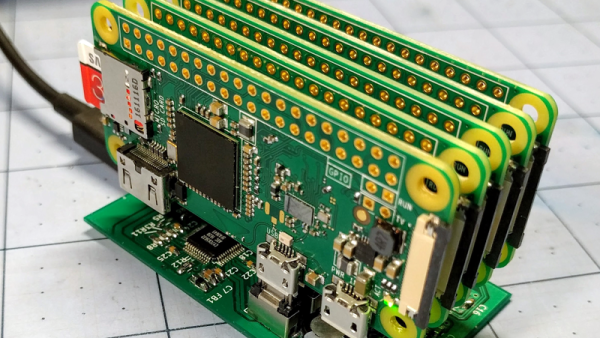
Terrible Cluster Of PIs

When we first saw [Ajlitt’s] Hackaday.io project Terrible Cluster we thought, perhaps, he meant terrible in the sense of the third definition:

3. exciting terror, awe, or great fear; dreadful; awful. (Dictionary.com)

After looking at the subtitle, though, we realized he just meant terrible. The subtitle, by the way, is: 5 Raspberry PI Zeros. One custom USB hub. Endless disappointment.

There are four Raspberry Pi Zero boards that actually compute and one Raspberry Pi Zero W serves as a head node and network router. The total cost is about $100 and half of that is in SD cards. There’s a custom USB backplane and even a 3D-printed case.

At first, using five tiny computers in a cluster might not seem like a big deal. Benchmarking shows the cluster (with a little coaxing) could reach 1.281 GFLOPS, with an average draw of 4.962W. That isn’t going to win any world records. However, the educational possibilities of building a $100 cluster that fits in the palm of your hand is interesting. Besides, it is simply a cute build.

We’ve seen much larger Pi clusters, of course. You might be better off with some desktop CPUs, but — honestly — not much better.

Dollar Tree LED Bulb Tear Down

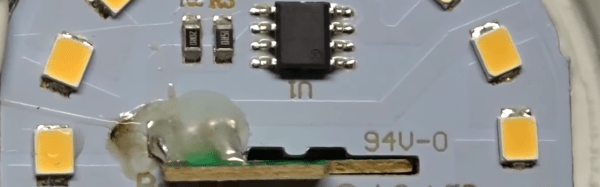
It is hard to remember now, but there was a time when electronics were expensive. [Adrian Black] found some 9W (60W equivalent) LED light bulbs at the Dollar Tree (a U.S. store where everything costs a dollar). Naturally, they cost a dollar, and he wanted to see what was inside of them. You can see the resulting video, below.

Apparently where [Adrian] lives there is a subsidy paid to retailers for selling LED lighting, so you may not be able to get the same bulbs at that price. Still, the price of these bulbs has dropped like a rock over the last few years.

Continue reading “Dollar Tree LED Bulb Tear Down”