3D Printing In Five Axes Makes The World Flat

Just when you thought your 3D printer was hot stuff, along comes a 5D printer. Two doctoral students at Penn State want to add two more axes to get rid of overhangs. This means that instead of supports or breaking objects into pieces, the printer simply orients the print so each region of the part is printing as if it were flat. Of course, 5D printers aren’t really new, even though you don’t hear much about them. However, the paper details a new algorithm that eliminates manually defining print regions and rotations.

You do this all the time manually when you’re setting the print up. For example, if you want to print a letter T, you could print it with supports under the cross pieces or flip it upside down and print it with no support at all. The difference here is the printer can flip the workpiece itself to different angles and can change it on the fly during printing. The printer might print the shaft of the T, rotate it to draw half of the crossbar, then rotate it 180 degrees to print the other half. In all three zones, the print head is depositing materials flat with no overhang. In a simple case like a T that doesn’t really require a special machine or an algorithm, but in the general case, you often can’t just rotate a model to avoid using supports.

Continue reading “3D Printing In Five Axes Makes The World Flat”

Make Room For A New Arduino Competitor – With Native Brainf*ck!

With so many smaller and more capable microcontroller boards on the market it’s now fairly safe to say that the classic Arduino footprint and form factor is rather outdated. That’s not to say that there’s no fight left in the old contender though, and to prove it here’s a new platform in the familiar style set by the venerable Atmel-based board. [Eduardo Corpeño]’s Brainfuino is an Arduino competitor that runs everyone’s favourite esoteric programming language, Brainf*ck. (Keeping it SFW, folks.)

And in case you mistake it for a Brainf*ck emulator on a PCB then stand ready to be corrected, for this board runs the language natively in a Brainf*ck softcore on a Lattice MachXO2 FPGA. This is the real deal, on which only a true genius or masochist would dare to code.

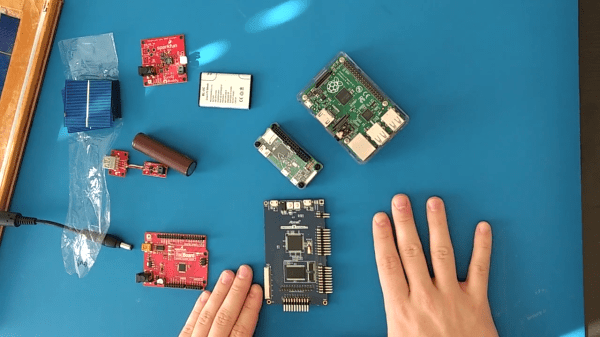
The board itself is very neatly executed with a graphical style that presents more than a nod to the original Arduino. On this board is the FPGA, 256 kB ROM and 138 kB RAM, an STM32 to provide a USB serial port and an analogue input, and a level shifter to provide Arduino-style 5 V logic on the pins. We can see it’ll provide hours of fun to anyone interested in learning Brainf*ck, but besides that it has potential as an Arduino-shaped FPGA board. We like the joke, we like the graphical and engineering design, but underneath that lies quite the technical achievement.

Brainf*ck has made it to Hackaday before, not least in this jaw-dropping relay computer.

3D Printed Pi Laptop Honors The Iconic GRiD Compass

If you’re familiar with vintage portable computers, you know about the GRiD Compass. Even if you’re not into computers of yesteryear, there’s a good chance you’ve seen a Compass or two without realizing it. From battling xenomorphs in Aliens to making the trip to orbit aboard the Space Shuttle, the trendsetting clamshell computer seemed to be everywhere in the 1980s. While far too expensive for the average consumer to afford back then, its no-compromise design and sleek looks helped lay the groundwork for today’s ubiquitous laptops.

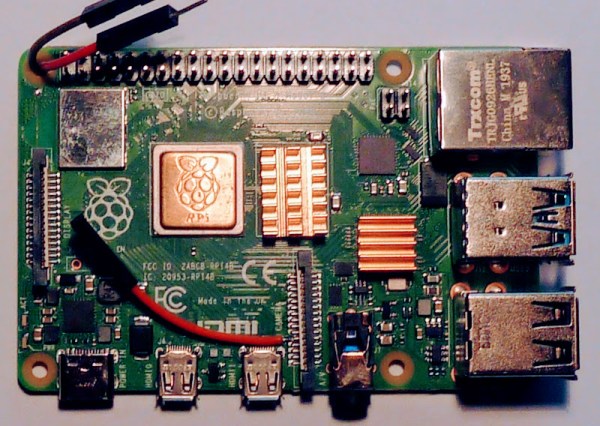
Getting your hands on a working GRiD Compass in 2021 isn’t a whole lot easier than it was in 1982, so [Mike] decided to do the next best thing and build his own. His GRIZ Sextant certainly isn’t a replica, but the family resemblance is strong enough to get the point across. The Raspberry Pi powered machine has a greatly reduced “trunk” section in the back as you might expect, but the overall layout is very similar. The Commodore 64 inspired color scheme is probably the biggest departure from the source material, but it’s hard to argue with the results.

It’s clear at a glance that a lot of thought was put into the external aesthetics of the Sextant, but a peek under the hood shows the internal details are equally impressive. [Mike] tells us he has a background in product design, and it shows. Rather than approaching this project as a one-off creation, he’s clearly taken great pains to ensure the design is as reproducible as possible.

All of the individual components of the 3D printed frame and enclosure have been carefully designed so they’ll fit within the build volume of the average desktop machine. Electronic components are screwed, not glued, to the internal framework; making future repairs and maintenance much easier. When combined with the ample internal volume available, this modular approach should make adding custom hardware a relatively painless process as well.

So when will you be able to build a GRIZ Sextant of your own? Hopefully, very soon. [Mike] says he still needs to work some kinks out of the power supply and finalize how the speakers will get mounted into the case. Once those last tweaks are locked in, he plans to release all the STL files and a complete Bill of Materials. For those who want to get a sneak peek before they start warming up the extruder, he’s also started documenting the assembly of the Sextant on his YouTube channel. Continue reading “3D Printed Pi Laptop Honors The Iconic GRiD Compass”

Growing Opals In The Lab

Opals are unique amongst gemstones, being formed from tiny silica nanospheres arranged in precise structures that give them their characteristic shifting color when seen from different angles. [The Thought Emporium] loves a challenge, so set about growing some himself.

It’s not the hardest gemstone synthesis ever, but it’s no cakewalk either. The process requires tetraethyl orthosilicate, or TEOS, which can be difficult to find, but the rest of the chemicals required are commonly available. The initial phase involves mixing the TEOS with reactants to form nanoscale silica spheres in the range of 200-350 nanometers wide. With the spheres in solution, the mixture must then be carefully dried in such a way as to create the right structure to produce opal’s famous color effects. At this stage, industrial producers add further silica to stabilize the matrix, though [The Thought Emporium] wasn’t able to find literature that explained how to do this. Instead, he relied on resin, which while imperfect, did allow the specimens to be stabilised and shown off for the purposes of the video.

The video notes that many of the steps in this process were perfected decades ago, but remain held as trade secrets, making replication an exercise in experimentation. Nonetheless, success was had in producing recognisably opalescent specimens, and we can’t wait to see further refinement of the DIY process.

We’ve seen similar work from [The Thought Emporium] before, exploring structural color and holograms. Video after the break.

Continue reading “Growing Opals In The Lab”

Starlink Satellite Dish X-Rayed To Unlock RF Magic Inside

When [Kenneth Keiter] took apart his Starlink dish back in November, he did his best to explain the high-level functionality of the incredibly complex device in a video posted to his YouTube channel. It was a fascinating look at the equipment, but by his own admission, he wasn’t the right person to try and explain the nuances of how the phased array actually functioned. But he knew who could do the technology justice, which is why he shipped the dismembered dish over to [Shahriar Shahramian] of The Signal Path.

Don’t be surprised if you can’t quite wrap your head around his detailed analysis after your first viewing. You’ll probably have a few lingering questions after the second re-watch as well. But that’s OK, as [Shahriar] still has a few of his own. Even after cutting out a section of the dish and putting it under an X-ray, it’s still not completely clear how the SpaceX engineers managed to cram everything into such a tidy package. Though there seems to be no question that the $500 price for the early-access hardware is an absolute steal, all things considered.

The layered antenna works on multiple frequencies.

Most of the video is spent examining the stacked honeycomb construction of the phased antenna array, which as expected, holds a number of RF secrets if you know what to look for. Put simply, there’s no such thing as an insignificant detail to the trained eye. From the carefully sized injection molded spacer sheet that keeps the upper array a specific distance from the RF4-like radome, to the almost microscopic holes that have been bored through each floating patch to maintain equalized air pressure through the stack up, [Shahriar] picks up on fascinating details which might otherwise seem like arbitrary design decisions.

But a visual inspection will only get you so far. Eventually [Shahriar] has to cut out a slice of the PCB so he can fit it into the X-ray machine, but don’t feel too bad, the dish was long dead before he got his hands on it. While he hasn’t yet completed his full analysis, an initial examination indicates that each large IC and the eight chips surrounding it make up a 16 channel beam forming module. Each channel is further split into two RX and TX pairs, which provides the necessary right and left hand polarization. That said, he admits there’s some room for interpretation and that further work would be necessary before any hard conclusions could be made.

Between this RF analysis and the initial overview provided by [Kenneth], we’ve already learned a lot more about this device than many might have expected considering how rare and expensive the hardware is. While we admit it’s not immediately clear what kind of hijinks hardware hackers could get into once this device is fully understood, we’re certainly eager to find out.

Continue reading “Starlink Satellite Dish X-Rayed To Unlock RF Magic Inside”

Dangerous Greeting Cards You Probably Shouldn’t Send Anyone

Regular paper greeting cards are pricey for what they are, and of course the annoying musical variety are even more so. If you really want to go all out, however, you’ve got to go custom made. That’s what [Xyla] and [Ian] did, though we’d stop short of recommending you build or send these to anyone!

Two variants of the “dangerous cards” were built. One repurposed an electric shocking circuit from a handheld buzzer, tucking it inside a shiny Disney greeting card. Using a switch from a musical greeting card, when opened, the shocking circuit is activated. With the circuit connected to aluminium tape electrodes hidden in the shiny foil design, when the user opens the card, they receive a painful shock. The flamethrowing variant was triggered by the same mechanism, though instead sent power to an electric match, shooting a fireball with flash cotton when the card was opened.

These cards make excellent pranks, though we’d be wary about sending them by mail for obvious reasons. We’ve seen [Xyla’s] work before too, with her glowing kayak a particular highlight. Video after the break.

Continue reading “Dangerous Greeting Cards You Probably Shouldn’t Send Anyone”

TabFS Makes Your Browser A File System

Like Unix, old-fashioned Linux has the philosophy that everything should look like a file. That paradigm works well and most of the operating system’s core features follow that pattern. However, many modern additions don’t really treat things as files or, at least, not files you can easily manipulate with the other tools. [Omar Rizwan] has a handy Chrome extension, though, that will make your browser tabs look like part of your file system. Not only is it a novel idea, but it is also surprisingly handy.

The extension feels like a bit of a proof of concept, so installation is a bit rough, but it does work and it allows you to do things that you would otherwise have to write an extension or a sophisticated program to screen scrape which is always less than desirable.

Continue reading “TabFS Makes Your Browser A File System”