Panic Button Is An Audio-Visual Parachute Out Of Zoom Calls

Everyone has been learning how to stream this year whether they want to or not. This has given rise to the embarrassment paradox, which states that the more urgently you need to kill your camera and microphone feeds in a videoconference call, the more difficult and time-consuming it will be. Zoom in particular will toggle the mic and camera with keyboard shortcuts, but when your toddler waddles into the room swinging a used diaper around in the air, keyboard shortcuts will seem woefully under-powered.

What you need is a single sturdy button that sends both of these toggle commands as quickly as possible. [Simon Prickett]’s panic switch does exactly that. It’s a delightfully tactile arcade button connected to a Trinket M0, which can emulate a keyboard quite easily as an Arduino or CircuitPython device.

This little keyboard doesn’t send these macros directly, because that would be way too risky. What if you were reading Hackaday instead of staring into the tiled faces of your coworkers? Then it wouldn’t work, because Zoom is out of focus.

Instead, it sends an obscure four-key macro to the computer that triggers an AppleScript. [Simon]’s AppleScript checks to see if Zoom is running. If not, it has the system announce the fact. If it is running, then the script sends cmd+shift+a and cmd+shift+v to Zoom directly to toggle the audio and video. Check out the demo after the break.

As you might expect, we’ve seen a couple of videoconference survival hacks over the past few months. Need to show something or work with your hands, but only have one camera? All you need is a mirror, a clothespin, and a length of wire for a simple split-screen setup.

Continue reading “Panic Button Is An Audio-Visual Parachute Out Of Zoom Calls”

Ultracapacitors Might Have Bad Fruity Smell

You might think the smell of an electrolytic capacitor boiling out is bad, but if scientists from the University of Sydney have their way, that might be nothing. They’ve devised an ultracapacitor — that uses biomass from the stinky durian fruit along with jackfruit. We assume the capacitors don’t stink in normal use, but we wouldn’t want to overload one and let the smoke out.

One of the things we found interesting about this is that the process seemed like something you might be able to reproduce in a garage. Sure, there were a few exotic steps like using a vacuum oven and a furnace with nitrogen, and you’d need some ability to handle chemicals like vinylidene fluoride. However, the hacker community has found ways to create lots of things with common tools, and we would imagine creating aerogels from some fruit ought not be out of reach.

Continue reading “Ultracapacitors Might Have Bad Fruity Smell”

Trick From 1903 Makes An Old Monochrome TV Spit Some Colours

Its safe to say that colour television is taken for granted nowadays. Consumed by the modern marketing jargon of colour dynamic range, colour space accuracy and depth, it is easy to overlook the humble beginnings of image reproduction when simply reconstructing an image with the slightest hint of colour required some serious ingenuity and earned you a well deserved pat on the back!

[anfractuosus] revisited an old gem of a technique, first patented in 1903 and used it to successful make an old monochrome TV produce a colour image. The idea in essence, is actually similar to what cheap image sensors and LCDs still use today. Rather than relying on true RGB colour generation by individually integrating colour sources as AMOLED does, we take an easier route: Produce a simpler monochrome image where each colour pixel is physically represented by four monochrome sub-pixels, one for each colour component. Now light up each of the sub-pixels according to the colour information of your image and rely on an external colour filter array to combine and spit out the correct colours.

He first used some image processing to convert a standard colour video into the aforementioned monochrome sub-pixel representation. Next, a Bayer colour filter array was printed on some acetate sheets using an inkjet printer (the original inventors used potato starch!), which when overlaid on top of the monochrome monitor, magically result in colour output.

There are some problems associated with this technique, mainly to do with the difficulty in measuring the size of the TV pixels and then producing and perfectly aligning a filter sheet for it. You should check out how [anfractuosus] went about solving those issues.

So now you know a bit more about colour image generation, but how about colour TV transmission? Check out an earlier piece to learn more.

Continue reading “Trick From 1903 Makes An Old Monochrome TV Spit Some Colours”

Trunking Police Scanning With SDRTrunk

There was a time when it was easy to eavesdrop on police and other service radio networks. Police scanners fans can hear live police, fire, and ambulance calls. However, it isn’t as easy as it used to be because nearly all radios now are trunked. That means conversations might jump from channel to channel. However, P25 can unscramble trunked radio calls intercepted by a cheap SDR dongle and let you listen in. [SignalsEverywhere] shows you how to set it up for Windows or Linux and you can see the video below.

Trunking radio makes sense. In the old days, you might have a dozen channels for different purposes. But most channels would be empty most of the time. With trunking radio, a radio’s computer is set to be in a talk group and a control channel sorts out what channel the talk group should use at any given time. That means that one channel might have several transmissions in a row from different talk groups and one talk group might hop to a new channel on each transmission.

Continue reading “Trunking Police Scanning With SDRTrunk”

The Swiss Army Knife Of Bench Tools

[splat238] had a ton of spare sensors laying around that he had either bought for a separate project or on an impulse buy, so he knew he had to do something with them. He decided to build his own digital multi-tool focusing on sensors that would be particularly useful in a workshop setting. Coincidentally, he was inspired by a previous hack that we covered a while back.

He’s equipped his device with a bubble level, tachometer, IR thermometer, protractor, laser pointer, and many, many more features that would make great additions to any hacker’s workspace. There’s a good summary of each sensor, making his Instructable somewhat of a quick guide to common sensing modalities for hardware designers. The tachometer, thermometer, laser pointer, and a few other capabilities are notable upgrades from the project we highlighted previously. We also appreciate the bigger display, allowing for more detailed user feedback particularly in using the compass and bullseye digital level among other features.

The number of components in [splat238’s] build is too extensive to detail one-by-one in this article, so please see his Instructable linked above for all the details. [splat238] made his own PCB for mounting each sensor and did a good job making the design modular so you wouldn’t need to add certain components if you don’t need them. Most of the components take some through-hole soldering with only a handful of 0805 resistors required otherwise. The housing was designed such that the user can handle the tool with one hand and can switch between each function with a push of a button.

Finally, the device is powered using a rechargeable lithium-polymer battery making it very reusable. And, if there weren’t enough features already, the battery can be charged via USB or through two solar panels mounted into the housing unit. Okay, solar charging might be a case of featuritis, but still a cool build either way.

Check out some other handy DIY tools on Hackaday.

Continue reading “The Swiss Army Knife Of Bench Tools”

ESP32 Turned Open Source COVID-19 Contact Tracer

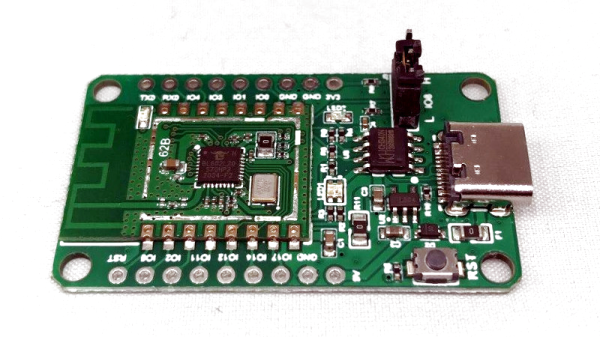
Over the past few months we’ve heard a lot about contact tracers which are designed to inform users if they’ve potentially come into close proximity with someone who has the virus. Generally these systems have been based on smartphone applications, but there are also hardware solutions that can operate independently for those who are unable or unwilling to install the software. Which is precisely what [Tom Bensky] has implemented using an ESP32 and a USB battery bank.

The idea is simple: the software generates a unique ID which is broadcast out by the ESP32 over Bluetooth Low Energy. Appended to that ID is a code that indicates the person’s current physical condition. There’s no centralized database, each user is expected to update their device daily with any symptoms they may be experiencing. If your tracker is blinking, that means somebody has come in close enough proximity that you should look at the collected data and see how they were feeling at the time.

It’s not a perfect system, of course, as for one thing the number of people that are willing and able to flash this firmware onto a spare ESP32 and carry the thing around with them all day is going to be extremely small. This might have filled an interesting niche if we were still going to hacker and maker cons this summer, but all of those have gone virtual anyway. That said, it’s an interesting look at how a decentralized contact tracing system can be implemented cheaply and quickly.

Another detail worth taking a look at is how [Tom] handled the user experience in his firmware. In an effort to make the tracer as easy as possible to configure, he’s using the Web Bluetooth capability of Google Chrome. Just open up the local web page in your browser, and it will handle talking to the hardware for you. Even if you’re not in the market for a contract tracer, we think this is a great example for how to handle end-user configuration on the ESP32.

We’ve already looked at contact tracer APIs from Google and Apple, dedicated COVID-19 hardware tokens, and even other open source attempts at decentralized proximity tracking. It’s a lot to process, and everyone seems to have their own idea on how it should be done. In the end, the most practical solution is probably to just stay at home as much as possible.

Broken Smartphones: Laptops In Disguise

Modern smartphones are a dizzying treatise on planned obsolescence. Whether it’s batteries that can’t be removed without four hours and an array of tiny specialized tools, screens that shatter with the lightest shock, or (worst of all) software that gets borked purposefully to make the phone seem older and slower than it really is, around every corner is some excuse to go buy a new device. The truly tragic thing is that there’s often a lot of life left in these old, sometimes slightly broken, devices.

This video shows us how to turn an old smartphone into a perfectly usable laptop. The build starts with a screen and control board that has USB-C inputs, which most phones can use to output video. It’s built into a custom aluminum case with some hinges, and then attached to a battery bank and keyboard in the base of the laptop. From there, a keyboard is installed and then the old phone is fixed to the back of the screen so that the aluminum body doesn’t interfere with the WiFi signal.

If all you need is internet browsing, messaging, and basic word processing, most phones are actually capable enough to do all of this once they are free of their limited mobile UI. The genius of this build is that since the phone isn’t entombed in the laptop body, this build could easily be used to expand the capabilities of a modern, working phone as well. That’s not the only way to get a functioning laptop with parts from the junk drawer, either,  if you’d prefer to swap out the phone for something else like a Raspberry Pi.

Thanks to [NoxiousPluK] for the tip!

Continue reading “Broken Smartphones: Laptops In Disguise”