PiSound, The Audio Card For The Raspberry Pi

Kids today are being loud with their ‘drum machines’ and ‘EDM’. Throw some Raspberry Pis at them, and there’s a need for a low-latency sound card with MIDI and all the other accouterments of the modern, Skrillex-haired rocker. That’s where PiSound comes in.

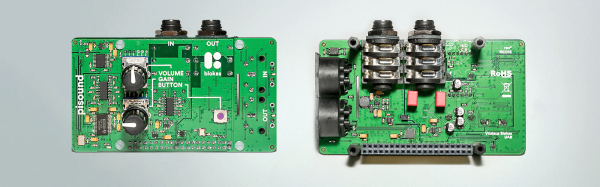
Of course, the Pi already comes with audio out, but that’s not enough if you want to do some real audio processing. You need audio in as well, and while you’re messing around with that, adding some high-quality opamps, ADCs, DACs, and some MIDI would be a good idea. This is what the PiSound is all about.

[Pranciskus], the guy who has been working on the PiSound for a while now, developed this multitool for audio on a tiny Linux system. One of the killer features on the PiSound is ‘The Button’, a simple tact switch that runs a script if the button is pressed, another script if the button is held down, and two more if the button is pressed two or three times. This is actually a pretty nifty UI, and we wouldn’t mind seeing this on a few more Pi accessories.

If you’d like to see some example projects using the PiSound, there example MIDI controllers, networked audio players, and some goofing around with LV2 plugins over here.
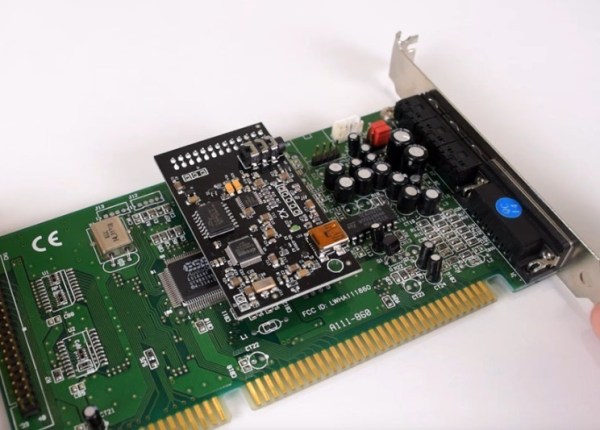
DreamBlaster X2 on a Sound Blaster Sound Card

DreamBlaster X2: A Modern MIDI Synth For Your Sound Blaster Card

Back in the 90s, gamers loaded out their PCs with Creative’s Sound Blaster family of sound cards. Those who were really serious about audio could connect a daughterboard called the Creative Wave Blaster. This card used wavetable synthesis to provide more realistic instrument sounds than the Sound Blaster’s on board Yamaha FM synthesis chip.

The DreamBlaster X2 is a modern daughterboard for Sound Blaster sound cards. Using the connector on the sound card, it has stereo audio input and MIDI input and output. If you’re not using a Sound Blaster, a 3.5 mm jack and USB MIDI are provided. Since the MIDI uses TTL voltages, it can be directly connected to an Arduino or Raspberry Pi.

This card uses a Dream SAM5000 series DSP chip, which can perform wavetable synthesis with up to 81 polyphonic voices. It also performs reverb, chorus, and equalizer effects. This chip sends audio data to a 24 bit DAC, which outputs audio into the sound card or out the 3.5 mm jack.

The DreamBlaster X2 also comes with software to load wavetables, and wavetables to try out. We believe it will be the best upgrade for your 486 released in 2017. If you’re interested, you can order an assembled DreamBlaster. After the break, a review with audio demos.

Continue reading “DreamBlaster X2: A Modern MIDI Synth For Your Sound Blaster Card”

Decoding RF Link Using A PC Soundcard

[Ray] wanted to use a microcontroller to send signals to some wireless power outlets. Instead of tapping into the buttons on the remote control he is using an RF board to mimic the signals. There are two hurdles to overcome with this method. The first is to make sure your RF module operates on the proper frequency. The second is to get your hands on the codes that are being sent from the remote control unit.

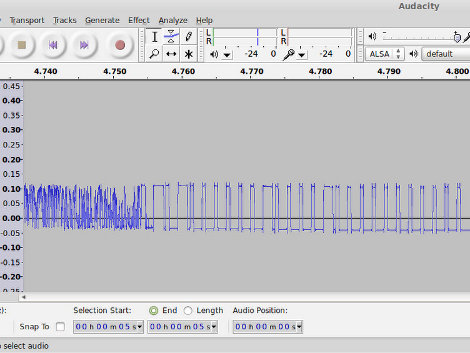
Now you could just hook your oscilloscope up to the transmitter and take a look at the timing of the signals. But most hobbyists don’t have that kind of high-end test equipment in their basement or garage shops. [Ray’s] approach uses something we all have available to us: a sound card and some open source software. He connected the data pin from his RF receiver to an audio plug and inserted it in the line-in jack of his computer. Using Audacity he recorded the signal as he pressed buttons on the transmitter.  This method not only captures the data, but the time stamps native to the audio editing program let him easily work out the timing for each signal.

It’s kind of amazing what you can do with this audio analyation technique. Earlier this year we saw it used to measure response time for DSLR cameras.

Continue reading “Decoding RF Link Using A PC Soundcard”

Rotary Encoding With Your Soundcard

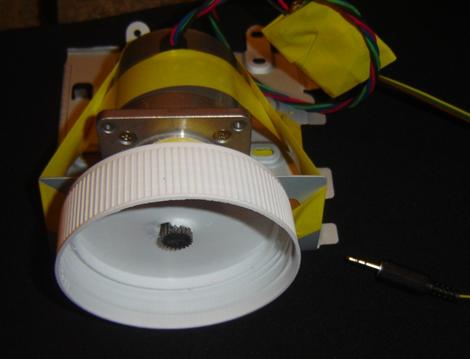
[Stefan] sent in this project writeup to show us how he used a stepper motor as a rotary encoder. Using a stepper motor as an encoder isn’t really that new, as [Stefan] points out, we’ve seen it several times before. He wanted to use this in the quickest simplest way with his computer though. Instead of doing any decoding on a separate microprocessor, he’s connected the stepper directly to his sound card and written code to do the rest. You can download that code and see a video of some practical applications on his site.

RP2040 Powers A MIDI-Controlled Soundboard

When you’re livestreaming, it can be tempting to fire off all kinds of wacky sound effects like you’re a morning radio DJ back in the heady days of 1995. If that’s who you want to be, you might like this soundboard project from [Biker Glen].

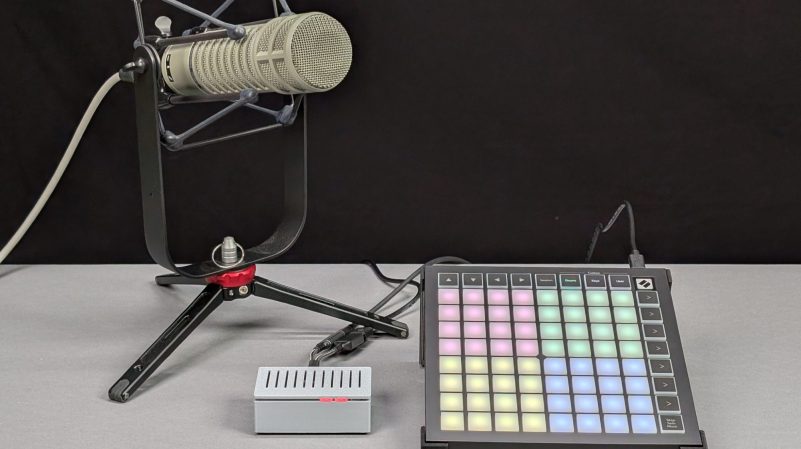
The build is based around an RP2040 microcontroller. It’s paired with an I2S digital-to-analog converter for sound output, which in turn feeds a small amplifier hooked up to a speaker or a line output.  The RP2040 is programmed to respond to MIDI commands by playing various sounds in response, which are loaded off a microSD card. It’s able to act as a USB MIDI host, which allows it to work seamlessly with all sorts of off-the-shelf MIDI controllers like the MIDI Fighter or the Novation Launchpad.

It’s an interesting hardware solution to a problem that you could probably also solve with software on your streaming machine, especially if you’ve already got a USB MIDI controller. However, there’s something to be said for lightening the load when your streaming computer is already doing lots of hard work to truck video up to the cloud already. Files are on Github if you’re eager to replicate the build.

Soundboards are just fun, which is why we’ve featured them before. Meanwhile, if you’re whipping up your own streaming accessories at home, be sure to let us know on the tipsline!

The Fancy Payment Cards Of Taiwan

If you’re an old-schooler, you might still go to the local bar and pay for a beer with cash. You could even try and pay with a cheque, though the pen-and-paper method has mostly fallen out of favor these days. But if you’re a little more modern, you might use a tap-to-pay feature on a credit or debit card.

In Taiwan, though, there’s another unique way to pay. The island nation has a whole ecosystem of bespoke payment cards, and you can even get one that looks like a floppy disk!

Continue reading “The Fancy Payment Cards Of Taiwan”

A circuit sculpture designed to help you sleep.

Sweet Sound Sculpture Helps You Sleep Soundly

Have trouble sleeping, or getting to sleep in the first place? You’ve no doubt heard of white noise machines, but know it would be much cooler to make your own. Enter Noise Maker, a DIY sound sculpture by [optimus103733], who wanted to learn something in the process of creating.

The best thing about this sound sculpture aside from the looks is that you can not only play five different sounds (e.g. birds, traffic, water, frog, white noise), you can mix them together into a rich but relaxing cacophony.

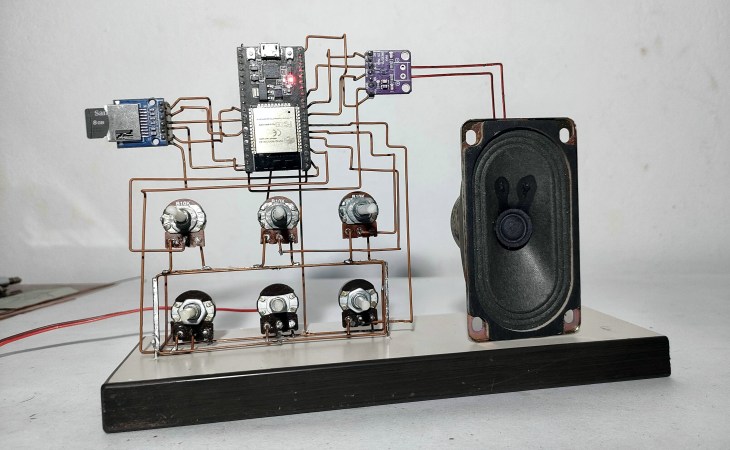
As you can probably see from the picture, Noise Maker is based on the ESP32 and uses an SD card module, an amplifier, and five six pots. Be sure to check out the pictures, because there are three layers of copper connections and a lot of careful bending to make it all come together. In the video after the break, you can hear it in action.

It seems [optimus103733] isn’t completely satisfied and wants to make a few improvements in the future, such as a voltage regulator, a power switch, and a timer to automatically stop playback once (we assume) sleep has come. Evidently the ESP32 struggles a little with mixing six audio sources, but hey, lesson learned.

Wait, why do we sleep in the first place?

Continue reading “Sweet Sound Sculpture Helps You Sleep Soundly”