Hackaday Prize Entry: Vibhear

Hearing impairment, either partial or total, is a serious problem afflicting a large number of people. Almost 5% of the global population has some form of hearing disorder. For those affected by this disability from birth, it further impacts the development of language and speech abilities. In recent years, cochlear implants are increasingly being used to address this problem. These implants consist of two parts – the receiver and electrode array are implanted under the skin near the ear (with the electrode array terminating inside the Cochlea), while the microphone, electronics, transmitter and power source are attached on the outside. Often, the external unit has to be removed – for example, when the person needs to sleep. This is particularly so in the case of young children. The external unit is fairly large compared to their head and causes discomfort during sleep. And parents are worried that the expensive device could get damaged when the child is sleeping. This leads to the alarming situation where the child is asleep and has no audio sensory inputs being received from the surroundings. Not only can they not hear morning alarms, but also cannot react when there is an emergency situation such as a smoke alarm going off.

[Srdjan Pavlovic] came across this problem first hand when he visited his friend and learned about their six-year-old son with hearing loss since birth. The parents said their child will not be disturbed by loud noises at night since the external unit of his cochlear implant is removed each night. [Srdjan] then started work on building the Vibhear – an assistive hearing device to be used when the main hearing aid is removed or not working. It is a low-cost arm-band that provides a vibratory signal in response to high ambient noises.

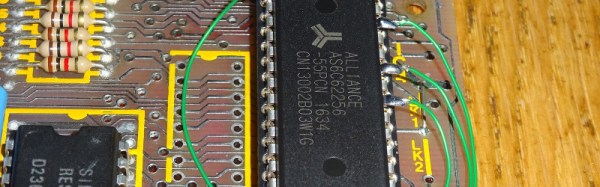
The main components are a microphone, amplifier, microcontroller and vibration motor powered by a LiPo battery through a boost converter/charger. An RTC module allows setting up daily wake up alarms. It’s currently prototyped around the Arduino, but the next iteration will use a specialized DSP which can be programmed to perform signal processing operations on input sound. This will allow identification of specific sounds such as car horns, barking dogs, smoke alarms or emergency sirens.

[Srdjan] is in the process of choosing components for his next iteration, so if you have any recommendations to help him choose the microcontroller, power supply controller or other parts, do let him know via comments below.

In-Band Signaling: Dual-Tone Multifrequency Dialing

One late night many decades ago, I chanced upon a technical description of the Touch-Tone system. The book I was reading had an explanation of how each key on a telephone sends a combination of two tones down the wire, and what’s more, it listed the seven audio frequencies needed for the standard 12-key dial pad. I gazed over at my Commodore 64, and inspiration hit — if I can use two of the C64’s three audio channels to generate the dual tones, I bet I can dial the phone! I sprang out of bed and started pecking out a Basic program, and in the wee hours I finally had it generating the recognizable Touch-Tones of my girlfriend’s phone number. I held the mouthpiece of my phone handset up to the speaker of my monitor, started the program, and put the receiver to my ear to hear her phone ringing! Her parents were none too impressed with my accomplishment since it came at 4:00 AM, but I was pretty jazzed about it.

Since that fateful night I’ve always wondered about how the Touch-Tone system worked, and in delving into the topic I discovered that it’s part of a much broader field of control technology called in-band signaling, or the use of audible or sub-audible signals to control an audio or video transmission. It’s pretty interesting stuff, even when it’s not used to inadvertently prank call someone in the middle of the night. Continue reading “In-Band Signaling: Dual-Tone Multifrequency Dialing”

Bye Bye Solaris, It Seems.

For readers of A Certain Age, this may bring a tear to the eye. Reports have been circulating of the decision by Oracle to lay off a significant portion of the staff behind its Solaris operating system and SPARC processors, and that move spells the inevitable impending demise of those products. They bore the signature of Sun Microsystems, the late lamented workstation and software company swallowed up by the database giant in 2009.

So why might we here at Hackaday be reaching for our hankies over a proprietary UNIX flavour and a high-end microprocessor, neither of which are likely to be found on many of the benches of our readers in 2017? To answer that it’s more appropriate to journey back to the late 1980s or early 1990s, when the most powerful and expensive home computers money could buy were still connected to a domestic TV set as a monitor.

If you received a technical education at a university level during that period the chances are that you would have fairly soon found yourself sitting in a lab full of workstations, desktop computers unbelievably powerful by the standards of the day. With very high resolution graphics, X-windows GUIs over UNIX, and mice that weren’t just used for a novelty paint package, these machines bore some resemblance to what we take for granted today, but at a time when an expensive PC still came with DOS. There were several major players in the workstation market, but Sun were the ones that seemed to have the university market cracked.

You never forget your first love, and therefore there will be a lot of people who will never quite shake that association with a Sun workstation being a very fast desktop computer indeed. Their mantra at the time was “The network is the computer”, and it is the memory of a significant part of a year’s EE students trolling each other by playing sound samples remotely on each other’s SPARCStations on that network that is replaying in the mind of your scribe as this is being written.

A Raspberry Pi with a Raspbian desktop probably outperforms one of those 1980s SPARCStations in every possible way, but that is hardly the point and serves only to demonstrate technological progress. It feels as though something important died today, even if it may be a little difficult to remember what it was when sat in front of a multi-core x86 powerhouse with a fully open-source 64-bit POSIX-compliant operating system running upon it.

Unsurprisingly we’ve featured no hardware hacks with such high-end computing. If you’d like to investigate some Sun Microsystems hardware though, take a look at the Centre for Computing History’s collection.

Non-standard circuit boards

Non-standard Circuits: Jazz For Electrons

How creative are you when you make your circuit boards? Do you hunt around for different materials to use for the board? As long as it’s an insulator and can handle the heat of a soldering iron, then anything’s fair game. Or do you use a board at all? Let’s explore some options, both old favorites and some you may not have seen before, and see if we can get our creative juices flowing.

Transparent Circuit Boards

Let’s start with the desire to show more circuit and less board. For that we can start with [CNLohr]’s circuits on glass, usually microscope slides. What’s especially nice about his is that he provides detailed videos of the whole process, including all the failed things he tried along the way. Since he didn’t start with copper clad board, he instead glued his copper sheet to the glass using Loctite 3301. That was followed by the usual etching process, though with plenty of gotchas along the way.

In the end, he made a number of circuits, including an LED clock with the LEDs on the glass itself, and even attempted leading the community in making a glass keytar. The latter didn’t work out, but the resulting glass circuits are a work of art anyway.

What about making a transparent circuit board out of acrylic? [Frank Zhao] attempted just that by laser cutting troughs into the acrylic for the traces, and then drawing in nickel ink. But something in the ink ate into the acrylic, and as if that wasn’t bad enough, the voltage drop across the nickel was too high for his circuit. Suggestions were made in the comments for how to solve these problems, but unless we missed it, we haven’t seen another attempt yet.

But we’ve only just begun. What if you wanted even more transparency?

Continue reading “Non-standard Circuits: Jazz For Electrons”

Teenage Engineering The Raspberry Pi

The Teenage Engineering OP-1 is a tiny, portable synthesizer loaded up with 4-track recording, a sampler, sequencers, and a quite good synthesis engine. It also fits in your pocket and looks like a calculator built in West Germany. As you would expect with a synth/sampler/sequencer, you can save sounds, tracks, and other creations to a computer. [Doug] thought if you can connect it to a laptop, you can also connect it to a Raspberry Pi. He created an all-in-one storage solution for the OP-1 using only a Pi and a small character LCD.

The process of connecting the Pi to the OP-1 is pretty simple. First, plug a USB cable into the OP-1 and the Pi. Then, place the OP-1 into Disk Mode, the synth’s method of transferring files between itself and a computer. The Pi then synchronizes, changes the color of its character display from red to green, and becomes a web server available over WiFi where all the files can be accessed.

This is the bare minimum tech required to get files into and off of the OP-1. All you need is a bit of power and a USB connection, and all the files on the OP-1 can be backed up, transferred, or replaced without any other futzing around. It’s perfect for the minimalist OP-1, and a great example of how handy a WiFi enabled Pi can be.

Thanks [Pator] for sending this one in.

Coin-Sized LED Control

EE and firmware developer [Enrico] had played with LEDs as a kid, burning out his fair share of them by applying too much current. With the benefit of his firmware chops, he set about creating a board that drives LEDs properly.

[Enrico]’s project centers around a Texas Instruments LM3405 buck controller. It accepts input voltage from anywhere from 3V to 20V and outputs up to 20V/15W to one or more LEDs. He built a ton of safety features into it like short-circuit and open-circuit immunity, temperature control, and auto-off switching when idle. He also created a LED board to test the maximum efficiency of the driver. It consists of four Luxeon Rebel ES diodes, one each RGB and W. The entire back of the LED board is copper, with a monster heat sink attached.

You can follow along with the Glighter-S project on Hackaday.io, or you can buy one of his boards from his Tindie store.

We’ve covered LED drivers extensively in the past, with posts on a simple 10-watt LED driver and how to design your own LED driver.

RaspiReader, An Open Source Fingerprint Reader

In 2008, the then German interior minister, [Wolfgang Schäuble] had his fingerprint reproduced by members of the German Chaos Computer Club, or CCC, and published on a piece of plastic film distributed with their magazine. [Schäuble] was a keen proponent of mass gathering of biometric information by the state, and his widely circulated fingerprint lifted from a water glass served as an effective demonstration against the supposed infallibility of biometric information.

Diagram showing the fingerprint reader's operation.
Diagram showing the fingerprint reader’s operation.

It was reported at the time that the plastic [Schäuble] fingerprint could fool the commercial scanners of the day, including those used by the German passport agency, and the episode caused significant embarrassment to the politician. The idea of “spoofing” a fingerprint would completely undermine the plans for biometric data collection that were a significant policy feature for several European governments of the day.

It is interesting then to read a paper from Michigan State University, “RaspiReader: An Open Source Fingerprint Reader Facilitating Spoof Detection” (PDF downloadable from the linked page) by [Joshua J. Engelsma], [Kai Cao], and [Anil K. Jain] investigates the mechanism of an optical fingerprint reader and presents a design using the ever-popular Raspberry Pi that attempts to detect and defeat attempts at spoofing. For the uninitiated is serves as a fascinating primer on FTIR (Frustrated Total Internal Reflection) photography of fingerprints, and describes their technique combining it with a conventional image to detect spoofing. Best of all, the whole thing is open-source, meaning that you too can try building one yourself.

If [Cao] and [Jain] sound familiar, maybe it’s from their Samsung Galaxy fingerprint hack last year, so it’s neat to see them at work on the defense side. If you think that fingerprints make good passwords, you’ve got some background reading to do. If you just can’t get enough fingerprints, read [Al Williams]’ fundamentals of fingerprint scanning piece from earlier this year.

Via Hacker News.