Gathering The Hacking Community Of Zurich

When my Swiss cousin-in-law sent us her wedding invitation, I didn’t immediately think I’d get to see Hackaday.io user [antti.lukats‘] tiny FPGA projects as part of the deal. I’m really glad that I came to Switzerland for the wedding, and also got to be a part of an awesome meetup in Zurich’s Fablab. [Antti], who was at the meetup, is pictured above holding a small tube full of FPGAs, he’s a Hackaday Prize Best Product finalist with FPGA project DIPSY.

As is becoming the norm for Hackaday meetups, we ask people to bring projects. We then count all the people who want to present something and squeeze all the presentations into just about 90 minutes. Before and after the lightening talks, there’s always plenty of time to walk around and see individual projects, meet people and of course eat and drink.

Continue reading “Gathering The Hacking Community Of Zurich”

Hackaday Links: September 27, 2015

Many moons ago, [Joe Grand] built an adapter that turns Atari 2600 joysticks to USB controllers. Now it’s open source.

Hackaday Overlord [Matt] is holding an SMT and BGA soldering workshop in San Francisco on October 4th. Teaching BGA soldering? Yes! He made a board where the BGA balls are connected to LEDs. Very, very clever.

Our ‘ol friend [Jeremey Cook] built a strandbeest out of MDF. It’s huge, heavy, about the size of a small car, and it doesn’t work. [Jeremy] has built beests before, but these were relatively small. The big MDF beest is having some problems with friction, and a tendency to shear along the joints. If anyone wants to fix this beest, give [Jeremy] a ring.

Everyone loves the Teensy, and [Paul] has released his latest design iteration. The Teensy 3.2 isn’t that much different from the Teensy 3.1; the bootloader has changed and now USB D+ and D- lines are broken out. Other than that, it’s just the latest iteration of the popular Teensy platform.

The DyIO is a pretty neat robotics controller, a semifinalist for the Hackaday Prize, and now a Kickstarter. The big win of the Kickstarter is an electronics board (with WiFi) that is able to control 24 servos for all your robotics needs.

[pighixxx] does illustrations of pinouts for popular electronics platforms. Everyone needs a hobby, I guess. He recently put together an illustration of the ESP8266. Neat stuff is hidden deep in this site.

You would not believe how much engineering goes into making snake oil. And then you need to do certifications!

[David] identified a problem, created a solution, got a patent, and is now manufacturing a product. The only problem is the name.

Hacklet 77 – Projects That Tweet

Since it’s launch way back in 2006, Twitter has become a magnet for techies. Maybe it’s the simple interface, maybe it’s the 140 character limit. Whatever the reason, you can find plenty of hackers, makers, and engineers tweeting about their daily activities. It didn’t take long for folks to start incorporating Twitter into their projects. Ladyada’s Tweet-a-watt is a great early example of this. This week’s Hacklet is all about some of the best tweeting projects on Hackaday.io!

dogbarkWe start with [Henry Conklin] and A Twitter account for my dog. [Henry’s] dog [Oliver] loves to bark and finding a solution became his entry to The Hackaday Prize. Rather than bring Cesar Millan in, [Henry] decided to embrace [Oliver’s] vocalizations by sending them up to the cloud. A Raspberry Pi with a USB microphone uses some custom Python code to detect barks and ruffs. The Pi then sends this data to Twitter using the python-twitter library. The Pi is connected to the internet via a USB WiFi dongle. You can see the results of [Henry’s] work on [Oliver’s] own Twitter page!
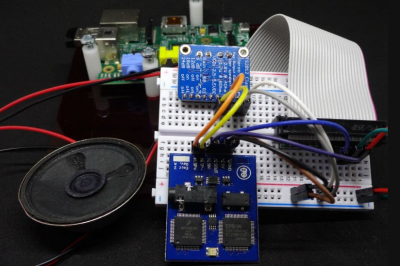
dectalkerNext up is [troy.forster] and tweetie-pi. Rather than constantly check his phone or computer, [Troy] wanted a device to read his tweets. A bit of NodeJS code later, and tweetie-pi was born. A Raspberry Pi connected to the internet pulls data through the Twitter stream API. When tweets directed at a pre-configured username are found, the data is sent to a an Emic 2 text to speech module. The Emic reads in that classic DECtalker style voice we all know and love from the movies. [Troy] even added code to properly handle usernames and retweets.
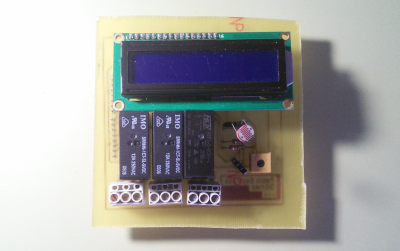
 

homeauto[SirClover] joined the internet of things by creating Home automation system with Twitter, his entry in the 2014 Hackaday Prize. This home automation system is based around an Arduino Leonardo and an Ethernet shield. [SirClover] rolled his own custom PCB to handle relays, a Cds cell, and a 2×16 character LCD. The system can be accessed through a simple web interface. This allows the user to open or close blinds, turn on lights, all that great smart home stuff. Every time it executes a command, the home automation system reports status to Twitter.
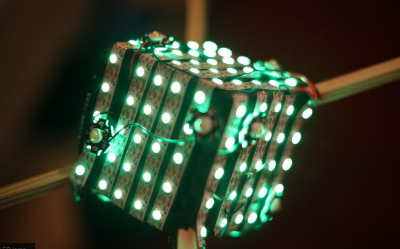
das-cubeFinally we have [Jakob Andrén] with A danceable notification cube, which is [Jakob’s] entry in the 2015 Hackaday Prize. The cube itself is a translucent box that contains a metric crapton of LEDs. 148 Neopixels and 12 3W power LEDs to be exact. All these LEDs are driven by a Teensy 3.1, which serves as the main processor for the entire system. The Teensy reads position data from an MPU6040 IMU. This allows it to change brightness and color as the box is moved around – or “danced”. An ESP8266 provides the cube with data from the interwebs, specifically Facebook and Twitter. The cube lights up and flashes whenever it receives a message.

If you want to see more tweeting projects, check out our new projects that tweet list.  Did I miss your project? Don’t be shy, just drop me a message on Hackaday.io. That’s it for this week’s Hacklet, As always, see you next week. Same hack time, same hack channel, bringing you the best of Hackaday.io!

Embed With Elliot: Interrupts, The Bad

We love interrupts in our microcontroller projects. If you aren’t already convinced, go read the first installment in this series where we covered the best aspects of interrupts.

But everything is not sunshine and daffodils. Interrupts take place outside of the normal program flow, and indeed preempt it. The microcontroller will put down whatever code it’s running and go off to run your ISR every time the triggering event happens. That power is great when you need it, but recall with Spider-Man’s mantra: With great power comes great responsibility. It’s your responsibility to design for the implicit high priority of ISRs, and to make sure that your main code can still get its work done in between interrupt calls.

Put another way, adding interrupts in your microcontroller code introduces issues of scheduling and prioritization that you didn’t have to deal with before. Let’s have a look at that aspect now, and we’ll put off the truly gruesome side-effects of using interrupts until next time.

Continue reading “Embed With Elliot: Interrupts, The Bad”

Learn Flip Flops With (More) Simulation

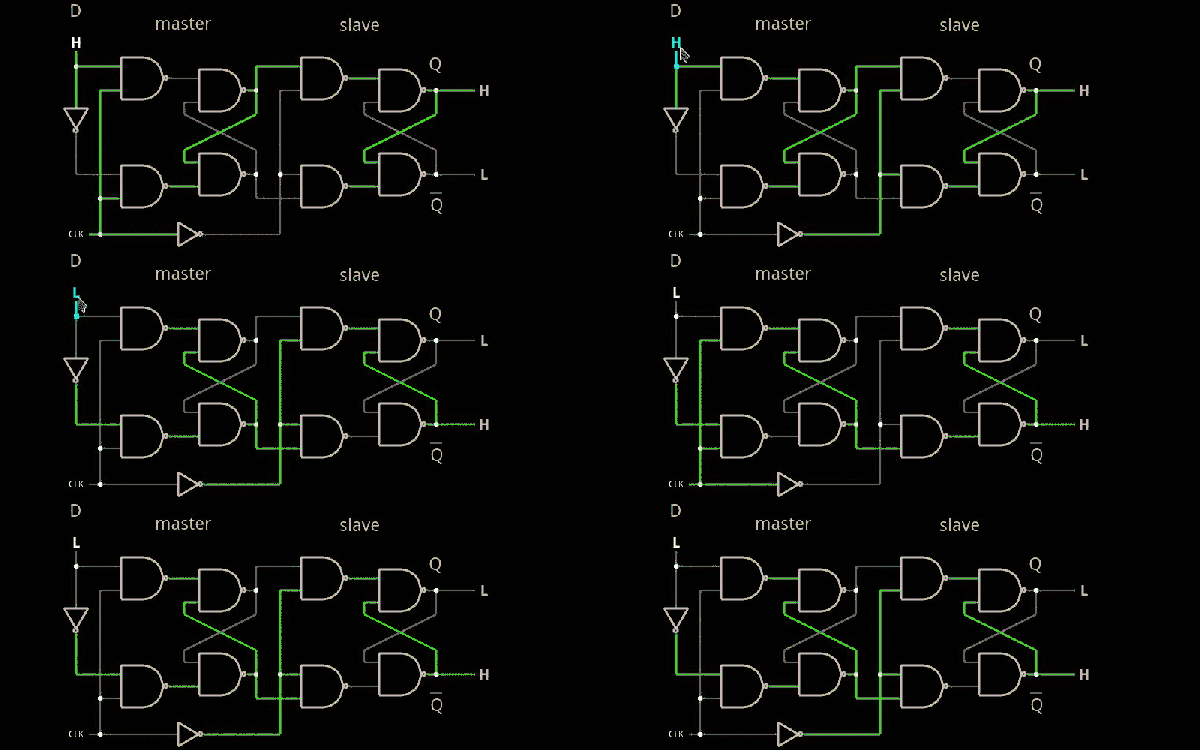
In the previous installment, we talked about why flip flops are such an important part of digital design. We also looked at some latch circuits. This time, I want to look at some actual flip flops–that is circuit elements that hold their state based on some clock signal.

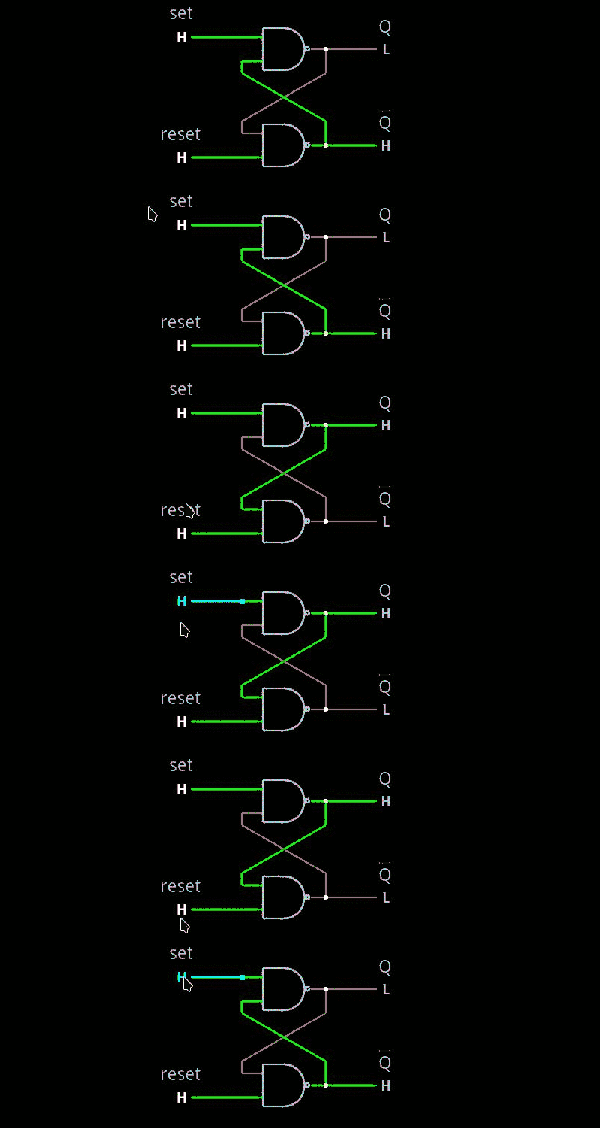
Just like last time, I want to look at sequential building blocks in three different ways: at the abstraction level, at the gate level, and then using Verilog and two online tools that you can also use to simulate the circuits. Remember the SR latch? It takes two inputs, one to set the Q output and the other to reset it. This unassuming building block is at the heart of many other logic circuits.

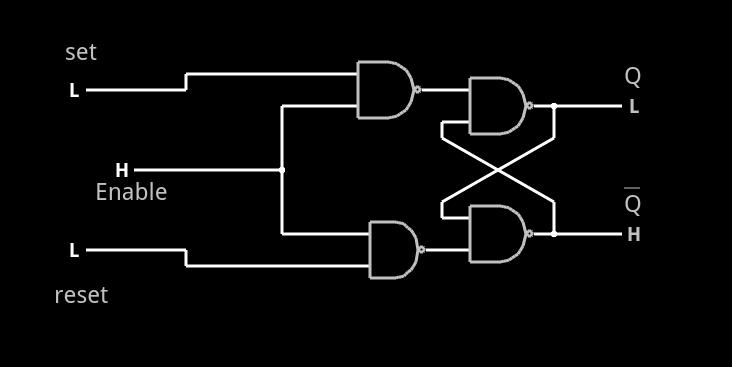
circ5A common enhancement to the SR latch is to include an enable signal. This precludes the output from changing when the enable signal is not asserted. The implementation is simple. You only need to put an additional gate on each input so that the output of the gate can’t assert unless the other input (the enable) is asserted. The schematic appears on the right.

In the case of this simulation (or the Verilog equivalent), the SR inputs become active high because of the inversion in the input NAND gates. If the enable input is low, nothing will change. If it is high, then asserted inputs on the S or R inputs will cause the latch to set or reset. Don’t set both high at the same time when the enable is high (or, go ahead–it is a simulation, so you can’t burn anything up).(Note: If you can’t see the entire circuit or you see nothing in the circuit simulator, try selecting Edit | Centre Circuit from the main menu.)

Continue reading “Learn Flip Flops With (More) Simulation”

Hackaday Dictionary: The ESP8266

In August of 2014, something new started showing up in the markets of Shenzhen, the hi-tech area of China where the majority of the world’s electronics components are made. This is the ESP8266, a WiFi SoC (System on a Chip) that can connect to 802.11b/g/n networks on the 2.4GHz band. It can be addressed with SPI or a serial connection, and has an AT command set that makes it behave rather like an old-style modem. Basically, it has everything you would need to connect a device to a WiFi network, with the ESP8266 chip itself handling the complicated business of finding, joining and transmitting/receiving over a WiFi network.

That’s nothing particularly new in itself: WiFi connection devices like the TI CC3000 have been around for longer, and do much the same thing. The difference was the price. While the TI solution costs about $10 if you buy several thousand of them, the ESP8266 costs less than $7 for an individual board that can plug straight into an Arduino or similar. Buy the chip in bulk, and you can get it for less than $2.

The ESP8266 is more than just a WiFi dongle, though: it is a fully fledged computer in itself, with a megabyte of flash memory and a 32-bit processor that uses a RISC architecture. This can run applications, turning the ESP8266 into a standalone module that can collect and send data over the Internet. And it can do this while drawing a reasonably low amount of power: while receiving data, it typically uses just 60mA, and sending data over an 802.11n connection uses just 145mA. That means you can drive it from a small battery or other small power source, and it will keep running for a long time.

It wasn’t an easy ship to write applications for in the early days, though: it was poorly documented and required a dedicated toolchain to work with. This made it more of a challenge than many hackers were comfortable with.  That changed earlier this year, though, when the Arduino IDE (Integrated Development Environment) was ported to the chip. This meant that you could use the much easier to write Arduino functions and libraries to write code for the chip, bringing it within reach of even the most casual hacker.

Continue reading “Hackaday Dictionary: The ESP8266”

Learn Flip Flops With Simulation

Digital design with combinatorial gates like AND, OR, and NOT gates is relatively straightforward. In particular, when you use these gates to form combinatorial logic, the outputs only depend on the inputs. The previous state of the outputs isn’t important in combinatorial logic. While this is simple, it also prevents you from building things like state machines, counters, and even CPUs.

Circuits that use their own outputs as inputs are known as sequential circuits. It is true that at the fundamental level, sequential circuits use conventional logic gates. However, you usually won’t deal with them as gates, but will deal with abstractions like latches, flip flops, and even higher level constructs. Learning about these higher level constructs will allow you to make more advanced digital designs that are robust. In fact, if you are using an FPGA, building blocks like flip flops are essential since a large portion of the chip will be made up of some kind of flip flop.

Continue reading “Learn Flip Flops With Simulation”