Homebrew ROM Reader Saves Data From A Vintage Minicomputer

Have you ever heard of a Centurion minicomputer? If not, don’t feel bad — we hadn’t either, until [David Lovett] stumbled upon a semi-complete version of the 1980-ish mini in all its wood-trimmed, dust-encased glory. And what does a hacker do with such an acquisition but attempt to get it going again?

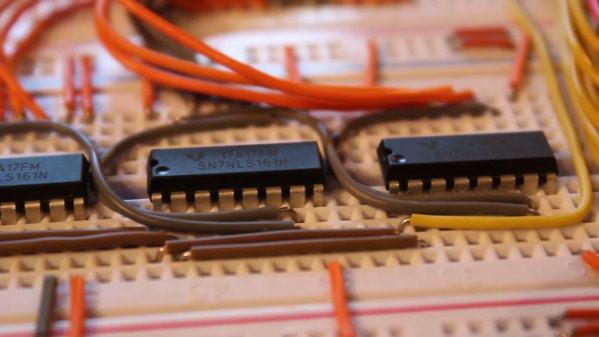
Of course, getting a machine from the Reagan administration running is not without its risks, including the chance of losing whatever is on the machine’s many ROM chips forever. When finding a commercial ROM reader supporting the various chips proved difficult, [David] decided to build his own. The work was eased considerably by the fact that he had managed to read one chip in a commercial reader, giving him a baseline to compare his circuit against. The hardware is straightforward — a 12-bit counter built from a trio of cascaded 74LS161s to step through addresses, plus an Arduino Nano to provide clock pulses and to read the data out to the serial port.

The circuit gave the same results as the known good read, meaning results would be valid for the rest of the chips. The breadboard setup made supporting multiple ROM pinouts easy, even for the chips that take -9 volts. What exactly the data on the ROMs mean, if anything, remains a mystery, but at least it’s backed up now.

Before anyone notes the obvious, yes, [David] could have used a 555 to clock the reader — perhaps even this one. We’d actually have loved that, but we get it — sometimes you just need to throw an Arduino at a job and be done with it.

Continue reading “Homebrew ROM Reader Saves Data From A Vintage Minicomputer”
Taking A Walk Down [Computer] Memory Lane

There’s nothing quite like going to a museum and being given a tour by a docent who really knows their way around the exhibits. When that docent has first hand experience in the subject matter, the experience is enhanced even further. So you can imagine our excitement when hacker, maker, and former DEC mainframe memory engineer [Ned Utzig] published a tour of what he calls “Memories of Weird Memories of Computers Past.” [Ned] expertly guides us through each technology, adding flavor and nuance to an already fascinating subject.

The tour begins with early storage media such as IBM punch cards, and then walks us through time to the paper tape, vacuum tubes, and even complex vats of mercury — all used for the sake of storing data either permanently or temporarily.

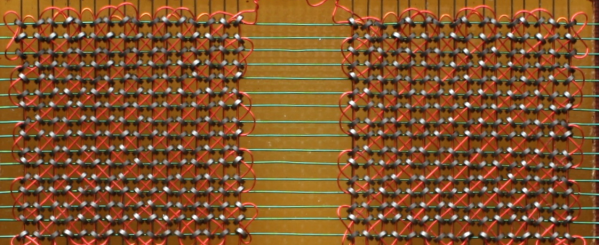
Next in the exhibit is an impressive CRT hack that isn’t unlike modern DRAM. The tour continues on to ferrite core memory such as that used on mainframes, minicomputers, and even the Apollo Guidance Computer. Each type is examined for its strengths and weaknesses and its place in computing history.

We really appreciated the imaginative question posed toward the end of the article. We won’t give it away here- it’s worth it to go give The Mad Ned Memo a read.

Is obsolete technology your cup of tea? Perhaps an Arduino based experiment with core memory will scratch the itch, or maybe storing data in thin air will bring back memories of computers gone by.

This Old Mouse: Building A USB Adapter For A Vintage Depraz Mouse

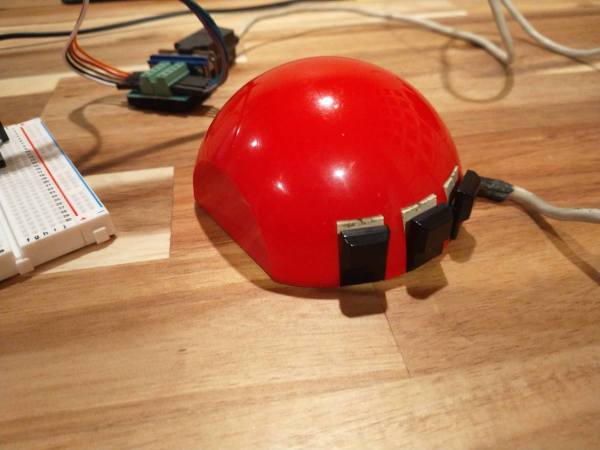
When [John Floren] obtained a vintage Depraz mouse, he started out being content to just have such a great piece of history in his possession. But if you’re like him, you know it’s not enough to just have something. What would it be like to use it?

To find out, [John] embarked on a mission to build a USB adapter for his not so new peripheral.
Originally used in very early terminals with a Unix GUI, the Depraz mouse utilizes an unusual male DE9 connector rather than the more familiar female DB9 used in RS232 serial mice. Further deviating from the norm, he found that the quadrature encoders were connected directly to the DE9 connector.

Armed with an Arduino Pro Mini Micro and some buggy sample code, he got to work. The aforementioned buggy code was scrapped and a fresh sketch for the Arduino Pro Mini Micro gave the Depraz mouse the USB interface it lacked. [John] also found that he wasn’t the first hardware hacker to have modified the mouse for their use. Be sure to read to the end the article to find out about the vintage surprise lurking in the mouse shell itself! A demonstration of the mouse in action can be seen in the video below the break.

Looking for a fun mouse hack? Perhaps you’d like to use your more modern USB mouse on a retro computer, or try your hand at recreating an early Apple mouse for use in modern computers.

Continue reading “This Old Mouse: Building A USB Adapter For A Vintage Depraz Mouse”

MULTICS Gets A New Release… 52 Years After Launch

If you have ever read anything about the history of UNIX, you may remember that its early development was influenced by an older operating system. MULTICS was developed in the 1960s by MIT and General Electric as a commercial operating system, and had been the system which UNIX writers [Thompson] and [Ritchie] had used. It became a Honeywell product, and the source code for its final commercial version was eventually released to the public. Has it become a dusty relic of interest only to historians? Seemingly not, because a new version has been released. It’s intended for us on the dps8m Honeywell mainframe simulator rather than physical hardware, so perhaps while it’s not such a dusty relic it remains something only for the enthusiast.

We won’t pretend to be experts on the architectures of 1960s mainframe operating systems, but it’s interesting to read for a moment about what it was in MULTICS that caused UNIX to be written. For something described by [Ken Thompson] as “Close to unusable”, with a fresh release in its 52nd year it isn’t doing badly.

We’ve traced the UNIX story in the past, without realising that MULTICS never entirely went away. Shame on us for the omission!

[Via Hacker News]

Retro Computers From Paper

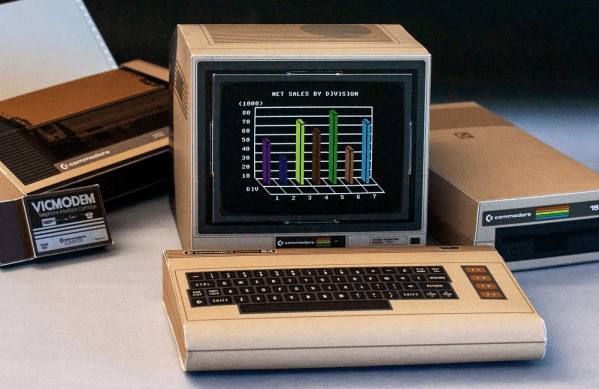
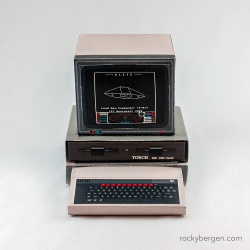
Want to start your own collection of retro computers, for free? Well graphic designer [Rocky Bergen]’s collection of paper craft models might be the answer. [Rocky] has designed over a dozen models of old computers, including classics such as the IMSAI 8080, Commodore Pet, and the BBC Microcomputer to name just a few.

The completed size of these models isn’t mentioned, but inspecting the PDF file of a randomly selected Commodore C64 model shows it was intended to be printed on A3 paper ( 297 x 420 mm, or roughly the size of an 11 x 17 ANSI C page if you think better in inches ). That still doesn’t give us the finished size of a model, but one collector posted on [Rocky]’s site that when he scaled it to A4 paper, the resulting computer was a perfect match for use with common 1/6 scale dolls and dollhouses (also known as playscale). Of course, the pattern existing as a computer PDF file, you can scale it to any size you want.

We’ve covered a few paper craft projects in the past, including these cool automata, a claw from a crane game, and even a gyroscope that really spins. Check out the video below the break to see [Rocky] assembling the Apple II paper craft model. Thanks to [CollegeCop] for sending this into our tip line.

Continue reading “Retro Computers From Paper”

Raspberry Pi Pico Used As A Transputer

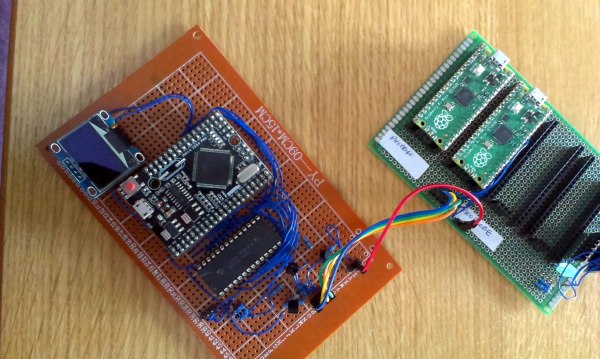
You can’t fake that feeling when a $4 microcontroller dev board can stand in as cutting-edge 1980s technology. Such is the case with the working transputer that [Amen] has built using a Raspberry Pi Pico.

For a thorough overview of the transputer you should check out [Jenny List’s] longer article on the topic but boiled down we’re talking about a chip architecture mostly forgotten in time. Targetting parallel computing, each transputer chip has four serial communication links for connecting to other transputers. [Amen] has wanted to play with the architecture since its inception. It was expensive back then and today, finding multiple transputers is both difficult and costly. However, the RP2040 chip found on the Raspberry Pi Pico struck him as the perfect way to emulate the transputer design.

The RP2040 chip on the Pico board has two programmable input/output blocks (PIOs), each with four state machines in them. That matches up perfectly with the four transputer links (each is bi-directional so you need eight state machines). Furthermore, the link speed is spec’d at 10 MHz which is well within the Pico’s capabilities, and since the RP2040 runs at 133 MHz, it’s conceivable that an emulated core can get close to the 20 MHz top speed of the original transputers.

Bringing up the hardware has been a success. To see what’s actually going on, [Amen] sourced some link adapter chips (IMSC011), interfacing them through an Arduino Mega to a computer to use the keyboard and display. The transputer architecture allows code to be loaded via a ROM, or through the links. The latter is what’s running now. Future plans are to figure out a better system to compile code, as right now the only way is by running the original INMOS compiler on DOS in a VM.

Listen to [Amen] explain the project in the first of a (so far) six video series. You can find the links to the rest of those videos on his YouTube channel.

Continue reading “Raspberry Pi Pico Used As A Transputer”

EXPS/2 Keyboard Adapter Translates PS/2 And USB To MSX

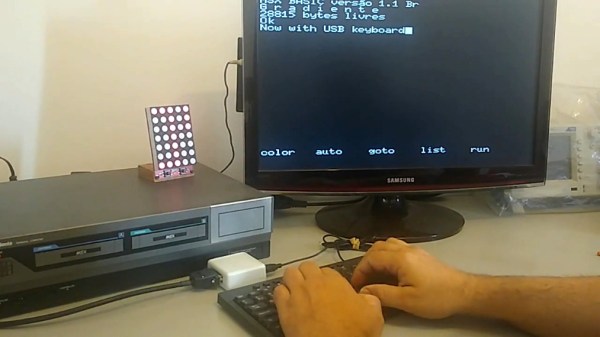
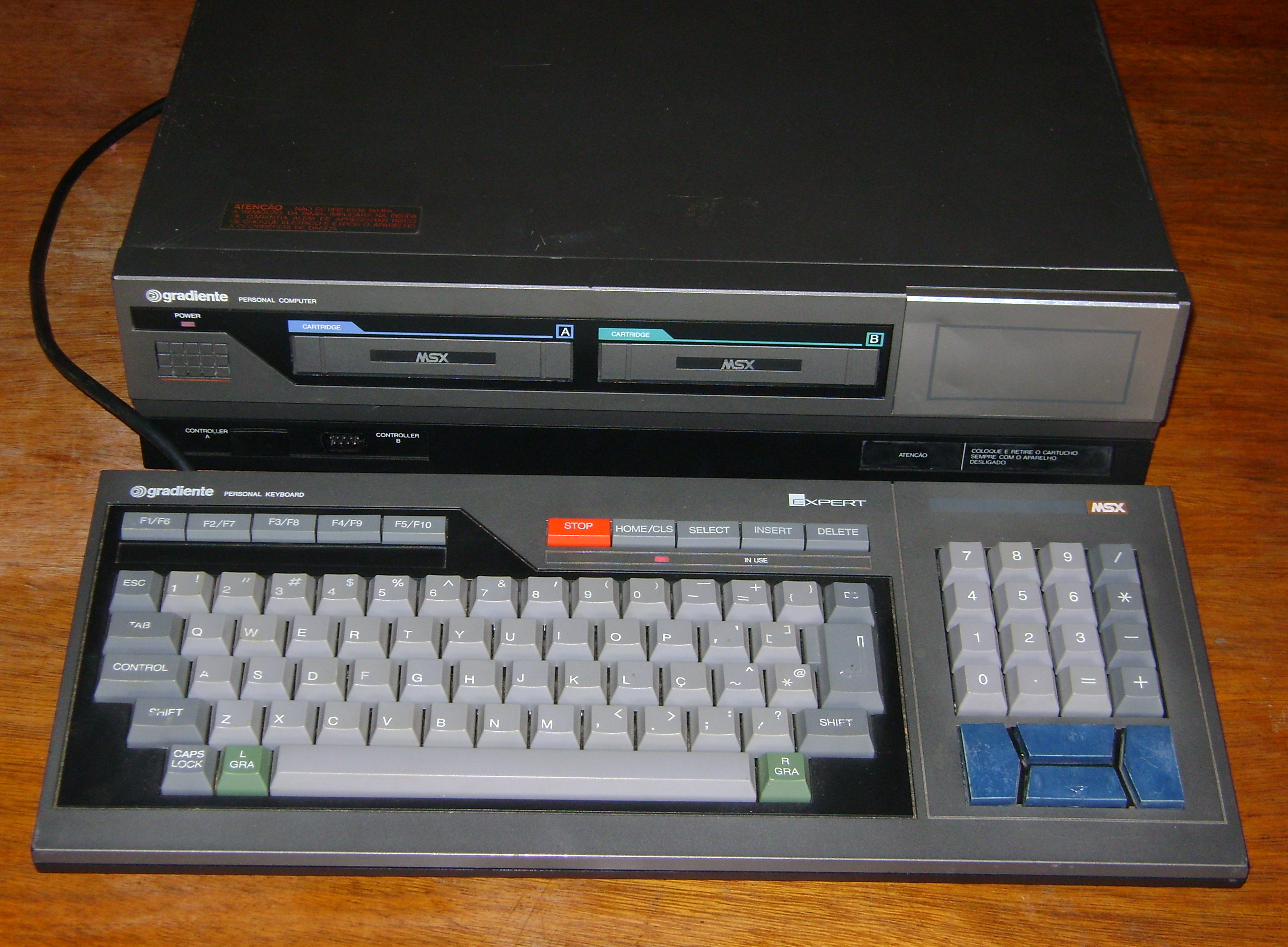
Say what you will about suitcase computers, but at least most of them still have their keyboards with them. [danjovic] has this vintage Brazilian computer from the 1980s called a Gradiente Expert. These were MSX machines with Z80 chips that ran BASIC, DOS, and CP/M, and they looked like state-of-the-art dual-deck stereo systems. You can still find them pretty easily, but sadly, most of them have lost their rad mechanical keyboard with its giant arrow keys and proprietary connector.

If you now want to get one of these awesome pieces of computing history and would like to be able to talk to it, [danjovic] has you covered with the open-source EXPS/2 keyboard adapter. It will allow you to connect either a PS/2 keyboard or a USB keyboard in fallback mode to the Expert using an ATMega328P and a bespoke DIN-13 to DB-13 cable. As it turns out, there’s a wealth of information on MSX keyboard matrices out there.

How much do you know about the USB keyboard interface? If you want a warehouse of information delivered to your brain in the most pleasant way possible, go watch [Ben Eater] break it down with pen and paper.