Myst ‘Demake’ For The Apple II

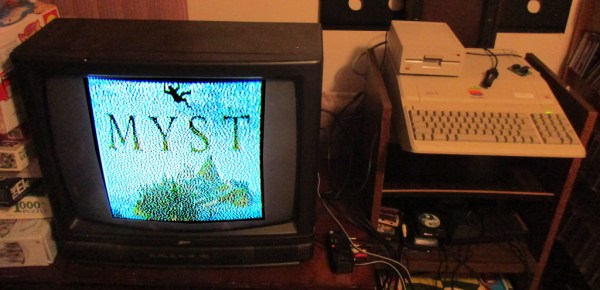
Making certain games run on systems which were never designed to run such games (or any games at all) is a favorite hobby of some, with [deater] being no exception. His latest creation involves porting Myst to the Apple II, or ‘demake’ in his own words. This means taking a game that was released in 1993 for MacOS and later for Windows 3.1 and the original PlayStation, and creating a version that works on an 8-bit system from 1977.

Obviously the graphical fidelity has been turned down some compared to the 1990s version, but at this stage much of the game’s levels have been implemented. For anyone who has ever played the game before, much of the visuals will be instantly recognizable. According to [deater], the game should run on any Apple II/II+/IIe, with at least 48 kB of RAM, but 64 kB needed for sound effects. If a Mockingboard sound card is installed, it will even play the intro theme.

On the project page the (currently) three floppy disks can be downloaded, with the source available on Github. While one is there, one can also check out [deater]’s ‘Another World’ port to the Apple II which we covered last year.
Continue reading “Myst ‘Demake’ For The Apple II”

Die Photos Reveal Logic From Commodore 128 PLA Chip

The 8721 PLA, or programmable logic array, was one of the chips that had to be invented to make the Commodore 128, the last of the 8-bit computers that formed the leading edge of the early PC revolution, a reality. [Johan Grip] got a hold of one of these chips and decided to reverse engineer it, to see what the C-128 designers had in mind back in mid-1980s.

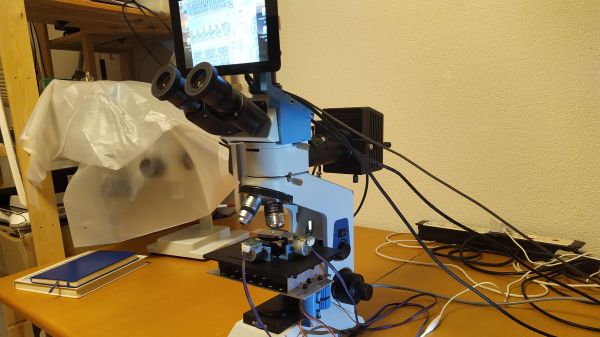
PLAs were the FPGAs of the day, with arrays of AND gates and OR gates that could be connected into complex logic circuits. [Johan]’s investigation started with liberating the 8721 die from its package, for which he used the quick and easy method favored by [CuriousMarc]. The next step was tooling up, as the microscope he was using proved insufficient to the task. Even with a better microscope in hand, [Johan] still found the need to tweak it, adding one of the new high-quality Raspberry Pi cameras and motorizing the stage with some stepper motors and a CNC controller board.

With optics sorted out, he was able to identify all the pads on the die and to find the main gate array areas. Zooming in a little further, he was able to see the connections between the matrices of the AND and OR gates, which makes decoding the logic a relative snap, although the presence of what appears to be an output block with latching functions confounds this somewhat.

The end result is a full Verilog HDL file that reflects the original 8721 logic, which we think is a pretty neat trick. And we’d love it if our own [Bil Herd] could chime in on this; after all, he literally designed the C-128.

Smoking Meat With A Commodore 64

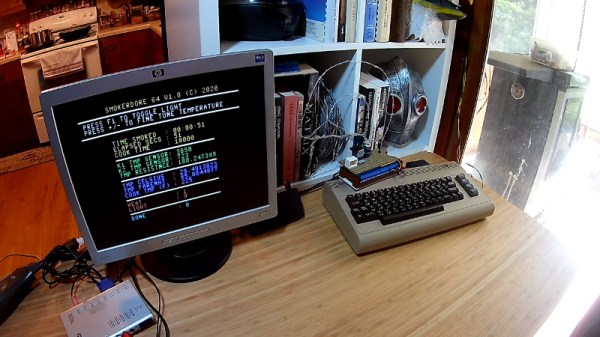
When [Deadline] couldn’t find a replacement control module for his Masterbuilt electric smoker, he could have just tossed the thing in the trash. Instead, he decided to come up with his own system to take over for the smoker’s original brain. Basing it around the nearly 40 year old Commodore 64 probably wouldn’t have been our first choice, but it’s hard to argue with the end result.

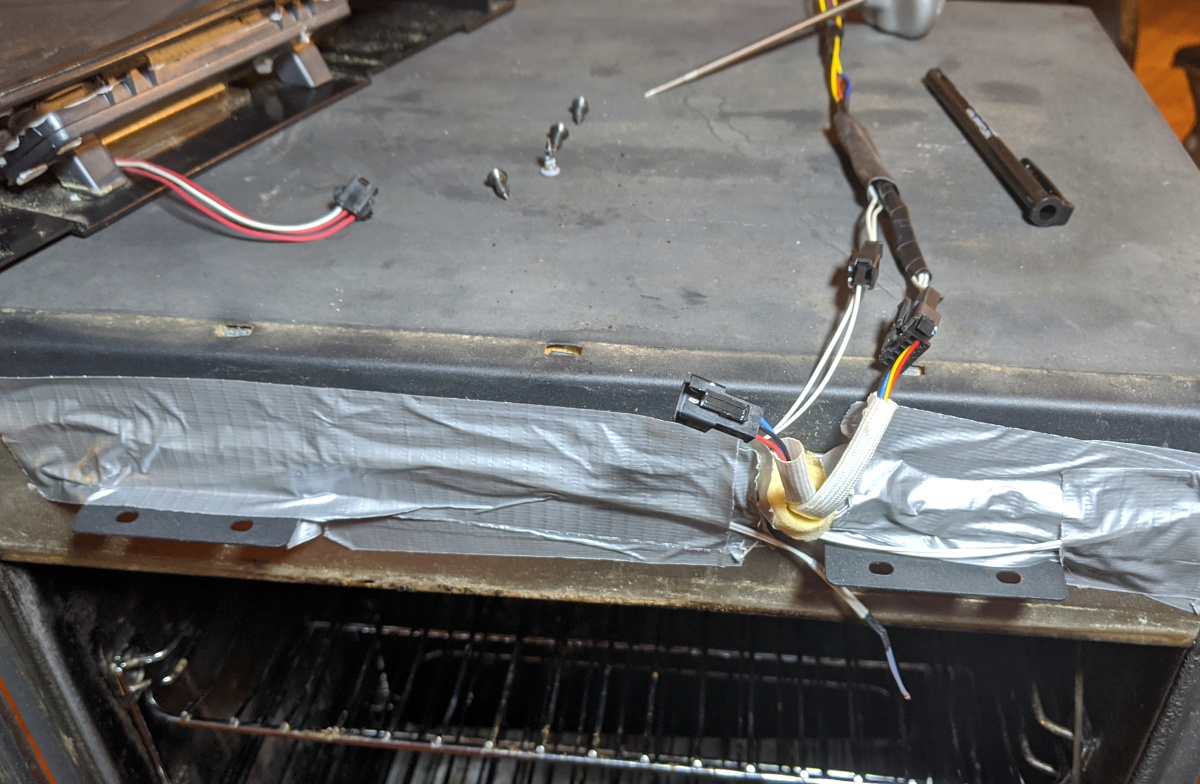
Connectors to control the smoker’s hardware.

At the most basic level, controlling an electric smoker like this only requires a temperature sensor, a relay to control the heating element, and something to get those two devices talking to each other. But for the best results you’ll also want some kind of a timer, and an easy way to change the target temperature on the fly. Connecting the relay and temperature sensor up to the back of the C64 was easy enough, all he had to do was write the BASIC code to glue it all together.

This hack was made considerably easier thanks to the fact that the Masterbuilt’s original controller interfaced with the smoker by way of a couple relatively well documented connectors. So instead of having to mess with any of the mains voltage electronics, he simply had to bring a wire in the connector high to fire up the smoker’s heating element. This bodes well for anyone looking to replace the controller in a similar smoker, with a C64 or otherwise.

In the past we’ve seen some very impressive custom smoker controllers that look as though they could easily be adapted for use with these commercial units. Though the true smoke aficionados might prefer building the entire thing to their exacting specifications.

Continue reading “Smoking Meat With A Commodore 64”

Homebrew 16-Bit Computer Is A Wire-Wrapped Work Of Art

Breadboard 8-bit computer builds seem all the rage these days, and with good reason: building your own CPU from the board up using discrete logic chips is a great way to really learn how microprocessors work. Not to mention that it’s an incredible flex. But once you’ve conquered the eight-bit, what do you do? Easy: build a 16-bit computer from 74HC logic chips.

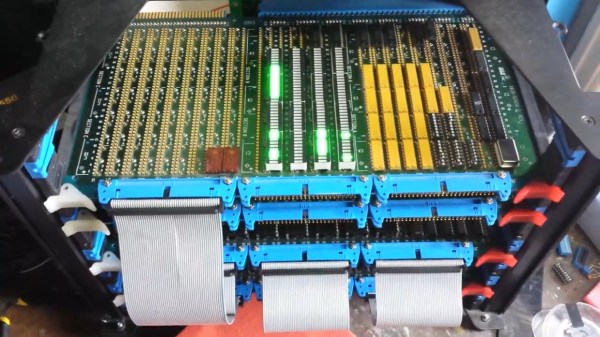
Attentive readers will likely remember this computer’s builder, [Paulo Constantino], from his previous work on 8-bit breadboard computers. As gloriously entropic as that tangled mass of wires was, it must have been a nightmare for [Paulo] to maintain. And so when the time came to upgrade, he wisely chose a more integrated construction method. The construction method is wire-wrapping, with multiple cards plugged into backplane and connected by ribbon cables. The whole card cage is far neater than the previous build, and seems to lend itself to rapid modifications. The top card in the cage acts as a control panel for now; eventually, [Paulo] planes to put a real front panel on the cage to support all the switches and blinkenlights such builds demand. Stretch goals include supporting audio and video and getting the machine online so anyone can log in.

The video below is an overview of the current state of the machine; earlier videos in the playlist cover the design and build in more detail. We hope to see schematics soon, and we’d love to know where to get some of those wire-wrap PCBs for projects of our own.

Continue reading “Homebrew 16-Bit Computer Is A Wire-Wrapped Work Of Art”

Portable CP/M Runs The Classics Anywhere

If you want to run an old CP/M program — maybe you want to run WordStar or play StarTrek — you have several options. One is to acquire some classic hardware. You can also build a new computer using a Z80 or some other processor that will emulate a Z80. Finally, you can emulate old hardware on your current computer. The iz-cpm project from [ivanizag] takes this last approach. Unlike some emulators, iz-cpm doesn’t try to emulate everything in one simulated environment. Instead, it directly accesses your file system so it allows CP/M executables to run more as though they were a native program.

You can think of it as Wine for CP/M. The code is portable to Linux, Windows, or MacOS. The author mentions, though, that it won’t run on CP/M itself! The program can run an executable standalone which means you could set .COM files up to execute automatically if you wanted to.

Continue reading “Portable CP/M Runs The Classics Anywhere”

This 68k Board Is About As Simple As It Gets

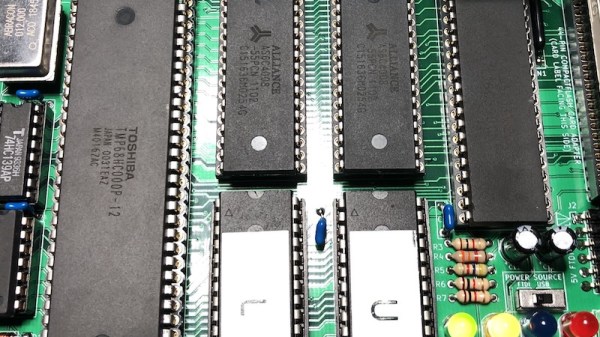
For those of us who remember the Motorola 68000 microprocessor, it’s likely that a sizeable quantity of those memories will come in the form of a cream or grey box with a Commodore, Atari, or Apple logo on it These machines were the affordable creative workstations of their day, and under the hood were a tour de force of custom silicon and clever hardware design. We might, therefore, be excused for an association between 68000 based computers and complexity, but in reality, they are as straightforward to interface as the rest of the crop of late-1970s silicon. We can see it in [Matt Sarnoff]’s 68k-nano, about as simple a 68000-based single-board computer as it’s possible to get.

But for all its simplicity, this board is no slouch. It packs a megabyte of RAM, 64k of ROM, a 16550 UART, and an IDE interface for a CompactFlash card. There is also provision for a real-time clock module, through an interesting bit-banged SPI interface from the 16550’s control lines. There appears also to be a 50-pin expansion header.

Software-wise there is a ROM monitor that provides test and housekeeping functions, and which loads an executable from the card plugged into the IDE interface if there is one. This feature makes the board especially interesting, as it opens up the possibility of running a μClinux or similar kernel for a more fully-featured operating system.

The 68k doesn’t receive the attention here that some of its 8-bit contemporaries do, but it still appears from time to time. We’ve certainly featured at least one other 68000-based SBC in the past.

Thanks [Anton] for the tip.

A Z80 Board With Very Few Parts

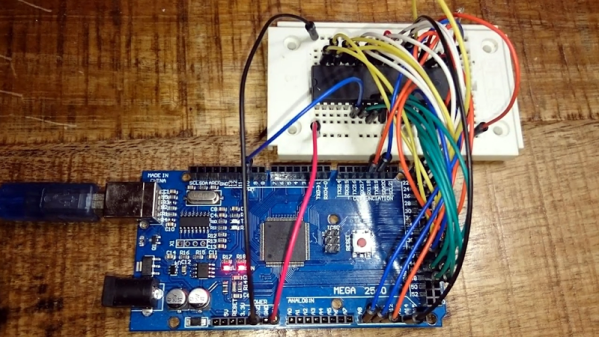
The Z80 is one of those old CPUs that is both obtainable and easy to work with — at least in some versions. [Doctor Volt] put together what may be the simplest possible setups to get a working Z80 system. He has the processor, of course. But everything else — clock, memory, and power — are from an Arduino Mega 2560. You could argue that’s two chips, but the board actually has several chips on it. On the other hand, you could probably pull off the same stunt with a bare ATMega 2560.

We’ve seen this done before, but usually with a few more support chips. If you are a purist, [Doctor Volt] also has some Z80 and CP/M experiments where the Arduino only acts as a disk drive for the computer and there are only two support chips. There are three videos for both projects that you can see below.

Continue reading “A Z80 Board With Very Few Parts”