BinDayCator Lets You Know When To Take Out The Trash

Municipal waste pickup is a wonderful luxury. Typically once a week, large trucks come by and pick up bins of garbage from your residence. All you have to do is remember to put them out! In a uniquely human way, this is very hard to do. Enter the BinDayCator.

The project consists of a 3D printed model of a typical council wheelie-bin. Printed in white filament, the bin is translucent enough to glow when lit by powerful WS2812B LEDs. Having four LEDs both helps fill the entire model with an even light, as well as allows the bin to display multiple colors in different segments. This means that if it’s green bin day, the bin glows green. If it’s the day for the red and blue bins, the indicator will light up segments in red and blue.

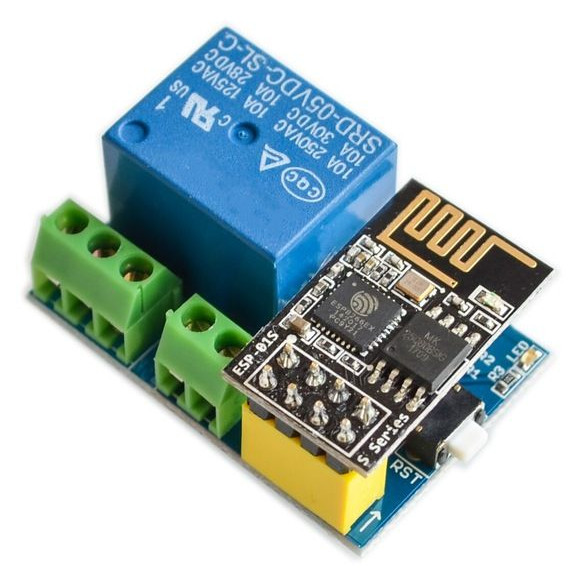
Unfortunately there’s no global standard that councils use to serve up bin day data over the Internet, so configuration isn’t as simple as pointing the BinDayCator at your local waste authority’s website. Instead, some Node-RED code is used to scrape the council website once a day and tell the ESP8266 controlling the BinDayCator which bins are due to be placed on the roadside. A later revision has a custom calendar UI that can allow for manual configuration of the relevant days.

The BinDayCator is a cute device, and one that would likely be commercially successful if there were a simple and easy way to configure the necessary data feed. We’d love one by our front door so we didn’t miss another collection day. Visual indicators are always useful, even if its just for checking the mail. Video after the break.

Continue reading “BinDayCator Lets You Know When To Take Out The Trash”

A Battery Sipping Cellular Mailbox Notifier

Like many of us, [Zak Kemble] has an indeterminate number of tiny packages coming his way from all over the globe at any given time. Unfortunately, the somewhat unpredictable nature of the postal service where he lives meant he found himself making a lot of wasted trips out to the mailbox to see if any overseas treasures had arrived for him. To solve the problem, he decided to build an Internet-connected mailbox notification system that could work within some fairly specific parameters.

For one thing, the mailbox is too distant to connect directly to it over WiFi. [Zak] mentions that 433 MHz might have been an option, but he decided to skip that entirely and just connect it to the cellular network with an A9G GPRS/GSM module from A.I. Thinker. This device actually has its own SDK that allows you to create a custom firmware for it, but unfortunately the high energy consumption of the radio meant it would chew through batteries too quickly unless it had a little extra help.

Not wanting to have to change the batteries every couple months, [Zak] added a ATtiny402 to handle the notifier’s power management needs. By using a P-MOSFET to completely cut power to the A9G, the notifier can save an incredible amount of energy by only activating the cellular connection once it actually needs to send a notification; which in this case takes the form of an HTTP request that eventually works its way to a Telegram group chat.

To cut a long story short, testing seems to indicate that the notifier can fire off approximately 800 requests before needing its 10440 lithium battery recharged. Given how often [Zak] usually receives mail, he says that should last him around five years.

The A9G module, the ATtiny402, a BME280 environmental sensor (because, why not?), the battery, and all the ancillary support hardware are on a very professional looking PCB. That goes into a relatively rugged enclosure that’s designed to keep the electronics from shorting out on the mailbox’s metal case as well as keeping any particularly weighty parcels from crushing it.

If you’ve got the freedom so mount whatever you want outside, then you can certainly build a more technically impressive mailbox. But considering the limitations [Zak] had to work around, we think he did an excellent job.

Reverse Engineering Yokis Home Automation Devices

These days, it’s hard to keep track of all the companies that are trying to break into the home automation market. Whether they’re rebrands of somebody else’s product or completely new creations, it seems like every company has at least a few “smart” gadgets for you to choose from. We hadn’t heard of the Yokis devices that [Nicolas Maupu] has been working on before today, but thanks to his efforts to reverse engineer their protocol, we think they might become more popular with the hacking crowd.

Even if you don’t have a Yokis MTV500ER dimmer or MTR2000ER switch of your own, we think the detailed account of how [Nicolas] figured out how to talk to these devices is worth a read. His first step was to connect his oscilloscope directly to the SPI lines on the remote to see what it was sending out. With an idea of what he was looking for, he then used an nRF24L01+ radio connected to an ESP8266 to pull packets out of the air so he could analyze their structure. This might seem like a very specialized process, but in reality most of the techniques demonstrated could be applicable for any unknown communications protocol of which you’ve got a hex dump.

On the other hand, if you do have some of these devices (or plan to get them), then the software [Nicolas] has put together looks very compelling. Essentially it’s an interactive firmware for the ESP8266 that allows it to serve as a bridge between the proprietary Yokis wireless protocol and a standard MQTT home automation system. When the microcontroller is connected to the computer you get a basic terminal interface that allows you to scan and pair for devices as well as toggle them on and off.

This bridge could be used to allow controlling your Yokis hardware with a custom handheld remote, or you could follow the example of our very own [Mike Szczys], and pull everything together with a bit of Node-RED.

A Simple Auger Pet Feeder

Pet feeders are a popular maker project. One can speculate that this shows the great self-confidence common to the maker set, who are willing to trust their own work to keep their animal companions alive for many days at a a time. [Darren Tarbard] is one such maker, who put together this simple auger build.

The project consists of a hopper for dry pet food, into which a screw auger is inserted. Both parts are 3D printed, making them easy to produce at home for the average maker. The build was designed specifically around the parts [Darren] had to hand, namely a 28BYJ-48 stepper motor, which is charged with turning the auger. Running the show is an Arduino, which can be run with whatever suitable timing code is necessary to feed the particular pet in question. There’s also a remixed version that adds a larger food storage dish on top for longer periods of unattended operation, created by [szuchid].

It’s a basic build, but one that would be readily achievable by most makers with little more than some junkbox components and a roll of filament. Of course, if your pet prefers wet food, you might need a different design. Video after the break.

Continue reading “A Simple Auger Pet Feeder”

Datacenter UPS Heads Home For Off-Grid Power Solution

The news sites seem never to be without stories of Elon Musk and his latest ventures, be they rapid transit tube tubes in partial vacuum, space flight, or even personal not-a-flamethrowers. Famous for electric vehicles, Musks’s Tesla also has a line of solar products and offers the Powerwall home battery power system. These are tantalizing to anyone with solar panels, but the price tag for one isn’t exactly a dream.

[Nathann]’s budget couldn’t stretch to a Powerwall, but he did have access to a hefty ex-datacentre uninterruptible power supply (UPS) and a large quantity of lead-acid cells. From this he built his own off-the-grid power in the cellar of the home. It’s not as elegant as a Powerwall, but it can power the house on moderate usage, so he claims, for up to ten days.

On one level the installation is more of a wiring job than one of high technology, but the logistics of dealing with nearly 100 lead-acid cells are quite taxing. The UPS takes four battery packs, each clocking in at 288 V. The cells are joined with copper straps, and the voltage and current involved is not for the faint-hearted. An accidental short vaporized a screw and a battery terminal; if this were our house we’d put fuses in the middle of the battery packs.

The batteries are stored on wooden pallets atop brick pillars in case the cellar floods. The basement installation now is ready for the addition of solar and wind-based off-grid sources. Maybe your battery power solution will be less hair-raising, but it’s unlikely to be cheaper. Meanwhile this isn’t the first such project we’ve seen, though others usually go for 18650 Li-Ion cells, the use of lead acid remains a viable and economical solution.

The Smart Home Gains An Extra Dimension

With an ever-growing range of smart-home products available, all with their own hubs, protocols, and APIs, we see a lot of DIY projects (and commercial offerings too) which aim to provide a “single universal interface” to different devices and services. Usually, these projects allow you to control your home using a list of devices, or sometimes a 2D floor plan. [Wassim]’s project aims to take the first steps in providing a 3D interface, by creating an interactive smart-home controller in the browser.

Note: this isn’t just a rendered image of a 3D scene which is static; this is an interactive 3D model which can be orbited and inspected, showing information on lights, heaters, and windows. The project is well documented, and the code can be found on GitHub. The tech works by taking 3D models and animations made in Blender, exporting them using the .glTF format, then visualising them in the browser using three.js. This can then talk to Hue bulbs, power meters, or whatever other devices are required. The technical notes on this project may well be useful for others wanting to use the Blender to three.js/browser workflow, and include a number of interesting demos of isolated small key concepts for the project.

We notice that all the meshes created in Blender are very low-poly; is it possible to easily add subdivision surface modifiers or is it the vertex count deliberately kept low for performance reasons?

This isn’t our first unique home automation interface, we’ve previously written about shAIdes, a pair of AI-enabled glasses that allow you to control your devices just by looking at them. And if you want to roll your own home automation setup, we have plenty of resources. The Hack My House series contains valuable information on using Raspberry Pis in this context, we’ve got information on picking the right sensors, and even enlisting old routers for the cause.

Apple HomeKit Accessory Development Kit Gets More Accessible

Every tech monopoly has their own proprietary smart home standard; how better to lock in your customers than to literally build a particular solution into their homes? Among the these players Apple is traditionally regarded as the most secretive, a title it has earned with decades of closed standards and proprietary solutions. This reputation is becoming progressively less deserved when it comes to HomeKit, their smart home gadget connectivity solution. In 2017 they took a big step forward and removed the need for a separate authentication chip in order to interact with HomeKit. Last week they took another and released a big chunk of their HomeKit Accessory Development Kit (ADK) as well. If you’re surprised not to have heard sooner, that might be because it was combined the the even bigger news about Apple, Amazon, the Zigbee Alliance, and more working together on more open, interoperable home IoT standards. Check back in 2030 to see how that is shaping up.

“The HomeKit ADK implements key components of the HomeKit Accessory Protocol (HAP), which embodies the core principles Apple brings to smart home technology: security, privacy, and reliability.”
– A descriptive gem from the README

Apple’s previous loosening-of-restrictions allowed people to begin building devices which could interact natively with their iOS devices without requiring a specific Apple-sold “auth chip” to authenticate them. This meant existing commercial devices could become HomeKit enabled with an OTA, and hobbyists could interact in sanctioned, non-hacky ways. Part of this was a release of the (non-commercial) HomeKit specification itself, which is available here (with Apple developer sign in, and license agreement).

Despite many breathless mentions in the press release it’s hard to tell what the ADK actually is. The README and documentation directory are devoid of answers, but spelunking through the rest of the GitHub repo gives us an idea. It consists of two primary parts, the HomeKit Accessory Protocol itself and the Platform Abstraction Layer. Together the HAP implements HomeKit itself, and the PAL is the wrapper that lets you plug it into a new system. It’s quite a meaty piece of software; the HAP’s main header is a grueling 4500 lines long, and it doesn’t take much searching to find some fear-inspiring 50 line preprocessor macros. This is a great start, but frankly we think it will take significantly more documentation to make the ADK accessible to all.

If it wasn’t obvious, most of the tools above are carefully licensed by Apple and intended for non-commercial use. While we absolutely appreciate the chance to get our hands on interfaces like this, we’re sure many will quibble over if this really counts as “open source” or not (it’s licensed as Apache 2.0). We’ll leave that for you in the comments.