How-to: Make An E-paper Clock From Esquire Magazine

If you’ve never heard about electronic paper, crawl out from under that rock and read up on the Sony Reader and the Amazon Kindle. E-paper is a flexible display made of color-changing beads that mimic ink-on-paper for easy daylight reading. The revolutionary thing about e-paper is that after it’s set, it stays that way without additional power.

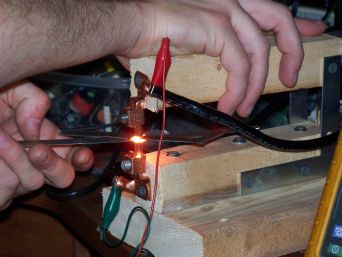
This sounds great in theory, but Esquire’s cover is the first time everybody can afford to hack an e-paper display. We took the cover into the Hack a Day lab to document, test, and hack. In the end, we recycled it into something useful that anyone can build. We’ve got all the details on how the display works and what it takes to use it in your own projects. Read about our e-paper clock hack below. Continue reading “How-to: Make An E-paper Clock From Esquire Magazine”

How To: Build Your Own Gyration Media Center Remote

Movea has just released a version of Gyration’s wireless remote control for Windows Media Center computers. Other than the wireless mouse controls that the remote offers, one nice feature of the remote is the ability to control Windows Media Player (WMP) while your display is off.

The remote interacts with WMP, by downloading data to be displayed using it’s built in LCD screen. From here you can view songs by album or artist and even access your playlist. Prices for the remote range from $179.99 to $229.99 with an included keyboard.

After a little searching we found that Gyration had made a similar version of the remote for Dell that was packaged with the Dell XPS M2010 Based on this and a thread by [BENZONATE] on AVS Forum we put together our own remote using the following parts: Continue reading “How To: Build Your Own Gyration Media Center Remote”

How-to: Networked Graffiti Wall

[youtube=http://www.youtube.com/watch?v=G8KprTVbHD4]

Wondering what we did with our web server on a business card project from last week? It’s powering a giant LED graffiti wall. Animations can be user-submitted using the online designer. You can watch a live feed of user animations as well. The online interface runs on the Google App Engine for maximum scalability and resilience.

In today’s How-to we cover all the ins and outs of building your own networked graffiti wall. Continue reading “How-to: Networked Graffiti Wall”

How-To: Web Server On A Business Card (Part 2)

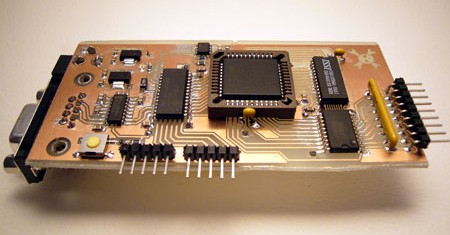
This mini web server is slightly smaller than a business card. There are a lot of tiny one-board servers out there, but this is probably the smallest you can etch and solder at home. Unlike many embedded web servers, files are stored on a PC-readable SD card, not in a difficult-to-write EEPROM. Read on for the web server design, or catch up on PIC 24F basics in the previous article: Web server on a business card (part 1).

Continue reading “How-To: Web Server On A Business Card (Part 2)”

How-to: Windows Media Center On A Leopard Network

We’ve been using Microsoft’s Media Center for a few years now and have grown to like it a lot. We’ve also noticed that more and more Apple computers have shown up on our home network and decided it was time to get everything working together smoothly. Follow along as we walk you through the hoops we jumped through to get everything cooperating. Continue reading “How-to: Windows Media Center On A Leopard Network”

How-To: Web Server On A Business Card (Part 1)

For years, Microchip PIC microcontrollers dominated; PIC16F84 hacks and projects are everywhere. The 8-bit 16F and 18F lines are supported by several coding environments and easy-to-build serial port programmers. Microchip’s 16-bit PIC24F is cheaper, faster, and easier to work with, but largely absent from hacks and projects.

We recently used a Microchip PIC24F microcontroller in a mini web server project, but didn’t find many introductory references to link to. In this article we’ll cover some PIC 24F basics: support circuitry and programming options. We’ll also talk about our favorite features, and how we figured them out. Our next article will outline a web server on a business card based on the PIC 24F.

Continue reading “How-To: Web Server On A Business Card (Part 1)”

How-to: Thermite Hard Drive Destruction

After the overwhelming response to the Hackit we posted about automated hard drive destruction last fall, we finally decided to test out some thermite hard drive destruction ourselves. This has been done on The Screen Savers but they did not show up close results of the platters. So, aluminum and black iron oxide were procured through eBay, and until it arrived we watched some YouTube videos that showed a lot of fire and no real results. We decided to see what it would take to completely obliterate a drive.

With the amount of personal data stored on your computer, we all understand the importance of destroying the data that is stored on the platters of a hard drive before disposing of it. There are many ways to destroy a hard drive; software, physical disassembly, drills, hammers, magnets/electromagnets, and acid, but none are quite as outrageous and dangerous as thermite. That’s what we’re going to do here today. Follow along for pictures and videos of the results.

Continue reading “How-to: Thermite Hard Drive Destruction”