Raspberry Pi Pico Gets A Tiny Keyboard On Its Back

With hackers and makers building custom computing devices that don’t necessarily follow conventional design paradigms, there’s been a growing demand for smaller and smaller keyboards. Many of the cyberdecks we’ve seen over the last couple of years have used so-called 60% or even 40% keyboards, and there’s been a trend towards repurposing BlackBerry keyboards for wearables and other pocket-sized gadgets. But what if you need something even smaller?

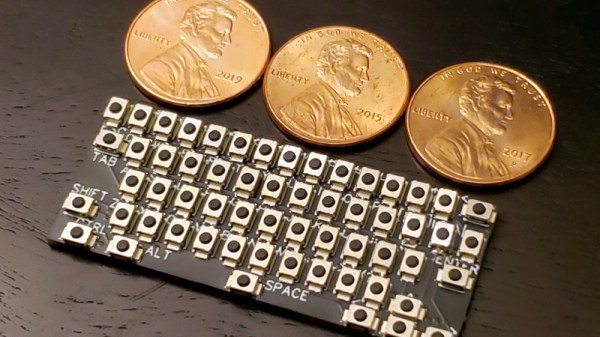
Enter this incredibly diminutive keyboard created by [TEC.IST]. With 59 keys crammed into an area scarcely larger than three US pennies, it may well be the smallest keyboard ever made. The PCB has been designed to mount directly onto the back of a Raspberry Pi Pico, which is running some CircuitPython code to read the switch matrix and act as a standard USB Human Interface Device. The board design files as well as the source code for the Pico have been released on the project’s Hackaday.io page, giving you everything you need to spin up your own teeny tiny input device.
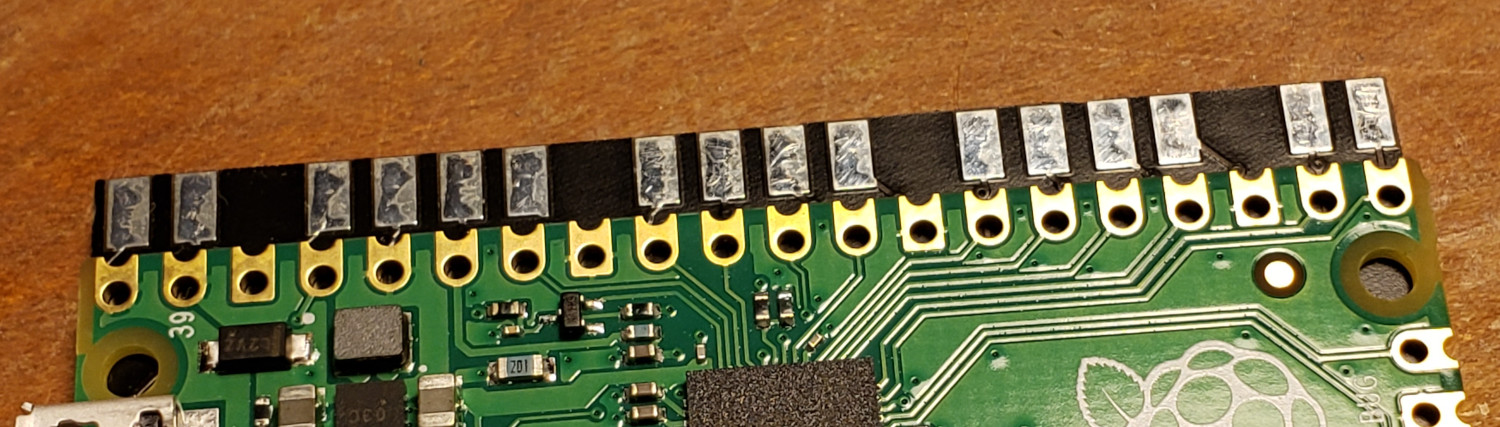
The Pi Pico’s castellated pads make attaching the PCB a snap.

Of course, you probably won’t be breaking any speed records when banging out text on this thing. We know from past Hackaday badges that an array of microswitches make for a functional, if somewhat unpleasant, method of text entry.

Continue reading “Raspberry Pi Pico Gets A Tiny Keyboard On Its Back”
Blink An LED On A PIC32 With Rust, Easily

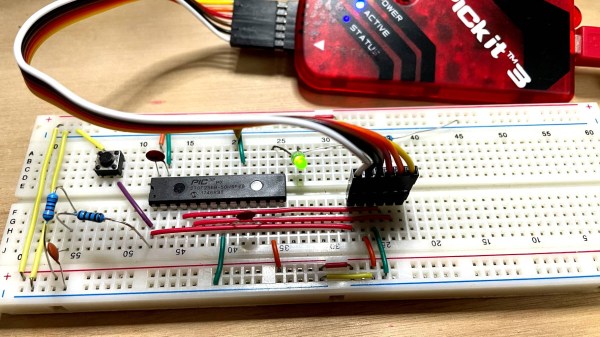
Got a PIC32 microcontroller and a healthy curiousity about the Rust programming language and its low-level capabilities, but unsure how to squash the two of them together with a minimum of hassle? If that’s the case, then today is your lucky day!

[Harry Gill] has you covered with his primer on programming a PIC32 with Rust, which will have you blinking an LED in no time. [Harry] admits that when he got started, his microcontroller programming skills were a bit rusty, so don’t let yourself think setting this up is beyond your abilities. If you have a working knowledge of the basics of microcontroller programming, you’ll be fine. [Harry] had to jump through a few hoops to get the right tools working, but thoughtfully documented the necessary steps, and provides a bare minimum hardware list.
Unsure what Rust is or what it offers? Check out the basics here, and see if it’s something that interests you. If you want to look even deeper, check out the kind of work that goes into writing a bare metal kernel in Rust.

Macro-popsicle

Macropopsicle Melts On Your Desk, Not In Your Mouth

We all know by now that macropads are super cool shortcut machines. And what’s cooler than a popsicle? Well, this cute little thing, which goes by the name of Macropopsicle.

The freezer’s open if you want your own Macropopsicle. There’s not much more to this tasty and practical desktop treat than an adafruit QT Py, a couple of Cherry MX-style switches, some wires, and a handful of printed parts. One cool thing about this design is that all the pieces print with little to no supports, and many of them snap together.

We say there’s a lot to like about Macropopsicle — it’s cute, it’s useful, and there’s even a little bite taken out of it that you can see in some of the renders. [oxisidia] even shoved a real popsicle stick in there to complete the look.

Keyboard aficionados will no doubt recognize Macropopsicle as a great companion to Milk, a 2% keyboard.

Teensy 4 Pushed To The Limit With 1 GHz Overclock

Do you need a microcontroller that runs at 1 GHz? No, probably not. But that didn’t stop [Visual Micro] from trying, and the results are pretty interesting. Not only did the plucky little chip not cook itself, it actually seemed to run fairly well; with the already powerful microcontroller getting a considerable boost in performance.

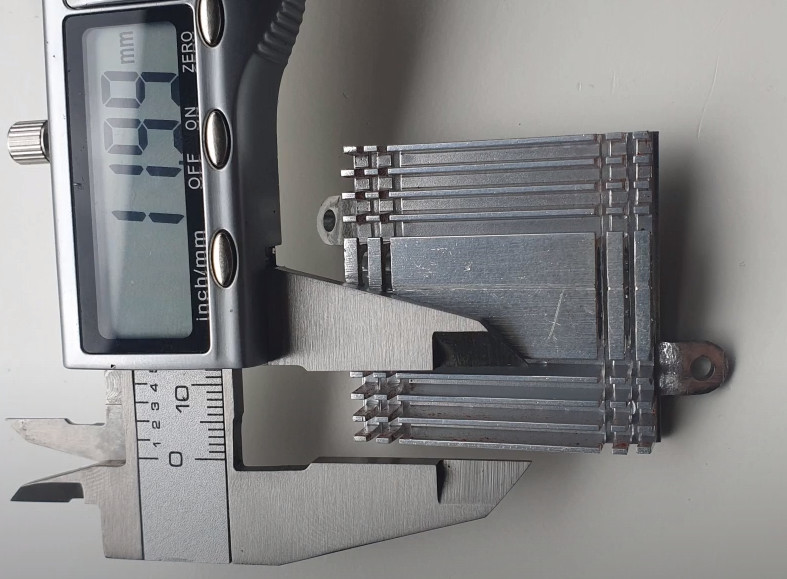
According to [Visual Micro] the Teensy 4.1, which normally has its ARM Cortex-M7 clocked at 600 MHz, can run at up to 800 MHz without any additional cooling. But beyond that, you’ll want to invite some extra surface area to the party. It’s easy enough to cut a chunk out of an old CPU/GPU cooler and stick it on with a dab of thermal compound, but of course there’s no shortage of commercially available heatsinks at this size that you could pick up cheap.

Cutting a custom heatsink.

With the heatsink installed, [Visual Micro] shows the Teensy running at around 62 °C during a benchmark. If that’s a little hot for your liking, they also experimented with an old laptop cooler which knocked the chip down to an impressive 38 °C while under load. It doesn’t look like a particularly practical setup to us, but at least the option is there.

[Visual Micro] unfortunately doesn’t go into a lot of detail about the benchmark results, but from what’s shown, it appears the overclock netted considerable gains. A chart shows that in the time it took a stock Teensy to calculate 15.2 million prime numbers, the overclocked chip managed to blow through 21.1 million. The timescale for this test is not immediately clear, but the improvement is obvious.

Even at the stock 600 MHz, the Teensy 4 is a very powerful MCU. Especially after the 4.1 refresh brought in support for additional peripherals and more RAM. But we suppose some people are never satisfied. Got a project in mind that could benefit from an overclocked Teensy? We’d love to hear about it.

Continue reading “Teensy 4 Pushed To The Limit With 1 GHz Overclock”

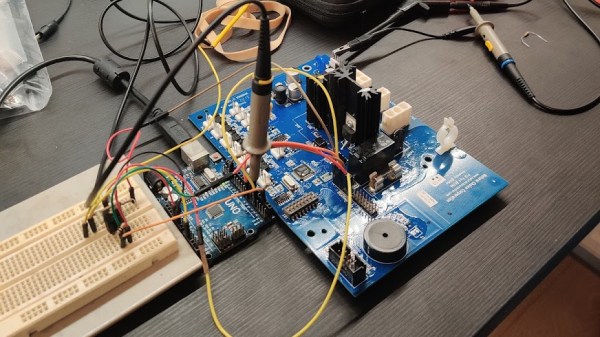
An image showing a water cooler PCB on the desk, with probes and jumper wires connected to it.

Taking Water Cooler UX Into Your Own Hands With Ghidra

Readers not aware of what Ghidra is might imagine some kind of aftermarket water cooler firmware or mainboard – a usual hacker practice with reflow ovens. What [Robbe Derks] did is no less impressive and inspiring:  A water cooler firmware mod that adds hands-free water dispensing, without requiring any hardware mods or writing an alternative firmware from scratch.

Having disassembled the cooler, [Robbe] found a PIC18F6527 on the mainboard, and surprisingly, it didn’t have firmware readback protection. Even lack of a PICkit didn’t stop him – he just used an Arduino to dump the firmware, with the dumper code shared for us to reuse, and the resulting dumps available in the same repository.

From there, he involved Ghidra to disassemble the code, while documenting the process in a way we can all learn from, and showing off the nifty tricks Ghidra has up its sleeves. Careful planning had to be done to decide which functions to hook and when, where to locate all the extra logic so that there’s no undesirable interference between it and the main firmware, and an extra step taken to decompile the freshly-patched binary to verify that it looks workable before actually flashing the cooler with it.

The end result is a water cooler that works exactly as it ought to have worked, perhaps, if the people defining its user interaction principles were allowed to make it complex enough. We could argue whether this should have been a stock function at all, but either way, it is nice to know that we the hackers still have some of the power to make our appliances friendly — even when they don’t come with an OS. Certainly, every single one of us can think of an appliance long overdue for a usability boost like this. What are your examples?

We’ve covered quite a few Ghidra-involving hacks, but it never feels like we’ve had enough. What about patching an air quality meter to use Fahrenheit? Or another highly educational write-up on cracking GBA games? Perhaps, liberating a Linux-powered 4G router to reconfigure it beyond vendor-defined boundaries? If you have your own goal in mind and are looking to start your firmware reverse-engineering journey, we can say with certainty that you can’t go wrong with our HackadayU course on Ghidra.

Build Your Own High-Temp Oven Thermometer

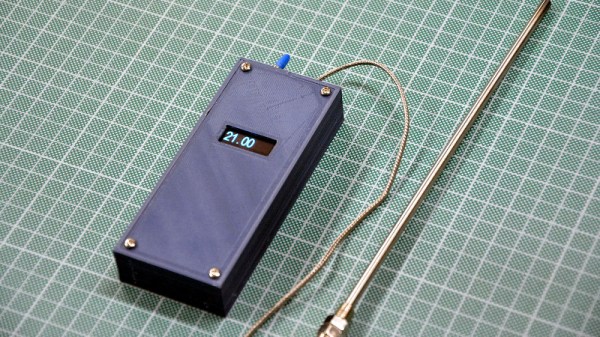
Looking to keep an eye on the temperature inside his wood-fired pizza oven, [Giovanni Bernardo] decided to skip the commercial offerings and build his own high-temperature thermometer using a type-K thermocouple. The end result is a no-nonsense handheld unit with a surprisingly low part count that, at least in theory, can read temperatures as high as 1023.75°C. Though we hope he’ll be pulling the pizza out long before that.

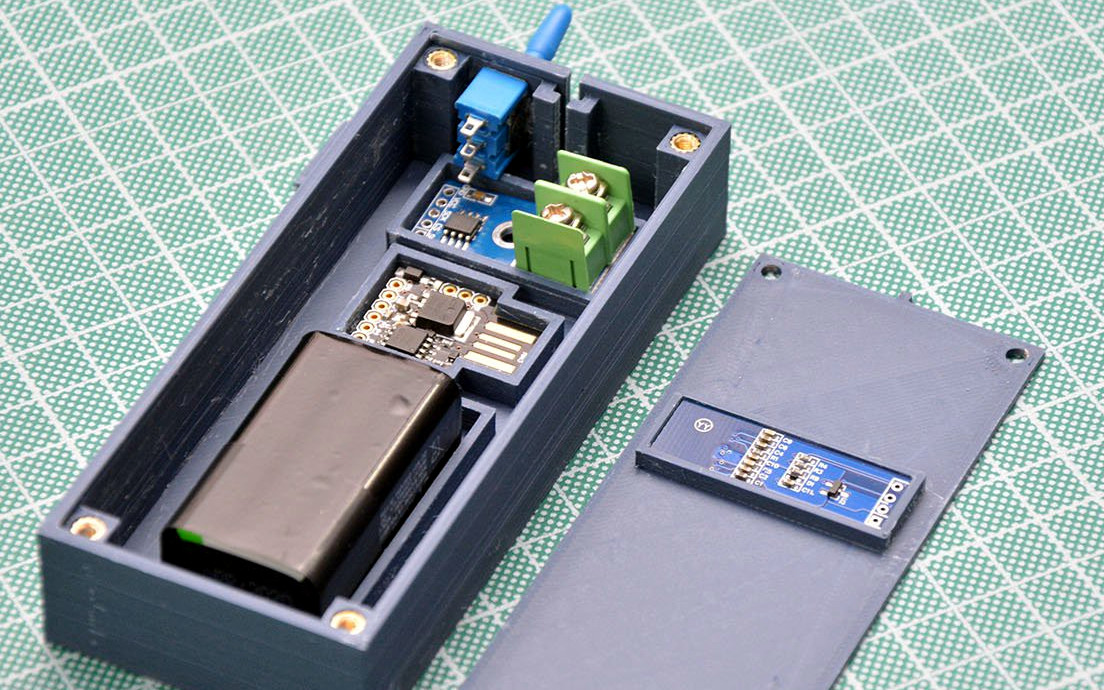
Inside the 3D printed case we find just a handful of components. The 0.91″ OLED display mounted in the front panel is wired to a Digispark ATtiny85 development board, which in turn is connected to a MAX6675 breakout board. This takes the input from the thermocouple probe and converts it into a digital signal that can be read over SPI with an Arduino library from Adafruit. Rather than going through the added complication of adding a rechargeable pack, [Giovanni] is running this thermometer from a standard 9 V battery thanks to the 5 V regulator built into the Digispark.

We especially appreciate the attention to detail [Giovanni] put into his case design. Each component is nestled into a perfectly formed pocket in the bottom of the box, and he’s even gone through the trouble of using heat-set inserts for the front panel screw holes. It would have been quicker and easier to just model up a basic box and hot glue his components in place, but he took the long way around and we respect that.

This project is another example of an interesting principle we’ve observed over the years. Put simply, if somebody is going through this much trouble to check an object’s temperature, there’s a higher than average chance they intend on eating it at some point.

The Three Cent Motor Controller

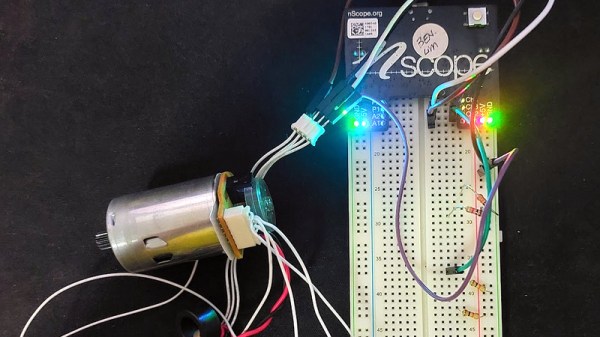
If you follow the world of small microcontrollers you will certainly be familiar with the usual fare of Atmel, ARM Cortex, PIC, and others. But these aren’t the smallest or cheapest devices, below them is an entire category of grain-of-dust microcontrollers with minimal capabilities and at rock bottom prices. Maybe the most well known are the Padauk series of chips, whose PIC12-like architecture can be had for literal pennies. These are the famous 3 cent microcontrollers, but despite their fame they have a bit of a reputation in our community for being difficult to work with. [Ben Lim] dispels some of those ideas, by Padauk-enabling a motor and encoder from a printer to make a three cent motor controller.

The Padauk doesn’t have on-chip peripherals such as SPI, instead its IDE provides bit-banging code to do the job. This and some PID motor controller code makes for a straightforward task on the little chip, and with the help of a probably considerably more expensive MAX14870 it can drive the motor. For the curious, the code can be found in a Git Hub repository. There may be more accomplished motor controllers to be found, but we doubt you’ll find one with a cheaper microcontroller.

Want to know what the fuss is about with the Padauk? Our colleague [Maya Posch] has you covered.