The Princess And The HDD: Poor Design Choices

You’ll all remember my grand adventure in acquiring a photocopier. Well, it’s been a rollercoaster, I tell ya. While I still haven’t found a modification worthy enough to attempt, I have become increasingly frustrated. From time to time, I like to invite my friends and family over for dinner, and conversation naturally turns to things like the art on the walls, the fish in the aquarium, or perhaps the photocopier in the living room. Now, I dearly love to share my passions with others, so it’s pretty darned disappointing when I go to fire off a few copies only to have the machine fail to boot! It was time to tackle this problem once and for all.

When powered up, the photocopier would sit at a “Please Wait…” screen for a very long time, before eventually coughing up an error code — SC990 — and an instruction to call for service. A bunch of other messages would flash up as well; Address Book Data Error, Hard Drive Data Error, and so on. In the end I realized they all centered around data storage.

Pictured: the author, in his happy place, at peace with the copier.

Now, I’d already tried diving into the service menu once before, and selected the option to format the hard drive. That had led to the problem disappearing for a short period, but now it was back. No amount of mashing away at the keypad would work this time. The format commands simply returned “Failed” every time. What to do next? You guessed it, it was time for a teardown!

Thankfully, photocopiers are designed for easy servicing — someone’s paying for all those service calls. A few screws and large panels were simply popping off with ease; completely the opposite of working on cars. Spotting the hard drive was easy, it looked like some sort of laptop IDE unit. With only SATA laptops around the house to salvage parts from, I wasn’t able to come up with something to swap in.

A bit of research (and reading the label) taught me that the drive was a Toshiba MK2023GAS/HDD2187. Replacements were available on eBay, but if I waited two weeks I’d probably be wrist deep in some other abandoned equipment. It had to be sorted on the night. In the words of [AvE], if you can’t fix it… well, you know how it goes. I yanked the drive and, lo and behold – the copier booted straight up! Just to be sure I wasn’t hallucinating, I churned out a few copies, and other than the continued jamming on all-black pages, everything was fine. Literally all it took to get the copier to boot was to remove the ailing drive. Suffice to say, I was kind of dumbfounded.

The hard drive a.k.a. the villain of the piece.

I’m happy to chalk up the win, but I have to draw issue with Ricoh’s design here. The copier is clearly capable of operating perfectly well without a hard drive. It will give up its document server and address book abilities, but it will still make copies and print without a problem.

Yet, when the copier’s drive fails, the unit fails completely and refuses to work. This necessitates a service call for the average user to get anything at all happening again — causing much lost work and productivity. A better design in my eyes would have the copier notify users of the lost functionality due to the failed drive and the need to call service, but let them copy! Any IT administrator will know the value of a bodged work around that keeps the company limping along for the day versus having a room of forty agitated workers with nothing to do. It’s a shame Ricoh chose to have the photocopier shut down completely rather than valiantly fight on.

Feel free to chime in with your own stories of minor failures that caused total shutdowns in the comments. Video below the break.

Continue reading “The Princess And The HDD: Poor Design Choices”

Lens Mount

X-Ray Imaging Camera Lens Persuaded To Join Micro Four Thirds Camera

Anyone who is into photography knows that the lenses are the most expensive part in the bag. The larger the aperture or f-stop of the lens, the more light is coming in which is better for dimly lit scenes. Consequently, the price of the larger glass can burn a hole in one’s pocket. [Anthony Kouttron] decided that he could use a Rodenstock TV-Heligon lens he found online and adapt it for his micro four-third’s camera.

The lens came attached to a Fischer Imaging TV camera which was supposedly part of the Fluorotron line of systems used for X-ray imaging. We find [Anthony’s] exploration of the equipment, and discovery of previous hacks by unknown owners, to be entertaining. Even before he begins machining the parts for his own purposes, this is an epic teardown he’s published.

Since the lens was originally mounted on a brass part, [Anthony Kouttron] knew that it would be rather easy to machine the custom part to fit standardized lens adapters. He describes in detail the process for cleaning out the original mount by sanding, machining and threading it. Along the way you’ll enjoy his tips on dealing with a part that, instead of being a perfect circle on the outside, had a formidable mounting tab (which he no longer needed) protruding from one side.

The video after the break shows the result of shooting with a very shallow depth of field. For those who already have a manual lens but lack the autofocus motor, a conversion hack works like a charm as well.

Continue reading “X-Ray Imaging Camera Lens Persuaded To Join Micro Four Thirds Camera”

Recover Your Broken SD Card Selfies By Your Selfie

You may still have some luck getting those selfies off of your SD card, even if it will no longer mount on your computer. [HDD Recovery Services] shows us a process to directly access the NAND memory of a faulty micro SD card to recover those precious files you thought about backing up but never got around to.

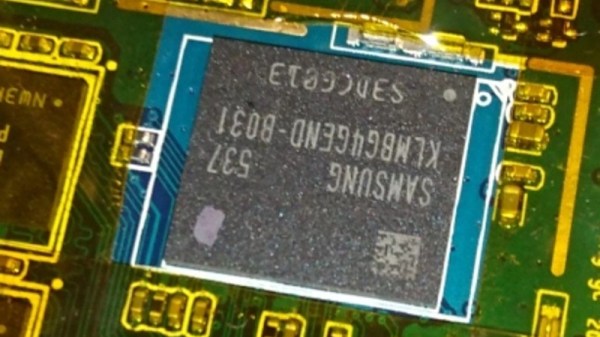
On a Micro SD card you may have noticed there are two slightly longer pins than the rest. These are VSS and VCC pins. As long as they are not a dead short between the two the SD card controller isn’t completely trashed and we can go ahead and get into that little sucker. With a bit of know how — along with sandpaper, enameled wire, and a NAND reader — an image of your lost data can be recovered with a bit of patience and some good soldering skills.

Working your way down from a relatively high grit sand paper, slowly sand away the plastic on the underside of the SD card until you can clearly see the copper traces hidden away inside. Then solder your enameled wire onto the small solder pads to hook it up to a NAND reader and you should be able to read the data that was previously unreachable via conventional means. Of course you’re still going to need to make sense out of the NAND dump. That’s a topic for a different article.

If you ever find yourself in need of an SD card recovery tool you could always roll your own DIY NAND reader. We will likely give this process a try just to play round with the concept. Hopefully we’ll never need to do SD card recovery!

Continue reading “Recover Your Broken SD Card Selfies By Your Selfie”

Fix-a-Brick: Fighting The Nexus 5X Bootloop

Oh Nexus 5X, how could you? I found my beloved device was holding my files hostage having succumbed to the dreaded bootloop. But hey, we’re hackers, right? I’ve got this.

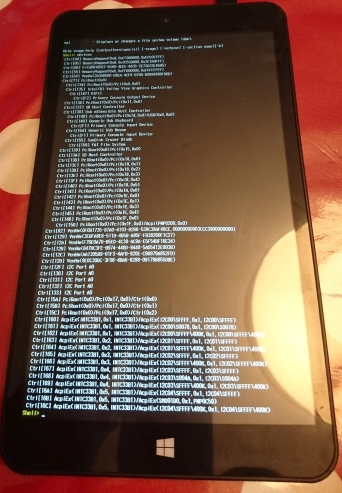
It was a long, quiet Friday afternoon when I noticed my Nexus 5X was asking to install yet another update. Usually I leave these things for a few days before eventually giving in, but at some point I must have accidentally clicked to accept the update. Later that day I found my phone mid-way through the update and figured I’d just wait it out. No dice — an hour later, my phone was off. Powering up led to it repeatedly falling back to the “Google” screen; the dreaded bootloop.

Stages of Grief

I kept my phone on me for the rest of the night’s jubilant activities, playing with it from time to time, but alas, nothing would make it budge. The problem was, my Nexus still had a full day’s video shoot locked away on its internal flash that I needed rather badly. I had to fix the phone, at least long enough to recover my files. This is the story of my attempt to debrick my Nexus 5X.

Continue reading “Fix-a-Brick: Fighting The Nexus 5X Bootloop”

Broken Plastic? No Problem!

When a computer case has survived several decades from being a new toy through being an unloved relic to being rediscovered and finding its way into the hands of an enthusiast, it is inevitable that it will have picked up some damage along the way. It will be scuffed, maybe cracked, and often broken. If it has faced the ordeal of an international courier after an eBay sale then the likelihood of a break increases significantly.

If you receive a vintage computer in the post and find it cracked or broken, never fear. [Drygol] has a solution, a guide to plastic welding with a soldering iron.

After a thorough cleaning, the technique is to hold the sides of the break together, run the iron along it to melt the plastic together, and scrape the overflowed plastic back into the resulting trench before it solidifies. With careful sanding, a spot of polyester putty, and some spray paint, the broken case can be returned to new condition.

There is a video showing the process, in this case repairing a crack on a Commodore 64 case.

Continue reading “Broken Plastic? No Problem!”

Das Fix

There was a time when the desktop peripherals such as your keyboard and mouse were expensive items that you hung on to and cared for. But several decades of PC commoditization and ever-cheaper manufacturing have rendered each of them to an almost throwaway level, they are so cheap that when one breaks you can simply reach for another without thought.

This is not to say that there is no longer a space for a more costly specialist keyboard. You’ll find enthusiasts still clinging to their treasured vintage IBM Model Ms and Model Fs, or typing on a range of competing high end ‘boards. You might say that a cheap keyboard is pretty high quality these days, but for some people only the feel of a quality switch will do.

[Mac2612] was given a particularly nice example of this class of peripheral, a Das Keyboard 4C complete with trademark missing key decals. There was a snag though, it has suffered a spill at some time in its life, and would issue random keypresses which rendered it useless. His marathon investigation and repair of the fault makes for an interesting read, and gives us some insight into why these keyboards cost the extra money.

“To my dismay, I quickly realized that this was probably an unnecessary endeavor…”

At first it seemed as though corrosion on the board might be the issue, so he gave it a clean with IPA. All to no avail, and so began a succession of further dismantlings and cleanups which culminated in the desoldering of all the key switches. This lengthy task shows us in detail the construction of a high-end ‘board, but sadly it didn’t reveal the fault, and phantom keypresses kept appearing.

Following the board traces back to the microcontroller, he eventually found that moisture had corroded the end of a 10K surface mount resistor, leaving it with a resistance in the MOhms. Since it was a pulldown for one of the keyboard rows, he’d found the source of the problem. Having spent a long time fault-finding a board with an SMD part with a mechanical failure, we feel his pain.

Replacing the SMD parts and reassembly gave him a rather sweet keyboard, albeit for a lot of work.

This is the first Das Keyboard teardown we’ve brought you, but not the first keyboard hack. There are the people remanufacturing the Model F, for example, or the most minimalist keyboard possible.

[Thanks Graham Heath, via /r/MechanicalKeyboards]

Fixing Fake FTDIs

If you know where to go on the Internet, you can pick up an FTDI USB to Serial adapter for one dollar and sixty-seven cents, with free shipping worldwide. The chip on this board is an FTDI FT232RL, and costs about two dollars in quantity. This means the chips on the cheap adapters are counterfeit. While you can buy a USB to serial adapter with a legitimate chip, [Syonyk] found a cheaper solution: buy the counterfeit adapters, a few genuine chips, and rework the PCB. It’s brilliant, and an excellent display of desoldering prowess.

Why is [Syonyk] replacing non-genuine chips with the real FTDI? The best reason is FTDIgate Mk. 1, where the official FTDI driver for Windows detected non-genuine chips and set the USB PID to zero. This bricked a whole bunch of devices, and was generally regarded as a bad move. FTDIgate Mk. 2 was a variation on a theme where the FTDI driver would inject garbage data into a circuit if a non-genuine part was found. This could also brick devices. Notwithstanding driver issues, the best reason for swapping out fake chips for real ones is the performance at higher bit rates; [Syonyk] is doing work at 3 Mbps, and the fake chips just don’t work that fast.

To replace the counterfeit chip, [Syonyk] covered the pins in a nice big glob of solder, carefully heated both sides of the chip, and slid the offending chip off when everything was molten. A bit of solder braid, and the board was ready for the genuine chip.

With the new chip, the cheap USB to serial adapter board works perfectly, although anyone attempting to duplicate these efforts might want to look into replacing the USB mini port with a USB micro port.