The PDP8 That Never Was: Hollow State Logic

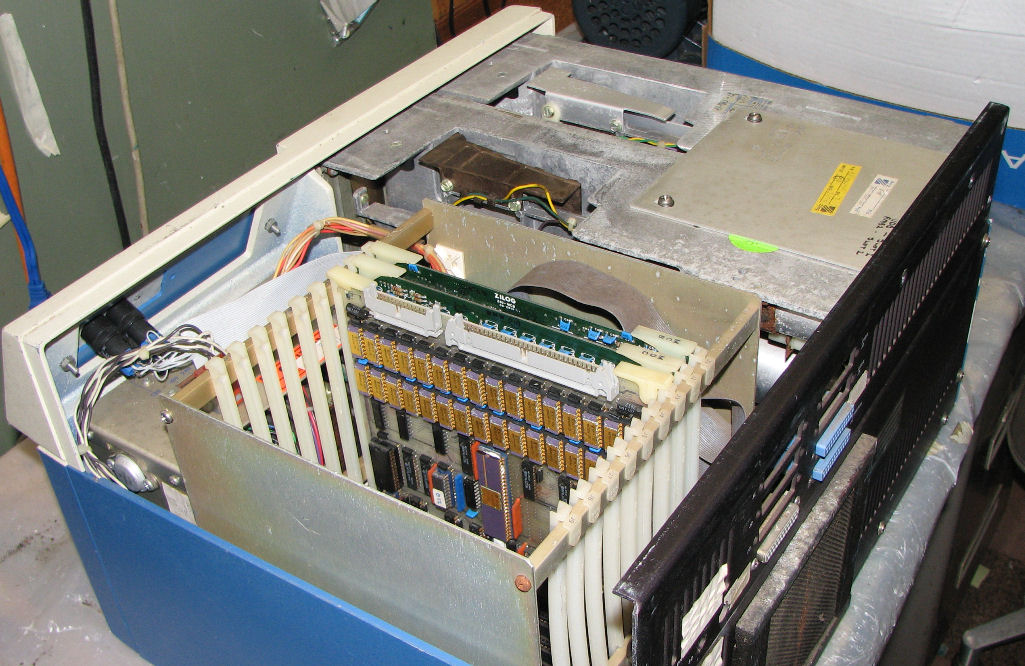
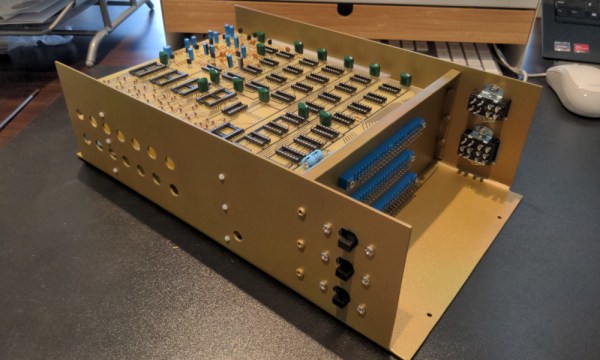
[Outer World Apps] noted that there was no PDP-8/V made by DEC — a variant that used vacuum tubes. So he’s decided to make one using about 320 6J6A tubes. He’s got a plan and a few boards completed — we can’t wait to see it finished.

The logic is actually done by crystal rectifiers, but the tubes do inversion. To make an and/or/invert gate requires a single triode or half of a 6J6A. A D flip flop requires three tubes or two tubes for a latch. In addition to the “crystal diodes,” the memory and I/O are a Raspberry Pi, and there are transistors to do level conversion between the tube logic and the Pi.

Continue reading “The PDP8 That Never Was: Hollow State Logic”

This Weekend: VCF Swap Meet In Wall, NJ

There was a time where you could regularly find local swap meets to pick up computer hardware, ham radios, and other tech gear at the sort of cut-rate prices so often produced by a sense of camaraderie. But with the rise of websites like Craigslist and eBay, meeting up in person to buy and sell used hardware started to fall out of style. The fact that the prices had to go up due to the considerable cost of shipping such large and heavy objects was an unfortunate side-effect, but it wasn’t enough to stem the tide.

It’s unlikely that we’ll ever truly return to those early days. But if you’re within driving distance of Wall, New Jersey, you can take a step back in time on Saturday and experience a proper swap meet in all its glory. Hosted by the Vintage Computer Federation, the modest $5 entry fee goes to help support their worthy goal of preserving vintage computing history. After the swap meet officially wraps up at 2 PM, a short walk will take you over to their permanent exhibit located within the sprawling InfoAge Science and History Museum.

Continue reading “This Weekend: VCF Swap Meet In Wall, NJ”

Using Excel To Manage A Commodore 64

The “save” icon for plenty of modern computer programs, including Microsoft Office, still looks like a floppy disk, despite the fact that these have been effectively obsolete for well over a decade. As fewer and fewer people recognize what this icon represents, a challenge is growing for retrocomputing enthusiasts that rely on floppy disk technology to load any programs into their machines. For some older computers that often didn’t have hard disk drives at all, like the Commodore 64, it’s one of the few ways to load programs into computer memory. And, rather than maintaining an enormous collection of floppy discs, [RaspberryPioneer] built a way to load programs on a Commodore using Microsoft Excel instead.

The Excel sheet that manages this task uses Visual Basic for Applications (VBA), an event-driven programming language built into Office, to handle the library of applications for the Commodore (or Commodore-compatible clone) including D64, PRG, and T64 files. This also includes details about the software including original cover art and any notes the user needs to make about them. Using VBA, it also communicates to an attached Arduino, which is itself programmed to act as a disk drive for the Commodore. The neceessary configuration needed to interface with the Arduino is handled within the spreadsheet as well. Some additional hardware is needed to interface the Arduino to the Commodore’s communications port but as long as the Arduino is a 5V version and not a 3.3V one, this is fairly straightforward and the code for it can be found on its GitHub project page.

With all of that built right into Excel, and with an Arduino acting as the hard drive, this is one of the easiest ways we’ve seen to manage a large software library for a retrocomputer like the Commodore 64. Of course, emulating disk drives for older machines is not uncommon, but we like that this one can be much more dynamic and simplifies the transfer of files from a modern computer to a functionally obsolete one. One of the things we like about builds like this, or this custom Game Boy cartridge, is how easy it can be to get huge amounts of storage that the original users of these machines could have only dreamed of in their time.

Well Documented Code Helps Revive Decades-Old Commodore Project

In the 1980s, [Mike] was working on his own RPG for the Commodore 64, inspired by dungeon crawlers of the era like Ultima IV and Telengard, both some of his favorites. The mechanics and gameplay were fairly revolutionary for the time, and [Mike] wanted to develop some of these ideas, especially the idea of line-of-sight, even further with his own game. But an illness, a stint in the military, and the rest of life since the 80s got in the way of finishing this project. This always nagged at him, so he finally dug out his decades-old project, dusted out his old Commodore and other antique equipment, and is hoping to finish it by 2024.

Luckily [Mike’s] younger self went to some extremes documenting the project, starting with a map he created which was inspired by Dungeons and Dragons. There are printed notes from a Commodore 64 printer, including all of the assembly instructions, augmented with his handwritten notes to explain how everything worked. He also has handwritten notes, including character set plans, disk sector use plans, menus, player commands, character stats, and equipment, all saved on paper. The early code was written using a machine language monitor since [Mike] didn’t know about the existence of assemblers at the time. Eventually, he discovered them and attempted to rebuild the code on a Commodore 128 and then an Amiga, but never got everything working together. There is some working code still on a floppy disk, but a lot of it doesn’t work together either.

While not quite finished yet, [Mike] has a well-thought-out plan for completing the build, involving aggregating all of the commented source code and doing quarterly sprints from here on out to attempt to get the project finished. We’re all excited to see how this project fares in the future. Beyond the huge scope of this pet project, we’d also suggest that this is an excellent example of thoroughly commenting one’s code to avoid having to solve mysteries or reinvent wheels when revisiting projects months (or decades) later. After all, self-documenting code doesn’t exist.

Continue reading “Well Documented Code Helps Revive Decades-Old Commodore Project”

Increasing System Memory With The Flick Of A Switch

There’s an apocryphal quote floating around the internet that “640K ought to be enough memory for anybody” but it does seem unlikely that this was ever actually said by any famous computer moguls of the 1980s. What is true, however, is that in general more computer memory tends to be better than less. In fact, this was the basis for the Macintosh 512k in the 1980s, whose main feature was that it was essentially the same machine as the Macintosh 128k, but with quadruple the memory as its predecessor. If you have yet to upgrade to the 512k, though, it might be best to take a look at this memory upgrade instead.

The Fat Mac Switcher, as it is called by its creator [Kay Koba], can upgrade the memory capability of these retro Apple machines with the simple push of a switch. The switch and controller logic sit on a separate PCB that needs to be installed into the computer’s motherboard in place of some of the existing circuitry. The computer itself needs its 16 memory modules replaced with 41256 DRAM modules for this to work properly though, but once its installed it can switch seamlessly between 512k and 128k modes.

Another interesting quirk of the retro Macintosh scene is that the technically inferior 128k models tend to be valued higher than the more capable 512k versions, despite being nearly identical otherwise. There are also some other interesting discussions on one of the forum posts about this build as well. This module can also be used in reverse; by installing it in a Macintosh 512k the computer can be downgraded to the original Macintosh 128k. For this the memory modules won’t need to be upgraded but a different change to the motherboard is required.

A product like this certainly would have been a welcome addition in the mid 80s when these machines were first introduced, since the 512k was released only months after the 128k machines were, but the retrocomputing enthusiasts should still get some use out of this device and be more able to explore the differences between the two computers. If you never were able to experience one of these “original” Macintosh computers in their heyday, check out this fully-functional one-third scale replica.

The Apple Silicon That Never Was

Over Apple’s decades-long history, they have been quick to adapt to new processor technology when they see an opportunity. Their switch from PowerPC to Intel in the early 2000s made Apple machines more accessible to the wider PC world who was already accustomed to using x86 processors, and a decade earlier they moved from Motorola 68000 processors to take advantage of the scalability, power-per-watt, and performance of the PowerPC platform. They’ve recently made the switch to their own in-house silicon, but, as reported by [The Chip Letter], this wasn’t the first time they attempted to design their own chips from the ground up rather than using chips from other companies like Motorola or Intel.

In the mid 1980s, Apple was already looking to move away from the Motorola 68000 for performance reasons, and part of the reason it took so long to make the switch is that in the intervening years they launched Project Aquarius to attempt to design their own silicon. As the article linked above explains, they needed a large amount of computing power to get this done and purchased a Cray X-MP/48 supercomputer to help, as well as assigning a large number of engineers and designers to see the project through to the finish. A critical error was made, though, when they decided to build their design around a stack architecture rather than a RISC. Eventually they switched to a RISC design, though, but the project still had struggled to ever get a prototype working. Eventually the entire project was scrapped and the company eventually moved on to PowerPC, but not without a tremendous loss of time and money.

Interestingly enough, another team were designing their own architecture at about the same time and ended up creating what would eventually become the modern day ARM architecture, which Apple was involved with and currently licenses to build their M1 and M2 chips as well as their mobile processors. It was only by accident that Apple didn’t decide on a RISC design in time for their personal computers. The computing world might look a lot different today if Apple hadn’t languished in the early 00s as the ultimate result of their failure to develop a competitive system in the mid 80s. Apple’s distance from PowerPC now doesn’t mean that architecture has been completely abandoned, though.

Thanks to [Stephen] for the tip!

Commodore 64 Web Server Brings 8-Bit Into The Future

These days, most webservers are big hefty rackmount rigs with roaring fans in giant datacenters. [naDDan]’s webserver is altogether more humble, as it runs on a single Commodore 64. 

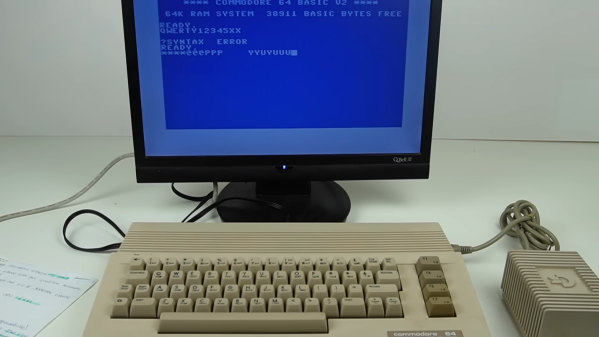
The C64 is running Contiki OS, an operating system for 6502-based computers. It’s built with an eye to networking, requiring ethernet hardware for full functionality. In [naDDan]’s case, he’s outfitted his C64 with an ETFE network adapter in the cartridge port to get it online. It serves up the HTML file off a 1541C floppy drive, with the drive buzzing away every time someone loads up the page.

The page itself is simple, showing some basic information on a simple blue background. There is some scrolling text though, as is befitting the 8-bit era. It’s also available in four languages.

[naDDan’s] server can be found here, according to his video, but at the time of writing, it was down for the count. Whether that’s due to a dynamic DNS issue or the simple fact that an 8-bit 6502 isn’t up to heavy traffic is up for debate. Regardless, try for yourself and see how you go. Video after the break.