Improving The T-962 Reflow Oven

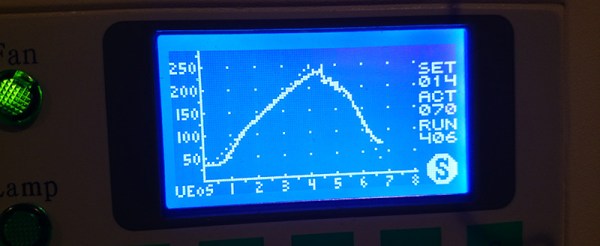
The T-962A is a very popular reflow oven available through the usual kinda-shady retail channels. It’s pretty cheap, and therefore popular, and the construction actually isn’t abysmal. The controller for this oven is downright terrible, and [wj] has been working on a replacement firmware for the horribly broken one provided with this oven. It’s open source, and the only thing you need to update your oven is a TTL/UART interface.

[WJ] bought his T-962A even after seeing some of the negative reviews that suggested replacing the existing controller and display. This is not in true hacker fashion – there’s already a microcontroller and display on the board.

The new firmware uses the existing hardware and adds a very necessary modification: stock, the oven makes the assumption that the cold-junction of the thermocouples is at 20°C. The controller sits on top of an oven with two TRIACs nearby, so this isn’t the case, making the temperature calibration of the oven slightly terrible.

After poking around the board, [WJ] found an LPC2000-series microcontroller and a spare GPIO pin for a 1-wire temperature sensor. The temperature sensor is placed right next to the terminal block for the thermocouples for proper temperature sensing.

All the details of updating the firmware appear on a wiki, and the only thing required to update the firmware is a serial/USB/UART converter. A much better solution than ripping out the controller and replacing it with a custom one.

Announcing The Trinket Everyday Carry Contest

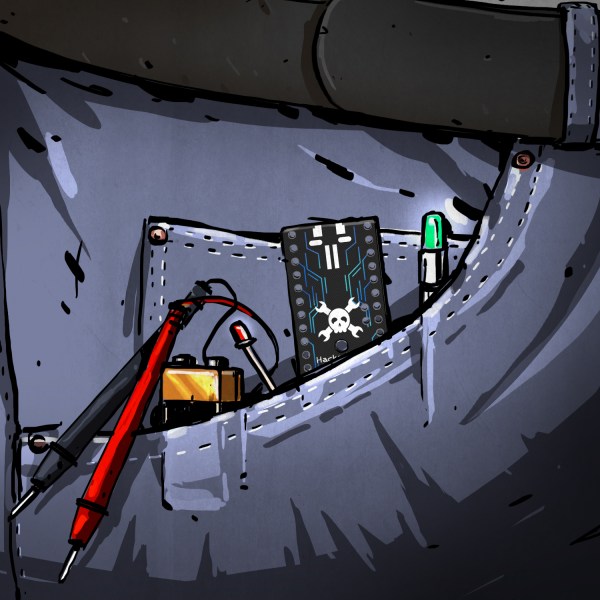
Now that we’ve recovered from our Munich party and the awarding of The Hackaday Prize, we’re ready to announce our latest contest. We’ve been having a lot of fun with our Trinket Pro boards, both the 10th anniversary edition and the new Hackaday.io branded models.  While we were soldering, compiling, and downloading, a contest idea took root. Trinket Pro really excels when used in small projects, the kind which would fit in a pocket. To that end we’re holding the Trinket Everyday Carry Contest, a showcase for small, pocketable projects which are useful everyday. ‘Useful everyday’ is a bit of a broad term, and we intended it that way. Tools are useful of course , but so are jewelry pieces. It’s all in the eye of the builder and users. We’re sure our readers will take this and run with it, as they have with our previous contests.

There are some great prizes in store for the entrants, including a brand new Rigol DS1054Z  oscilloscope! The top 50 entrants will get custom Trinket Everyday Carry Contest T-shirts. Check out the contest page for a full list. 

submit-project-to-trinket-edcWe know you all love to procrastinate with your entries, so we’re going to be offering a few perks to those who enter early and update often. Each week, we’ll throw all the entrants who have published at least one project log full of details into a drawing for a special prize from The Hackaday Store. To be considered you must officially submit your project which is accomplished through a drop-down list on the left side of your project page.

Remember, the contest isn’t just about winning a scope, a meter, or any of the other prizes. It’s about creating new Open Hardware designs that nearly anyone can build. So grab those soldering irons, load up those copies of the Arduino IDE, AVR-GCC, or WinAVR, and get hacking!

You can view the all of the contest entries in this list.

Direct Digital Synthesis (DDS)

Direct Digital Synthesis (DDS) Explained By [Bil Herd]

One of the acronyms you may hear thrown around is DDS which stands for Direct Digital Synthesis. DDS can be as simple as taking a digital value — a collection of ones and zeroes — and processing it through a Digital to Analog Converter (DAC) circuit. For example, if the digital source is the output of a counter that counts up to a maximum value and resets then the output of the DAC would be a ramp (analog signal) that increases in voltage until it resets back to its starting voltage.

This concept can be very useful for creating signals for use in a project or as a poor-man’s version of a signal or function generator. With this in mind I set out here to demonstrate some basic waveforms using programmable logic for flexibility, and a small collection of resistors to act as a cheap DAC. In the end I will also demonstrate an off-the-shelf and inexpensive DDS chip that can be used with any of the popular micro-controller boards available that support SPI serial communication.

All of the topics covered in the video are also discussed further after the break.

Continue reading “Direct Digital Synthesis (DDS) Explained By [Bil Herd]” →

[Sprite_TM]’s Keyboard Plays Snake

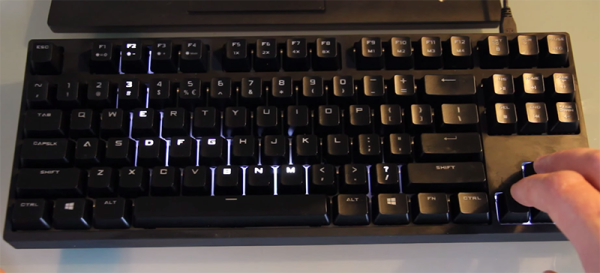
Hackaday Prize judge, hacker extraordinaire, and generally awesome dude [Sprite_TM] spends a lot of time at his computer, and that means a lot of time typing on his keyboard. He recently picked up a board with the latest fad in the world of keyboards, a board with individually addressable LEDs. He took this board to work and a colleague jokingly said, ‘You’ve had this keyboard for 24 hours now, and it has a bunch of LEDs and some arrow keys. I’m disappointed you haven’t got Snake running on it yet.” Thus began the quest to put the one game found on all Nokia phones on a keyboard.

The keyboard in question is a Coolermaster Quickfire Rapid-I, a board that’s marketed as having an ARM Cortex CPU. Pulling apart the board, [Sprite] found a bunch of MX Browns, some LEDs, and a 72MHz ARM Cortex-M3 with 127k of Flash and 32k of RAM. That’s an incredible amount of processing power for a keyboard, and after finding the SWD port, [Sprite] attempted to dump the Flash. The security bit was set. There was another way, however.

Coolermaster is actively working on the firmware, killing bugs, adding lighting modes, and putting all these updates on their website. The firmware updater is distributed as an executable with US and EU versions; the EU version has another key. Figuring the only difference between these versions would be the firmware itself, [Sprite] got his hands on both versions, did a binary diff, and found only one 16k block of data at the end of the file was different. There’s the firmware. It was XOR encrypted, but that’s obvious if you know what to look for.
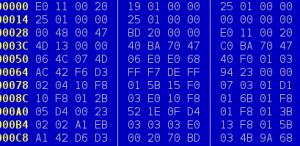
flashdata The firmware wasn’t complete, though; there were jumps to places outside the code [Sprite] had and a large block looked corrupted. There’s another thing you can do with an executable file: run it. With USBPcap running in the background while executing the firmware updater, [Sprite] could read exactly what was happening when the keyboard was updating. With a small executable that gets around the weirdness of the updater, [Sprite] had a backup copy of the keyboard’s firmware. Even if he bricked the keyboard, he could always bring it back to a stock state. It was time to program Snake.

The first part of writing new firmware was finding a place that had some Flash and RAM to store the new code. This wasn’t hard; there was 64k of Flash free and 28K of unused RAM. The calls to the Snake routine were modified from the variables the original firmware had. If, for example, the original keyboard had a call to change the PWM, [Sprite] could change that to the Snake routine.

Snake is fun, but with a huge, powerful ARM in a device that people will just plug into their keyboard, there’s a lot more you can do with a hacked keyboard. Keyloggers and a BadUSB are extremely possible, especially with firmware that can be updated from a computer. To counter that, [Sprite] added the requirement for a physical condition in order to enter Flash mode. Now, the firmware will only update for about 10 seconds after pressing the fn+f key combination.

There’s more to playing Snake on a keyboard; Sprite has also written a new lighting mode, a fluid simulation thingy that will surely annoy anyone who can’t touch type. You can see the videos of that below.

Continue reading “[Sprite_TM]’s Keyboard Plays Snake” →

Interview With A Printer

The Hackaday European tour continues, this time in Prague with Josef Průša (Google translate), core developer in the RepRap project, feature at all the Maker Faires and cons, and creator of his namesake, the Prusa Mendel and i3 printers.

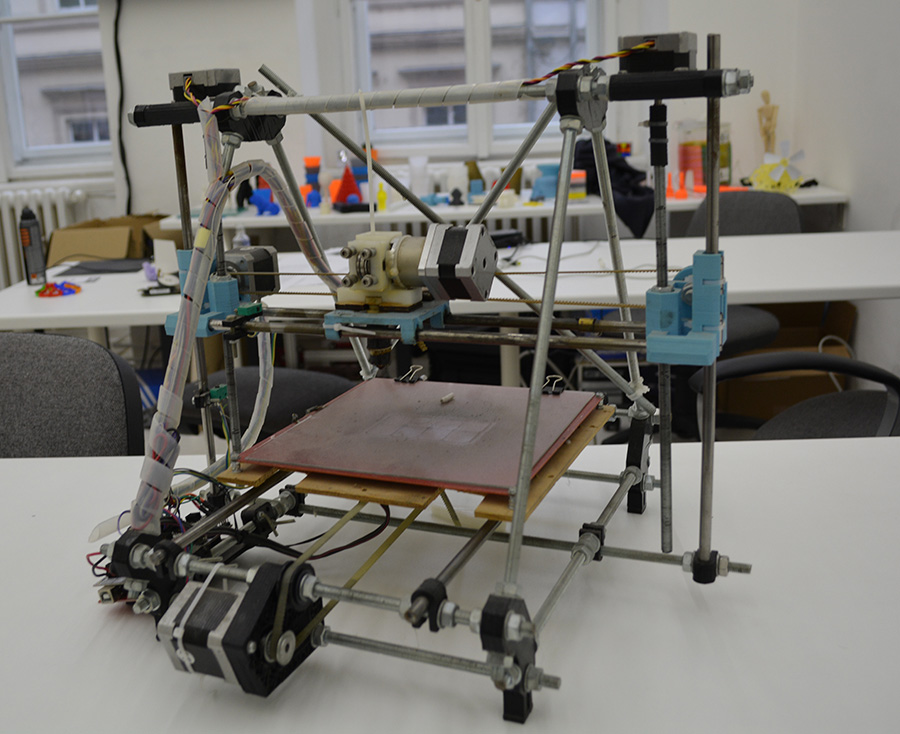
[Prusa]’s involvement with the RepRap project started with a RepRap Mendel, the second iteration of RepRap hardware, but the first popular and easy to build version. [Jo] found the Mendel rather difficult to build, so he loaded OpenSCAD and started to design his own version of the hardware. This version became the de facto standard RepRap for a few years, with many inspired by and derivative printers making their way to hackerspaces and workshops around the world.

The first Prusa printer, derived from the RepRap Mendel.

A few years ago, [Prusa] was one of the first to make a complete break with the traditional ‘threaded rod and nut’ construction of RepRaps with the introduction of the Prusa i3. This was the first model that had a metal plate as the frame, another feature that would be seen in dozens of other models. It’s not something that was without controversy, either; using a metal plate for the frame doesn’t allow for as much self-replication, something that’s a core value of the RepRap project. That didn’t matter to the community; the Prusa i3 or a similar design is the third most popular printer on 3Dhubs.

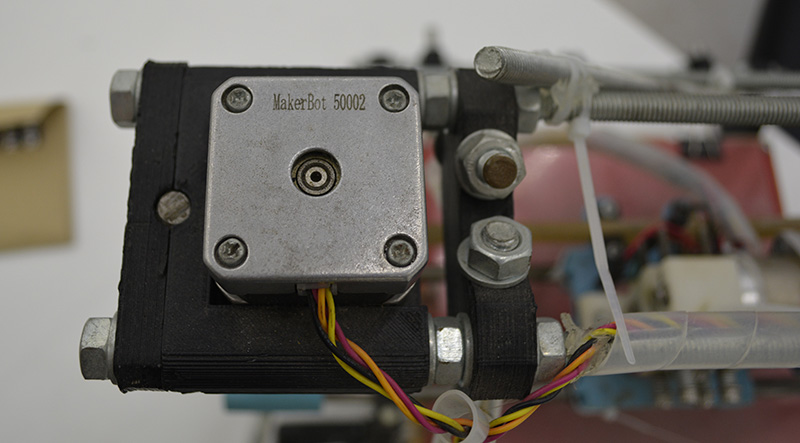
The first Prusa printer showing off its Makerbot heritage

What’s the future of the Prusa name? There is an i4 in the works, and I’m pretty sure that’s all I can tell you. Someone already bought the Prusai4 domain, so there may be a name change.

In the interview below, [Prusa] goes over his involvement with the RepRap project, his business, what he considers to be the latest advances in 3D printing for the past year, what the worst things about the 3D printing scene is (it’s Kickstarter), the state of the RepRap project, and thoughts on SLS, DLP, and SLA printing technologies. Video below.

Continue reading “Interview With A Printer” →

Thalmic Labs Shuts Down Free Developer Access Update: It’s Back Again

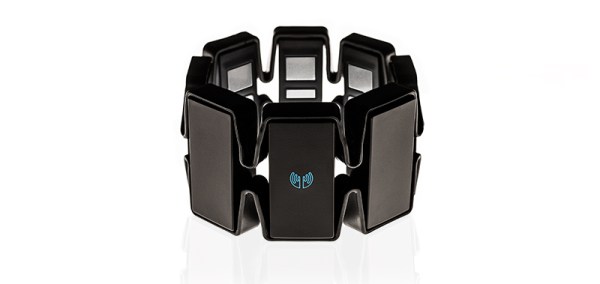
The Thalmic Myo is an electronic arm band with an IMU and myoelectric sensors, able to measure the orientation and muscle movements of an arm. This device has uses ranging from prosthetics to Minority Report-style user interfaces. Thalmic is also a Y Combinator company, with $15 million in funding and tech press gushing over the possible uses of this futuristic device. Truly, a remarkable story for the future of user interfaces and pseudo-medical devices that can get around most FDA regulations.

A few months ago, Thalmic released a firmware update to the Myo that blocks raw access to the myoelectric sensors. Anyone wanting to develop for the Myo now needs to submit an application and pay Thalmic and their investors a pound of flesh – up to $5000 for academic institutions. The current version of the firmware only provides access to IMU data and ‘gestures’ – not the raw muscle data that would be invaluable when researching RSI detection, amputee prosthetics, or a hundred other ideas floating around the Thalmic forums.

Thalmic started their company with the idea that an open SDK would be best for the community, with access to the raw sensor data available in all but the latest version of the firmware. A few firmware revisions ago, Thalmic removed access to this raw data, breaking a number of open source projects that would be used for researchers or anyone experimenting with the Thalmic Myo.  Luckily, someone smart enough to look at version numbers has come up with an open library to read the raw sensor data. It works well, and the official position of Thalmic is that raw sensor data will be unavailable in the future. If you want to develop something with the Myo, this library just saved your butt.

Thalmic will have an official statement on access to raw sensor data soon.

Quick aside, but if you want to see how nearly every form of media is crooked, try submitting this to Hacker News and look at the Thalmic investors. Edit: don’t bother, we’re blacklisted or something.

Update: Thalmic has updated their policy, and will be releasing a firmware version that gives access to the raw EMG sensor data later on. The reasons for getting rid of the raw sensor data is twofold:

  • Battery life. Streaming raw data out of the armband takes a lot of power. Apparently figuring out ‘gestures’ on the uC and sending those saves power.
  • User experience. EMG data differs from person to person and is hard to interpret.


The Future Of The Internet Of Things

When buying anything, you’re going to have a choice: good, fast, or cheap. Pick any two. A plumber will fix a drain good and fast, but it won’t be cheap. The skeezy guy you can call will fix a drain fast and cheap, but it won’t be good.

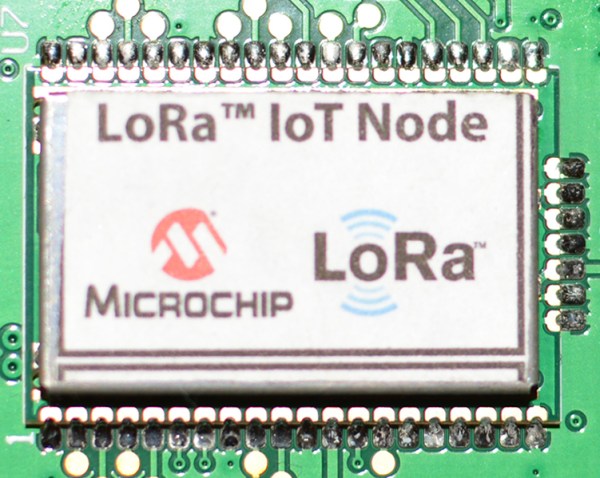
Such it is with radios. You can have long-range (good), high bandwidth (fast), or a low price (cheap). Pick any two. The Internet of Things demands a cheap, long-range radio module, but until now this really hasn’t existed. At Electronica last week, Microchip demoed their IoT solution, the LoRa. This module has a 15km (rural) or ~3km (heavy urban) range, works for a year on two AAA batteries, and is very cheap. Bandwidth? That’s crap, but you’re not streaming videos to your shoe.

Continue reading “The Future Of The Internet Of Things” →