A Crash Course In Reliable Communication

It’s probably fair to say that anyone reading these words understands conceptually how physically connected devices communicate with each other. In the most basic configuration, one wire establishes a common ground as a shared reference point and then the “signal” is sent over a second wire. But what actually is a signal, how do the devices stay synchronized, and what happens when a dodgy link causes some data to go missing?

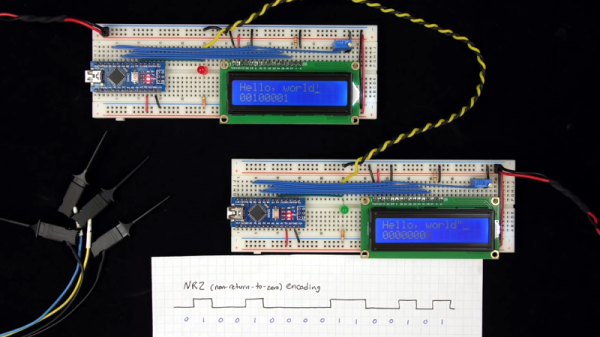
All of these questions, and more, are addressed by [Ben Eater] in his fascinating series on data transmission. He takes a very low-level approach to explaining the basics of communication, starting with the concept of non-return-to-zero encoding and working his way to a shared clock signal to make sure all of the devices in the network are in step. Most of us are familiar with the data and clock wires used in serial communications protocols like I2C, but rarely do you get to see such a clear and detailed explanation of how it all works.

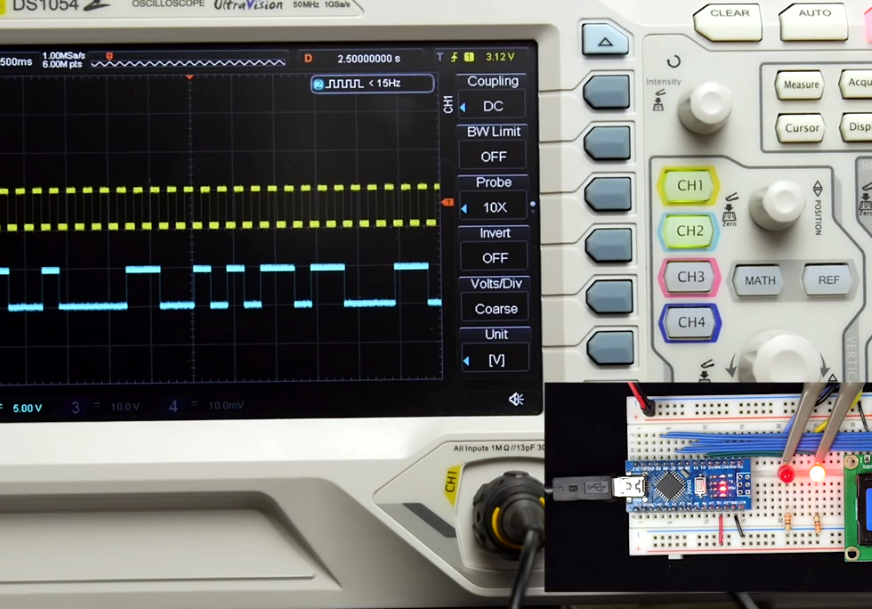
He demonstrates the challenge of getting two independent devices to communicate, trying in vain to adjust the delays on the receiving and transmitting Arduinos to try to establish a reliable link at a leisurely five bits per second. But even at this digital snail’s pace, errors pop up within a few seconds. [Ben] goes on to show that the oscillators used in consumer electronics simply aren’t consistent enough between devices to stay synchronized for more than a few hundred bits. Until atomic clocks come standard on the Arduino, it’s just not an option.

[Ben] then explains the concept of a dedicated clock signal, and how it can be used to make sure the devices are in sync even if their local clocks drift around. As he shows, as long as the data signal and the clock signal are hitting at the same time, the actual timing doesn’t matter much. Even within the confines of this basic demo, some drift in the clock signal is observed, but it has no detrimental effect on communication.

In the next part of the series, [Ben] will tackle error correction techniques. Until then, you might want to check out the fantastic piece [Elliot Williams] put together on I2C.

[Thanks to George Graves for the tip.]

Continue reading “A Crash Course In Reliable Communication”

Tricking A Vintage Clock Chip Into Working On 50-Hz Power

Thanks to microcontrollers, RTC modules, and a plethora of cheap and interesting display options, digital clock projects have become pretty easy. Choose to base a clock build around a chip sporting a date code from the late 70s, though, and your build is bound to be more than run-of-the-mill.

This is the boat that [Fran Blanche] finds herself in with one of her ongoing projects. The chip in question is a Mostek MK50250 digital alarm clock chip, and her first hurdle was find a way to run the clock on 50 Hertz with North American 60-Hertz power. The reason for this is a lesson in the compromises engineers sometimes have to make during the design process, and how that sometimes leads to false assumptions. It seems that the Mostek designers assumed that a 24-hour display would only ever be needed in locales where the line frequency is 50 Hz. [Fran], however, wants military time at 60 Hz, so she came up with a circuit to fool the chip. It uses a 4017 decade counter to divide the 60-Hz signal by 10, and uses the 6-Hz output to turn on a transistor that pulls the 60-Hz output low for one pulse. The result is one dropped pulse out of every six, which gives the Mostek the 50-Hz signal it needs. Sure, the pulse chain is asymmetric, but the chip won’t care, and [Fran] gets the clock she wants. Pretty clever.

[Fran] has been teasing this clock build for a while, and we’re keen to see what it looks like. We hope she’ll be using these outsized not-quite-a-light-pipe LED displays or something similar.

Continue reading “Tricking A Vintage Clock Chip Into Working On 50-Hz Power”

Watch The Honeycomb Clock Gently Track Time

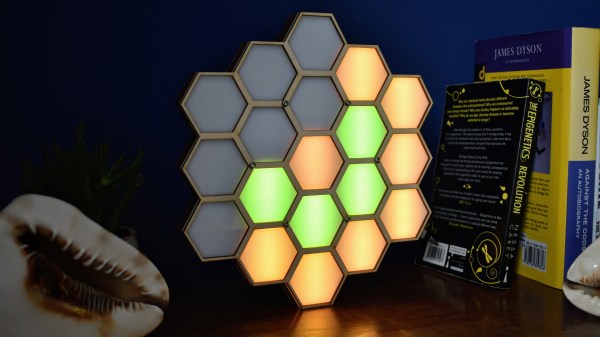
We love clocks here at Hackaday, and so does [John Whittington]. Last year he created this hexagonal honey clock (or “Honock”) by combining some RGB LEDs with a laser-cut frame to create a smooth time display that uses color and placement to display time with a simple and attractive system.

The outer ring of twelve hexagons is essentially the hour hand, similar to analog clock faces: twelve is up, three is directly to the right, six is straight down, and nine is to the left. The inner ring represents ten minutes per hex. Each time the inner ring fills, the next hex (hour) on the outer ring lights up. The whole display is flooded with a minute-long rainbow at noon and midnight. Watch it in action in the video, embedded below.

Continue reading “Watch The Honeycomb Clock Gently Track Time”

Linear Clock Is A Different Way To Look At Time

There are usually two broad user interfaces for clocks. On the one hand you’ve got the dial clock, the default display for centuries, with its numbered face and spinning hands. The other mode is some form of digital clock, where the current time is displayed directly as alphanumeric characters. They’re both useful representations of time, but they both have their limits.

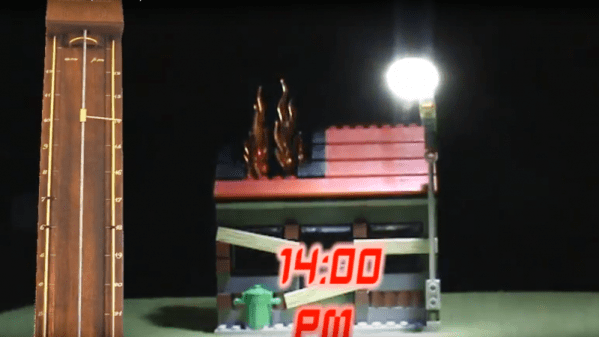
Here’s a third model — the linear clock. [Jan Derogee] came up with it thanks to the inspiration of somewhat dubious run-ins with other kinds of clocks; we feel like this introductory video was made with tongue firmly planted in cheek. Whatever the inspiration, we find this idea clever and well executed. The running gear of the clock is just a long piece of M6 threaded rod and a stepper motor. A pointer connected to a nut rides on the rod, moving as the stepper rotates it. There are scales flanking the vertical rod, with the morning hours going up the left side and afternoon hours coming down the right. The threaded rod rotates one way for twelve hours before switching to the other direction; when the rotation changes, the pointer automatically swivels to the right scale. For alarms, [Jan] has brass rods running along each scale that make contact with the pointer; when they encounter a sliding plastic insulator to break the contact, it triggers an alarm. An ESP8266 controls everything and plays the audio files for the alarm.

Unusual clocks seem to be a thing with [Jan]. His other builds include this neat phosphorescent clock and YouTube subs counter, which is sure to turn heads along with this clock.

Continue reading “Linear Clock Is A Different Way To Look At Time”

Hawkeye, The 3D-Printed Tourbillon Movement

As if building tiny mechanisms with dozens of moving parts that all need to mesh together perfectly to work weren’t enough, some clock and watchmakers like to put their horology on hard mode with tourbillon movements. Tourbillons add multiple axes to the typical gear trains in an attempt to eliminate errors caused by the influence of gravity — the movement essentially spins on gimbals while tick-tocking away.

It feels like tourbillons are too cool to lock inside timepieces meant for the ultra-rich. [Alduinien] agrees and democratized the mechanism with this 3D-printed tourbillon. Dubbed “Hawkeye,” [Alduinien]’s tourbillon is a masterpiece of 3D printing. Composed of over 70 pieces, the mechanism is mesmerizing to watch, almost like a three-axis mechanical gyroscope.

The tourbillon is designed to be powered either by the 3D-printed click spring or by a small electric motor. Intended mainly as a demonstration piece, [Alduinien]’s Thingiverse page still only has the files for the assembled mechanism, but he promises to get the files for the individual pieces posted soon. Amateur horologists, warm up your 3D-printers.

Tourbillons are no stranger to these pages, of course. We’ve done an in-depth look at tourbillons for watches, and we’ve even featured a 3D-printed tourbillon clock before. What we like about this one is that it encourages exploration of these remarkable instruments, and we’re looking forward to seeing what people do with this design. For those looking for more background on clock escapements in general, [Manuel] wrote a great article on how we turned repetitive motion into timekeeping.

Continue reading “Hawkeye, The 3D-Printed Tourbillon Movement”

Simple Home-built Projection Clock Projects Time

There are plenty of cheap projection clocks available, but as [Thomas Pototschnig] points out in this project, where’s the fun in just buying something? He set out to build a cheap projection clock using a small LCD screen, a cheap LED backlight, and a cheap lens. (Website seems down, try this link courtesy of the Internet Archive if it fails.) Cheap is the order of the day here, and [Thomas] succeeded admirably, creating a design that can be made with a couple of cheap PCBs, a 3D printer and the other parts mentioned above. He does a nice job of laying out his thinking in this design, showing how he calculated the projection path and made other decisions. His project has room to grow as well: it runs from an Arduino compatible STM32 that could handle many things other than showing the time if you were inclined to expand the project further.

Continue reading “Simple Home-built Projection Clock Projects Time”

GuerillaClock Could Save This City Thousands

They say necessity is the mother of invention. But if the thing you need has already been invented but is extremely expensive, another mother of invention might be budget overruns. That was the case when [klinstifen]’s local government decided to put in countdown clocks at bus stops, at a whopping $25,000 per clock. Thinking that was a little extreme, he decided to build his own with a much smaller price tag.

The project uses a Raspberry Pi Zero W as its core, and a 16×32 RGB LED matrix for a display. Some of the work is done already, since the bus system has an API that is readily available for use. The Pi receives the information about bus schedules through this API and, based on its location, is able to determine the next bus arrival time and display it on the LED matrix. With the custom 3D printed enclosure and all of the other material, the cost of each clock is only $100, more than two orders of magnitude less expensive.

Hopefully the local government takes a hint from [klinstifen] and decides to use a more sane solution. In the meantime, you might be able to build your own mass transit clock that you can use inside your own house, rather than at the train station, if you’re someone who has a hard time getting to the bus stop on time.

Continue reading “GuerillaClock Could Save This City Thousands”