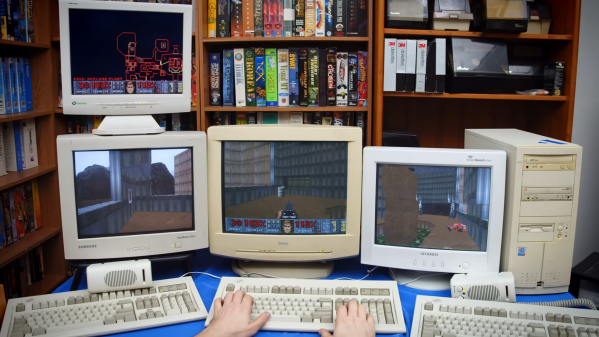
DOOM Ported To Sega Naomi Arcade Hardware

Porting DOOM to new hardware and software platforms is a fun pastime for many in the hacker scene. [DragonMinded] noticed that nobody had ported the game to the Sega Naomi arcade hardware, and set about doing so herself.

The port builds on work by [Kristoffer Andersen] who built a framebuffer port of DOOM previously. It’s available pre-compiled, complete with the shareware WAD for those eager to load it up on their own Naomi arcade cabinets.

Unlike some limited ports that only give the appearance of a functional version of DOOM, this port is remarkably complete. Loading, saving, and options menus are all present and accounted for, as well as directional sound and even WAD auto-discovery. With that said, there’s only 32 KB of space for save games on the Naomi hardware, so keep that in mind if you find yourself playing regularly.

We love a good DOOM port, whether it’s on an arcade machine, an old forgotten Apple OS, or even a UFI module.

Continue reading DOOM Ported To Sega Naomi Arcade Hardware”

Screenshot of the EFI shell, showing doom.wad and doom.efi in 'ls' command output, and then doom.efi being loaded

DOOM? In Your BIOS? More Likely Than You Think!

We’ve seen hackers run DOOM on a variety of appliances, from desk phones to pregnancy tests. Now, the final frontier has been conquered – we got DOOM to run on an x86 machine. Of course, making sure we utilize your PC hardware to its fullest, we have to forego an OS. Here are two ways you can run the classic shooter without the burden of gigabytes of bloated code in the background.

[nic3-14159] implemented this first version as a payload for coreboot, which is an open-source BIOS/UEFI replacement for x86 machines. Some might say it’s imperfect — it has no sound support, only works with PS/2 keyboards, and exiting the game makes your computer freeze. However, it’s playable, and it fits into your BIOS flash chip.

But what if your computer hasn’t yet been blessed with a free BIOS replacement? You might like this UEFI module DOOM port instead, originally made by [Warfish] and then built upon by [Cacodemon345]. To play this, you only need to compile the binary and an UEFI shell, then use the “Load EFI Shell” option in your UEFI menu – something that’s widely encountered nowadays. This version also lacks sound, but is a bit more fully featured due to all the facilities that UEFI provides for its payloads.

Of course there’s far more efficient ways to slay demons on your computer, but even if they aren’t necessarily practical from a gaming standpoint, these two projects serve as decent examples of Coreboot and UEFI payloads. BIOS replacements like coreboot take up so little space, we’ve even seen Windows 3.1 fit alongside coreboot in the BIOS chip. Wondering what UEFI is, even? Here’s a primer for you. And, if you don’t mind the exceptional bloat of a stripped-down Linux install, here’s a Linux image built from the ground up to run DOOM specifically.

Continue reading DOOM? In Your BIOS? More Likely Than You Think!”

Porting DOOM To A Forgotten Apple OS

Apple hasn’t always had refined user experiences in their operating systems. In the distant past of the ’90s they were still kind of clunky computers that were far from the polished, high-end consumer machines of the modern era. That wasn’t all that Apple offered back then, though. They had a long-forgotten alternative operating system that was called A/UX designed for government applications, and [Keriad] is here to show us this relic operating system and port DOOM to it.

A/UX was designed in the pre-PowerPC days when Macintosh computers ran on Motorola 68000 chips. Luckily, [Keriad] has a Mac Quadra 800 with just such a chip that is still fully-functional. DOOM was developed with the NeXTSTEP operating system which can run on old Macs thanks to another tool called MacX which allows X11 applications to run on Mac. A version of gcc for A/UX was found as well and with the source code in hand they were eventually able to compile a binary. There were several hiccups along the way (including the lack of sound) but eventually DOOM was running on this forgotten operating system.

The main problem with the build in the end, besides the lack of sound, is that the game only runs at 2 – 3 frames per second. [Keriad] speculates that this is due to all of the compatibility layers needed to compile and run the game at all, but it’s still impressive. As far as we know, [Keriad] is the first person to port DOOM to this OS, although if you’re looking for something more straightforward we would recommend this purpose-built Linux distribution whose sole task is to get you slaying demons as quickly as possible.

A Linux Distribution For DOOM

If you’ve gone further into the Linux world than the standard desktop distributions like Ubuntu or Fedora, you have undoubtedly come across some more purpose-built distributions. Some examples are Kali for security testing, DragonOS for software-defined radio, or Hannah Montana Linux for certain music fans. Anyone can roll their own Linux distribution with the right tools, including [Shadly], who recently created one which only loads enough software to launch the 1993 classic DOOM.

The distribution is as simple as possible and loads no bloat other than what’s needed to launch the game. It loads the Linux kernel and the standard utilities via BusyBox, then runs fbDOOM, which is a port of the game specifically designed to run on the Linux framebuffer with minimal dependencies. After most of that, the only thing left is to use GRUB to boot the distribution, and in just a moment, Doomguy can start slaying demons. The entire distribution is placed into a bootable ISO file that can be placed on any bootable drive.

As far as DOOM hacks go, we’re used to seeing the game running on hardware it was never intended for like the NES  or on an office phone. This one, on the other hand, gives us a little more insight into just how little is needed for a full-fledged Linux distribution, as long as what you need to do is relatively straightforward.

Continue reading “A Linux Distribution For DOOM

Barely HDMI Display Gets A Steampunk-Inspired Enclosure

It’s an interesting question: What does one do for a follow-up to building the world’s worst HDMI display? Simple — stick it in a cool steampunk-inspired case and call it a day.

That seems to have been [mitxela]’s solution, and please don’t take our assessment as a knock on either the original build or this follow-up. [mitxela] himself expresses a bit of wonder at the attention garnered by his “rather stupid project,” which used the I2C interface in an HDMI interface to drive a tiny monochrome OLED screen. Low refresh rate, poor resolution — it has everything you don’t want in a display, but was still a cool hack that deserved the attention it got.

The present work, which creates an enclosure for the dodgy display, is far heavier on metalworking than anything else, as the video below reveals. The display itself goes in a small box that’s machined from brass, while the HDMI plug gets a sturdy-looking brass housing that makes the more common molded plastic plug look unforgivably flimsy — hot glue notwithstanding. Connecting the two is a flexible stalk, allowing it to plug into a computer’s HDMI port and giving the user the flexibility to position the nearly useless display where it can be seen best.

But again, we may be too harsh in our judgment; while DOOM is basically unplayable on the tiny display, “Bad Apple!!” is quite watchable, especially when accompanied by [mitxela]’s servo-controlled MIDI music box. And since when has usability been a criterion for judging a hack’s coolness, anyway?

Continue reading “Barely HDMI Display Gets A Steampunk-Inspired Enclosure”

DOOM Comes To The RP2040

To the point of being a joke, it seems like DOOM is adapted to run on everything these days. So it was only natural that we would see it ported to the RP2040 by [Graham Sanderson], the tiny chip powering the Raspberry Pi Pico.

You might be thinking, what’s different about this port? There have been 55 articles about DOOM here on Hackaday, showing it running on everything from web checkboxes to desk phones. The RP2040 has 256 K of RAM, two decently clocked processor cores, and 2 MB of flash, so it’s not the most constrained platform ever to have DOOM run it. But [Graham] also set some very lofty goals: all nine levels needed to be playable, faithful graphics and music, multiplayer, and it would output to VGA directly. It should play just like the original. DOOM has a demo that is stored as a sequence of input events. They form excellent regression tests as if the character gets stuck or doesn’t make it to the end; then you’re not accurate according to the original code.

There are two big problems right out the gate. First, a single level is larger than the 2 MB storage that the RP2040 has. And to drive the 320×200 display, you either need to spend a lot of your CPU budget racing the beam or allocate a vast amount of RAM to framebuffers, making level decompression much harder.

A default compression scheme wouldn’t cut it because it needed a high compression ratio and random access since decompressing into RAM wasn’t an option. However, carefully optimizing and compressing the different data structures yielded great results. Save game files are given a similar treatment to ensure they fit into the remaining flash after all the levels (34k).

The result is fantastic, and it supports DOOM, Ultimate DOOM, and DOOM II. The write-up goes into far more detail than we could here; enjoy the read. If you decide to make a day trip to the depths of Hell on your own Pi Pico, be sure to let us know in the comments.

Continue reading DOOM Comes To The RP2040″

Pocket-Sized Doom Is Actually Playable

It used to be that you needed a well-equipped expensive new beige-box PC if you wanted to play Doom at all. Now, you can do so in a form factor with a footprint smaller than a credit card, as demonstrated by this nifty little build from Adafruit.

The build relies on the Retro-Go firmware for ESP32 devices, which can emulate a range of machines, from the Nintendo NES and Game Boy to the NEC PC Engine, Atari Lynx, and, yes, Doom itself. It can even run Doom mods, via the WAD architecture used by the game.

It was a simple matter of porting Retro-Go to run on the tiny QT Py ESP32 Pico board, and everything fell into place. With six tactile buttons, it’s capable of not just running Doom, but running it at full playable speeds including that classic soundtrack. The 1.3″ 240×240 screen looks surprisingly crisp and does a great job of displaying the game while keeping everything readable.

It’s one of the smaller Doom-capable portables we’ve seen; we reckon you could stuff this in the change pocket in your jeans if you tried hard enough. We’ll never quite get over seeing the world’s most loved FPS running on commercial kitchen hardware, though. Video after the break.

Continue reading “Pocket-Sized Doom Is Actually Playable”