Tube Amplifier Uses Low Voltage, Sips Battery

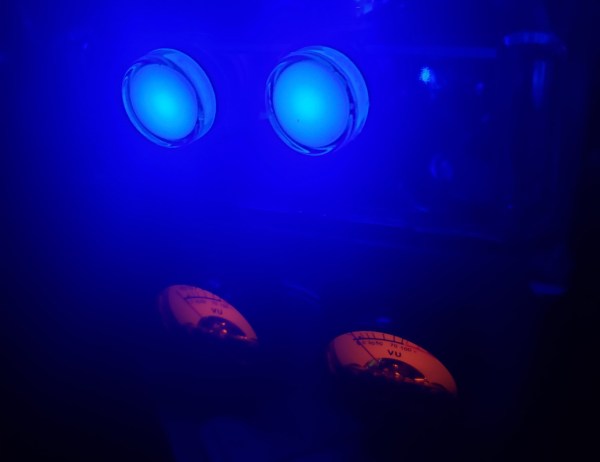
Much like vinyl records, tube amplifiers are still prized for their perceived sound qualities, even though both technologies have been largely replaced otherwise. The major drawback to designing around vacuum tubes, if you can find them at all, is often driving them with the large voltages they often require to heat them to the proper temperatures. There are a small handful of old tubes that need an impressively low voltage to work, though, and [J.G.] has put a few of them to work in this battery-powered audio tube amplifier.

The key to the build is the Russian-made 2SH27L battery tubes which are originally designed in Germany for high-frequency applications but can be made to work for audio amplification in a pinch. The power amplifier section also makes use of 2P29L tubes, which have similar characteristics as far as power draw is concerned. Normally, vacuum tubes rely on a resistive heater to eject electrons from a conductive surface, which can involve large amounts of power, but both of these types of tubes are designed to achieve this effect with only 2.2 volts provided to the heaters.

[J.G.] is powering this amplifier with a battery outputting 5V via a USB connection, and driving a fairly standard set of speakers borrowed from a computer. While there aren’t any audio files for us to hear, it certainly looks impressive. And, as it is getting harder and harder to find vacuum tubes nowadays, if you’re determined to build your own amplifier anyway take a look at this one which uses vacuum tubes built from scratch.
An Ultra Low Power Dash Cam

Dash cameras are handy as they provide a video recording of interactions on the road. However, their utility comes from the fact that they are always recording while driving. This always-on means power draw. [Kuzysk] took it upon himself to cut that power draw by a factor of almost 70x.

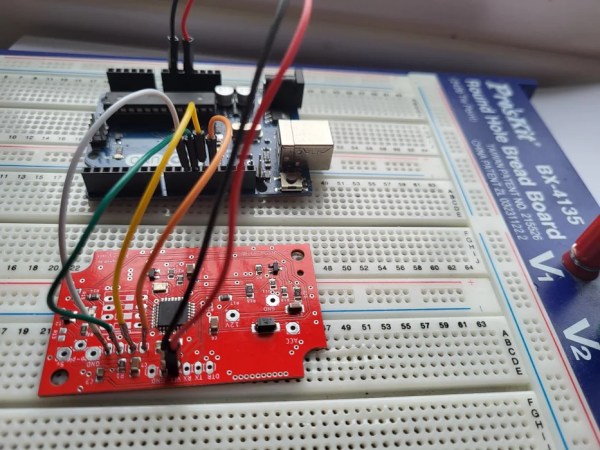
He found his existing dash cam from MiVue consumed 3.5mA in idle which works out to be a whole amp-hour every 12 days. The custom version takes just 50uA which means it will draw an amp-hour in two years. The brains of the chip are formed by an ATmega328 and an LM2596M, which is a simple step-down regulator. Interestingly, [Kuzysk] purchased clones and original chips and found that the cheaper clones had a lower switching frequency but a much lower power draw. Programming an Arduino bootloader onto the board is fairly straightforward and [Kuzysk] kindly provides his code. It can detect the ACC voltage that’s on when the engine is on and is powered by a permanent 12v connection to the battery.

Overall it’s a straightforward hack that goes through rolling your own Arduino, optimizing for low power, and putting it all together into a polished project. Perhaps for the next version, he can use the ATmega to control a cheaper camera and make it smart.

Thanks to [Microchip makes] and [Abe] for the tip!

Low-Power Wi-Fi Includes E-Paper Display

Designing devices that can operate in remote environments on battery power is often challenging, especially if the devices need to last a long time between charges or battery swaps. Thankfully there are some things available that make these tasks a little easier, such as e-ink or e-paper displays which only use power when making changes to the display. That doesn’t solve all of the challenges of low-power devices, but [Albertas] shows us a few other tricks with this development board.

The platform is designed around an e-paper display and is meant to be used in places where something like sensor data needs to not only be collected, but also displayed. It also uses the ESP32C3 microcontroller as a platform which is well-known for its low power capabilities, and additionally has an on-board temperature and humidity sensor. With Bluetooth included as well, the tiny device can connect to plenty of wireless networks while consuming a remarkably low 34 µA in standby.

With a platform like this that can use extremely low power when not taking measurements, a battery charge can last a surprisingly long time. And, since it is based on common components, adding even a slightly larger battery would not be too difficult and could greatly extend this capability as well. But, we have seen similar builds running on nothing more than a coin cell, so doing so might only be necessary in the most extreme of situations.

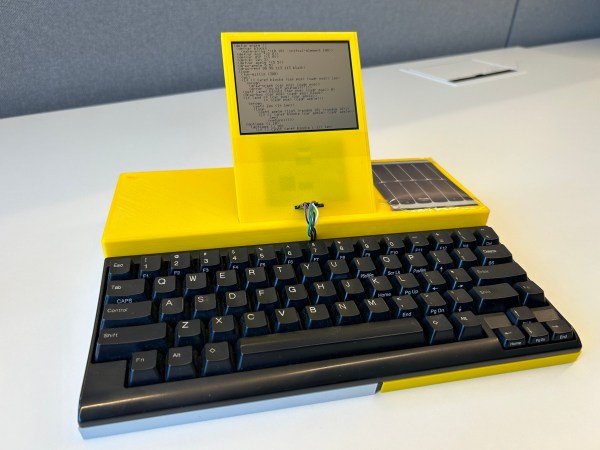
A yellow computer with a black keyboard and a small monochrome LCD screen

Low Power Challenge: The PotatoP Runs Lisp For Months Without Recharging

A common complaint among laptop users is that while battery technology has vastly improved over the past decades, a simulltaneous shrink in form factors has meant that a typical laptop today doesn’t last much longer on a battery charge than one from the early 2000s. But it doesn’t have to be that way, as [Andreas Eriksen] demonstrates with his entry for the Low Power Challenge. The PotatoP is a portable computer that should be able to run for about two years on a single battery charge, and can be topped up through an integrated solar panel.

Granted, it doesn’t have the processing power of even the cheapest laptop you can buy today, but it’s perfectly fine for [Andreas]’s use case. He’s a Lisp hacker, and a Sparkfun RedBoard Artemis can run uLisp just fine on its 48 MHz Cortex-M4F processor. The operating environment is very basic though, even requiring [Andreas] to write his own text editor, called Typo, to give him editing luxuries like backspace functionality and a movable cursor.

The Artemis board is very power-efficient by itself – typical power consumption is less than 1 mA. [Andreas] added a simple monochrome black-and-white LCD screen capable of displaying 53 columns of text, plus an SD card reader for data storage, and designed a sleek 3D-printed case to hold everything together. When running a typical piece of code, the entire system uses around 2.5 mA, which translates to about 125 days of continuous run-time on the beefy 12000 mAh lithium battery. Add a bit of solar power, plus a more realistic eight-hour working day, and the two year runtime estimated by [Andreas] appears entirely reasonable.

This has to be one of the most power-efficient portables we’ve ever seen, and one running Lisp at that. Despite its age, Lisp keeps popping up in interesting custom computers like the Lisperati1000 cyberdeck and The Lisp Badge.

Continue reading “Low Power Challenge: The PotatoP Runs Lisp For Months Without Recharging”

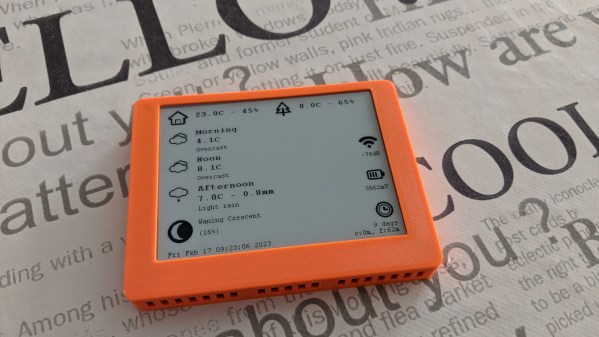
A weather station with an E-ink display

Low Power Challenge: Weather Station Runs For Months Thanks To E-Ink Display

Having a device in your living room that shows weather information is convenient, and building one of those is a great project if you enjoy tinkering with microcontrollers and environmental sensors. It’s also a great way to learn about low-power design, as [x-labz] demonstrated with their e-ink weather station which works for no less than 60 days on a single battery charge. It has a clear display that shows the local temperature and humidity, as well as the weather forecast for the day.

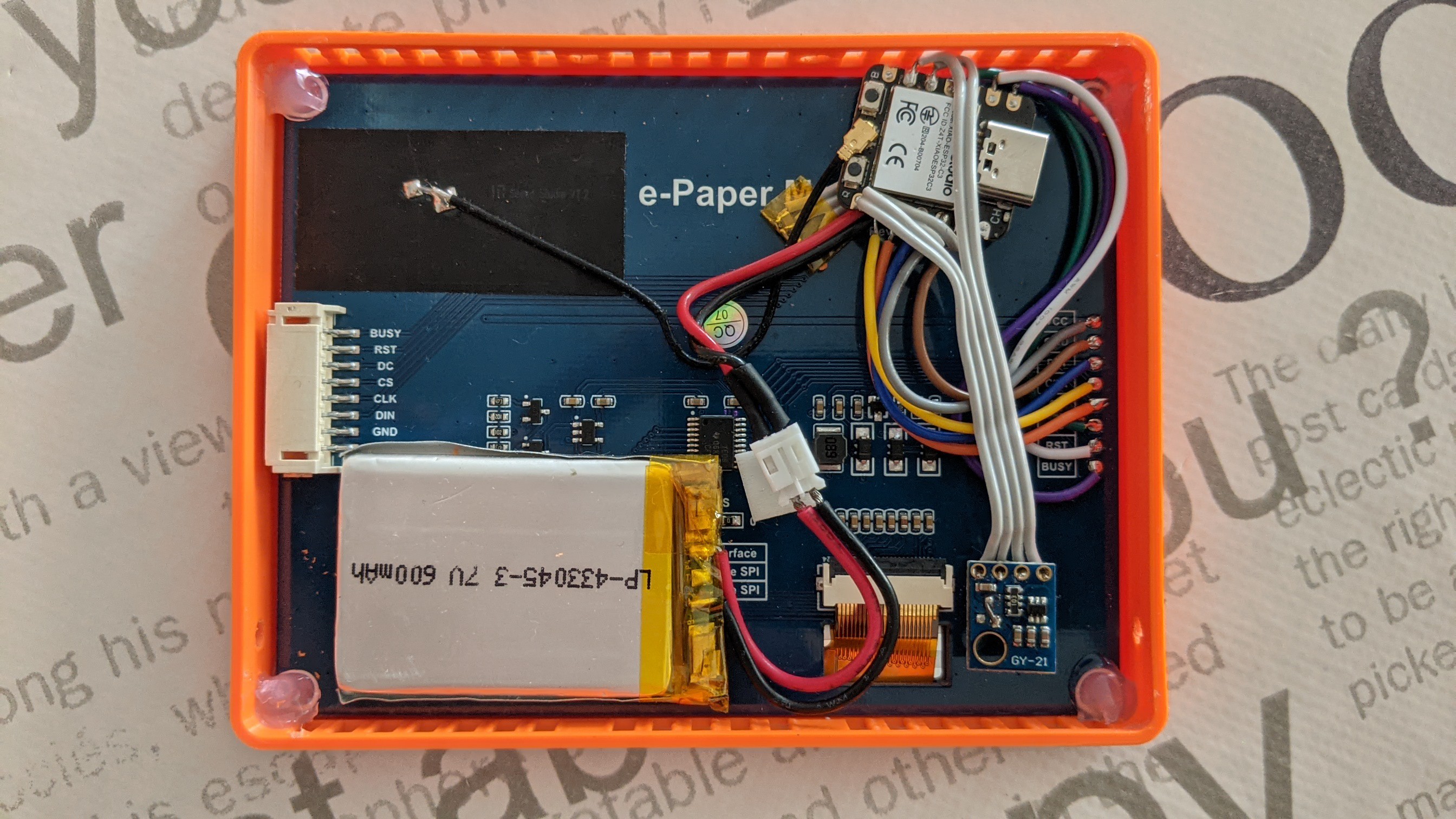
The display is a 4.2″ e-paper module with a resolution of 400 x 300 pixels. It uses just 26 mW of power for a few seconds while it updates its image, and basically zero watts when showing a static picture. It’s driven by a tiny ESP32C3 processor board, which downloads the weather forecast from weatherapi.com every two hours. The indoor climate is measured by an SHT-21 temperature and humidity sensor mounted behind the display, while the outdoor data is gathered by a WiFi-connected sensor installed on [x-labz]’s balcony.

The inside of an e-ink powered weather stationThe key to achieving low power usage here is to keep the ESP32 in sleep mode as much as possible. The CPU briefly wakes up once every five minutes to read out the indoor sensor and once every fifteen minutes to gather data from outside, using the relatively power-hungry WiFi module.

To further reduce power consumption, the CPU core is driven at the lowest possible clock speed at all times: 10 MHz when reading the indoor sensor, and 80 MHz when using the WiFi connection. All of this helps ensure that just one 600 mAh lithium battery can keep everything running for those 60 days.

E-ink displays are perfect for text and simple graphics that don’t change too often, which is why they’re very popular in weather stations. With a bit of tweaking though, LCDs can also be optimized for low power.

Hackaday.io Low-Power Challenge Begins Today

How low can you go? The 2023 Hackaday.io Low-Power Challenge is about doing the most with the least juice – bang for the power-budget buck, if you get our drift. And with three $150 gift certificates from Digi-Key on the line, you’ll be able to keep your projects going forever. The Challenge runs until March 21st, but with low-power, the devil is often in the details, so get started today!

More and more projects need to run on their own power, and more often than not, that means getting by without access to a wall plug. This contest is to encourage your designs that run on solar, small batteries, and generally energy harvested from wherever you can get it. But the power generation mechanism is taking the back seat here – we want to see what you can do with a few good electrons. Surprise us with your maximum minimalism!

Continue reading “Hackaday.io Low-Power Challenge Begins Today”

LED Driver Circuit For Safety Hat Sucks Single AAA Cell Dry

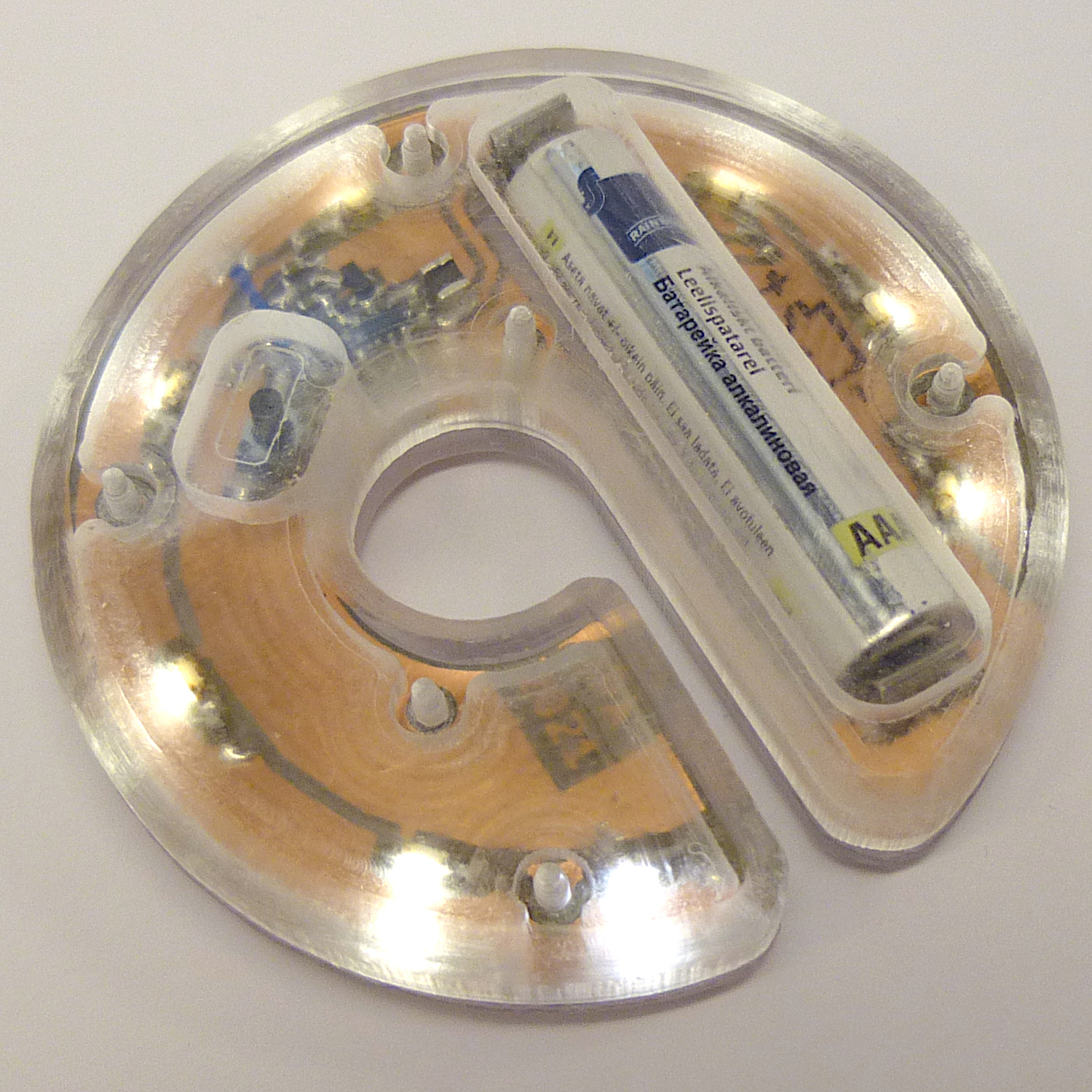
[Petteri Aimonen] created an omnidirectional LED safety light to cling to his child’s winter hat in an effort to increase visibility during the dark winter months, but the design is also great example of how to use the Microchip MCP1640 — a regulated DC-DC step-up power supply that can run the LEDs off a single AAA cell. The chip also provides a few neat tricks, like single-button on/off functionality that fully disconnects the load, consuming only 1 µA in standby.

[Petteri]’s design delivers 3 mA to each of eight surface-mount LEDs (which he says is actually a bit too bright) for a total of about 20 hours from one alkaline AAA cell. The single-layer PCB is encased in a clear acrylic and polycarbonate enclosure to resist moisture. A transistor and a few passives allow a SPST switch to act as an on/off switch: a short press turns the unit on, and a long press of about a second turns it back off.

One side effect is that the “off” functionality will no longer work once the AAA cell drained too badly, but [Petteri] optimistically points out that this could be considered a feature: when the unit can no longer be turned off, it’s time to replace the battery!

The usual way to suck a battery dry is to use a Joule Thief, and while this design also lights LEDs, it offers more features and could be adapted for other uses easily. Interested? [Petteri] offers the schematic, KiCAD file for the PCB, and SVG drawing of the enclosure for download near the bottom of the project page.