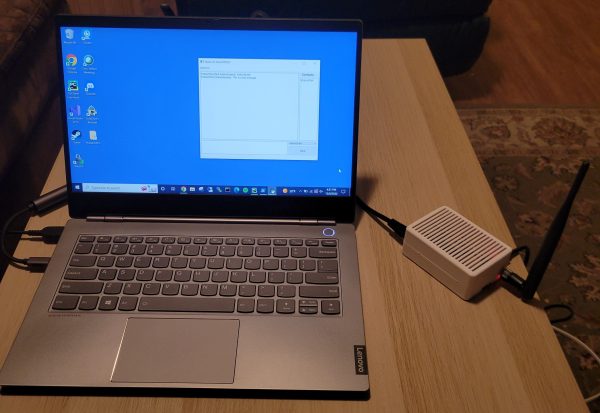
Laptop connected via Ethernet to Raspberry Pi-based secure radio device with antenna

Secure LoRa Mesh Communication Network

The Internet has allowed us to communicate more easily than ever before, and thanks to modern cell-phone networks, we don’t even have to be tied down to a hard line anymore. But what if you want something a little more direct? Maybe you’re in an area with no cell-phone coverage, or you don’t want to use public networks for whatever reason. For those cases, you might be interested in this Secure Communication Network project by [Thomas].

By leveraging the plug-and-play qualities of the Raspberry Pi 4 and the Adafruit LoRa Radio Bonnet, [Thomas] has been able to focus on the software side of this system that really turns these parts into something useful.
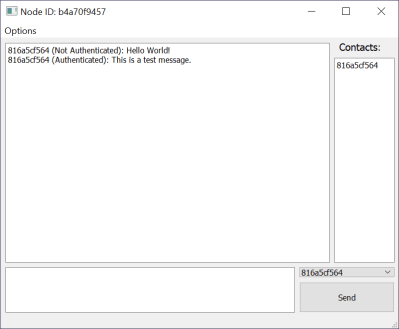
Window showing secure text communications
Messages are tagged as “authenticated” when a shared hashing code is included in the message

Rather than a simple point-to-point radio link, a mesh network is built up of any transceivers in range, extending the maximum distance a message can be sent, and building in resilience in case a node goes down. Each node is connected to a PC via Ethernet, and messages are distributed via a “controlled flooding” algorithm that aims to reduce unnecessary network congestion from the blind re-transmission of messages that have already been received.

Security is handled via RSA encryption with 256-byte public/private keys and additional SHA256 hashes for authentication.

The packet-size available through the LoRa device is limited to 256 bytes, of which 80 bytes are reserved for headers. To make matters worse, the remaining 176 bytes must contain encrypted data, which is almost always more lengthy than the raw message it represents. Because of this, longer messages are fragmented by the software, with the fragments sent out individually and re-assembled at the receiving end.

If you’re in need of a decentralized secure radio communications system, then there’s a lot to like about the project that [Thomas] has documented on his Hackaday.io page. He even includes an STL file for a 3D printed case. If you need to send more than text, then this Voice-over-LoRa Mesh Network project may be more your style.
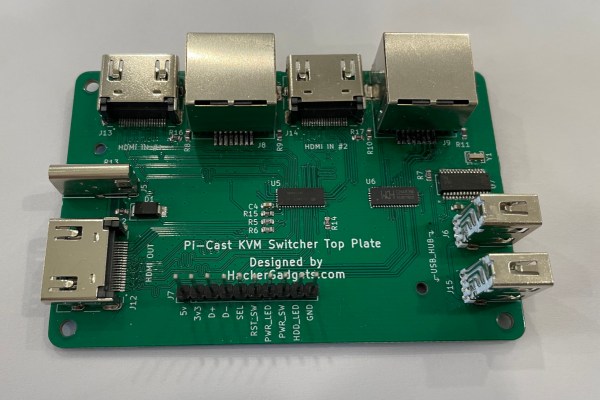
Pi-Cast Adds ATX Signalling To KVM

A KVM is a great tool for administering a number of different computers without cluttering one’s desk with extra peripherals, or for having to re-connect the keyboard, video, and mouse to each new machine as needed. For local administration this can save a ton of time and headache. For remote administration, though, a virtual KVM is needed, and although these solutions are pricey it’s possible to build one around a Raspberry Pi for a fraction of the cost. This one adds even more functionality by also switching the ATX signals from the motherboard and simplifying cable management to boot. Continue reading “Pi-Cast Adds ATX Signalling To KVM”

Pie Stop For Emergency DNS Needs

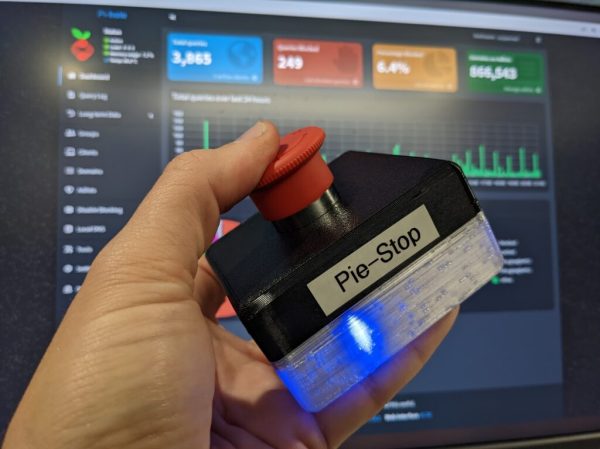
The war on Internet ads rages on, as the arms race between ad blockers and ad creators continues to escalate. To make a modern Internet experience even remotely palatable, plenty of people are turning to DNS-level filters to stop the ads from coming into the network at all. This solution isn’t without its collateral damage though, as the black lists available sometimes filter out something that should have made it to the user. For those emergencies, [Kristopher] created the Pie Stop, a physical button to enact a temporary passthrough on his Pi-Hole.

While [Kristopher] is capable of recognizing a problem and creating the appropriate white list for any of these incidents, others in his household do not find this task as straighforward. When he isn’t around to fix the problems, this emergency stop can be pressed by anyone to temporarily halt the DNS filtering and allow all traffic to pass through the network. It’s based on the ESP-01S, a smaller ESP8266 board with only two GPIO pins. When pressed, it sends a custom command to the Pi-Hole to disable the ad blocking. A battery inside the case allows it to be placed conveniently anywhere near anyone who might need it.

With this button deployed, network snafus can be effectively prevented even with the most aggressive of DNS-level ad blocking. If you haven’t thought about deploying one of these on your own network, they’re hard to live without once you see how powerful they are. Take a look at this one which also catches spam.

Ethersweep: An Easy-To-Deploy Ethernet Connected Stepper Controller

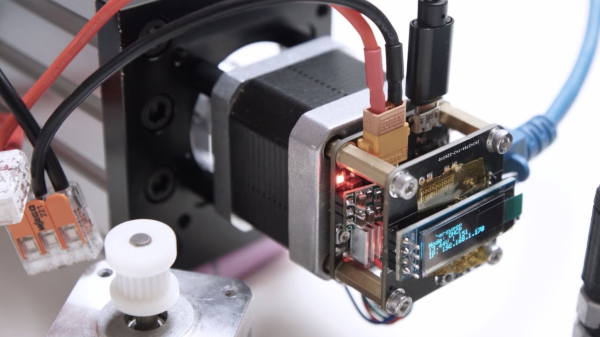
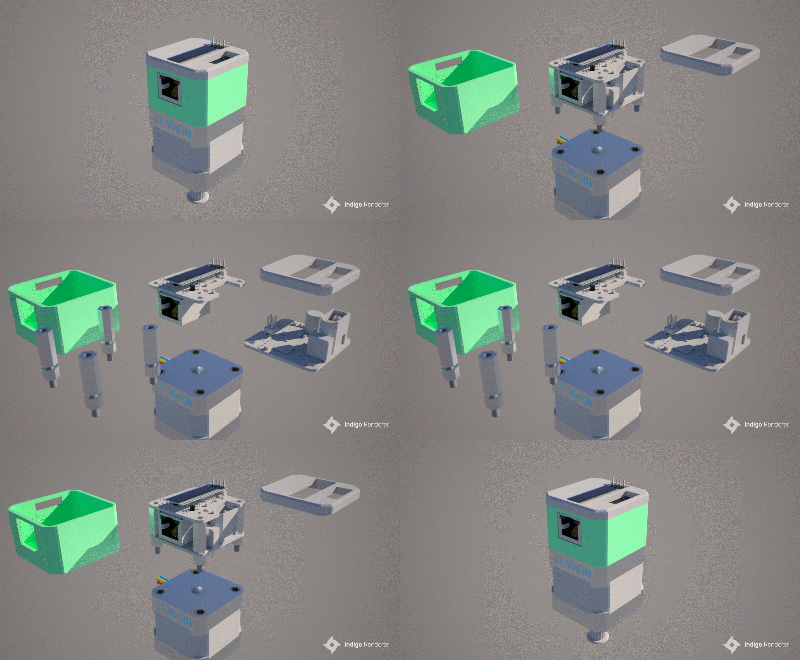
[Neumi] over on Hackaday.IO wanted a simple-to-use way to drive stepper motors, which could be quickly deployed in a wide variety of applications yet to be determined. The solution is named Ethersweep, and is a small PCB stack that sits on the rear of the common NEMA17-format stepper motor. The only physical connectivity, beside the motor, are ethernet and a power supply via the user friendly XT30 connector. The system can be closed loop, with both an end-stop input as well as an on-board AMS AS5600 magnetic rotary encoder (which senses the rotating magnetic field on the rear side of the motor assembly – clever!) giving the necessary feedback. Leveraging the Trinamic TMC2208 stepper motor driver gives Ethersweep silky smooth and quiet motor control, which could be very important for some applications. A rear-facing OLED display shows some useful debug information as well as the all important IP address that was assigned to the unit.

Control is performed with the ubiquitous ATMega328 microcontroller, with the Arduino software stack deployed, making uploading firmware a breeze. To that end, a USB port is also provided, hooked up to the uC with the cheap CP2102 USB bridge chip as per most Arduino-like designs. The thing that makes this build a little unusual is the ethernet port. The hardware side of things is taken care of with the Wiznet W5500 ethernet chip, which implements the MAC and PHY in a single device, needing only a few passives and a magjack to operate. The chip also handles the whole TCP/IP stack internally, so only needs an external SPI interface to talk to the host device.

Continue reading “Ethersweep: An Easy-To-Deploy Ethernet Connected Stepper Controller”

What’s That Scope Trace Saying? UPD And Wireshark

[Matt Keeter], like many of us, has a lot of network-connected devices and an oscilloscope. He decided he wanted to look into what was on the network. While most of us might reach for Wireshark, he started at the PCB level. In particular, he had — or, rather, had someone — solder an active differential probe soldered into an Ethernet switch. The scope attached is a Textronix, but it didn’t have the analyzer to read network data. However, he was able to capture 190+ MB of data and wrote a simple parser to analyze the network data pulled from the switch.

The point of probing is between a network switch and the PHY that expands one encoded channel into four physical connections using QSGMII (quad serial gigabit media-independent interface). As the name implies, this jams four SGMII channels onto one pair.

As is common in networking schemes, the 8-bit byte is encoded into a 10-bit code group to ensure enough bit transitions to recover the synchronous clock. The decoding software has to examine the stream to find framing characters and then synchronize to the transmitted clock.

What follows is a nice tour of the protocol and the Python code to decode it. It seems complex, but the code is fairly short and also executes quickly. The output? Pcap files that you can process with Wireshark. Overall, a great piece of analysis. He also points out there are other tools already available to do this kind of decoding, but what fun is that?

Wireshark can do a lot of different kinds of analysis, even if you aren’t usually capturing from a scope. You can even decrypt SSL if you know the right keys.

Sorry, Your Internet Connection Is Slow

How fast is your Internet connection? The days of 56K modems are — thankfully — long gone for most of us. But before you get too smug with your gigabit fiber connection, have a look at what researchers from the Network Research Institute in Japan have accomplished. Using a standard diameter fiber, they’ve moved data at a rate of 1 petabit per second.

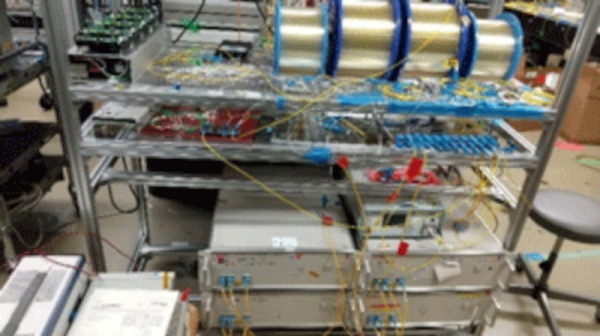
The standard fiber has four spatial channels in one cladding. Using wavelength division multiplexing, the researchers deployed a total of 801 channels with a bandwidth over 20 THz. The fiber distance was over 50 km, so this wasn’t just from one side of a lab to another. Well if you look at the pictures perhaps it was, but with big spools of fiber between the two lab benches. The project uses three distinct bands for data transmission with 335 channels in the S-band, 200 channels in the C-band, and 266 channels in the L-band.

To put this into perspective, a petabit — in theory — could carry a million gigabit Ethernet connections if you ignore overhead and other losses. But even if that’s off by a factor of 10 it is still impressive. We can’t imagine this will be in people’s homes anytime soon but it is easy to see the use for major backhaul networks that carry lots of traffic.

We are still amazed that we’ve gone from ALOHA to 2.5-gigabit connections. Although the Raspberry Pi can’t handle even a fraction of the bandwidth, you can fit it with a 10-gigabit network card.

Hacking An Extra SATA Port Into A Thin Client

Thin clients were once thought by some to be the future of computing. These relatively low-power machines would rely on large server farms to handle the bulk of their processing and storage, serving only as a convenient local way for users to get access to the network. They never quite caught on, but [Jan Weber] found an old example and set about repurposing it as a NAS.

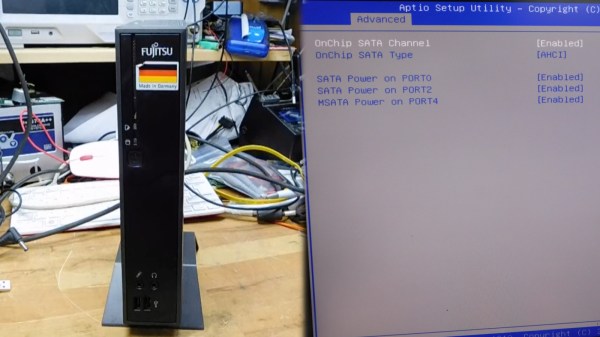
The Fujitsu Futro S900 was built up to 2013, and only had one SATA port from the factory. [Jan] wanted to add another as this would make the device more useful as a network attached storage server.

The motherboard design was intended primarily for industrial control or digital signage applications, and thus has plenty of interfaces onboard. [Jan]’s first target was some unpopulated footprints for SATA ports onboard, but after soldering on a connector, it was found that the BIOS wouldn’t recognise the extra ports anyway.

However, after reflashing the BIOS with one from an alternate model, the port worked! The system also seemed to then imagine it was connected to many additional LAN interfaces, but other than that glitch, the hack is functional. Now, with a pair of 2 TB SSDs inside, the S900 is a great low-power NAS device that can store [Jan]’s files.

It’s a tidy hack, and one that will likely appeal to those who prefer to run their own hardware rather than relying on the cloud. If you’re working on your own innovative NAS project, be sure to let us know!