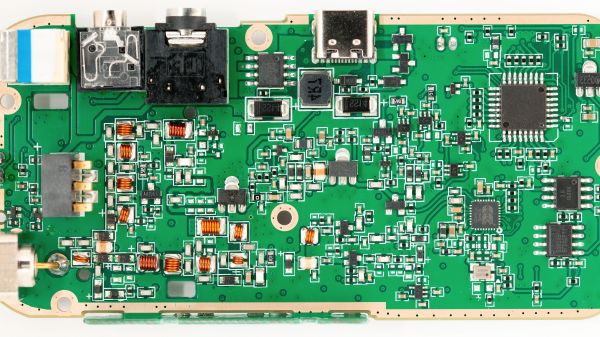
PCB Design Review: Tinysparrow, A Module For CAN Hacking Needs

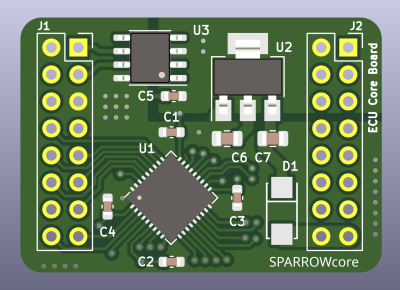
I enjoy seeing modules that can make designing other devices easier, and when I did a call for design reviews, [enp6s0] has submitted one such board to us. It’s a module called TinySparrow (GitHub), that helps you build your own vehicle ECUs and any other CAN-enabled things. With a microcontroller, plenty of GPIOs, a linear regulator and a CAN transceiver already onboard, this board has more than enough kick for anyone in hobbyist-range automotive space – and it’s surprisingly tiny!

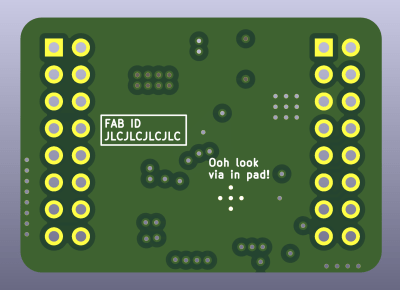
You could build a lot of things around this module – a CAN bus analyzer or sniffer, a custom peripheral for car dashes, or even a full-blown ECU. You can even design any hardware for a robot or a piece of industrial technology that uses CAN for its backbone – we’ve all seen a few of those! It’s a great board, but it uses six layers. We’ll see if we can do something about that here.

Modules like TinySparrow will make your PCBs cheaper while ordering, too! Thanks to the carefully routed microcontroller and the CAN transmitter, whatever board you design around this chip definitely wouldn’t need six layers like this one does – and, unlike designing your own board, you can use someone’s well-tested and tailored libraries and reference circuits!

With TinySparrow, you save a lot of time, effort and money whenever you want to design a car or industrial accessory. After looking at the board files, my proposal for helping today’s board is – like last time – to make its production cheaper, so that more people can get this board into their hands if the creator ever does try and manufacture it. I also have some tips to make future improvements on this design easier, and make it more friendly for its userbase.

Continue reading “PCB Design Review: Tinysparrow, A Module For CAN Hacking Needs”

Faux Silkscreen On A PCB Made With A Laser Cutter

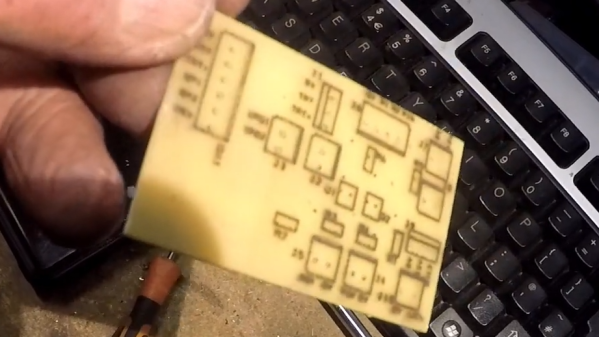
If you’re getting PCBs professionally made, silkscreen usually comes free as part of the package. However, if you’re making your own, the job is on you. [Tony Goacher] makes his own PCBs on a CNC router, so he’s not getting any silkscreening as part of that bargain. But he wondered—could he do something analogous with a laser cutter?

The answer is yes. The silkscreen layer was first exported from DesignSpark, with the file then sent to LightBurn to prep it for laser cutting. The board outline layer was first engraved on to a piece of scrap as an alignment aid. Then, the board was placed in the laser cutter, with the silkscreen scorched directly on to the fiberglass.

The results are encouraging, if imperfect. [Tony] says he ran at “quite fast speed at quite high power.” The markings are all there, but they’re a little melty and difficult to read. He noted at lower speeds and lower power, the results were a bit more readable.

PCBs aren’t really an ideal engraving or laser marking material, but this technique could be servicable for some basic markings on DIY PCBs. We look forward to seeing how [Tony] improves the process in future. Video after the break.
Continue reading “Faux Silkscreen On A PCB Made With A Laser Cutter”

Proper Routing Makes For Many Happy Return Paths

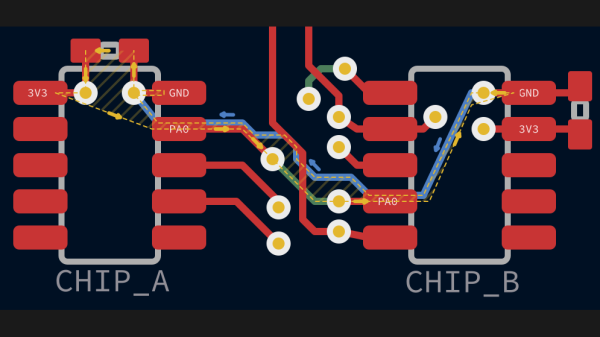
Here’s a question for you: when your PCB has a ground plane layer, where do return signals flow? It seems like a trick question, but as [Kristof Mulier] explains, there’s more to return path routing (alternate link in case you run into a paywall) than just doing a copper pour and calling it a day.

Like so many other things in life, the answer to the above question is “it depends,” and as [Kristof] ably demonstrates in this concise article, the return path for a signal largely depends on its frequency. He begins by explaining current loop areas and how they factor into the tendency for a circuit to both emit and be susceptible to electromagnetic noise. The bigger the loop area, the worse things can get from a noise perspective. At low frequencies, return signals will tend to take the shortest possible path, which can result in large current loop areas if you’re not careful. At higher frequencies, though, signals will tend to follow the path of minimal energy instead, which generally ends up being similar to the signal trace, even if it has a huge ground plane to flow through.

Since high-frequency signals naturally follow a path through the ground plane that minimizes the current loop, that means the problem takes care of itself, right? It would, except that we have a habit of putting all kinds of gaps in the way, from ground plane vias to isolation slots. [Kristof] argues that this can result in return paths that wiggle around these features, increasing the current loop area to the point where problems creep in. His solution? Route all your signal return paths. Even if you know that the return traces are going to get incorporated into a pour, the act of intentionally routing them will help minimize the current loop area. It’s brilliantly counterintuitive.

This is the first time we’ve seen the topic of high-frequency return paths tackled. This succinct demonstration shows exactly how return path obstructions can cause unexpected results.

Thanks to [Marius Heier] for the tip.

Fabbing A Fab New Watch Face

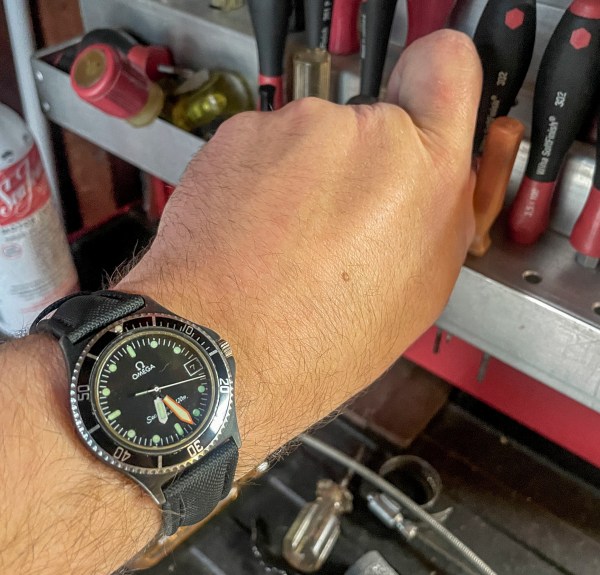
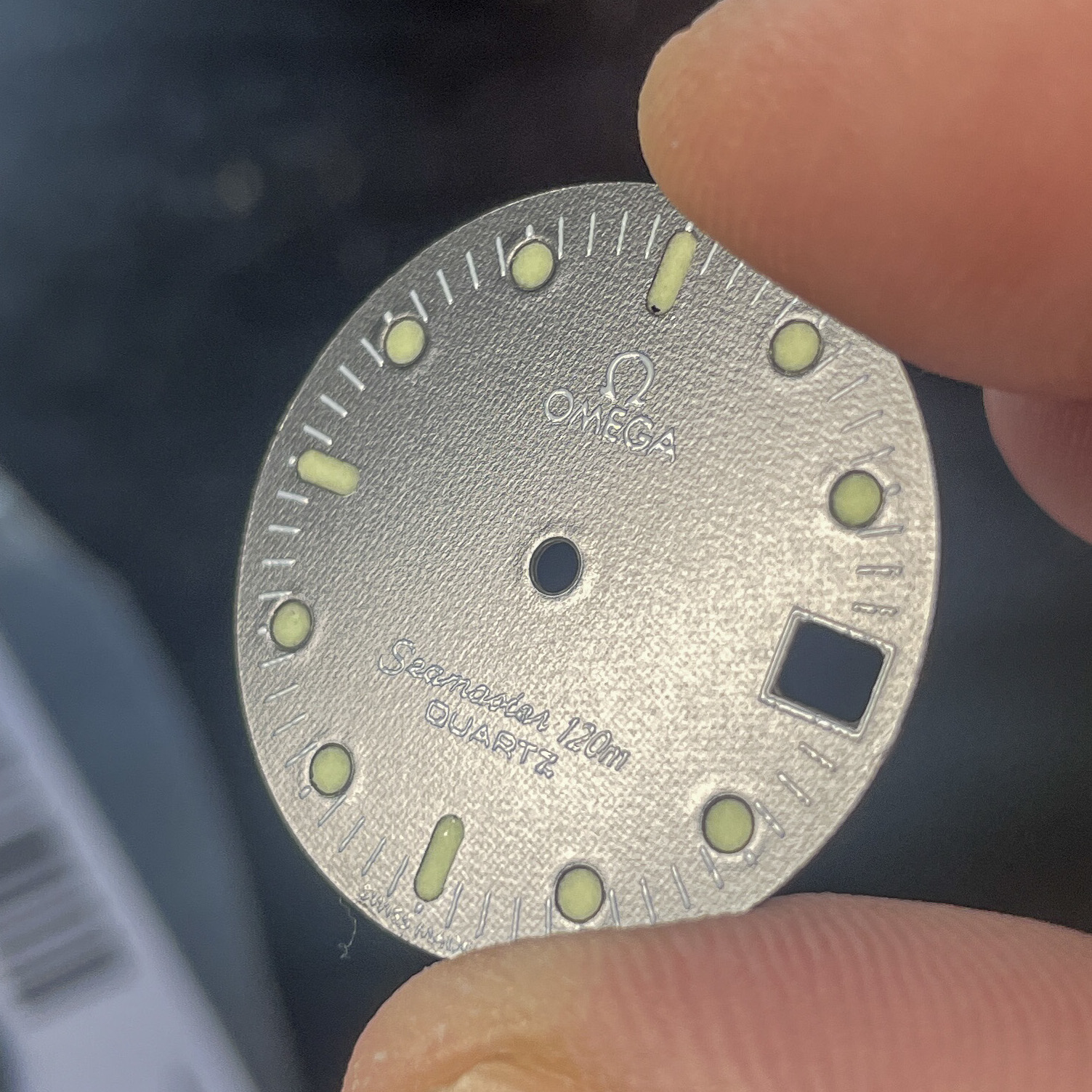
[STR-Alorman] is into vintage watches, particularly Omega Seamaster quartz numbers from the 1980s. Among his favorites is the Seamaster Calypso III, a precious few of which were created in a lovely and rare black-on-black colorway. [STR-Alorman] found one on online, but it had a number of problems including a scratched-up face. Having done a respectable amount of PCB design and assembly, he decided to make a new face and have it fabbed.

The one angle where you can even tell this is a PCB.

After taking scale-referenced photos with a DSLR, [STR-Alorman] created vectors in Illustrator and then ported those to KiCad. He sent two versions to the board house — one with holes at index points, and one without — because he wasn’t sure which would be better for applying the luminization compound that makes them glow. Spoiler alert: it was the one with the cutouts.

Once this was done, [STR-Alorman] reassembled the movement, which doesn’t look easy at all, and involved getting the height of a bit of CA glue just right so as not to interfere with the movement of the date wheel. He replaced the bezel insert, re-luminized the hands, and now has a beautiful timepiece.

We believe only the nerdiest of nerds could tell this is a PCB, and they would need exactly the right light to make that determination. Here’s a watch that leaves no doubt about it.

Replacement PCB Replicates Early 80s Modem

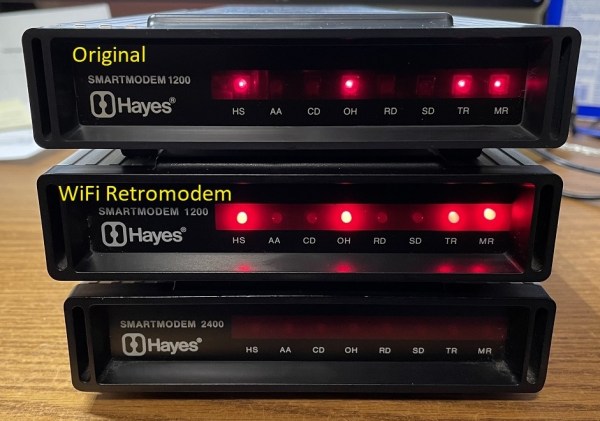
It’s certainly been a few decades, but plenty of us remember a time before widespread access to broadband internet, when connections were generally made over phone lines using acoustic modems. In the 90s these could connect you to AOL and Napster well enough, but in the early 80s the speeds were barely enough to read text as it loaded. A company called Hayes set out to change this with some of the first useful, widely-available modems for the PCs at the time. While they couldn’t keep up with the changing times there’s still a retro community that has these antiques, and to modernize it a bit this drop-in replacement for the PCBs replicates these old modems almost exactly.

The new PCB is equipped with everything needed to get a retro computer online again, including all the ports to connect a computer without any further modifications. It houses a few modern upgrades beyond its on-board processors, though. Rather than needing an actual acoustic coupled phone, this one has an ESP32 which gives it wireless capability. But the replacement PCB maintains the look and feel of the original hardware by replicating the red status LEDs at the front, fitting into the original Hayes cases with no modifications needed at all, and even includes a small speaker through which it can replicate the various tones, handshakes, and other audio cues that those of us nostalgic for this new online era remember quite well.

For those looking for a retro feel without the hassle of getting antique networking equipment functional again, this type of upgrade that preserves the essence of the original hardware is an excellent way of keeping retro computers functional on modern networking equipment. But if you absolutely must get the networking equipment exactly right down to the last patch cable, you might end up having to build your own ISP from scratch.

Continue reading “Replacement PCB Replicates Early 80s Modem”

Harbor Freight And LEGO PCB Vise Is Cheap And Effective

It doesn’t take much chasing things around the bench with a soldering iron to appreciate the value of good work holding. And don’t get us started on those cheap “helping hands” alligator clip thingies; they’re somehow worse than no work holding. Isn’t there a better way?

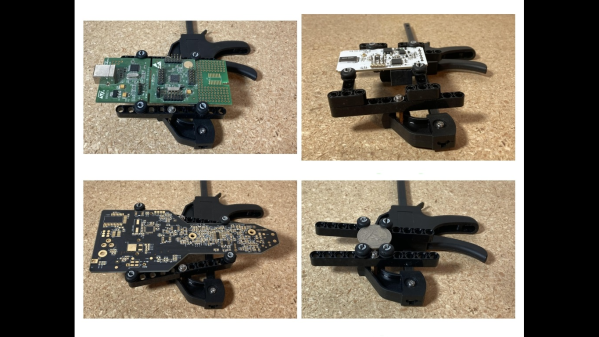
Maybe, judging by [Paul Bryson]’s idea for a dirt cheap PCB vise. It’s a pretty clever design that’ll have you heading to Harbor Freight, or whatever the moral equivalent is in your location, where you’ll pick up a small ratcheting bar clamp. [Paul] used a 4″ (10 cm) clamp; that which looks fine for a wide range of boards, but we suppose you could go bigger if you like. You could also stop there and just clamp your PCBs in the plastic jaws, but [Paul] adorned the jaws with swiveling arms made from LEGO Technic pieces, of all things. Rubber grommets slipped onto Technic pegs go into the holes on the beam to hold the PCB edges firmly, while the swiveling action adapts to odd-shaped boards.

To our mind, the biggest advantage to this design other than cost is how low it holds the PCB — a decided advantage while working under the microscope. Don’t have any Technics parts close to hand? No worries, 3D printed parts could easily stand in, and maybe even improve the design. [Paul] also shows off a substitute for the Technics beam rendered in PCB material, which would reduce the height of the workpiece over the bench even more.

We’ve seen a lot of PCB vises come and go, using everything from scrap wood to 3D printed compliant mechanisms. But we doubt you’ll find anything more cost-effective than [Paul]’s design.

Atopile Wants You To Code Schematics

We’d wager that, if you’re reading Hackaday, you’ve looked at more than a few circuit diagrams in your day. Maybe you’ve even converted a few of them over to a PCB. It’s a workflow that, at this point, is well-understood. But as designs become more complex, the schematics are harder to create and maintain. That’s why Atopile wants to treat hardware design more like writing code.

We can see some real benefits to this but also some possible drawbacks. On the plus side, reusing chunks of PCB description should be easy. On the other hand, detecting certain errors on a schematic or PCB layout is easier than spotting them in code. Of course, there are probably types of errors that are easier to catch in code, too, so maybe that’s not a problem. Certainly, if you can spit out a schematic from your code, you could — potentially — have the best of both worlds.

Continue reading “Atopile Wants You To Code Schematics”