Art Piece Builds Up Images With Dots On Thread

Hackers being as a rule practical people, we sometimes get a little guff when we run a story on an art installation, on the grounds of not being sufficiently hacky. We understand that, but sometimes the way an artist weaves technology into their pieces is just too cool to pass us, as with this thread-printing art piece entitled On Framing Textile Ambiguities.

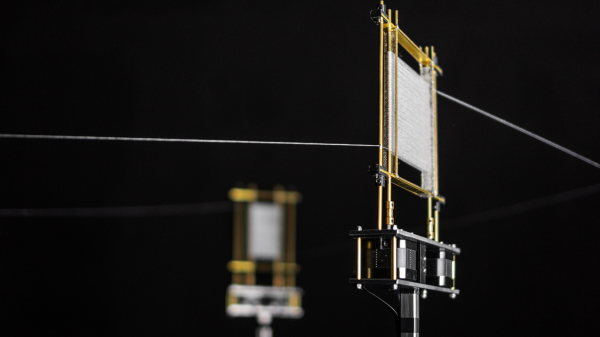
We’ll leave criticism of the artistic statement that [Nathalie Gebert]’s installation makes to others more qualified, and instead concentrate on its technical aspects. The piece has four frames made mainly from brass rods. Three of the frames have vertical rods that are connected to stepper motors and around which is wrapped a single thread. The thread weaves back and forth over the rods on one frame, forming a flat surface that constantly changes as the rods rotate, before heading off to do the same on the others. The fourth frame has a platen that the thread passes over with a pen positioned right above it. As the thread pauses in its endless loop, the pen clicks down onto it, making a dot of color. The dots then wend their way through the frame, occasionally making patterns that are just shy of recognizable before morphing into something new. The video below shows it better than it can be easily described.

Love it or hate it, you’ve got to admit that it has some interesting potential as a display. And it sort of reminds us of this thread-art polar robot, although this one has the advantage of being far simpler.

Continue reading “Art Piece Builds Up Images With Dots On Thread”

This Four-Axis Stencil Printer Is The Ultimate In SMD Alignment Tools

Here at Hackaday we love all kinds of builds, and we celebrate anytime anyone puts parts together into something else. And while we love the quick and dirty builds, there’s just something about the fit and finish of this four-axis SMD stencil printer that really pushes our buttons.

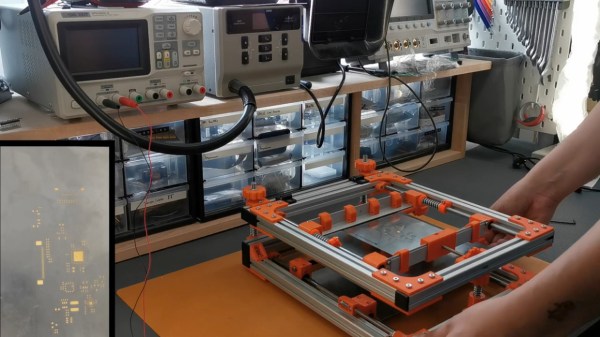
This build comes to us from [Phillip], who like many surface-mount users was sick of the various tape-and-PCB methods that are commonly used to align the solder stencil with the PCB traces. His solution is this fully adjustable stencil holder made from aluminum extrusions joined by 3D-printed parts. The flip-up frame of the device has a pair of clamps for securely holding the stainless steel stencil. Springs on the clamp guide rods provide some preload to keep the stencil taut as well as protection from overtensioning.

The stencil can move in the X-, Y-, and Z-axes to line up with a PCB held with 3D-printed standoffs on a bed below the top frame. The bed itself rotates slightly to overcome any skew in alignment of the PCB. [Phillip] was aghast at the price of an off-the-shelf slew-ring bearing for that axis, but luckily was able to print up some parts and just use simple roller bearing to do the same thing for a fraction of the cost. The frame is shown in use below; the moment when the pads line up perfectly through the stencil holds is oddly satisfying.

This puts us in mind of a recent, similar stencil printer we covered. That one was far simpler, but either one of these beats the expedient alignment methods hands down.

Continue reading “This Four-Axis Stencil Printer Is The Ultimate In SMD Alignment Tools”

Can You Print With Highlighter Ink?

With huge swathes of people either out of work or working from home, many are now attempting all manner of exciting or silly projects in their downtime. [Emily Velasco] is no exception. She decided to explore the feasability of printing with highlighter ink.

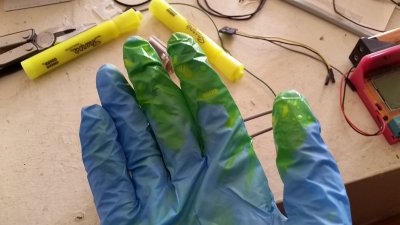
It’s a messy business. Wear gloves.

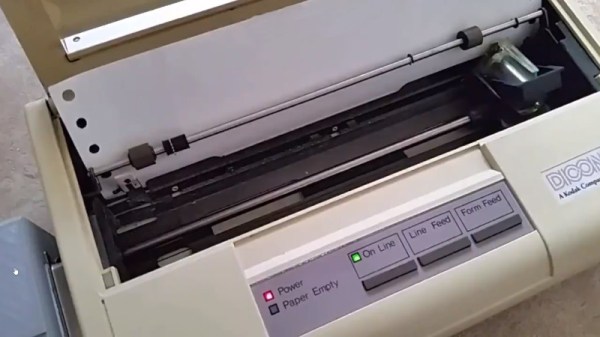
The hack starts with a rather ancient inkjet printer, so old that it works with tractor feed paper. [Emily] set about gutting several highlighter pens and squeezed out the ink reservoirs into a ladle. The printer’s ink cartridge was then filled with the fluid, and a test print was fired off. Upon initial extraction, it appears blank. However, with the aid of a UV light, the printed pattern is revealed. It appears that the inkjet is printing a very faint image, such that the system almost works as an “invisible ink”.

It’s a fun little hack with an old printer, made easier as it lacks the DRM of newer models. It’d probably be quite achievable with a dot-matrix, too. If you’re similarly tinkering in the innards of your peripherals, be sure to let us know. Video after the break.

Continue reading “Can You Print With Highlighter Ink?”

Inkjet Printing On The Cheap With A Continuous Ink System

Inkjet printers are cheap to buy, but expensive to run. Replacement cartridges can easily cost double the price of the hardware itself, leading many to decry the technology entirely. However, the hackers of the world have the problem licked – enter the continuous ink system.

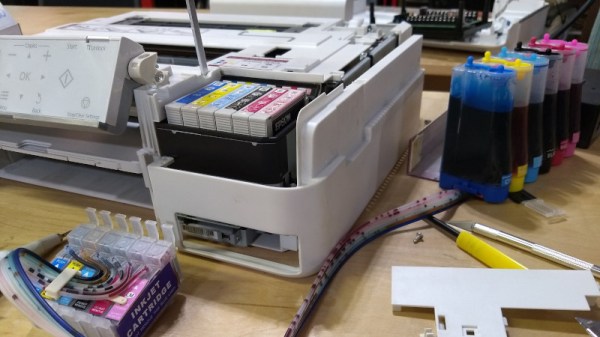
[cprossu] wanted an affordable color printing solution for the hackerspace. A cheap printer was sourced from a thrift store. The model chosen was selected for its lack of cartridge DRM and the availability of kits on eBay for conversion to a continuous ink system. This involves running large refillable tanks of ink instead of small individual cartridges which must be thrown away when empty.

[cprossu] discusses both the challenges you’ll likely face in a general build, as well as the specific work required to handle the conversion on an Epson Artisan 725. There’s also excessive label-maker abuse, which always brings a smile to our face. It’s a conversion well worth considering if you find yourself regularly purchasing expensive cartridges. We’ve even seen similar builds as far back as 2009, right from the ground up!

Print From The ESP8266, Courtesy Of Google

The ESP8266 has become the hacker’s microcontroller of choice because it’s exceptionally easy to get the chip connected to the network and talking to other devices. The fact that it’s also absurdly cheap is just a bonus. Since nearly every piece of electronics you buy today is “smart” enough to include some form of Internet control, that means there’s no shortage of gadgets these MCUs can potentially poke and prod.

In their latest tip, [TecnoProfesor] shows how you can interface the ESP8266 with Google’s Cloud Print, a service that enables simple remote printing over the web without having to worry about having the proper device drivers. Remote printing from the ESP8266 might seem like little more than a gag at first glance, but if you’re the kind of person who likes to have hard copies of data, adding the capability to generate a daily printed report to your weather station could be a nice weekend project.

[TecnoProfesor] provides explanations and source code for printing documents of various sizes from both the ESP8266’s internal flash storage and an SPI-attached SD card. Towards the end of the write-up, there’s even some explanation of how the setPrintDocument() function of the Cloud Print API can be used in more advanced scenarios, such as printing web pages or documents stored in Google Drive.

When we see microcontrollers connected to printers, they’re usually of the small thermal kind. Being able to access “real” printers with such a simple technique offers some interesting possibilities, though like most technology, there’s potential for it to be misused.

[Thanks to Andrew for the tip.]

Watch A 3D Printer Get Designed From The Ground Up

Too often when you see a build video, you only get to see the final product. Even if there’s footage of the build itself, it’s usually only the highlights as a major component is completed. But thankfully that’s not the case with the “V-Baby” CoreXY 3D printer that [Roy Berntsen] has been working on.

Watching through his playlist of videos, you’re able to see him tackle his various design goals. For example he’d like the final design to be both machinable and printable, which is possible, but it certainly adds complexity and time. He also transitions from a triangular base to a rectangular one at some point. These decisions, and the reasons behind them, are all documented and discussed.

Towards the end of the series we can see the final testing and torturing process as he ramps up to a final design release. This should definitely demystify the process for anyone attempting their first 3D printer design from scratch.

Another Way To Make PCBs At Home

One of the more popular ways of rolling out your own custom PCB is to simply create the model in your CAD program of choice and send it off to a board manufacturer who will take care of the dirty work for you. This way there is no need to deal with things like chemicals, copper dust, or maintaining expensive tools. A middle ground between the board manufacturer and a home etching system though might be what [igorfonseca83] has been doing: using an inexpensive laser engraver to make PCBs for him.

A laser engraver is basically a low-power laser CNC machine that’s just slightly too weak to cut most things that would typically go in a laser cutter. It turns out that the 10W system is the perfect amount of energy to remove a mask from a standard PCB blank, though. This in effect takes the place of the printer in the old toner transfer method, and the copper still has to be dissolved in a chemical solution, but the results are a lot more robust than trying to modify a printer for this task.

If you aren’t familiar with the days of yore when homebrew PCBs involved a standard desktop printer, many people still use this method, although the results can be mixed based on printer reliability. If you want to skip the middleman, and the need for a chemical bath, a more powerful laser actually can cut the traces for you, too.

Continue reading “Another Way To Make PCBs At Home”