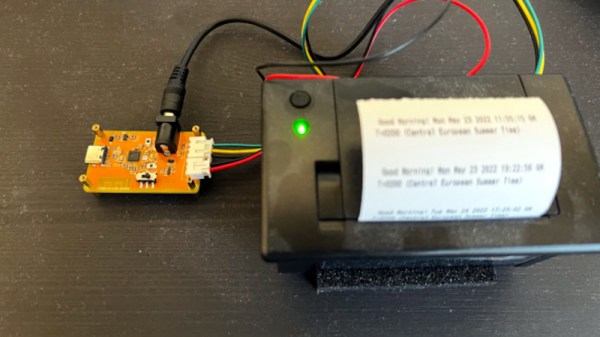
One of the peripherals of most desire for a microcomputer-obsessed youth in the 1980s was a printer, probably a dot-matrix device. In the decades since, printers have passed into being almost a piece of discardable junk as cheap inkjets can be found in any garage sale. That’s not to say that there’s not plenty of fun to be had hacking older types though, and there are plenty of small thermal printers out there to play with. [Tanmoydutta] has provided a platform that may help, in the form of an ESP32-C3-based serial printer controller.
On board is a level shifter for the 5 volt printer electronics and all the appropriate connectors for the printer, as well as the ESP and onboard USB interface. It’s a networked print server, but one which is entirely and completely hackable. We think the printer in question is this one sold by Adafruit.
So this board makes easier a whole host of printer-related projects, and should you try it you will no doubt finding yourself ankle-deep in little curly pieces of paper. This printer’s not the only one in town though, don’t forget the cheap Bluetooth printers!
As the digital photographic revolution took off, and everyone bought a shiny new film-less camera, there was a brief fad for photo printers. The idea was you’d have the same prints you’d always had from film, but the media for these printers would invariably cost a fortune so consumers moved on pretty quickly.
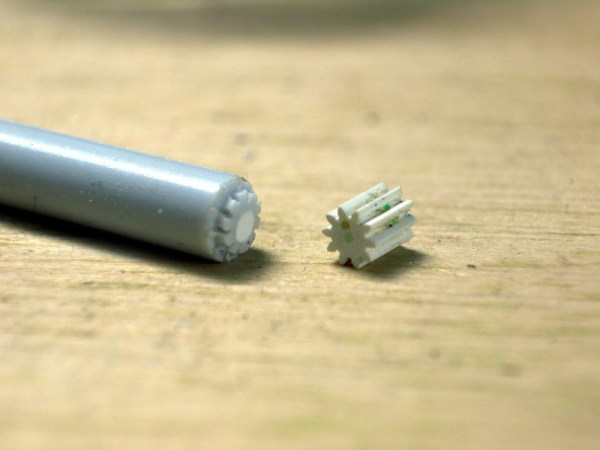
Now the pop up in second-hand stores and the like, which is how [Amen] acquired a Canon Selphy 740. It didn’t work, and on investigation it was found that a particularly tiny plastic gear had failed. Most people would have tossed the printer in the trash, but they instead opted to CNC-machine a new gear. It’s not everyday you tackle a job this small, so it makes for an interesting tale.
While the first instinct might be to reach reach for a CAD package, [Amen] instead wrote a script to create the raw GCode. The machining is done with a 0.2 mm bit ground to the desired profile. The result: a gear that gets the printer working again. It’s a dye-sublimation printer that leaves a negative image in the cartridge, allowing negative prints to be made with a bit of cartridge rewinding. And for those who might have ended up with a Selphy of their own, there’s a further post about using cheaper aftermarket cartridges.
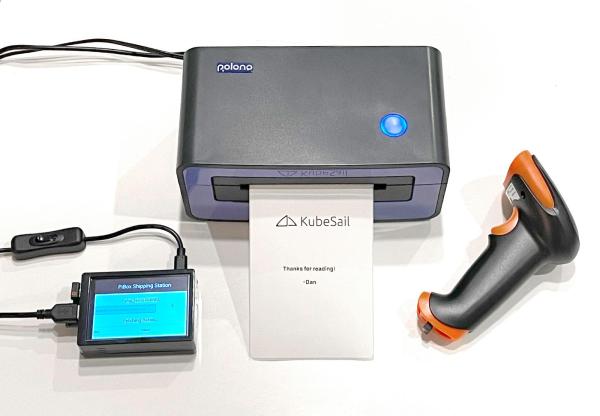
When you think of the small machines that print the sticky labels on packages, you might not expect to find a complex printer with its own programming language (ZPL). However, [Dan Pastusek] was looking around online and found a small label printer on everyone’s favorite online warehouse for a great price that suggested it supported ZPL. Unfortunately, [Dan] had big dreams for creating a Raspberry Pi-based print station and found the drivers packaged for this particular printer were not ARM compatible. Not quite content to leave it there, he began to chip away at the layers until he had a working driver.
ZPL, at its core, is just a language describing ASCII commands transmitted over a serial connection. So while the printer showed up as an endpoint, it wasn’t working as the filters (the part of the driver that knows how to convert from a PNG to ZPL) was x86 only. On Linux, printer drivers also have a PPD file that describes what a printer can handle in paper size and other settings. The PPD file for the little printer gave the first clue. In the ShortNickName field, it identifies itself as HPRT N41, which is a popular HP printer. So this little printer must be a clone of a printer in that family. Notably, they don’t support ZPL. Instead, the HPRT series support TSPL, another printer language developed by TSC.
This presented a problem as the shipping service that provided the labels that [Dan] was using offered labels in three formats: PNG, PDF, and ZPL. Currently, it does seem like there’s a TSPL to ZPL converter out there for use, so rather than write his own, he took a shortcut and wrote a rasterizer instead. Initially, he tried to use some sample code that he found, and while he got something to come out of the printer, it was blank. So the next test was to save the raw TSPL output from a filer and cat directly to the serial port. This worked amazingly. Next, he wrote a converter to take a PNG and convert them into the bitmap format the TSPL has. The converter is in Javascript as it runs as part of the webserver that manages the print station. Could it be faster in a different language? Sure. But a different language wouldn’t make the printer any faster.
With the addition of a wireless barcode scanner, it’s satisfying to see the print station up and running. Here at Hackaday, we’re no stranger to seeing folks take apart printers to peel back the software and physical layers that make them up.
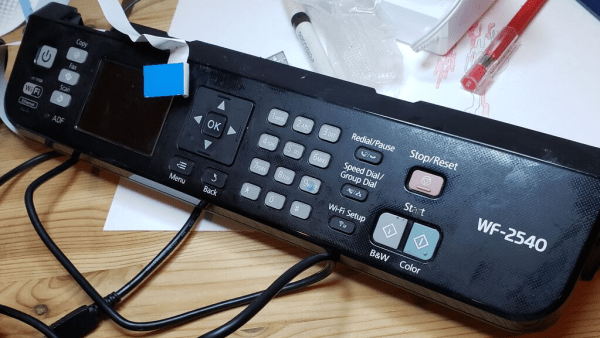
Many of us hardware-oriented types find it hard to walk past a lonely-looking discarded item of consumer electronics without thinking “If only I could lug that back to the car and take it home to play with” and [phooky] from NYC Resistor is no stranger to this sentiment. An old Epson WF-2540 inkjet printer was disassembled for its important ‘nutrients,’ you know, the good stuff like funky motors, encoders and switches. But what do you do with the control panel? After all, they’re usually very specific to the needs of the device they control, and don’t usually offer up much scope for reuse.
The RP2040 PIO is quite capable of pushing out those LCD pixels
[phooky] doesn’t usually bother with them, but this time decided to have a crack at it for fun. Inside, nothing out of the ordinary, with a large single-sided PCB for the key switches and LEDs, and a small PCB hosting the LCD display. The easy part was to figure out how the keyboard scanning was done, which turned out to be pretty simple, it just uses some 74-series shift register devices to scan the columns and clock out the row lines. A Raspberry Pi Pico module was pressed into service to scan the keyboard and enable a keyboard map to be created, by pure brute-force. No need to trace the circuit.
Things got interesting when [phooky] started looking into the LCD interface, based on the Epson E02A46EA chip (good luck finding a datasheet for that one!) and quickly realised that documentation simply wasn’t available, and it would be necessary to do things the hard way. Poking around the lines from the main CPU (an Epson E01A9CA , whatever that is) the display clock was identified, as well as some control signals, and three lines for the RGB channels. By throwing a Saleae data capture into some ROM exploring software, the display configuration was determined to be a standard 320×120 unit.
The PIO unit of the RP2040 was used to generate the video waveforms and push the pixels out to the LCD controller, allowing the RP2040 board to be wired inside the case permanently, converting the control panel into a USB device ready for action!
Want to know a little more about reverse engineering junk (or not) items and repurposing them to your will? Checkout this hacking piece from a couple of weeks back. For something a little more advanced, you could try your hand at a spot of car ECU hacking.
It’s hard to say when inspiration will strike, or what form it’ll take. But we do know that when you get that itch, it’s a good idea to scratch it, because you might just end up with something like this cool new design for a 3D printer extruder as a result.
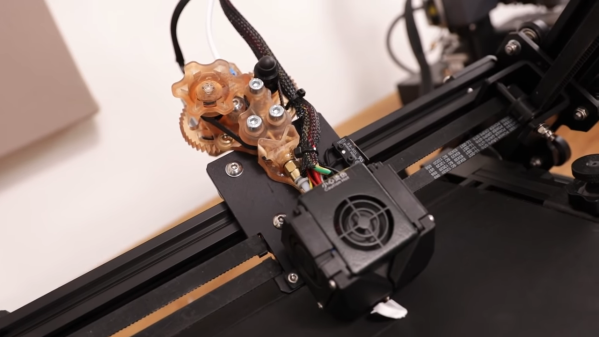
Clearly, the world is not screaming out for new extruder designs. In fact, the traditional spring-loaded, toothed drive wheel on a stepper really does the job of feeding filament into a printer’s hot end just fine, all things considered. But [Jón Schone], aka Proper Printing on YouTube, got the idea for his belt-drive extruder from seeing how filament manufacturers handle their products. His design is a scaled-down version of that, and uses a pair of very small timing belts that run on closely spaced gears. The gears synchronize the movement of the two belts, with the filament riding in the very narrow space between the belts. It’s a simple design, with the elasticity of the belt material eliminating the need for spring pre-loading of the drive gears.
Simple in design, but not the easiest execution. The video below tells [Jón]’s tale of printing woe, from using a viscous specialty SLA resin that was really intended for a temperature-controlled printer, to build tank damage. The completed extruder was also a bit too big to mount directly on the test printer, so that took some finagling too. But at the end of the day, the idea works, and it looks pretty cool doing it.
As for potential advantages of the new design, we suppose that remains to be seen. It does seem like it would eliminate drive gear eccentricity, which we’ve seen cause print quality issues before.
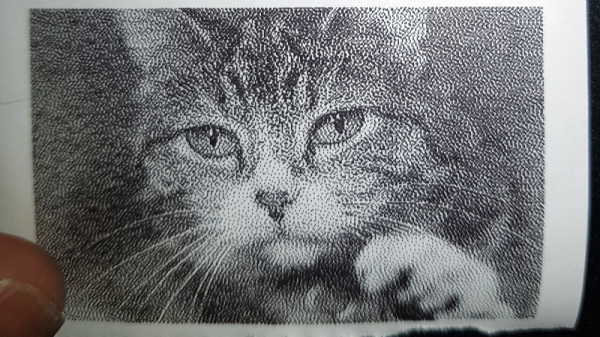
Thermal printers are cool… or, uh, warm actually. They use heat to make images, so they never need ink and they print on receipt rolls. The thermal printer available from Adafruit is a particularly tasty example, as it comes fully documented for the budding hacker. [Ed] is one such person, who set about writing his own driver to use the hardware with Linux on a Raspberry Pi.
It’s a fun dive into the nitty-gritty of talking to printers at the low level, something that few of us think about when printing concert tickets in a rush. There’s a lot that goes on to get a page to print successfully, and [Ed]’s work leaves us more respect for everything that goes on to get an image on the paper. The driver is available for keen tinkerers over at Github.
The versatility of 3D printers is simply amazing. Capable of producing a wide variety of prototypes, miscellaneous parts, artwork, and even other 3D printers, it’s an excellent addition to any shop or makerspace. The smaller, more inexpensive printers might do one type of printing well with a single tool, but if you really want to take a 3D printer’s versatility up to the next level you may want to try one with an automatic tool changing system like this one which uses magnets.
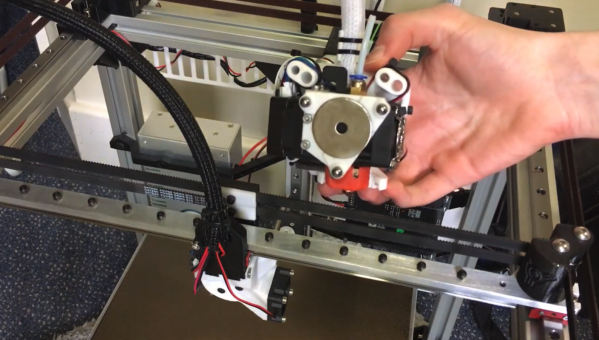
This 3D printer from [Will Hardy] uses an electromagnet to attach the tool to the printer. The arm is able to move to the tool storage area and quickly deposit and attach various tools as it runs through the prints. A failsafe mechanism keeps the tool from falling off of the head of the printer in case of a power outage, and several other design features were included to allow others to tweak this design to their own particular needs, such as enclosing the printer and increasing or decreasing the working area of the Core-XY printer as needed.
While the project looks like it works exceptionally well, [Will] notes that it is still in the prototyping phase and needs work on the software in order to refine its operation and make it suitable for more general-purpose uses. It’s an excellent design though and shows promise. It also reminds us of this other tool-changing system we featured a few months ago, albeit with a less electromagnetic twist.