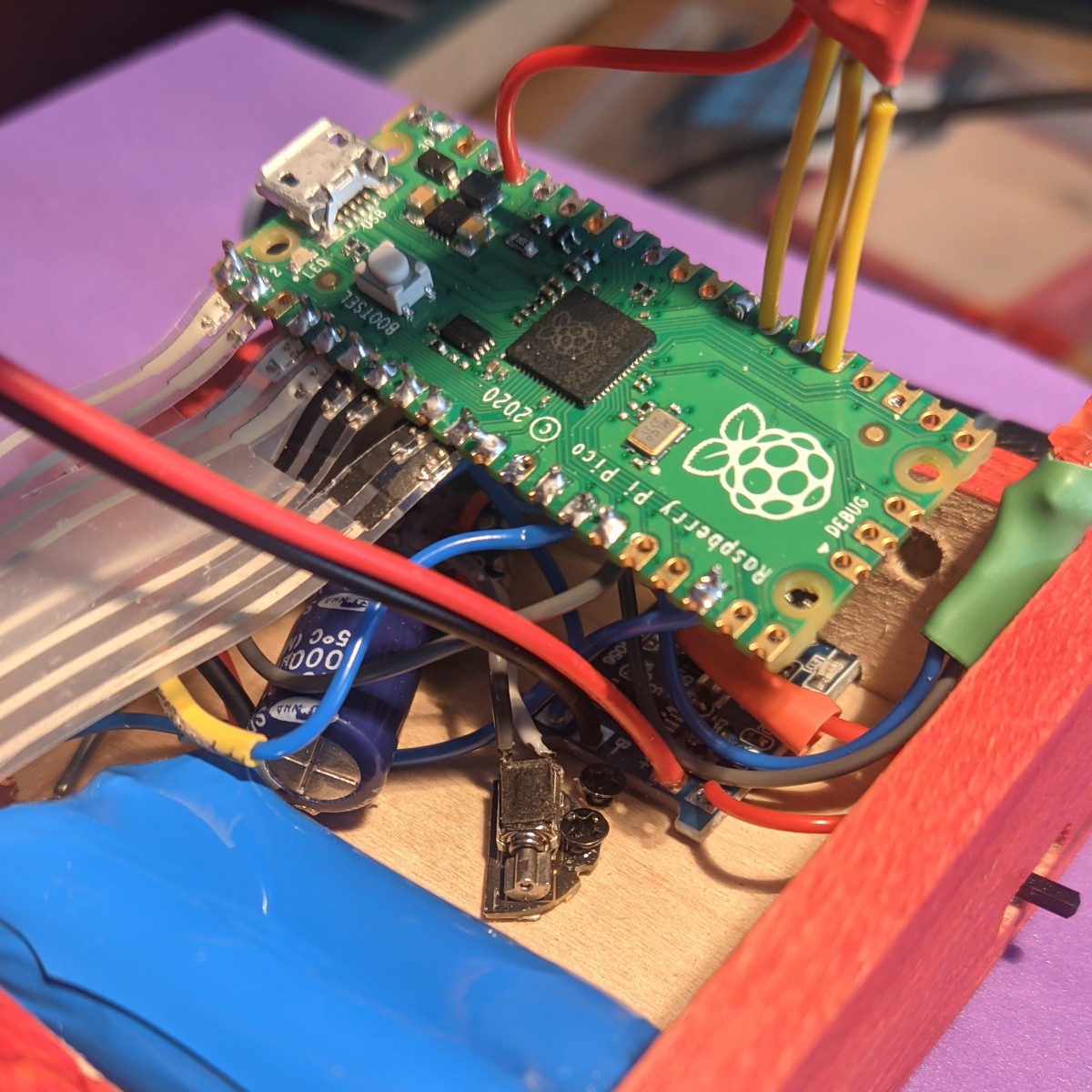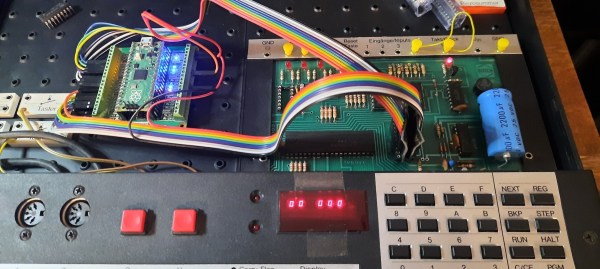
A Pi Pico on a breakout board inside a Busch 2090 educational computer

Pi Pico Becomes SRAM For 1981 Educational Computer

Ever since the Raspberry Pi Pico was introduced in early 2021 we’ve seen the tiny Pi being used for an astonishing variety of applications. It has powered countless clocks, gadgets, games, and accessories for all kinds of computers old and new. [Michael Wessel] has recently added an interesting new application in the “old computer” category, by turning a Pico into a 2114 SRAM emulator for his Busch 2090, an educational computer system from 1981.

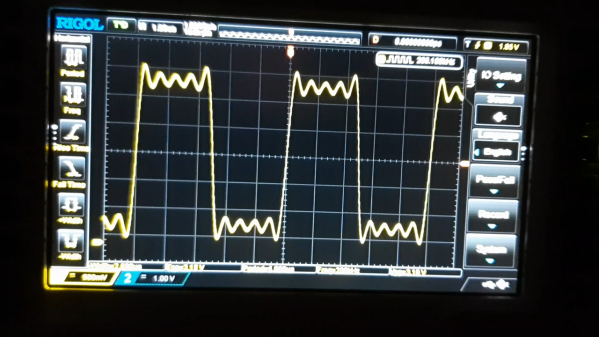
The pinout of the classic 2114 SRAM chip is quite simple: ten address lines, four data lines, Write Enable and Chip Select. Since the 3.3 V Pico is more or less 5V tolerant, you could directly connect these signals to its GPIO ports, but [Michael] considered it more reliable to use level shifters between the two voltage domains. He experimented with a few standard level shifter circuits, but quickly realized he had to take the 33 kΩ pulldown resistors on the Busch 2090’s address bus into account. By just adding a couple of resistors to the Pico’s ports he could make completely passive level shifters, which worked just fine since the system’s clock frequency is only 500 kHz.

[Michael] demonstrates his RAM replacement in the video below, with a neat set of blinkenlights showing the data being shuttled around in real time. He has plans to make a proper PCB for his project, as well as to enable all kinds of neat features by modifying the system’s RAM in real time. This is of course not limited to the Busch 2090: the 2114 chip was widely used in the 1980s, so the PicoRAM can probably be used in many other systems of the era. Code for the Pi is available on GitHub if you’re interested in trying this for yourself. If you’d like to find out what programming a Busch 2090 feels like, you can emulate one using an Arduino.

Continue reading “Pi Pico Becomes SRAM For 1981 Educational Computer”

Thin Keyboard Fits In Steam Deck Case

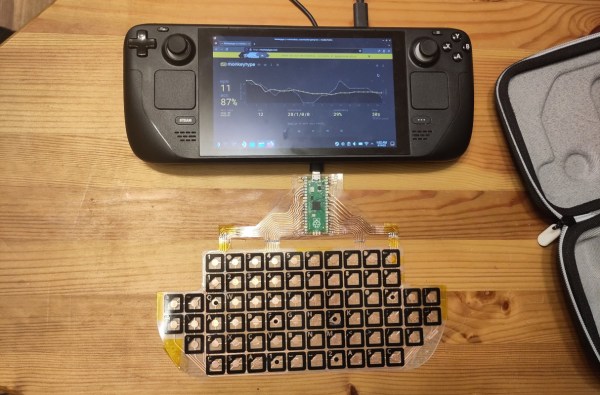
Although some of the first Android-powered smartphones had them and Blackberries were famous for them, physical keyboards on portable electronics like that quickly became a thing of the past. Presumably the cost to manufacture is too high and the margins too low regardless of consumer demand. Whatever the reason, if you want a small keyboard for your portable devices you’ll likely need to make one yourself like [Kārlis] did for the Steam Deck.

Unlike a more familiar mechanical keyboard build which prioritizes the feel and sound of the keyboard experience, this one sacrifices nearly every other design consideration in order to be thin enough to fit in the Steam Deck case. The PCB is designed to be flexible using copper tape cut to size with a vinyl cutter with all the traces running to a Raspberry Pi Pico which hosts the firmware and plugs into the Steam Deck’s USB port. The files for the PCB are available in KiCad and can be exported as SVG files for cutting.

In the end, [Kārlis] has a functioning keyboard that’s even a little more robust than was initially expected and which does fit alongside the Deck in its case. On the other hand, [Kārlis] describes the typing experience as “awful” due to its extreme thinness, but either way we applaud the amount of effort that went in to building a keyboard with this form factor. The Steam Deck itself is a platform which lends itself to all kinds of modifications as well, from the control sticks to the operating systems, and Valve will even show you how.

Finally, A Machine To Organize Resistors!

Perhaps it’s a side-effect of getting older, but it seems like reading the color bands on blue metal-film resistors is harder than it was on the old brown carbon ones. So often the multimeter has to come out to check, but it’s annoying. Thus we rather like [Mike]’s Resistorganizer, which automates the process of keeping track of the components.

At its heart is a fairly simple concept, with the microcontroller reading the value of a resistor by measuring the voltage from a potential divider. The Resistorganizer extends this using an array of analogue multiplexer chips, and is designed to plug into one side of a breadboard with the idea being that each line can have a resistor connected to earth through it. Of course it’s not quite as simple as that, because to maintain a readable range a set of resistors must be switched in and out to form the other half of the divider for different ranges. Thus another multiplexer chip performs that task.

Finally a set of digital multiplexers handles an LED to see which of the many resistors is currently selected through a pair of buttons, and a dot-matrix LCD display delivers the value. We want one already!

Hackaday Prize 2023: Jumperless, The Jumperless Jumperboard

Jumperless is a jumperless breadboard with multicolored LED visualization of signals in real-time. Sounds like magic? This beautifully executed entry to the 2023 Hackaday Prize by [Kevin Santo Cappuccio] uses a boatload of CH446Q analog switch ICs to perform the interconnect between the Raspberry Pi Pico header and the jumper board (or breadboard if you prefer.)

This will add some significant resistance, but for low currents and digital logic levels, this should not be a major concern. Additionally, there are two DAC channels and four ADC channels to help break out of the digital world, which could make for some very interesting non-trivial applications.

The visualization of the Pico header signals is solved neatly with a tiny wishbone-shaped PCB that is reverse-mounted to the back of the main board to illuminate upwards. The masking of the labels is done by using copper to mask off the individual signals and solder mask to draw in the legends. This PCB-level hacking is simply wonderful to see. The PCBs are designed with KiCAD, the design files for which you can find here. It appears however that [Kevin] needed to have the spring clips for the jumper board custom-made, so you’d need to contact them if you needed to get some for a build.

On the software side of things, [Kevin] currently recommends using Wokwi, to run the Arduino stack applications and to perform the signal routing to the virtual jumper board. You can follow how it works internally here. A Python-based bridge application runs on the host computer, which takes care of programming the interconnects as they are constructed, which looking at the demo in the embedded video, appears to ‘just work.’

One word of caution though — the bridge app uses Python requests and Beautiful Soup to scrape the Wowki project page, which could potentially make it vulnerable to getting out-of-sync with updates, so hopefully [Kevin] will keep track of this and keep them in sync.

Need some breadboarding tips? We got you covered. Talking of bread, here’s an 8-bit TTL breadboard-based CPU in a breadbin.

Continue reading “Hackaday Prize 2023: Jumperless, The Jumperless Jumperboard”

Angry Robot Face Is Less Than Friendly

Sometimes you just need to create a creepy robot head and give it an intimidating personality. [Jens] has done just that, and ably so, with his latest eerie creation.

The robot face is introduced to us with a soundtrack befitting Stranger Things, or maybe Luke Million. The build was inspired by The Doorman, a creepy art piece with animatronic eyes. [Jens’] build started with a 3D model of a 3D mask, with the eyes and mouth modified to have rectangular cutouts for LED displays. The displays are run by a Raspberry Pi Pico, which generates a variety of eye and mouth animations. It uses a camera for face tracking, so the robot’s evil eyes seem to follow the viewer as they move around. In good form, the face has a simple switch—from good to evil, happy to angry. Or, as [Jens] designates the modes: “Fren” and “Not Fren.”

[Jens] does a great job explaining the build, and his acting at the end of the video is absolutely worth a chuckle. Given Halloween is around the corner, why not build five to eight of these, and hide them in your roommate’s bedroom?

Video after the break.
Continue reading “Angry Robot Face Is Less Than Friendly”

A New Educational Robotics Platform

When looking for electronics projects to use in educational settings, there is no shortage of simple, lightweight, and easily-accessible systems to choose from. From robotic arms, drones, walking robots, and wheeled robots, there is a vast array of options. But as technology marches on, the robotics platforms need to keep up as well. This turtle-style wheeled robot called the Trundlebot uses the latest in affordable microcontrollers on a relatively simple, expandable platform for the most up-to-date educational experience.

The robot is built around a Raspberry Pi Pico, with two low-cost stepper motors to drive the wheeled platform. The chassis can be built out of any material that can be cut in a laser cutter, but for anyone without this sort of tool it is also fairly easy to cut the shapes out by hand. The robot’s functionality can be controlled through Python code, and it is compatible with the WizFi360-EVB-Pico which allows it to be remote controlled through a web application. The web interface allows easy programming of commands for the Trundlebot, including a drag-and-drop feature for controlling the robot.

With all of these features, wireless connectivity, and a modern microcontroller at the core, it is an excellent platform for educational robotics. From here it wouldn’t be too hard to develop line-follower robots, obstacle-avoiding robots, or maze-solving robots. Other components can easily be installed to facilitate these designs as well. If you’re looking for a different style robot, although not expressly for educational purposes this robotic arm can be produced for under $60.

A ZX Spectrum with a Microdrive emulator plugged into its expansion port

A Modern Replacement For The ZX Spectrum’s Odd Tape Storage System

Unless you were lucky enough to be able to afford a floppy disk drive, you probably used cassette tapes to store programs and data if you used pretty much any home computer in the 1980s. ZX Spectrum users, however, had another option in the form of the Microdrive. This was a rather unusual continuous-loop mini-tape cartridge that could store around 100 kB and load it at lightning speed, all at a much lower price point than a floppy drive. The low price came at the cost of poor durability however, and after four decades it’s becoming harder and harder to find cartridges that work reliably. [Derek Fountain] therefore set out to make a modern Microdrive emulator that stores data on SD cards.

Several projects already exist to replace Microdrives, but they typically also need the ZX Interface 1, a serial/network expansion module that’s becoming equally hard to find. Hence [Derek]’s choice to make his emulator a completely standalone system that directly plugs into the Spectrum’s expansion port.

A 3D-printed box with a PCB inside holding three Raspberry Pi Picos and an SD cardThe system is housed in a 3D-printed enclosure that holds two PCBs. Three Raspberry Pi Picos run the show inside: one to hold the ZX Interface 1’s ROM image and interface with the Spectrum’s bus, another to simulate the Microdrive, and a third to run the user interface and communicate with the SD card. The user can choose between eight tape images stored in .MDR format by using two pushbuttons and a rotary encoder, with a small OLED display showing the machine’s configuration.

While you might think that three dual-core 133 MHz ARM CPUs would run circles around the Spectrum’s Z80, it actually took quite a bit of work to get everyting running properly in real time. The 3.5 MHz bus clock rate gave the second Pico precious little time to fetch the required bytes out of its flash memory. Its RAM was fast enough for that, but too small to hold all eight tape images at the same time. In the end, [Derek] settled on using a separate 8 MB SPI DRAM chip that could easily keep up the data rate, with the Pi just using its GPIO ports to shuttle the data around.

All source code and extensive documentation are available on Derek’s excellent blog post and GitHub page. Be sure to also check out [Jenny]’s detailed review and teardown if you’d like to know more about the weird and wonderful Microdrive system.

Thanks for the tip, [Andrew]! Continue reading “A Modern Replacement For The ZX Spectrum’s Odd Tape Storage System”