FPGA Raises Component Video From A Sinclair ZX Spectrum

An abiding memory of the early-80s heyday of 8-bit computing for many is operating their computer from the carpet in front of the family TV. While the kids in the computer adverts had parents who bought them a portable colour telly on which to play Jet Set Willy, the average kid had used up all the Christmas present money on the computer itself. The cable would have been an RF connection to the TV antenna socket, and the picture quality? At the time we thought it was amazing because we didn’t know any different, but with the benefit of nearly 40 years’ hindsight, it was awful.

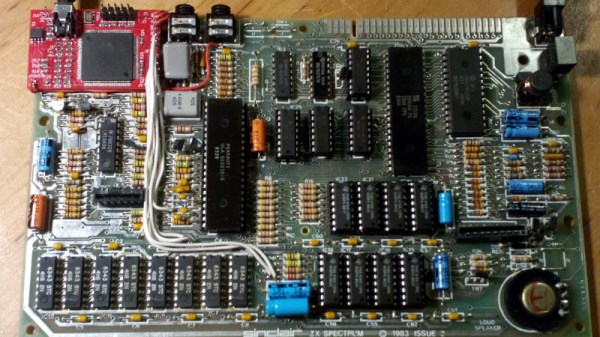
For ZX Spectrum owners in 2020 a standard modification is to bring out a composite video signal, but [c0pperdragon] has gone a step or two beyond that with a component video interface. And this isn’t a mod in which the signals are lifted from the Spectrum’s colour encoder circuitry, instead it uses an FPGA hooked directly to the ULA chip to generate the component video itself.

The Altera chip sits on a little PCB designed to occupy the footprint of the original Astec modulator, and sports a neat bundle of wires hooked up to the various Spectrum signals it needs. There are a couple of jumpers to select the output type and resolution, it supports YPbPr or RGsB outputs and both 288p and 576p. If you think perhaps it looks a little familiar, that’s because it’s the sister project of an earlier board for the Commodore 64. So if you have a Spectrum and are annoyed by UHF and PAL, perhaps it’s worth a look.

Full-Colour, Full-Motion Video – On An Audio Cassette!

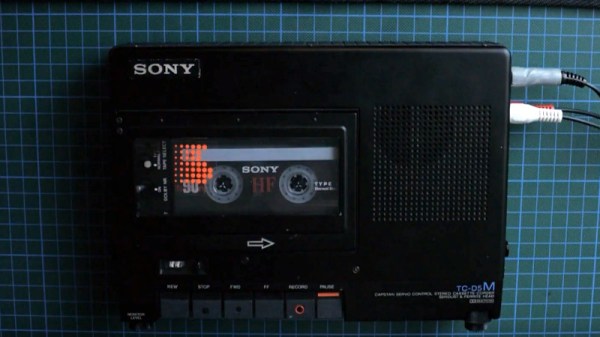
A lot of projects we feature use video in some form or other, but that video is invariably digital, it exists as a stream of numbers in a computer memory or storage, and is often compressed. For some of us who grew up working with composite video there is a slight regret that we rarely get up-close and personal with an analogue stream, so [Kris Slyka]’s project putting video on a conventional audio cassette is a rare opportunity.

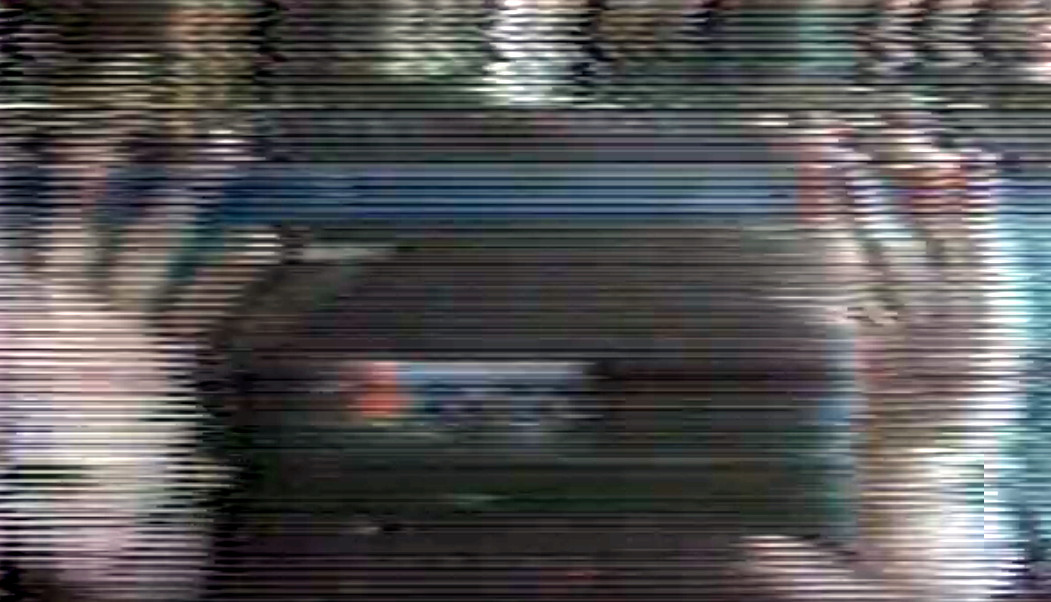
It's fair to say this isn't the highest quality video.
It’s fair to say this isn’t the highest quality video.

Readers with long memories may recall the Fisher-Price PixelVision toy from the late 1980s which recorded black-and-white video on a conventional cassette running at many times normal speed. This system does not take that tack, instead it decreases resolution and frame rate to a point at which it can be recorded at conventional cassette speeds. The result is not particularly high quality, but with luminance on one side of a stereo recording and chrominance on the other it does work.

The video below the break is a run through the system, with an explanation of how video signals work. Meanwhile the code for both encoder and decoder are available through the magic of GitHub. If you’re interested further, take a look at our examination of a video waveform.

Continue reading “Full-Colour, Full-Motion Video – On An Audio Cassette!”

P-51 Cockpit Recreated With Help Of Local Makerspace

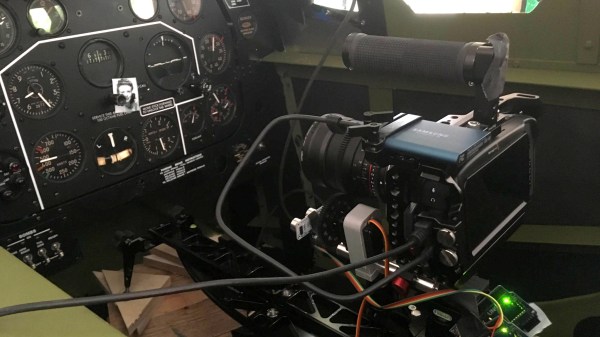
It’s surprisingly easy to misjudge tips that come into the Hackaday tip line. After filtering out the omnipresent spam, a quick scan of tip titles will often form a quick impression that turns out to be completely wrong. Such was the case with a recent tip that seemed from the subject line to be a flight simulator cockpit. The mental picture I had was of a model cockpit hooked to Flight Simulator or some other off-the-shelf flying game, many of which we’ve seen over the years.

I couldn’t have been more wrong about the project that Grant Hobbs undertook. His cockpit simulator turned out to be so much more than what I thought, and after trading a few emails with him to get all the details, I felt like I had to share the series of hacks that led to the short video below and the story about how he somehow managed to build the set despite having no previous experience with the usual tools of the trade.

Continue reading “P-51 Cockpit Recreated With Help Of Local Makerspace”

Journey Through The Inner Workings Of A PCB

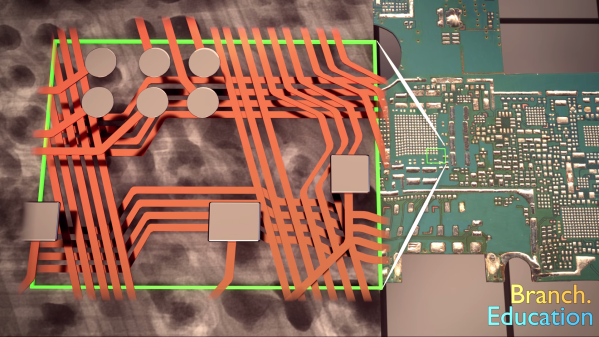
Most electronics we deal with day to day are comprised of circuit boards. No surprise there, right? But how do they work? This might seem like a simple question but we’ve all been in the place where those weird green or black sheets are little slices of magic. [Teddy Tablante] at Branch Eduction put together a lovingly crafted walkthrough flythrough video of how PCB(A)s work that’s definitely worth your time.

[Teddy]’s video focuses on unraveling the mysteries of the PCBA by peeling back the layers of a smartphone. Starting from the full assembly he separates components from circuit board and descends from there, highlighting the manufacturing methods and purpose behind what you see.

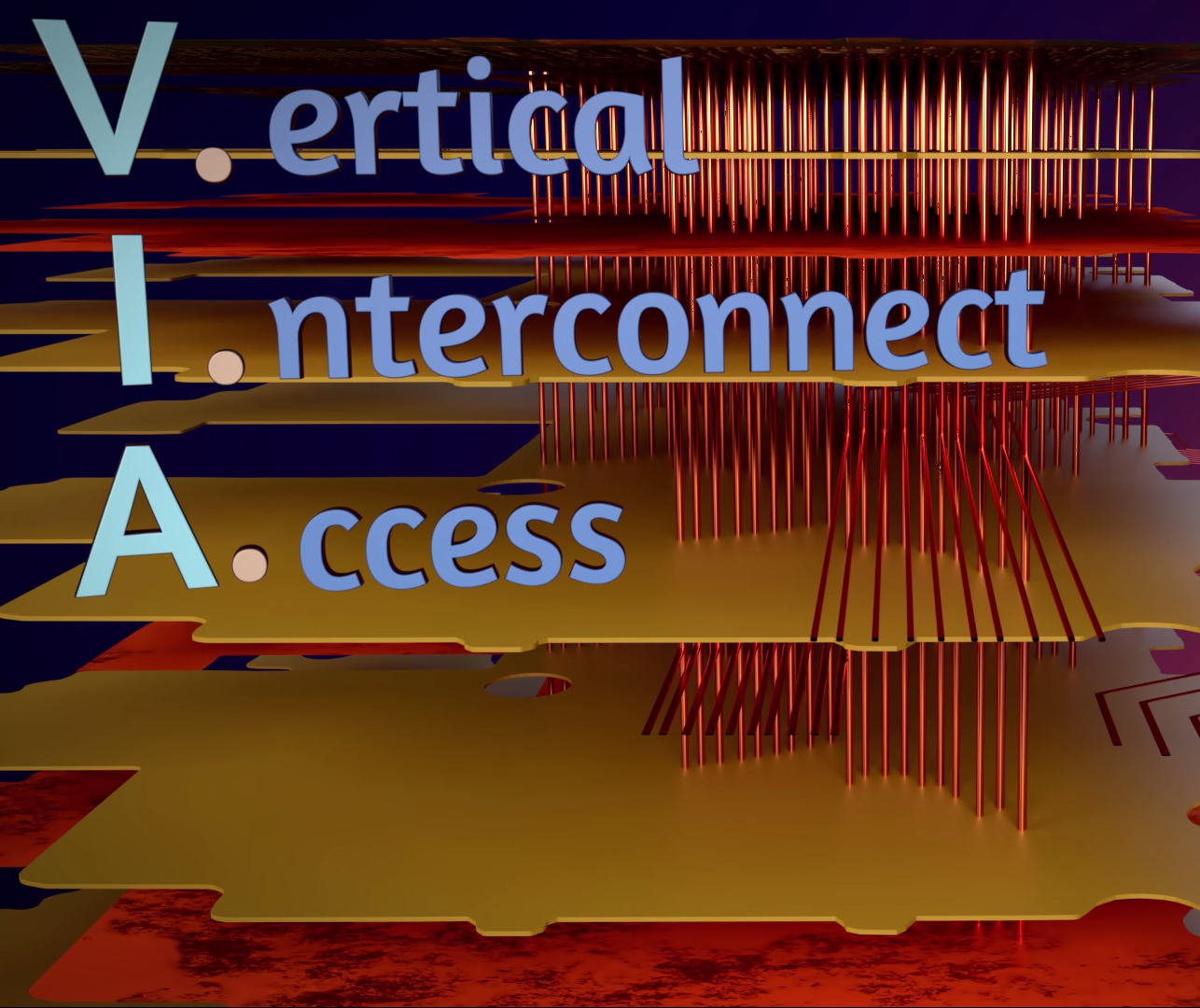
What really stands out here is the animation; at each step [Teddy] has modeled the relevant components and rendered them on the PCBA in 3D. Instead of relying solely on hard to understand blurry X-ray images and 2D scans of PCBAs he illustrates their relationships in space, an especially important element in understanding what’s going on underneath the solder mask. Even if you think you know it all we bet there’s a pearl of knowledge to discover; this writer learned that VIA is an acronym!

If you don’t like clicking links you can find the video embedded after the break. Credit to friend of the Hackaday [Mike Harrison] for acting as the best recommendation algorithm and finding this gem.

Continue reading “Journey Through The Inner Workings Of A PCB”

Monochrome CRT And Liquid Crystal Shutter Team Up For Color Video

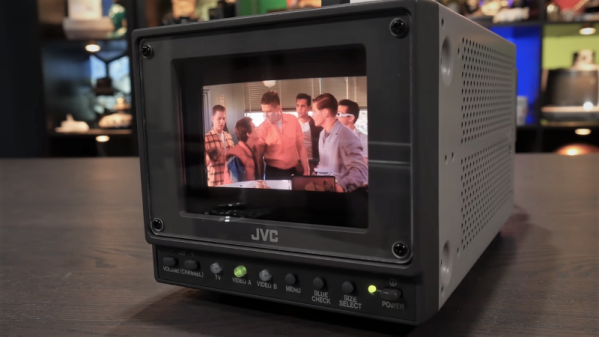
If you were tasked with designing a color video monitor, it’s pretty clear how you’d go about it. But what if you’d been asked to do so 20 years ago? Would it have been a cut and dried from an engineering standpoint? Apparently not, as this hybrid LCD-CRT video monitor demonstrates.

We’d honestly never heard of this particular design, dubbed “LCCS”, or liquid crystal color shutter, until [Technology Connections]’ partial teardown of the JVC monitor and explanation of its operation. The idea is simple and hearkens back to the earliest days of color TV in the United States, when broadcasters were busy trying to bring color to a monochrome world in a way that would maximize profits. One scheme involved rotating a color wheel in front of the black-and-white CRT and synchronizing the two, which is essentially what’s happening in the LCCS system. The liquid crystal panel cycles between red, blue, and green tints in time with the CRT’s images behind it, creating a full-color picture. “But wait!” you cry. “Surely there were small color CRTs back in the year 2000!” Of course there were, but they kind of sucked. Just look at the comparison of a color CRT and the LCCS in the video below and you’ll see why this system carved out a niche in the pro video market, especially for video assist monitors in the days before digital cinematography. A similar system was used by Tektronix for color oscilloscopes, too.

As usual, [Technology Connections] has managed to dig up an interesting bit of the technological fossil record and present it in a fascinating way. From video on vinyl to 1980s copy protection to the innards of a toaster, we enjoy the look under the hood of forgotten tech.

Continue reading “Monochrome CRT And Liquid Crystal Shutter Team Up For Color Video”

Upgrading A MIDI Controller With An FPGA

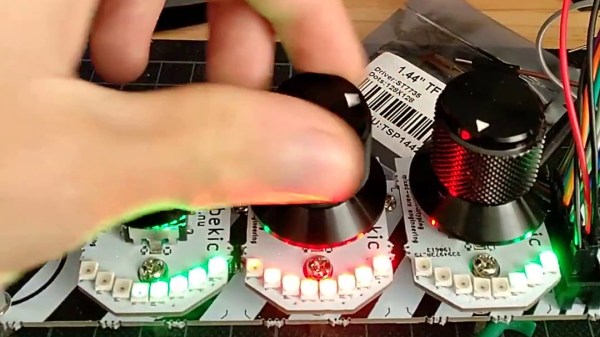
While the “M” in MIDI stands for “musical”, it’s possible to use this standard for other things as well. [s-ol] has been working on a VJ setup (mixing video instead of music) using various potentiometer-based hardware and MIDI to interface everything together. After becoming frustrated with drift in the potentiometers, he set out to outfit the entire rig with custom-built encoders.

[s-ol] designed the rotary-encoder based boards around an FPGA. It monitors the encoder for changes, controls eight RGB LEDs per knob, and even does capacitive touch sensing on the aluminum knob itself. The FPGA communicates via SPI with an Arduino master controller which communicates to a PC using a serial interface. This is [s-ol]’s first time diving into an FPGA project and it looks like he hit it out of the park!.

Even if you’re not mixing video or music, these encoders might be useful to any project where a standard analog potentiometer isn’t accurate or precise enough, or if you just need something that can dial into a specific value quickly. Potentiometers fall short in many different ways, but if you don’t want to replace them you might modify potentiometers to suit your purposes.

Continue reading “Upgrading A MIDI Controller With An FPGA”

Control Lighting Effects Without Programming

Working in a theater or night club often requires a specialized set of technical skills that you might not instantly think about. Sure, the audio system needs to be set up and managed but the lighting system is often actively managed as well. For simple setups, this is usually not too difficult to learn. With more complicated systems you will need to get elbow-deep into some software. With [trackme518]’s latest tool, though, you will only need to be able to edit video.

Sure, this sounds like just trading one piece of software for another, but it’s more likely that professionals working in lighting will already know how to edit video rather than know programming or complicated proprietary lighting software. All you have to do to control a set of lights is to create a video, or use an existing one, and the lighting system will mimic the video on its own. If you do know programming, though, it’s written in Processing Java so changes aren’t too difficult to make.

The software (available on the project’s GitHub page) will also work outside of a professional environment, as well. It’s set up to work with DMX systems as well as LED strips so you could use it to run a large LED display board using only an input video as control. You could even use it to run the display on your guitar.

Photo courtesy of Rob Sinclair (Gribiche) [CC BY-SA 2.0 (https://creativecommons.org/licenses/by-sa/2.0)]