USB accelerometer controller

posted Nov 20th 2009 7:31am by Caleb Kraft
filed under: pcs hacks, peripherals hacks

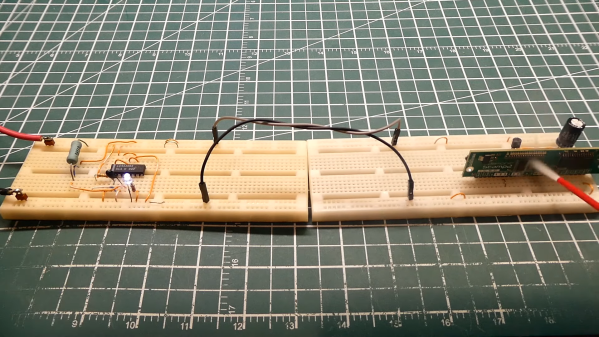
As you can see above, there is no wiimote in that accessory steering wheel. There is, instead, a home-made accelerometer controller that connects to the pc via USB. Based around a PIC 18F2550 and a 2 axis accelerometer, this device is detected by windows as a standard controller. The schematic and source code are available on his website. He says it can also be used as a “motion mouse”. You can see a video of that after the break.

When we first saw the video, we thought it might be the same person as the accelerometer controlled maze project, due to the wiimote steering wheel casing.

Read the rest of this entry »

PIC powered AVR programmer

posted Nov 18th 2009 9:03am by Mike Szczys
filed under: misc hacks

[Texane] wrote in to let us know he has implemented AVR ISP programming using a PIC microcontroller. He wrote some code for an 18F4550 that uses the STK500 standard for In System Programming. This means that his hardware is compatible with AVRdude, the open source AVR programming software. There has long been an argument over the virtues of PIC versus AVR but we say why not both? If you have already honed your programming chops with PIC, you can build your own programmer and give the Atmel family a try.

The current implementation uses a serial port to connect the programmer to a computer. Keep your eye on this one as [texane] plans to add USB connectivity and has told us he will post schematics for the device as soon as that is complete.


Bulbdial redux

posted Nov 15th 2009 12:25pm by Jakob Griffith
filed under: home hacks

pic2

[Taufeeq] sent in his “Circle of Light” bulbdial clock. You may remember when we showed you Evil Mad Scientist’s version a while back, and [Taufeeq] did use it as a base but he’s added some of his own little touches. Some of the changes include using a PIC with an RTC chip instead of AVR, which allowed him to shrink the board down small enough to fit behind the clock face, rather than on front. He’s even zipped everything up conveniently to help you build your own.

Cold cathode art piece controller

posted Nov 6th 2009 2:00pm by Mike Szczys
filed under: home hacks

cold-cathode-art-piece-controller

[Andrew] built a light box for an exhibition last year that displayed different colors statically. After showing it off, it went unchanged but future improvements remained in the back of his mind. Recently, he pulled it out again and hacked together a controller to drive the colors individually.

He’s actually reusing some of the hardware he built for a different project. At its core is a PIC 16F628 that actuates the lights using relays. In this case, only four of the eight on the board are used to control red, white, blue, and green cold cathode tubes. The video after the break shows the device randomly rotating through different patterns. This is a nice start to making the piece more interactive and we can image adding web-controlled color changes, or perhaps some Daft Punk inspired functionality.

Read the rest of this entry »

Gear clock

posted Oct 22nd 2009 7:00am by Jakob Griffith
filed under: home hacks, misc hacks

Analog clocks now a days get no respect. Everyone is digital this, or binary that, and we admit it is nice to look over and see the time promptly displayed. But there’s something about the quiet ticking and ominous feeling you get when around a large intricate clock that you know some serious time has been invested.

Nostalgia feelings aside, [Alan] from Hacked Gadgets introduced us to his Gear Clock. While it’s not a new idea, and in fact we have a few around the office, his concept really inspired us. His clock is driven via stepper motor and a PIC, allowing for the time to be fairly accurate. The only small problem he mentions is the poor paint job, but we think it looks amazing regardless.


Build your own wristwatch

posted Oct 19th 2009 8:06am by Mike Szczys
filed under: led hacks

surface-mount-wristwatch

[rgbphil] has done a great job detailing how he built his Microdot wristwatch.This project is a lot more approachable than the pong watch we saw last month. If you’ve made a few printed circuit boards, but haven’t yet tried working with surface mount component, this is a great way to give it a try.

The parts count is pretty low, a few switches, resistors, capacitors, LEDs, a watch crystal, and a PIC 16F88 microcontroller.[rgbphil] is using a charlieplex so that a separate shift register is not needed to drive all of the LEDs. He goes into detail about the process of laying out the circuit. Some of the problems he encounters include how to manage all of the charlieplex connections in a simple way, how to program the chip once it’s on the board, and how to layout the controls for the device.

The display looks great in the video we’ve embedded after the break. We’re going to add these components to our next parts order and make this project part of the plan for getting us through the long cold winter ahead.

Read the rest of this entry »

Radio cabinet media center

posted Oct 17th 2009 3:00pm by Mike Szczys
filed under: classic hacks, home entertainment hacks

old-time-radio-mediacenter

[Jon] picked up an old Philco radio from a pawn shop for $81. The electronics were shot and the controls had seen better days. So he set to work giving this old beast a makeover, turning it into a beauty of a media player.

The face plate for the controls had seen better days. His solution was to replace it, which gave him more options for mounting a display and controls. A menu system was implemented on the LCD display using a PIC18F4450 microcontroller. The chip also takes care of the three rotary encoders for the user interface and integrates the whole thing with the PC backend.

We’ll be the first to admit that a full PC is overkill in this situation. That being said, this was slow, unused system that is seeing new life. But is it worth the added noise and energy costs? Who knows, we think this leaves a lot of room for future revisions. Perhaps an NAS and wireless controls via iPhone or a similar device?

We’re a bit disappointed that [Jon] didn’t do some work to get better sound out of this. With a great big cabinet like this, the right speakers with a tube amp will produce some sweet sound. Certainly most things would be better than just using a pair of computer speakers. We’ll keep our eye out for an update that adds a tube kit to the project.

Polycarbonate fish uses three servos to swim

posted Oct 17th 2009 11:49am by Mike Szczys
filed under: robots hacks

polycarbonate-fish

[Amnon] is learning the hard way that water and electronics don’t always like to play nicely together. He’s been working on creating a swimming fish that uses three servos to flex a sheet of fish-shaped polycarbonate. This photo doesn’t really do the project justice but you can get a better idea of what he’s accomplished by watching the videos after the break.

The three servos along with some distance sensors for obstacle avoidance are all controlled by a PIC 16F877A microcontroller. [Amnon] tried out three different waterproofing methods; coating the device in varnish, dipping it in hot glue, and dipping it in epoxy. The first two resulted in water damage to the electronics, but the third managed to work. It kept the water out, but also prevents reprogramming of the controller.

Although not successful, we would have loved to see the process of dipping the fish in a churning vat of molten glue. Once perfected, this may be the perfect platform for carrying our weapons of doom.

Read the rest of this entry »


Adding a keypad to a key card lock

posted Oct 9th 2009 8:00am by Phil Burgess
filed under: classic hacks, security hacks

keypad

[Colin Merkel] had a little problem: he was continually forgetting his electronic key card, locking himself out of his own dorm room. Like any normal Hack a Day reader, rather than getting in the habit of always carrying his card, the natural impulse of course is to build this elaborate rig of electronics and duct tape. Right?

The result is an additional keypad that can be used to gain access…not by altering the existing electronic lock, but with a secondary mechanism that operates the inside door handle. An 8-bit PIC microcontroller scans the outside keypad (connected by a thin ribbon cable), and when a correct access code is entered, engages a 12 volt DC motor to turn the handle. It’s a great little writeup that includes a parts list, source code, and explains the process of keypad scanning.

It’s similar to the RFID-based dorm hack we previously posted. By physically operating the handle, most any approach could be used: facial recognition, other biometrics, DDR pad, or whatever inspired lunacy you can dream up.

Touchscreen picture frame

posted Sep 29th 2009 8:00am by Mike Szczys
filed under: arduino hacks, digital cameras hacks

touchscreen_picture_frame

Circuit Ideas Design has posted a digital picture frame project based on their 240×320 16-bit color QVGA display. We made our own digital frame from a smaller screen a while back and this is pretty much the same implementation except with a larger screen and built around the AVR family of microcontrollers rather than PIC controllers.

The thing that piqued our curiosity was the five icons silk screened on one end of the display. That’s right, this is a touch screen. The board also has a built in SD slot and a bit of flexibility for connecting to a microcontroller. It can be controlled from a 40-pin header, or from headers that are designed to work as an Arduino shield. We’d love to get our hands on one but we were unable to figure out what currency the list price was in. Has anyone used this board yet?

Hack a Day serves up fresh hacks each day, every day from around the web and a special How-To hack each week.

Send us your hacks