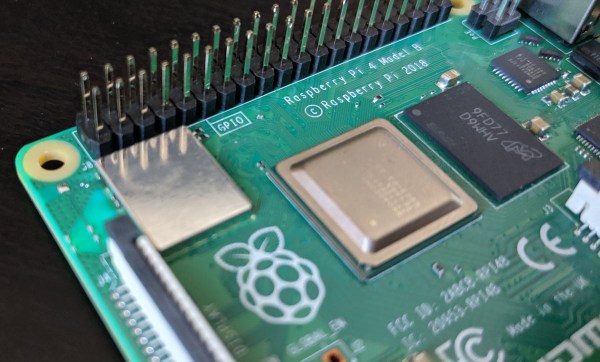
RPi4: Now Overclocked, Net-Booted, And Power-Sipping

It has now been a few months since the launch of the Raspberry Pi 4, and it would only be fair to describe the launch as “rocky”. While significantly faster than the Pi 3 on paper, its propensity for overheating would end up throttling down the CPU clock even with the plethora of aftermarket heatsinks and fans. The Raspberry Pi folks have been working on solutions to these teething troubles, and they have now released a bunch of updates in the form of a new bootloader, that lets the Pi 4 live up to its promise. (UPDATE: Here’s the download page and release notes)

The real meat of the update comes in an implementation of a low power mode for the USB hub. It turns out that the main source of heat on the SoC wasn’t the CPU, but the USB. Fixing the USB power consumption means that you can run the processor cool at stock speeds, and it can even be overclocked now.

There is also a new tool for updating the Pi bootloader, rpi-eeprom, that allows automatic updates for Pi 4 owners. The big change is that booting the Pi 4 over the network or an attached USB device is now a possibility, which is a must if you’re installing the Pi permanently. There are some fixes that caused problems with certain HATs, in which the Pi 4’s 3.3 V line was cycled during a reboot.

With a device as complex as a Raspberry Pi it comes as no surprise that it might ship with a few teething troubles. We’ve already covered some surrounding the USB-C power, for example. And the overheating. Where the Pi people consistently deliver though is in terms of support, both official and from the community, and we’re very pleased to see them come through in this case too.

Protect Your Batteries Before You Wreck Your Batteries

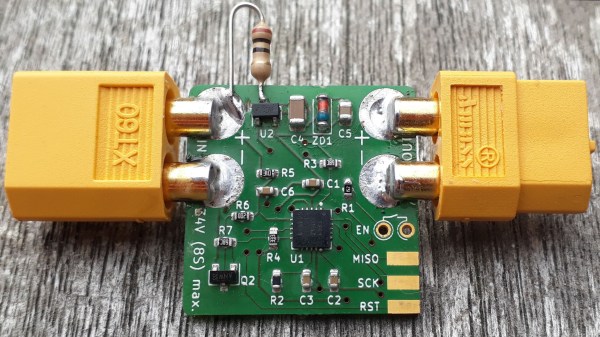
[Jan] is solving a problem many of us have had, deeply discharging our project’s batteries and potentially damaging the cells.

His board can handle batteries from 6 to 34 volts and supports both LiPo or Lion batteries. The board can be flexible about its cut-off voltage. It also has a feature we really like; the user can set a delay before it shuts off the battery: useful in cases where a heavy peak current draw causes the battery to operate at a lower-than-threshold voltage for a few seconds. Once the board is shut down it takes a manual reset to allow power to be drawn again.

His latest iteration of the board is an impressive 1 sq. inch in size! This can fit in just about any project and it’s even flexible in the choice of battery connector. Next time we have a high current draw project with expensive batteries or maybe a monitoring device that’s expected to run a long time we may throw one of these boards in there just to be safe.

Retrotechtacular: The Speaking Clock Goes Silent

It used to be that time was a lot more relative than it is today. With smartphones synced to GPS and network providers’ clocks, we all pretty much have access to an authoritative current time, giving few of us today the wiggle room to explain a tardy arrival at work to an impatient boss by saying our watch is running slow.

Even when that excuse was plausible, it was a bit weak, since almost every telephone system had some sort of time service. The correct time was but a phone call away, announced at first by live operators then later by machines called speaking clocks. Most of these services had been phased out long ago, but one, the speaking clock service in Australia, sounded for the last time at the end of September.

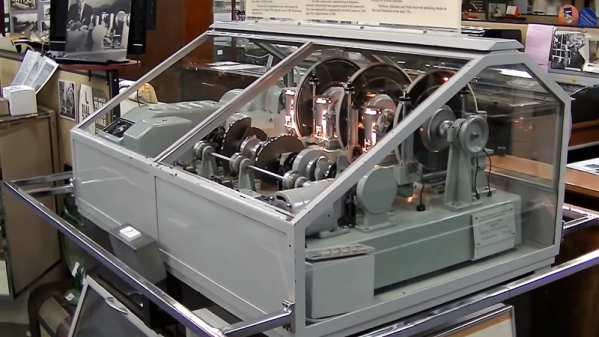
While the decommissioned machine was just another beige box living in a telco rack, the speaking clocks that preceded it were wonderfully complex electromechanical devices, and perfect fodder for a Retrotechtacular deep-dive. Here’s a look at the Australian speaking clock known as “George” and why speaking clocks were once the highest of technology.

Continue reading “Retrotechtacular: The Speaking Clock Goes Silent”

Brachiograph: A Simple And Cheap Pen-Plotter

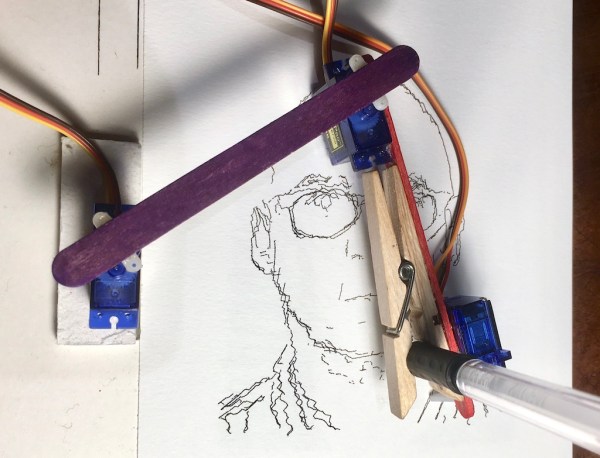
The BrachiGraph project consists out of two parts, the hardware design for a servo-driven drawing arm (pen plotter) and software utilities (written in Python) that allow the drawing arm’s servos to be controlled in order to convert a bitmap image into a collection of lines that can be used to draw an image resembling the original, in a variety of styles. All of the software and designs needed to make your own version can be found on the Github page for the project.

docs/images/readme_combined_image.png

Considering an estimated €14 worth of materials for the project, the produced results are nothing short of amazing, even if the principles behind the project go back to the Ancient Greek , of course. The basic hardware is that of a pantograph, which provides the basic clues for how the servos on the plotter arm are being driven.

The main achievement here is definitely that of minimalism, with three dirt-cheap SG-90 microservos along with some bits of wood, a clothes-peg or equivalent, and of course a pen providing a functional plotter that anyone can assemble on a slow Sunday afternoon from random bits lying around the workshop.


5G Is For Robots

Ecclesiastes 1:9 reads “What has been will be again, what has done will be done again; there is nothing new under the sun.” Or in other words, 5G is mostly marketing nonsense; like 4G, 3G, and 2G was before it. Let’s not forget LTE, 4G LTE, Advance 4G, and Edge.

Just a normal everyday antenna array in a Seattle parking garage.

Technically, 5G means that providers could, if they wanted to, install some EHF antennas; the same kind we’ve been using forever to do point to point microwave internet in cities. These frequencies are too lazy to pass through a wall, so we’d have to install these antennas in a grid at ground level. The promised result is that we’ll all get slightly lower latency tiered internet connections that won’t live up to the hype at all. From a customer perspective, about the only thing it will do is let us hit the 8Gb ceiling twice as faster on our “unlimited” plans before they throttle us. It might be nice on a laptop, but it would be a historically ridiculous assumption that Verizon is going to let us tether devices to their shiny new network without charging us a million Yen for the privilege.

So, what’s the deal? From a practical standpoint we’ve already maxed out what a phone needs. For example, here’s a dirty secret of the phone world: you can’t tell the difference between 1080p and 720p video on a tiny screen. I know of more than one company where the 1080p on their app really means 640 or 720 displayed on the device and 1080p is recorded on the cloud somewhere for download. Not a single user has noticed or complained. Oh, maybe if you’re looking hard you can feel that one picture is sharper than the other, but past that what are you doing? Likewise, what’s the point of 60fps 8k video on a phone? Or even a laptop for that matter?

Are we really going to max out a mobile webpage? Since our device’s ability to present information exceeds our ability to process it, is there a theoretical maximum to the size of an app? Even if we had Gbit internet to every phone in the world, from a user standpoint it would be a marginal improvement at best. Unless you’re a professional mobile game player (is that a thing yet?) latency is meaningless to you. The buffer buffs the experience until it shines.

So why should we care about billion dollar corporations racing to have the best network for sending low resolution advertising gifs to our disctracto cubes? Because 5G is for robots.

Continue reading “5G Is For Robots”

3D Scanner For Tiny Objects Uses Blu-Ray Parts

There’s plenty of different methods to build a 3D scanner, with photogrammetry being a particularly accessible way to do it. This involves taking a series of photos from different angles to build up the geometry of the model. If you want to do this with something small, instead of a camera, just substitute a microscope! [NoseLace’s] LadyBug does just that.

It’s a 3D scanner built in a very hacker fashion. The X-Y stage that moves the sample is from a KES-400a Blu-Ray drive, salvged from the original “fat” Playstation 3. The Z axis is then created using the linear stepper motor from the optical pickup of the same drive. A rotary stepper motor is added on to the Z-axis to allow the sample to be rotated. It’s all combined with a basic USB microscope to take the images, and a Raspberry Pi which handles running all the stepper motors with some add-on driver boards.

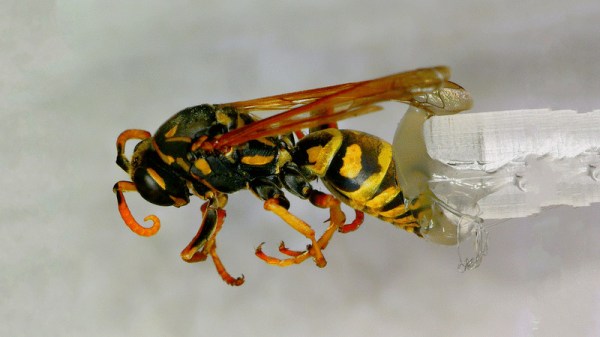
[NoseLace] uses the device to create 3D models of insects, but it would work just as well with other small objects. The benefit of this approach is that it creates both the 3D model and the requisite texture, too. There’s plenty of open-source tools available if you’d like to try it for yourself. Video after the break.

Continue reading “3D Scanner For Tiny Objects Uses Blu-Ray Parts”

Godot Machine Is The Project You’ve Been Waiting For

Are you waiting for something that may never happen? Maybe it’s the end of your ennui, or the release of Half Life 3. While you wait, why not build a Godot Machine? Then you can diversify your portfolio and wait for two things that could happen today, tomorrow, or at sunrise on the 12th of Never.

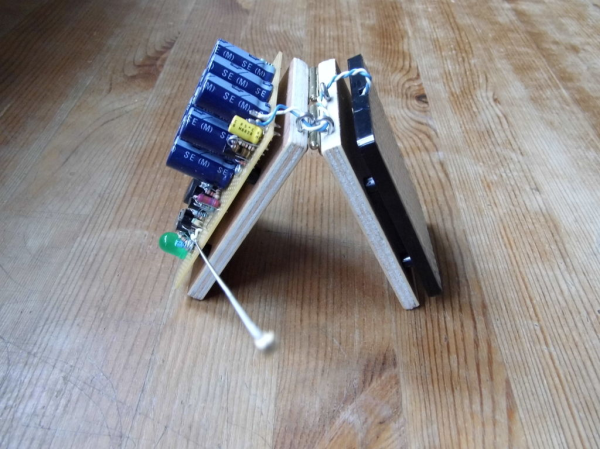
The Godot Machine is a functional art piece that uses a solar panel and a joule thief to charge a bank of capacitors up to 5V. Whenever that happens, the Arduino comes online and generates a 20-bit random number, which is displayed on an LED bar. If the generated number matches the super-secret number that was generated at first boot and then stashed away in EEPROM, the Machine emits a victory beep and lights a green LED. Then you can go back to complaining about whatever.

We like that [kajnjaps] made his own chaos-based random number generator instead of just calling random(). It uses a guitar string to collect ambient electronic noise and an entropy generator to amplify it. Then the four least significant digits are used to seed the logistical map, so the initial value is always different.

You don’t have to create your own entropy for truly random numbers, though it’s probably more fun that way. Did you know that someone wrote an Arduino entropy library?