Game On With These Open Source Arduino Buzzers

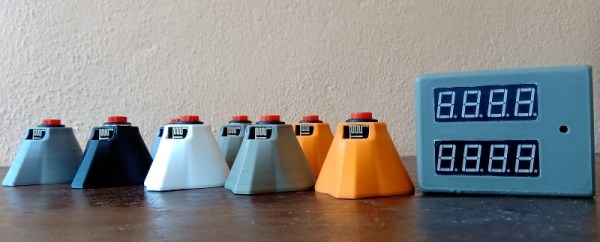
Planning a game of Hacker Jeopardy at your next meetup? You’re going to want some proper buzzers to complete the experience, but why buy when you can build? [Flute Systems] has released an open source DIY game buzzer system based on the Arduino that will help instantly elevate your game. Certainly beats just yelling across the room.

The design has been made to be as easily replicable as possible: as long as you’ve got access to a 3D printer to run off the enclosures for the buzzers and base station, you’ll be able to follow along no problem. The rest of the project consists of modular components put together with jumper wires and scraps of perfboard. Granted it might not be the most elegant solution, but there’s something to be said for projects that beginners and old salts alike can complete.
Each buzzer consists of an Arduino Pro Mini 3.3 V, a nRF24L01, and of course a big pushbutton on the top. Each one is powered by a 110 mAh 3.7 V LiPo battery, though [Flute Systems] notes that the current version of the buzzer can’t actually recharge it. You’ll need to pull the pack out and charge it manually once and awhile. Thankfully, the printed enclosure features a very clever twist-lock mechanism which makes it easy to open anytime you need to poke at the internals.

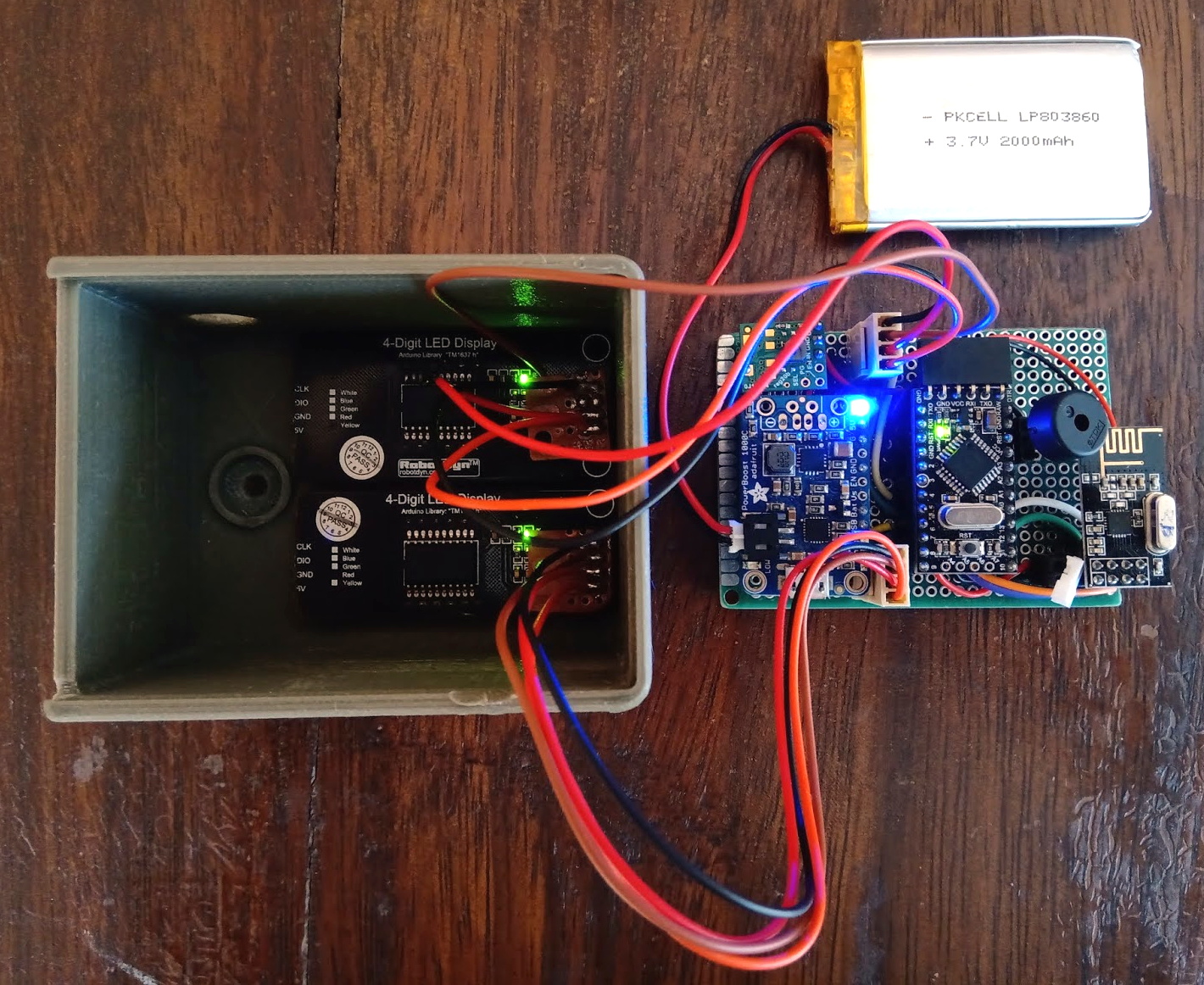
The base station uses the 5 V version of the Pro Mini, with a Adafruit PowerBoost 1000C to step up the voltage from its 2,000 mAh battery. Of course it also has a nRF24L01, and also adds a buzzer and twin four digit seven-segment LED displays. [Flute Systems] says you can expect about five hours of runtime for the base station.

An especially nice feature of this setup is that the eight digit display allows the base station to show the number of each button in the order it was received. So rather than just getting a display of who buzzed in first, you can see the chronological order in which all eight buttons were pressed. Coming up with clever applications for this capability is left as an exercise for the reader.

Of course, there’s more than one way to build a buzzer. If you don’t like the way [Flute Systems] did it, then check out this version that uses 900 MHz radios and an OLED to show the results.

A Friendly Reminder That You Might Be In Danger

Product recalls are one of those things that most people don’t pay attention to until things get really bad. If it’s serious enough for somebody to get hurt or even die, then the media will pick it up, but most of the time they simply pass by in silence. In fact, there’s a decent chance that you own a recalled product and don’t even know it. After all, it’s not like anyone is actually watching the latest product recalls in real-time.

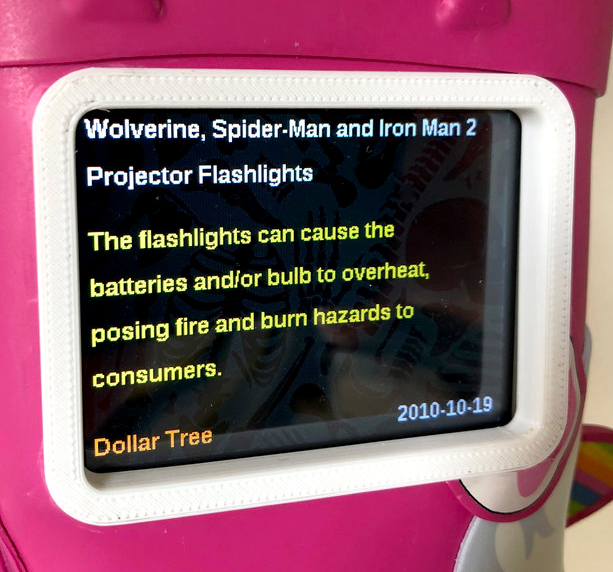
Well actually, there might be one guy. [Andrew Kleindolph] has created a cute and cuddly gadget using CircuitPython on the Adafruit PyPortal to display the latest release from the United States Consumer Product Safety Commission (USCPSC). In a wonderfully ironic touch, the child’s unicorn boot that the device lives in is itself a recalled product; apparently kids could pull off the “horn” and choke on it.

The PyPortal is basically built for this kind of thing, allowing you to easily whip up a display that will scrape data from whatever online source you’re willing to write the code for. All [Andrew] had to do was pair it with a battery so the boot could go mobile occasionally (we’re told they’re made for walkin’), and design some 3D printed accoutrements such as a screen bezel and charging port.

As these recalls (thankfully) don’t come out quite so fast that you need it to update more than once or twice a week, it seems like this could also be an excellent application for an Internet-connected e-ink display.

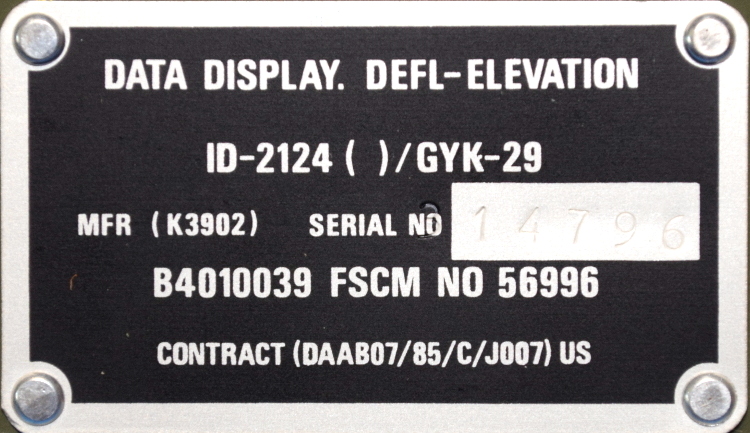
Milspec Teardown: ID-2124 Howitzer Data Display

It’s time once again for another installment in “Milspec Teardown”, where we get to see what Uncle Sam spends all those defense dollars on. Battle hardened pieces of kit are always a fascinating look at what can be accomplished if money is truly no object. When engineers are given a list of requirements and effectively a blank check, you know the results are going to be worth taking a closer look.

Today, we have quite a treat indeed. Not only is this ID-2124 Howitzer Deflection-Elevation Data Display unit relatively modern (this particular specimen appears to have been pulled from service in June of 1989), but unlike other military devices we’ve looked at in the past, there’s actually a fair bit of information about it available to us lowly civilians. In a first for this ongoing series of themed teardowns, we’ll be able to compare the genuine article with the extensive documentation afforded by the ever fastidious United States Armed Forces.

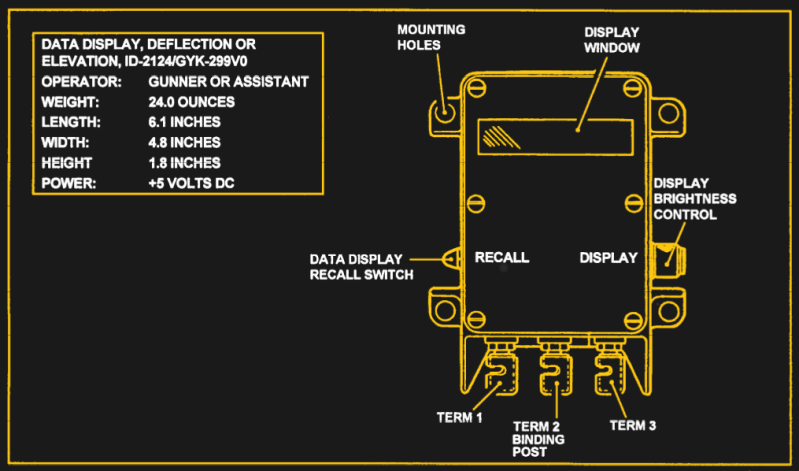
For example, rather than speculate wildly as to the purpose of said device, we can read the description directly from Field Manual 6-50 “TACTICS, TECHNIQUES, AND PROCEDURES FOR THE FIELD ARTILLERY CANNON BATTERY”:

The gun assembly provides instant identification of required deflection to the gunner or elevation to the assistant gunner. The display window shows quadrant elevation or deflection information. The tenths digit shows on the QE display only when the special instruction of GUNNER’S QUADRANT is received.

From this description we can surmise that the ID-2124 is used to display critical data to be used during the aiming and firing of the weapon. Further, the small size of the device and the use of binding posts seem to indicate that it would be used remotely or temporarily. Perhaps so the crew can put some distance between themselves and the artillery piece they’re controlling.

Now that we have an idea of what the ID-2124 is and how it would be used, let’s take a closer look at what’s going on inside that olive drab aluminum enclosure.

Continue reading “Milspec Teardown: ID-2124 Howitzer Data Display”

The Thermochromic Display You Didn’t Know You Needed

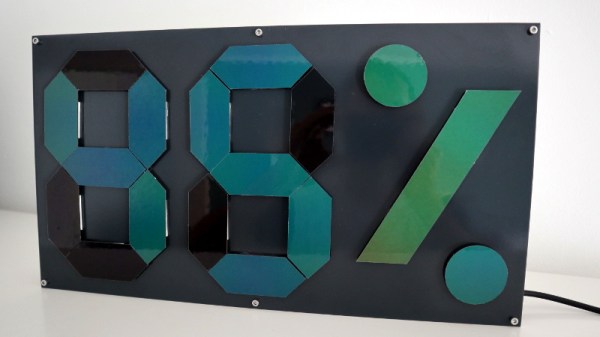
We love unique ways of displaying data here at Hackaday, and this ingenious thermochromic display created by [Moritz v. Sivers] more than fits the bill. Using sheets of color changing liquid crystals and careful temperature control of the plates they’re mounted on, he’s built a giant seven-segment display that can colorfully (albeit somewhat slowly) show the current temperature and humidity.

The sheets of temperature sensitive liquid crystals are a bit like flattened out Mood Rings; they starts out black, but as heat is applied, their color cycles through vibrant reds, greens, and blues. The sheets are perhaps best known as the sort of vaguely scientific toys you might see in a museum gift shop, but here [Moritz] has put their unique properties to practical use.

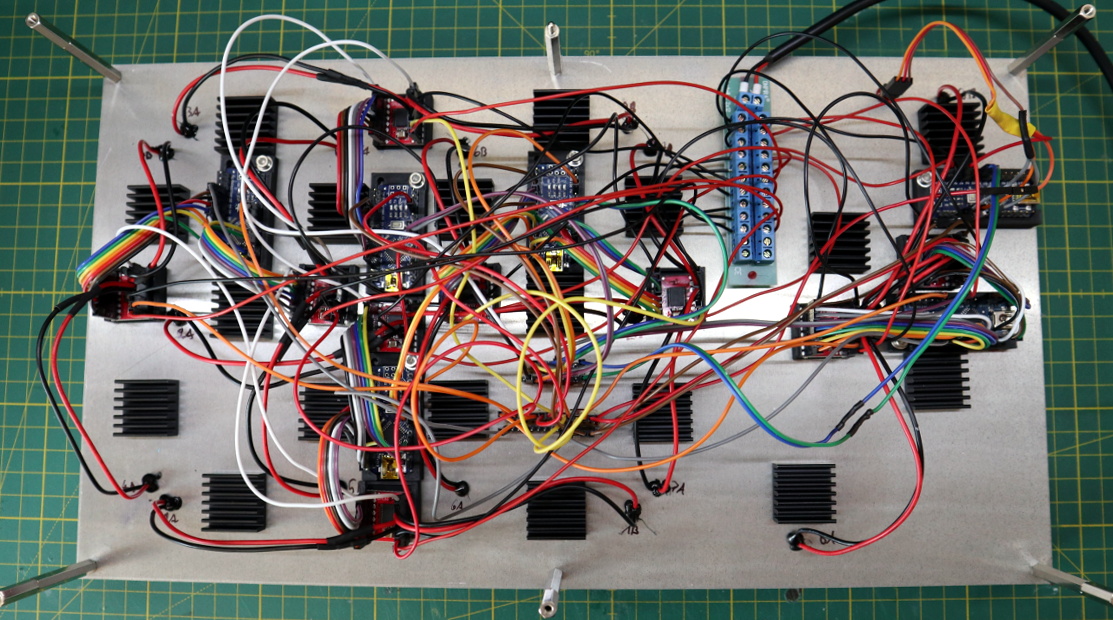
To achieve the effect, he first cut each segment out of copper. The crystal sheets were applied to the segments, thanks to their handy self-stick backing, and the excess was carefully trimmed away. Each segment was then mounted to a TES1-12704 Peltier module by way of thermally conductive epoxy. TB6612FNG motor controllers and a bevy of Arduino Nano’s are used to control the Peltier modules, raising and lowering their temperature as necessary to get the desired effect.

You can see the final result in the video after the break. It’s easily one of the most attractive variations on the classic seven-segment display we’ve ever seen. In fact, we’d go as far as to say it could pass for an art installation. The idea of a device that shows the current temperature by heating itself up certainly has a thoughtful aspect to it.

This actually isn’t the first display we’ve seen that utilized this concept, though it’s by far the largest. Back in 2014 we featured a small flexible display that used nichrome wires to “print” digits on a sheet of liquid crystals.

Continue reading “The Thermochromic Display You Didn’t Know You Needed”

Exploring The Science Behind Dirty Air Filters

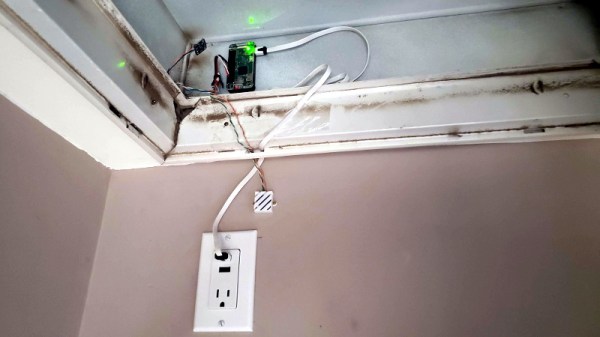
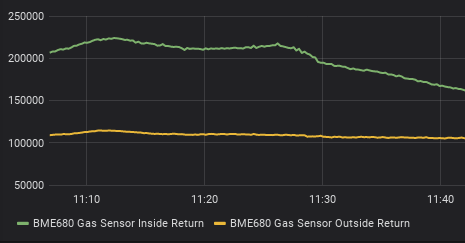
Obviously, if the air filters in your home HVAC system are dirty, you should change them. But exactly how dirty is dirty? [Tim Rightnour] had heard it said that if you didn’t change your filter every month or so, it could have a detrimental effect on the system’s energy consumption. Thinking that sounded suspiciously like a rumor Big Filter™ would spread to bump up their sales, he decided to collect his own data and see if there was any truth to it.

There’s a number of ways you could tackle a project like this, but [Tim] wanted to keep it relatively simple. A pressure sensor on either side of the filter should tell him how much it’s restricting the airflow, and recording the wattage of the ventilation fan would give him an idea on roughly how hard the system was working.

Now [Tim] could have got this all set up and ran it for a couple months to see the values gradually change…but who’s got time for all that? Instead, he recorded data while he switched between a clean filter, a mildly dirty one, and one that should have been taken out back and shot. Each one got 10 minutes in the system to make its impression on the sensors, including a run with no filter at all to serve as a baseline.

The findings were somewhat surprising. While there was a sizable drop in airflow when the dirty filter was installed, [Tim] found the difference between the clean filter and mildly soiled filter was almost negligible. This would seem to indicate that there’s little value in preemptively changing your filter. Counter-intuitively, he also found that the energy consumption of the ventilation fan actually dropped by nearly 50 watts when the dirty filter was installed. So much for a clean filter keeping your energy bill lower.

With today’s cheap sensors and virtually infinite storage space to hold the data from them, we’re seeing hackers find all kinds of interesting trends in everyday life. While we don’t think your air filters are spying on you, we can’t say the same for those fancy new water meters.

A Custom Milled Jig For Smart Bulb Programming

Who would have thought that some day we’d need programming jigs for our light bulbs? But progress marches on, and as there’s currently a number of affordable Internet-controlled bulbs powered by the ESP8266 on the market, we’re at the point where a tool to help update the firmware on the light over your kitchen sink might be something nice to have. Which is why [cperiod] created this programming jig for AiLight smart bulbs.

Flashing the AiLight bulbs is easy enough, there’s a series of test points right on the face of the PCB that you can hook up to. But if you’re updating more than one of them, you don’t want to have to solder your programmer up to each bulb individually. That’s where the jig comes in. [cperiod] says there are already some 3D printed designs out there, but they proved to be a bit finicky.

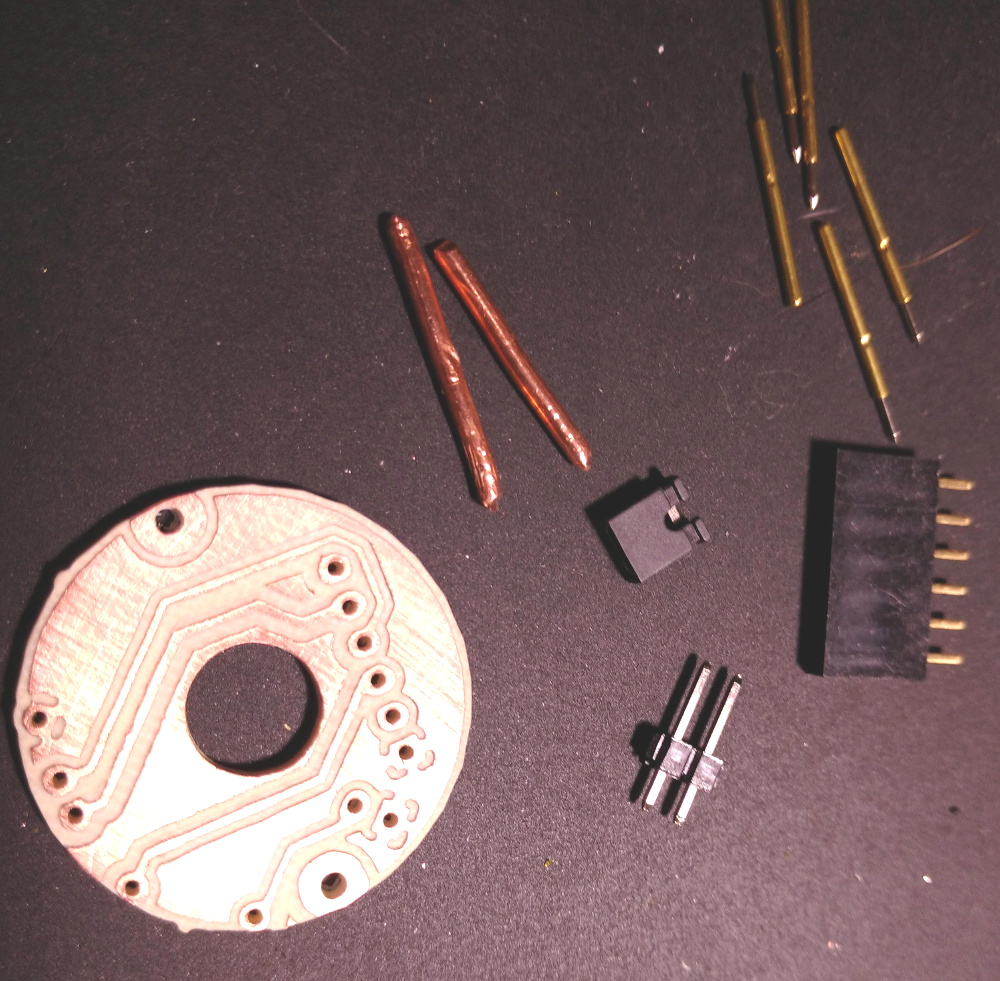
The design that [cperiod] came up with and eventually milled out on a 1610 CNC router is quite simple. It’s effectively just a holder to keep the five pogo pins where they need to be, and a jumper that lets you toggle the chip’s programming mode (useful for debugging).

The neat trick here are the “alignment pins”, which are actually two pieces of 14 gauge copper wire that have had their ends rounded off. It turns out these will slip perfectly into holes on the AliLight PCB, ensuring that the pogo pins end up on target. It works well enough that you can hold the bulb and jig in one hand while programming, it just needs a little downwards pressure to make good contact.

We’ve previously seen how easily you can replace the firmware on some of these ESP8266 bulbs. While there’s certainly a downside to these bulbs being so simple to modify, it’s hard to deny their hackability makes them very appealing for anyone looking to roll their own network-controlled lighting system.

Perfecting A Bluetooth N64 Controller

Love it or hate it, the Nintendo 64 controller doesn’t seem to be going anywhere. Dedicated fans are still looking for ways to use the unique trilobed controller with modern systems, and they won’t be satisfied until they perfectly replicate the original experience. [Shyri Villar] has been working on perfecting a blend of original and modern hardware that looks very promising.

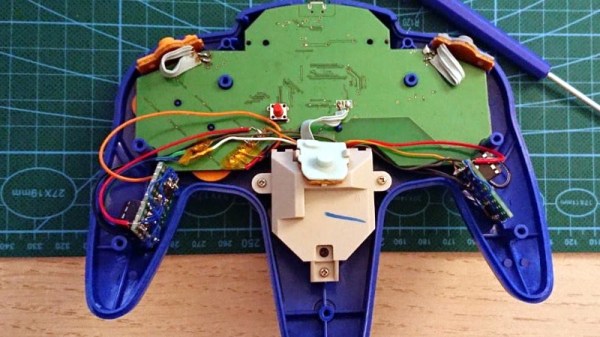
The project started when [Shyri] found that you could take the internals from a modern third party Bluetooth N64 controller made by 8BitDo and put them into the original controller’s case. This would give you the original buttons back, and overall a more authentic weight and feel. Unfortunately, this usually means dumping the original N64 joystick for the 8BitDo’s.

What [Shyri] wanted to do was install the 8BitDo PCB into an original N64 controller, but adapt Nintendo’s joystick to communicate with it. Unfortunately, since the original joystick used optical encoders and the 8BitDo version uses potentiometers, there’s something of a language gap.

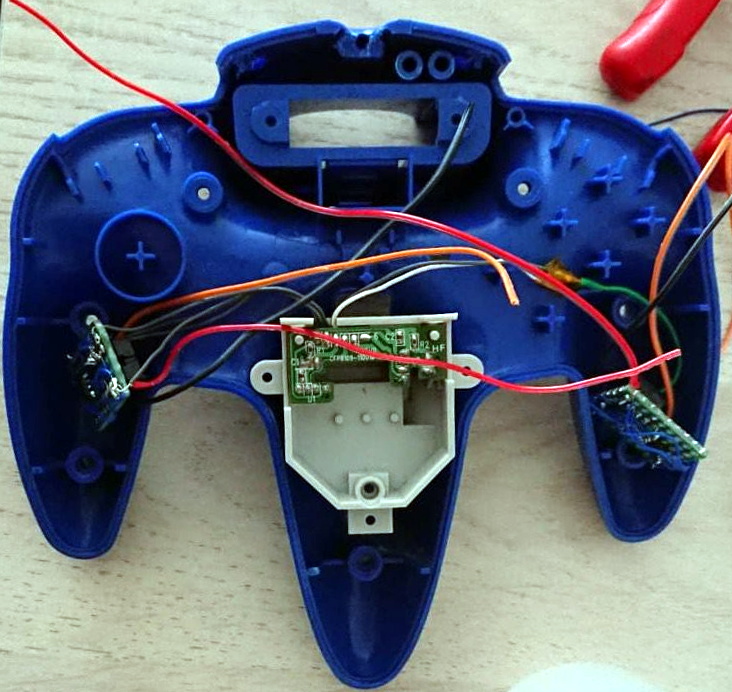
To bridge the divide, both the X and Y dimensions of the joystick get their own PIC12F675 microcontroller and X9C103S digital potentiometer. The microcontrollers read the X and Y values from the original joystick’s encoders, and use the digital potentiometers to provide the 8BitDo with the expected analog input. Right now the electronics are held on two scraps of perfboard tucked into the side “wings” of the controller, but hopefully we’ll see a custom PCB in the future.

If you’re more interested in going back in time with your trusty N64 controller, then you might be interested in learning more about how one hacker managed to hook it up to the MSX.