3D Printers Get A Fuel Gauge: Adding A Filament Scale To OctoPrint

It seems a simple enough concept: as a 3D printer consumes filament, the spool becomes lighter. If you weighed an empty spool, and subtracted that from the weight of the in-use spool, you’d know how much filament you had left. Despite being an easy way to get a “fuel gauge” on a desktop 3D printer, it isn’t something we often see on DIY machines, much less consumer hardware. But with this slick hack from [Victor Noordhoek] as inspiration, it might become a bit more common.

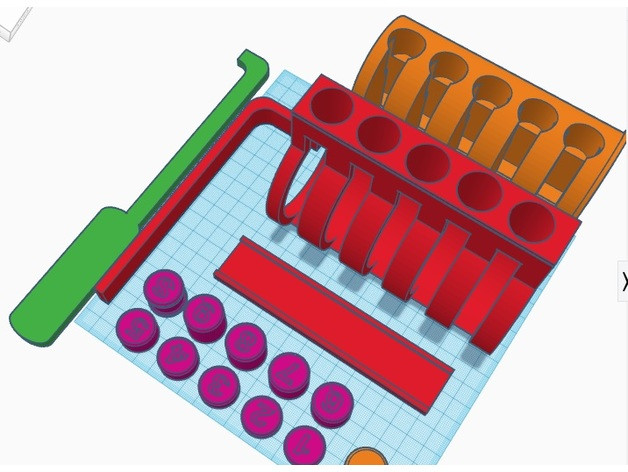
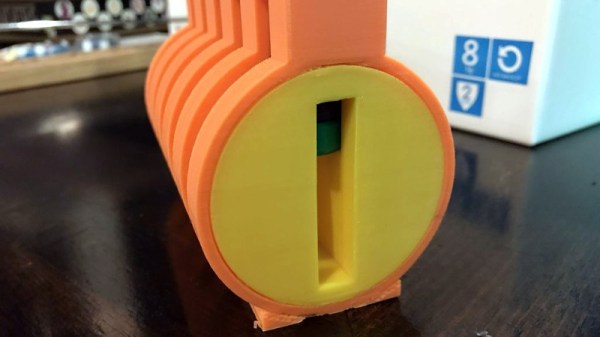
He’s designed a simple filament holder which mounts on top of an HX711 load cell, which is in turn connected to the Raspberry Pi running OctoPrint over SPI. If you’re running OctoPrint on something like an old PC, you’ll need to use an intermediate device such as an Arduino to get it connected; though honestly you should probably just be using a Pi.

On the software side, [Victor] has written an OctoPrint plugin that adds a readout of current filament weight to the main display. He’s put a fair amount of polish into the plugin, going through the effort to add in a calibration routine and a field where you can enter in the weight of your empty spool so it can be automatically deducted from the HX711’s reading.

Hopefully a future version of the plugin will allow the user to enter in the density of their particular filament so it can calculate an estimate of the remaining length. The next logical step would be adding a check that will show the user a warning if they try to start a print that requires more filament than the sensor detects is currently loaded.

This is yet another excellent example of the incredible flexibility and customization offered by OctoPrint. If you’re looking for more reasons to make the switch, check out our guide on using OctoPrint to create impressive time lapse videos of your prints, or how you can control the printer from your mobile device.

Reverse Engineering A DNA Sequencer

Improvements in methodology have dramatically dropped the cost of DNA sequencing in the last decade. In 2007, it cost around $10 million dollars to sequence a single genome. Today, there are services which will do it for as little as $1,000. That’s not to bad if you just want to examine your own DNA, but prohibitively expensive if you’re looking to experiment with DNA in the home lab. You can buy your own desktop sequencer and cut out the middleman, but they cost in the neighborhood of $50,000. A bit outside of the experimenter’s budget unless you’re Tony Stark.

But thanks to the incredible work of [Alexander Sokolov], the intrepid hacker may one day be able to put a DNA sequencer in their lab for the cost of a decent oscilloscope. The breakthrough came as the result of those two classic hacker pastimes: reverse engineering and dumpster diving. He realized that the heavy lifting in a desktop genome sequencer was being done in a sensor matrix that the manufacturer considers disposable. After finding a source of trashed sensors to experiment with, he was able to figure out not only how to read them, but revitalize them so he could introduce a new sample.

To start with, [Alexander] had to figure out how these “disposable” sensors worked. He knew they were similar in principle to a digital camera’s CCD sensor; but rather than having cells which respond to light, they read changes in pH level. The chip contains 10 million of these pH cells, and each one needs to be read individually hundreds of times to capture the entire DNA sequence.

Enlisting the help of some friends who had experience reverse engineering silicon, and armed with an X-Ray machine and suitable optical microscope, he eventually figured out how the sensor matrix worked electrically. He then designed a board that reads the sensor and dumps the “picture” of the DNA sample to his computer over serial.

Once he could reliably read the sensor, the next phase of the project was finding a way to wash the old sample out so it could be reloaded. [Alexander] tried different methods, and after several wash and read cycles, he nailed down the process of rejuvenating the sensor so its performance essentially matches that of a new one. He’s currently working on the next generation of his reader hardware, and we’re very interested to see where the project goes.

This isn’t the first piece of DIY DNA hardware we’ve seen here at Hackaday, and it certainly won’t be the last. Like it or not, hackers are officially fiddling with genomes.

Printed Part Gets Classic Truck Rolling

When working on classic vehicles, and especially when modifying them outside of their stock configurations, things can get expensive. It’s a basic principle in economics: the rarer something is the more money somebody can charge you for it. But if you’ve got the skills and the necessary equipment, you can occasionally save yourself money by custom-fabricating some parts yourself.

After changing the gear ratio in his 1971 Ford F100, [smpstech] needed to adjust his speedometer to compensate. Unfortunately, a commercial speedometer reducer and the new cables to get it hooked up to his dash would have run into the hundreds of dollars, so he decided to try designing and 3D printing his own gearbox. The resulting development process and final product are a perfect example of how even a cheap desktop 3D printer, in the hands of a capable operator, can do a lot more than print out little toy boats.

The gearbox contains a large ring gear driven by a smaller, offset, spur gear. This compact inline package drops the speed of the input shaft by 25.5%, which [smpstech]  mentions is actually a bit slower than necessary, but it does give him some wiggle room if he decides to change his tire size.

Even if you’re not looking for a speedometer reducer for a nearly 50 year old truck, there are some lessons to be learned here in regards to 3D printed car parts. The first version of his gearbox, while functional initially, ended up looking like a deflated balloon after being exposed to the temperatures inside the F100’s engine bay. His cheapo PLA filament, which is probably fine for the aforementioned toy boats, simply wasn’t the right material for the job.

[smpstech] then reprinted the gadget in HTPLA, which needs to be annealed after printing to reach full strength. Usually this would involve a low-temperature bake in the oven, but he found that simmering the parts in a pot of water on the stove gave him better control over the temperature. Not only did the HTPLA version handle the under-hood conditions better, it was also strong enough that he was able to use a standard die on the connections for the speedometer cables to create the threads instead of having to model and print them. Definitely a material to keep an eye on if regular PLA isn’t cutting it for you.

This isn’t the first time we’ve seen 3D printed parts used to get a vintage vehicle back on the road. Building these custom parts would have been possible without a 3D printer, of course, but it’s a good example of how the technology can make these types of repairs faster and easier.

[via /r/functionalprint]

Programmable Badge Uses E-Ink And ESP8266

You’ve probably noticed that the hacker world is somewhat enamored with overly complex electronic event badges. Somewhere along the line, we went from using a piece of laminated paper on a lanyard to custom designed gadgets that pack in enough hardware that they could have passed for PDAs not that long ago. But what if there was a way to combine this love for weighing down one’s neck with silicon jewelry and the old school “Hello my name is…” stickers?

[Squaro Engineering] might have the solution with Badgy, their multi-function e-ink name…well, badge. Compatible with the Arduino SDK, it can serve as anything from a weather display to a remote for your smart home. Oh, and we suppose in an absolute emergency it could be used to avoid having to awkwardly introduce yourself to strangers.

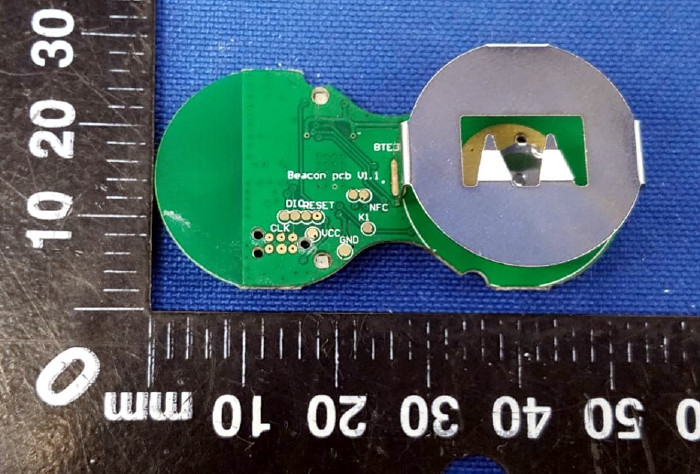
Powered by an ESP-12F, Badgy features a 2.9″ 296×128 E-Ink display and a five-way tactical switch for user input. The default firmware includes support for WiFiManager and OTA updates to make uploading your own binaries as easy as possible, and a number of example Sketches are provided to show you the ropes. Powered by a LIR2450 3.6 V lithium-ion rechargeable coin cell, it can run for up to 35 days in deep sleep or around 5 hours of heavy usage.

Schematics, source code, and a Bill of Materials are all available under the MIT license if you want to try your hand at building your own, and assembled badges are available on Tindie. While it might not be as impressive as a retro computer hanging around your neck, it definitely looks like an interesting platform to hack on.

Failed Tool Turned Exploded Wall Art

Few things hit a hacker or maker harder than when a beloved tool goes to that Big Toolbox In The Sky. It can be hard to trash something that’s been with you through countless repairs and teardowns, made all the worse by the fact most employers don’t recognize “Tool Bereavement” as a valid reason to request time off. Maybe next time one of your trusty pieces of gear gives up the ghost, you can follow the example set by [usuallyplesent] and turn it into a piece of art to hang up on the shop wall.

The shop had gotten years of daily service out of this air powered angle die grinder (not bad for a $14 Harbor Freight tool), and he thought they should immortalize it in their waiting room by turning it into an interesting piece of art. After all, it’s not everyday that some folks see the insides of the sort of tools the more mechanically inclined of us may take for granted.

After taking the grinder apart and cleaning everything up, [usuallyplesent] decided to simplify things a bit by tossing out the assorted tiny components like seals and washers. By just focusing on the larger core components, the exploded view is cleaner and reminds us of a light saber cutaway.

Using a piece of scrap cardboard, [usuallyplesent] made templates for all of the major pieces of the grinder and used that to sketch out the placement and spacing on the white background. He then cut out each shape so the parts would be partially recessed into the board. This gives the effect that each piece was cut down the middle lengthwise but without all the hassle of actually cutting everything down the middle lengthwise.

We’ve previously seen similar displays made out of dissected consumer electronics, but there’s something rather personal about doing the same thing for a well-used tool. If any of our beloved readers feel inspired to enshrine a dead multimeter into a shadow box over the bench, be sure to let us know.

[via /r/justrolledintotheshop]

Even The PlayStation 2 Can’t Escape Java

Love it or hate it, you can’t deny that Java has a pretty impressive track record in terms of supported platforms. Available on everything from flip phones to DVD players, not to mention computers, Oracle once famously claimed that Java runs on three billion devices. An estimate that, in truth, is probably on the low side at this point. Especially when [Michael Kohn] keeps figuring out how to run it on increasingly esoteric devices.

[Michael] writes in to tell us that he’s added support for the PlayStation 2 console to Java Grinder, his software for taking Java code and turning it into a native binary for a variety of unexpected platforms. His previous conquests have included the TRS-80 and Atari 2600, so by comparison the PS2 is an almost tame addition to the list.

Let’s be honest, you probably don’t have any desire to run a Java program on Sony’s nearly two decade old game system. But that’s OK. The documentation [Michael] has written up is fascinating anyway, covering specifics of the PS2’s rather unique hardware and quirks he ran into when developing on an emulator and deploying on real hardware. Even if you’ll never put the findings to practical use, it’s absolutely worth a read.

In the video after the break you can see the demo [Michael] came up with booting on a real PS2 to prove the software works. To really put his mark on it, he mentions he wrote and performed the demo’s songs and even drew some of the artwork on paper and scanned it into his computer.

We’ve previously covered his work getting Java running on the Sega Genesis, as well as the venerable 6502 CPU. Oh, and one time he encoded data onto a pancake. We like this guy’s style.

Continue reading “Even The PlayStation 2 Can’t Escape Java”

DIY Scientific Calculator Powered By Pi Zero

It’s the eternal question hackers face: do you built it, or do you buy it? The low cost and high availability of electronic gadgets means we increasingly take the latter option. Especially since it often ends up that building your own version will cost more than just buying a commercial product; and that’s before you factor in the time you’ll spend working on it.

But such concerns clearly don’t phase [Andrea Cavalli]. Sure he could just buy a scientific calculator, but it wouldn’t really be his scientific calculator. Instead, he’s taking the scenic route and building his own scientific calculator from scratch. The case is 3D printed, the PCB is custom, and even the software is his own creation.

His PCB hooks right up to the GPIO pins of the internal Raspberry Pi Zero, making interfacing with the dome switch keyboard very easy. The board also holds the power management hardware for the device, including the physical power switch, USB connection for charging, and TPS79942DDCR linear regulator.

The case, including the buttons, is entirely 3D printed. At this point the buttons don’t actually have any labels on them, which presumably makes the calculator more than a little challenging to use, but no doubt [Andrea] is working on that for a later revision of the hardware. A particularly nice detail is the hatch to access the Pi’s micro SD card, making it easy to update the software or completely switch operating systems without having to take the calculator apart.

After the kernel messages scroll by, the Pi boots right into the Java calculator environment. This gives the user a fairly standard scientific calculator experience, complete with nice touches like variable highlighting. The Mario mini-game probably isn’t strictly required, but if you’re writing the code for your own calculator you can do whatever you want.

Here at Hackaday we’ve seen a calculator that got a Raspberry Pi upgrade, a classic scientific calculator emulated with an Arduino, and of course we’ve raved about the NumWorks open source graphing calculator. Even with such stiff competition, we think this project is well on its way to being one of the most impressive calculators we’ve ever come across.

Continue reading “DIY Scientific Calculator Powered By Pi Zero”