This KVM Runs A P4 Instead Of A Pi.

If you asked us to build you a KVM last week, we’d likely have reached for a Raspberry Pi. Now, thanks to [JonathanRowny], we’d seriously consider an ESP32-P4, because his IP KVM seems pretty capable.

He’s using the P4 hardware to its fullest, getting the supported 1080p graphics, and doing so in an interesting way– he’s got a commercial adapter board to try and translate HDMI signals to the camera input on his dev board. Conveniently enough, it’s the same ribbon-cable pinout as the RPi, which is not guaranteed by the CSI standard. Writing a driver to take that signal proved the hardest part– aside from the usual chip revision confusion that plagues this chip– and we can’t help but wonder if the client on the other side of the KVM-IP link might have an easier time doing the image processing that was required for a good image. Regardless, he’s got the code as it is now up on GitHub under the Apache license. 

As of this this writing, there’s no audio, and ironically for an ESP32 project networking is wired-only– but much more importantly, there is no security. So it’s a work in progress, but great to see the P4 in the wild doing something other than emulation. Not that we haven’t seen the P4 at work before–the Tanmatsu handheld also makes use of Expressif’s most powerful chip for a handy little terminal. Between the KVM and the handhelds, we cannot help but wonder how many of the projects that were once the provenance of a Pi will get squeezed into these overpowered microcontrollers. Sure, they can’t even match the original Pi in horsepower, never mind a modern Pi5, but how many times have you seen a Linux SBC seriously under-taxed in a project like this?

If you’re swapping Pi for P4– or doing anything else interesting– please let us know on the tips line.

Continue reading “This KVM Runs A P4 Instead Of A Pi.”

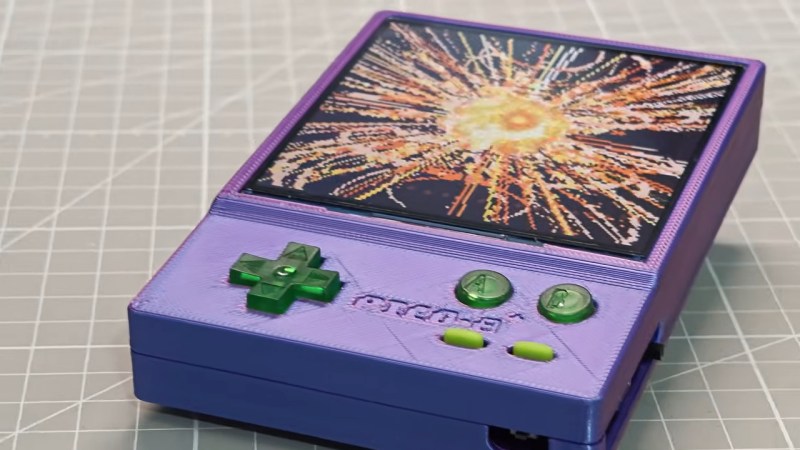
An EInk, ESP32-based Game Boy

This is one of those projects that was both inspired and made possible by the absolute embarrassment of dev boards available to the modern hacker. In this case, the dev board was the M5Stack PaperS3, which as the name implies combines an ESP32-S3 with an e-ink panel. [Wenting Zhang] picked one up and was immediately inspired to try and make an e-ink Game Boy.

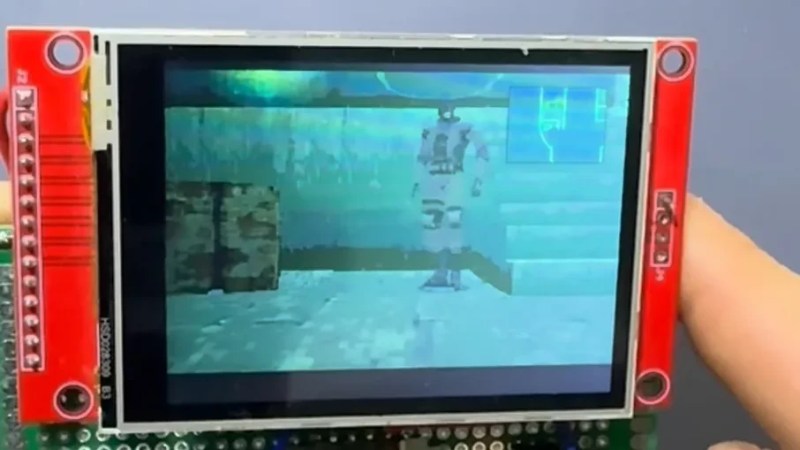
The M5Stack PaperS3 made this project possible by exposing the display with row/column control — parallel, some would call it, as opposed to the usual serial interface of SPI. That allowed [Wenting] to work some of the same e-ink magic he perfected on his Modos monitors to allow partial refresh at up to 60 Hz. That the ESP32-S3 is capable of emulating a Game Boy while driving the screen should surprise no one, since it can emulate an MSX while outputting VGA or even Windows 95 on a 386. In this case, he’s basing the actual Game Boy emulation on Crank Boy.

Of course the e-ink screen on the M5Stack is far larger and has a much higher resolution than what the Game Boy shipped with, which lets him implement touch controls and scale the image up 3X so he can fake a couple of shades of grayscale while actually outputting black and white. Even better, if he was actually playing this thing on the regular, once the high-refresh portion of the screen starts to wear out, he can flip the orientation and keep gaming on the virtually-unrefreshed control portion of the screen — doubling the lifetime of the system, something many of you raised as a concern when we last looked at a his e-ink monitor project.

The only real shortcoming of this hack is the sound. With one-bit beeps coming out of the M5Stack buzzer, it’s got nothing on Nintendo’s hardware. Of course, that’s partially down to using the hardware as-is. With the addition of an I2S sound chip like the one used in the MOD player project we featured recently, you’d just need to squeeze out enough processor cycles to make this sound as good as it looks.

Continue reading “An EInk, ESP32-based Game Boy”

Terminus Is A Text Only Phone Because Telephony Is Dead Anyway

This may say more about us than the current state of the telephone network, but unless your Grandma is still kicking, how many phone calls do you take that are actually worth picking up? Around here it’s one variety of scam or another, with the odd cold-calling salesperson to round it out.

So when we saw [Bolan Xu]’s texting-only TERMINUS cell phone project, it took but a minute to decide that, yeah, we wouldn’t miss the telephone part of the phone very much either.

The trade-offs are immense when compared to your smartphone; there’s no voice, no web browser, no social media, and no camera. But on the flip side there’s also no spyware and no annoying spam calls. Besides, he’s built a QWERTY keyboard onto this thing, and that does seem to be what most of us miss in this era of black rectangles.

In terms of electronics, its rocking a tiny OLED display for you to read your messages on, driven by an ESP8266. When WiFi is available the plan was to bridge over the internet in an SMS version of VOIP, but [Bolan Xu] ended up installing a cellular modem in it anyway.

As you can tell from the skeletal case, this is very much a prototype, but it is a promising project. We’ve seen ESP-based phones before, but they tend to be a bit smarter, and run on ESP32 instead of the more modest ESP8266.

2026 Frikkin Lasers Challenge: Super-Simple Laser Precision For Your Stargazing

Perhaps the hardest thing for amateur astronomers just starting out is finding the things you want to look at. Prolific maker [mircemk] has submitted a quick-and-easy star-hopper device that will help guide your binoculars with laser-like precision using things you likely already have on hand: a smartphone, a mounting plate, and a green laser pointer.

The smartphone is running AstroHopper, an astronomy app that uses GPS and inertial navigation to know exactly where your phone is pointing, and offer an image of the sky on the screen. There are many others of this ilk, and there’s no reason [mircemk]’s trick won’t work with your favorite. The trick is decidedly simple: the smartphone is mounted to a flat plate, in line with a green laser pointer. Careful placement aligns the axis of the phone and the laser, and the mounting plate is set up to fit a tripod.

Using it is simple: with a labelled view of the sky displayed on the screen, one lines up the phone/laser combo with the desired object, and activates the laser pointer. [micremk] has wired in an on-off switch for this purpose and a large external battery, rather than relying on the stock pushbutton. Since the axis of the laser pointer and the phone are aligned, a green line launches out into the heavens for you to follow with your binoculars. Once you locate that green dot, you can turn off the laser. Yes, the computer has helped you find the object, but your muscles are doing the slewing and that will make it much more likely you start to learn the sky yourself rather than relying on electronic magic.

This is probably the simplest hack we’ve yet seen in the Frikkin’ Lasers Challenge, and yet also one of the most practical. If you enjoy playing with radiation that’s spontaneously emitted, there’s still time to get your entry together — the contest runs until July 23, 2026.

Continue reading “2026 Frikkin Lasers Challenge: Super-Simple Laser Precision For Your Stargazing”

NVIDIA’s New AI Servers Run On Hotub Coolant And Don’t Need Evaporators

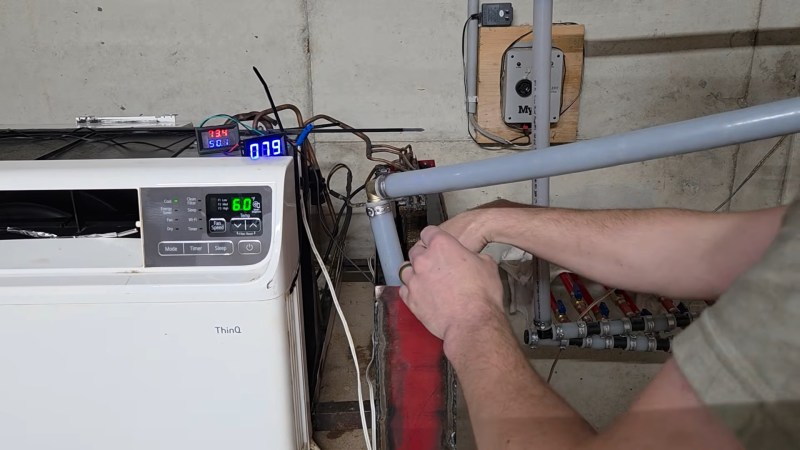
When people start ranting about AI, you can be sure a few things are going to come up during the two-minutes hate: job loss, higher power bills, the neverending tide of low-effort slop, and wasting precious freshwater. Well, NVIDIA wants to take away that last one, beacause the all-water cooled Ruben architecture won’t need any evaporative cooling— coolant can stay in a closed loop, and never needs to be cooled below 45 C, or 113 F.

This sort of coolant loop should be familiar to anyone who has ever built a water-cooled PC or PlayStation: there’s a glycol-water mix, water blocks, and a radiator to reject heat to the environment. NVIDIA doesn’t mention if their new servers come with RGB lighting, but we’d like to imagine it’s an option. The big difference — aside from the rainbow LEDs– between a Ruben server and your old gaming rig is that in these racks, everything is on a waterblock. If there’s a chip on the motherboard generating heat, it’s getting rid of it into the same cooling water. Cooling water, that we have to emphasize, needs only be cooler than the chips themselves: in this case, they’re talking 45 C on the cold side, and 55 C headed out of the racks. (That’s 113 F to 131 F for all the bald eagles reading this.)

Given the required temperature drop is so modest, there’s no need for the evaporative chillers that have given AI data centers such a bad name in water conservation circles. Just like in a water-cooled PC, ambient-temperature air running over dry heat exchangers– also known as big honkin’ radiators–is able to handle the cooling, so no water is lost. Since everything is on waterblocks, there’s no need for cooling air, either, and the server farms need only be air conditioned to the degree required to make them comfortable to work in.

If you think NVIDIA is making this change because they suddenly care about water conservation, think again. The press release makes their motivations very clear: cooling costs money, and running this hot saves a lot of it. We’re talking four mil US a year for a 50 MW hyperscaler. One might suspect that this sort of thermal regime could limit the lifetime of the hard-working NPUs, but since they’ll be obsolete in a few years anyway, that’s not likely a big concern, especially not for NVIDIA.

We’ve actually seen hotter fluids used to cool computers before– coffee, for one. Water cooling also isn’t new in the data center world; we took a look at it a few years back. Things are clearly heating up now, though.

Reflective LCD Slabtop Terminal Runs Homebrewed Solar OS

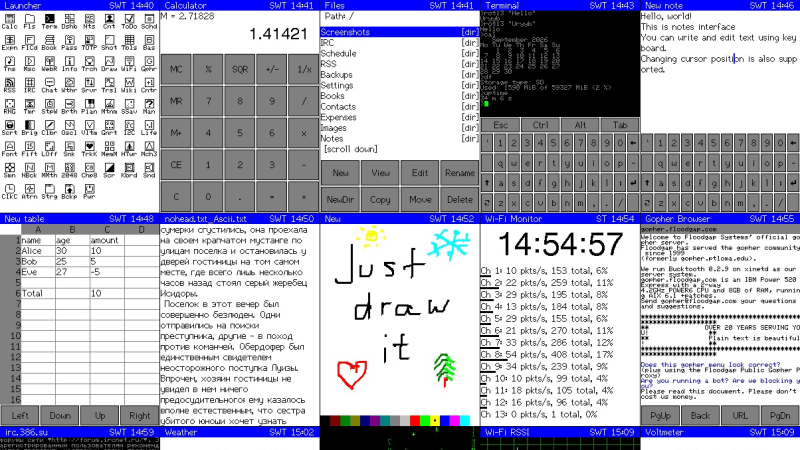
Have you ever spotted something in a catalog or on a website and just known you had to build a project around that one part? That’s how [nilseuropa] felt about the Waveshare ESP32-S3-RLCD-4.2, which — as you might guess from the name — pairs an ESP32-S3 with a reflective LCD. With a screen reminiscent of a palmtop of yore, [nilseuropa] wanted a personal device, and needed something to run on it. That’s where Solar OS comes in.

Physically he’s paired the Waveshare board with a mini keyboard and put them together in a handsome 3D printed case with a battery. The slabtop form-factor was more for ease-of-creation than any preference; in the project’s reddit thread [nils] is reaching out for help making something cooler, possibly of the palmtop form-factor. He also describes some of the thinking behind his operating system.

You had us at “terminal”.

He’s not starting entirely from scratch: it’s based on FreeRTOS and the ESP-IDE toolset. Right now all applications are built with the OS into a single binary, while the SD card on the Waveshare board handles persistent storage. The interface is pure text, with all applications launched via shell commands. That doesn’t mean you have to go back to your PC to add anything, however.

The system is user-programmable, with Python and Lua scripting as “first class citizens”, having access to the hardware through the Solar OS APIs. As for the applications built into the firmware, it looks like along with the serial terminal, you get quite a lot: an orthodox file manager à la Norton Commander, networking tools that include a web browser and chat client, MP3 player, image viewer, text editor, games, and more.

While they are obviously pretty niche projects, we do appreciate that there’s a growing collection of homebrew operating systems that you can run on your bespoke computing device.

This Kid-Friendly Laptop Build Is The Antidote To Age Verification

Age-verification has been a topic of hot debate recently, with many in the community feeling that keeping kids safe online is better handled by the parents. But what does that look like these days? [EposVox] has been working on a child-safe laptop to try and solve the problem, but depending on how you look at it, it also shows why non-technical people may feel they need the government involved.

His setup may seem simple to many readers — a carefully curated selection of edutainment apps running under Kubuntu on an old laptop. We particularly like his choice not to give access to the applications menu, but give himself a hotkey for the terminal if he needs to access something outside of the curated selection of software. Most things are local, though some browser games and cloud tools are made available via Vivaldi’s app mode. In this case there is no actual browser access for junior just yet, as the child in question is seven years old.

All in all, it sounds like less than an hour to set up. Assuming you’ve got experience with desktop Linux, anyway. Consider, though that it took [EposVox] an entire day just to get Kubuntu installed, and you begin to see why the average person might look kindly on a politician offering to solve these problems for them. For those that need it, [EposVox] points out some Windows-based alternatives for childproofing your PC, including the absolute minimum of DNS filtering. But the same problem applies: how many people outside our bubble know how to set that up?

While there’s an argument to be made that the sort of age-verification laws being passed are examples of government overreach, these laws aren’t facing a lot of push-back because most people aren’t technically literate enough to realize the problems with them. They like the idea of their kids being protected, and they don’t know how to set up an old PC the way [EposVox] does here.

It’s a real shame, especially considering that none of this is new. We featured a kid-friendly, Windows-based computer setup years ago. But it is what it is. Hopefully these sorts of hacks don’t end with the roll-out of age verification, because it’s a much better way to do it.

Continue reading “This Kid-Friendly Laptop Build Is The Antidote To Age Verification”