DIY Monochrome LCD Hack Doesn’t Go As Planned

Manufacturers of low-cost 3D printers that use the masked stereolithography (MSLA) process are able to build their machines so cheaply because they’re using repurposed smartphone or tablet LCD panels to mask off the UV backlight. Considering the quality you get out of even the entry-level MSLA resin printers, we certainly aren’t complaining about this bit of thrift. But as [Jan Mrázek] explains in a recent blog post, there’s certainly room for improvement.

The problem is that those repurposed LCD panels are, as you’d expect, color displays. After all, even the bottom of the barrel mobile devices moved away from monochrome displays decades ago. But in this case, that’s not what you really want. Since the printer operates on a single wavelength of light, the color filters inside the LCD are actually absorbing light that could otherwise be curing the resin. So an MSLA printer with a monochrome screen would use less energy and print faster. There’s only one problem: it’s not very easy to find high-resolution monochrome displays in the year 2020.
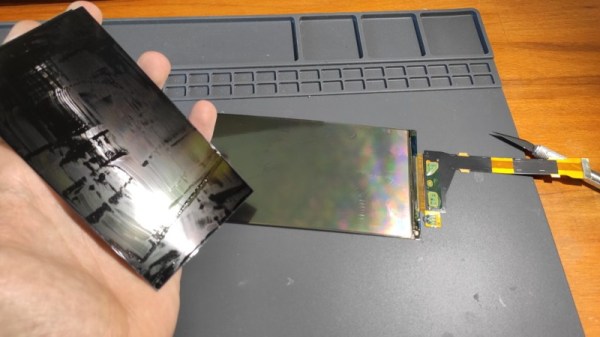
So [Jan] decided to see if he could take a replacement screen intended for his Elegoo Mars MSLA printer and convert it from color to monochrome by disassembling it and manually removing the color filters. If this sounds a bit crazy, that’s because it is. Turns out taking apart an LCD, modifying its internal layout, and putting it all back together in working order is just as difficult as you’d think.

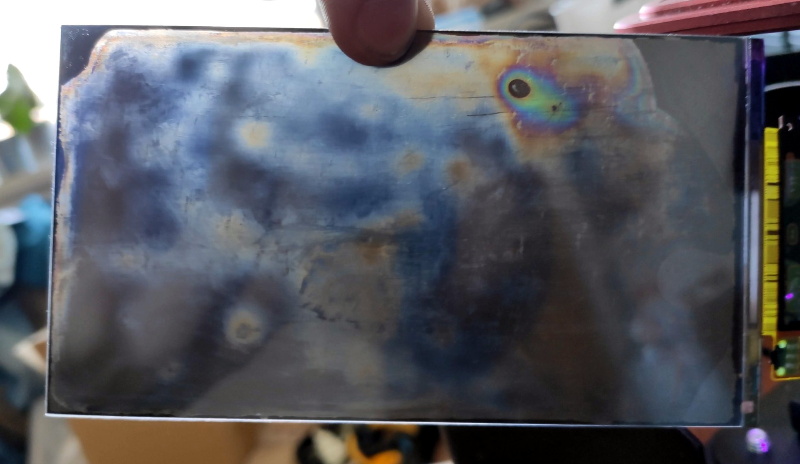
But it was still worth a try. [Jan] pulls the display apart, removes the liquid crystals, scrapes off the color filters, and then puts it all back together again. His first attempt got him a monochrome display that actually worked, but with debris trapped inside the screen, the image was too poor to be useful. He tried again, this time trying harder to keep foreign material out of the crystals. But when he got it back together a second time, he found it no longer functioned. He thinks it’s possible that his attempt to clean up the inside of the display was too aggressive, but really there are so many things that could go wrong here it’s hard to pin down just one.

Long story short, manually creating monochrome displays for low-cost MSLA printers might not be a viable option. Until a better solution comes along, you might be interested in seeing some slightly less invasive ways of improving your resin print quality.
Single Bolt Transformed Into A Work Of Art

Every once in a while, this job helps you to discover something new and completely fascinating that has little to do with hacking but is worth sharing nonetheless. Turning a single brass bolt into a beautiful Cupid’s bow is certainly one of those times.

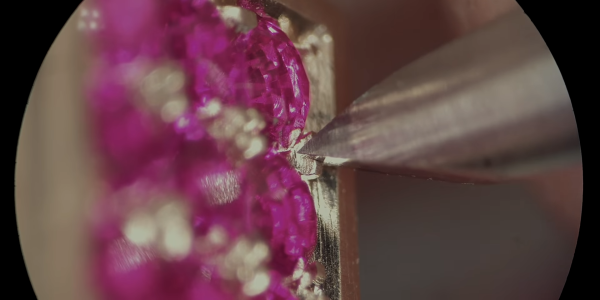
Watching [Pablo Cimadevila] work in the video below is a real treat, on par with a Clickspring build for craftsmanship and production values. His goal is to use a largish brass bolt as the sole source of material for a charming little objet d’art, which he achieves mainly with the use of simple hand tools. The stave of the bow is cut from the flattened shank of the bolt with a jeweler’s saw, with the bolt head left as a display stand. The offcuts are melted down and drawn out into wire for both the bowstring and the shaft of the arrow, a process that’s fascinating in its own right. The heart-shaped arrowhead and the faces of the bolt head are bedazzled with rubies; the technique [Pablo] uses to create settings for the stones is worth the price of admission alone. The complete video below is well worth a watch, but if you don’t have the twelve minutes to spare, a condensed GIF is available.

[Pablo]’s artistry reminds us a bit of this not-quite-one-bolt combination lock. We love the constraint of sourcing all a project’s materials from a single object, and we really appreciate the craftsmanship that goes into builds like these.

Continue reading “Single Bolt Transformed Into A Work Of Art”

Assistive Specs Help Jog Your Memory

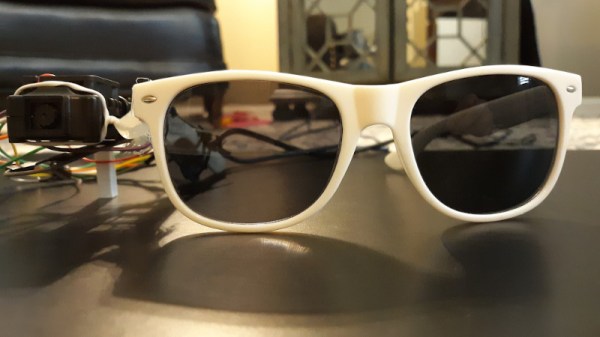
It’s something that can happen to all of us, that we forget things. Young and old, we know things are on our to-do list but in the heat of the moment they disappear from our minds and we miss them. There are a myriad of technological answers to this in the form of reminders and calendars, but [Nick Bild] has come up with possibly the most inventive yet. His Newrons project is a pair of glasses with a machine vision camera, that flashes a light when it detects an object in its field of view associated with a calendar entry.

At its heart is a JeVois A33 Smart Machine Vision Camera, which runs a neural network trained on an image dataset. It passes its sightings to an Arduino Nano IoT fitted with a real-time clock, that pulls appointment information from Google Calendar and flashes the LED when it detects a match between object and event. His example which we’ve placed below the break is a pill bottle triggering a reminder to take the pills.

We like this idea, but can’t help thinking that it has a flaw in that the reminder relies on the object moving into view. A version that tied this in with more conventional reminding based upon the calendar would address this, and perhaps save the forgetful a few problems.

Continue reading “Assistive Specs Help Jog Your Memory”

A Tin Can Phone, But With Magnets

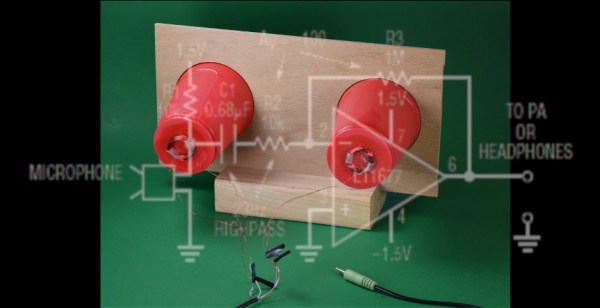
The tin can phone is a staple of longitudinal wave demonstrations wherein a human voice vibrates the bottom of a soup can, and compression waves travel along a string to reproduce the speaker in another can at the other end. All the parts in this electrical demonstration are different, but the concept is the same.

Speakers are sound transducers that turn electrical impulses into air vibrations, but they generate electricity when their coil vibrates. Copper wires carry those impulses from one cup to another. We haven’t heard of anyone making a tin can phone amplifier, but the strictly passive route wasn’t working, so an op-amp does some messy boosting. The link and video demonstrate the parts and purposes inside these sound transducers in an approachable way. Each component is constructed in sequence so you can understand what is happening and make sense of the results.

Can someone make a tin can amplifier transformer? We’d like to see that. In another twist of dual-purpose electronics, did you know that LEDs can sense light?

Continue reading “A Tin Can Phone, But With Magnets”

Adora-BLE Synth Wails Without Wires

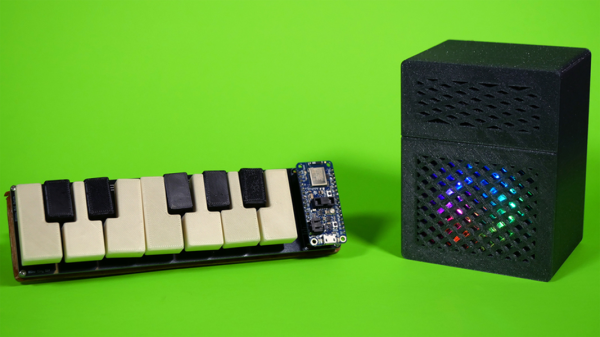
Isn’t this the cutest little synth you ever saw? The matching sparkly half-stack amp really makes it, visually speaking. But the most interesting part? There’s not a wire in sight, ’cause [Blitz City DIY]’s futuristic rig sends the bleep boops over Bluetooth LE.

Hardware-wise, both the synth and the amp are fairly simple. Underneath each of those cute little printed keys is one of those clicky momentaries that usually come with bright button caps in primary colors — the keys themselves just press-fit over the tops. All twelve ebonies and ivories are connected up to an Adafruit Feather, which communicates over Bluetooth LE to a CircuitPlayground Bluefruit (CPB) in the amp. Each time a note is played on the synth, its corresponding color circles comet-like around the CPB’s NeoPixels, which shine through the amp’s speaker grille.

The super interesting part is that all the hard work is happening in the code. Both boards have the same array of colors in rainbow order, and the CPB has an array of tone frequencies that match up one for one with the colors. For every note played, the CPB looks up the color, swirls it, and plays the note. If you want to build one, this project is wide open — [Blitz City DIY] even made a learn guide with all the dirty details. Be sure to check out the demo and extended walk-through after the break.

More in the market for making a computer keyboard? Just grab the nearest ESP32.

Continue reading “Adora-BLE Synth Wails Without Wires”

Converting An Atari 2600 Into A Home Computer; Did That Ever Work?

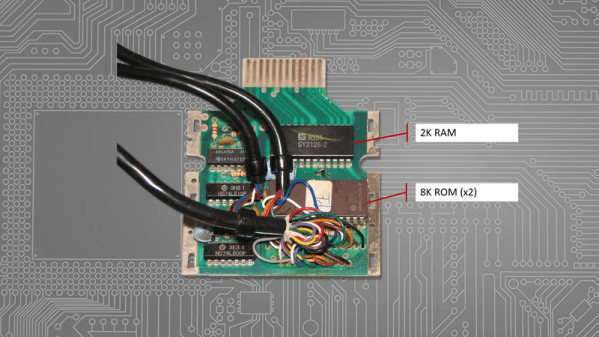
[Tony] posted an interesting video where he looks at the Atari 2600 and the way many companies tried to convert it into a real home computer. This reminded us of the ColecoVision, which started out as a video game but could expand to a pretty reasonable computer.

It might seem silly to convert a relatively anemic Atari video game into a computer, but keep in mind that computers were pretty expensive in those days. Not to mention, the Atari itself was a fair investment back then, too.

Continue reading “Converting An Atari 2600 Into A Home Computer; Did That Ever Work?”

Media Streamer With E-Ink Display Keeps It Classy

The Logitech SqueezeBox was a device you hooked up to your stereo so you could stream music from a Network Attached Storage (NAS) box or your desktop computer over the network. That might not sound very exciting now, but when [Aaron Ciuffo] bought it back in 2006, it was a pretty big deal. The little gadget has been chugging all these years, but the cracks are starting to form. Before it finally heads to that great electronics recycling center in the sky, he’s decided to start work on its replacement.

Thanks to the Raspberry Pi, building a little device to stream digital audio from a NAS is easy these days. But a Pi hooked up to a USB speaker isn’t necessarily a great fit for the living room. [Aaron] didn’t necessarily want his replacement player to actually look like the SqueezeBox, but he wanted it to be presentable. While most of us probably would have tried to make something that looked like a traditional piece of audio gear, he took his design is a somewhat more homey direction.

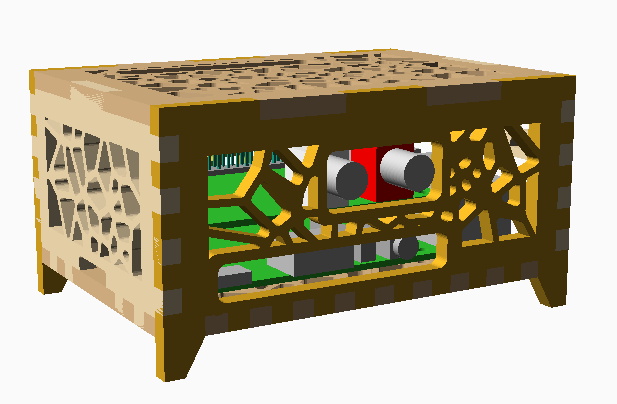
An OpenSCAD render of the enclosure.

The Raspberry Pi 4 and HiFiBerry DAC+ Pro live inside of a wooden laser cut case that [Aaron] designed with OpenSCAD. We generally associate this tool with 3D printing, but here he’s exporting each individual panel as an SVG file so they can be cut out. We especially like that he took the time to add all of the internal components to the render so he could be sure everything fit before bringing the design into the corporeal world.

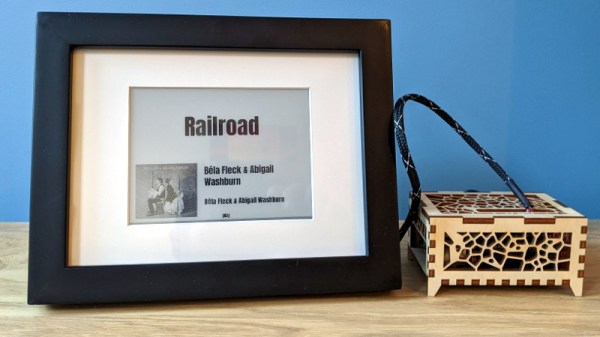
While the case was definitely a step in the right direction, [Aaron] wasn’t done yet. He added a WaveShare e-Paper 5.83″ display and mounted it in a picture frame. Software he’s written for the Raspberry Pi shows the album information and cover art on the display while the music is playing, and the current time and weather forecast when it’s idle. He’s written the software to plug into Logitech’s media player back-end to retain compatibility with the not-quite-dead-yet SqueezeBox, but we imagine the code could be adapted to whatever digital media scheme you’re using.

Over the years, we’ve seen a number of SqueezeBox replacements. Many of which have been powered by the Raspberry Pi, but even the ESP8266 and ESP32 have gotten in on the action recently.