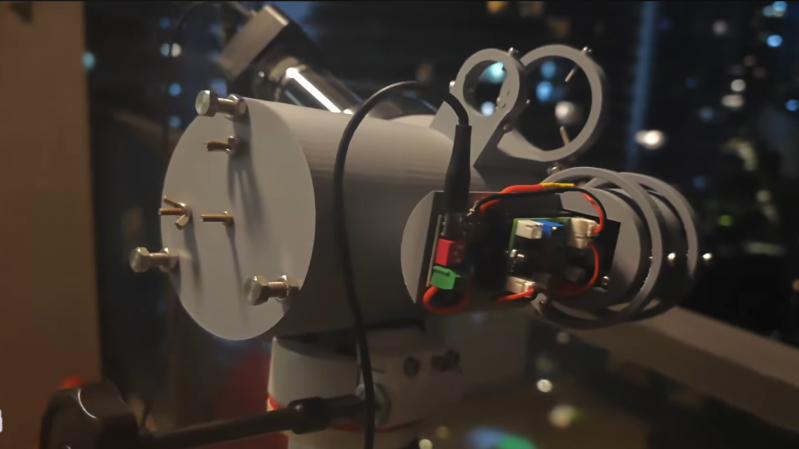
A 3D-printed telescope with an infrared laser on the side is pointed out the window of a building at night.

Long-Range Night Vision With An Infrared Laser

Most consumer-grade night vision devices are basically a standard camera without the usual filter to block near infrared (NIR) light, which are then paired with a NIR light source that’s not visible to the human eye. Unlike the passive night vision provided by an image intensifier tube, these can’t resolve objects beyond the beam of their illumination source. On the other hand, if, as [Project 326] did, you use an infrared laser to illuminate the scene, you can still get a very long range out of these devices.

[Project 326]’s device consists of a previously-built reflecting telescope focusing a distant scene in to a webcam with the infrared filter removed, with the infrared laser illuminating the scene. Finding a suitable laser took some effort: the first option, a secondhand fiber-coupled industrial laser, was accidentally over-volted and destroyed during testing. The second had a fiber output which proved extremely hard to terminate, and a third laser couldn’t be collimated correctly. The final laser was a Vertical-Cavity Surface-Emitting Laser (VSEL) diode array element driven at about two Watts and collimated by a small lens.

This illumination setup is safe at a long range, but only at a long range. The laser was strong enough to burn cardboard at close range, but out at about 500 meters, the beam had spread until it was less than a hundredth of the standard safety limit. To make sure that nothing else would get in the way of the beam, it was shone down from the top of a tall building. Testing with a power meter also showed that at a long range, the beam was weaker than expected. It turned out that the wavelength used (940 nm) is attenuated by water vapor, to the point that up to 70% of the beam’s strength was lost before reaching the target. Despite this, and despite a rather linear beam profile, a somewhat dark image was still visible at 650 meters.

If you’re looking for a somewhat more versatile long-range night vision device, check out one based on an image intensifier. Another approach is to use a very high-sensitivity camera.

Continue reading “Long-Range Night Vision With An Infrared Laser”
How To Make Steel That Breathes

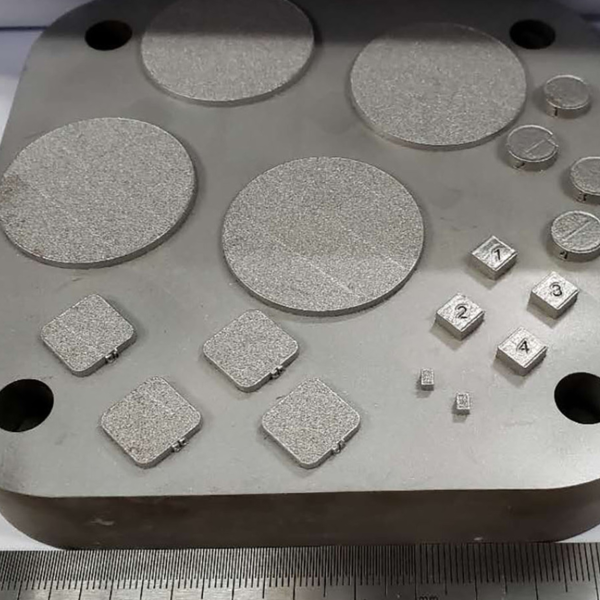
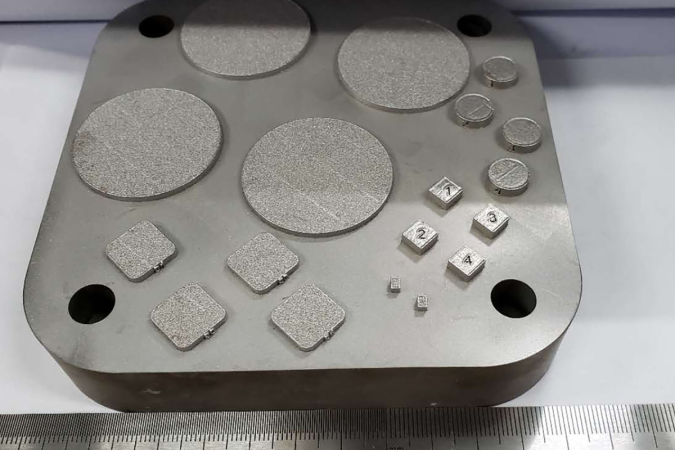
There are plenty of porous materials out there that we’re all readily familiar with. Fabrics and wood are great examples, allowing liquids or gases to pass through to a certain degree—a property which is useful or problematic depending on the application.

Metals, however, are not something we would readily consider to be porous. They are solid, unyielding, and impermeable. However, with the right techniques, it is possible to produce so-called “breathable” steel, which has particularly interesting applications in the molding industry.

Continue reading “How To Make Steel That Breathes”

Small Engine Gets DIY EFI Upgrade

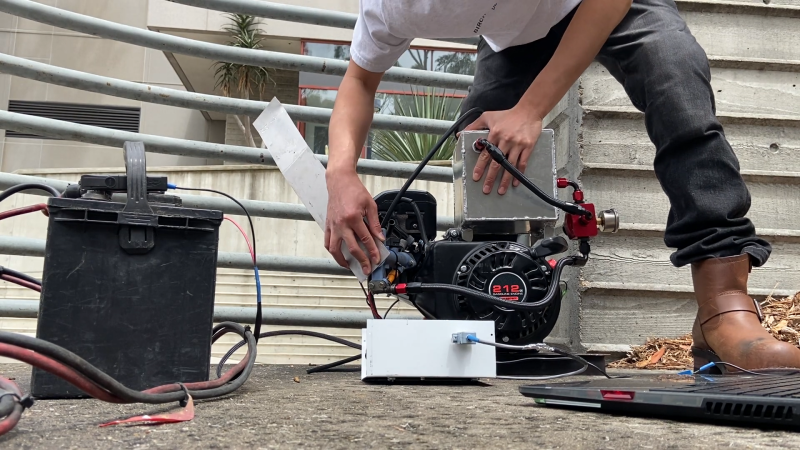
Small internal combustion engines usually keep things simple, relying on carburetors to handle metering the correct amount of fuel and air. Recently, [Carlos Takeshita] decided his small engine could use an upgrade in the form of electronic fuel injection (EFI).

The build began with a Predator 212, a popular gasoline engine from Harbor Freight. [Carlos] set about kitting it out with a missing tooth trigger wheel to measure the crankshaft position with a hall effect sensor. The engine also scored a custom-built aluminium fuel cell, complete with a high-pressure fuel pump and regulator suitable for driving the solitary fuel injector installed in the custom intake manifold. A Teensy 4.0 is charged with monitoring a manifold air pressure (MAP) sensor and the crank position, and choosing when and how long to fire the injector to dose the engine with the correct amount of fuel. Files are on GitHub for those eager to dive deeper.

It can be quite a job to convert an engine to run with electronic fuel injection, but you’re certain to learn a lot during the install and tuning process. We’ve featured similar builds many times over the years.

Continue reading “Small Engine Gets DIY EFI Upgrade”

This Week In Security: Android Exposes ADB, ShinyHunters Get Paid, Robot Dogs, And More

Google has patched an Android ADB bug in the May security patch set. If you have a Pixel phone you should already have the patches, and most other major manufacturers should be close behind. Unfortunately, the biggest risk from this patch will be to the vendors who are also the least likely to release timely – or any – security updates.

ADB, the Android Debug Bridge, is the main tool for installing apps during development and debugging apps while they’re running. It can also be used to side-load apps from a PC. While most normal users are unlikely to ever enable it, developers typically do and some power users might when jailbreaking a device or setting parameters not exposed in the Android UI. Debugging can be done locally via USB, or optionally over the network. To protect the device, the user must unlock the Android device and authorize each new debug agent.

Covered by Risky.Biz, a bug introduced in 2020, and present in every Android release since, allowed bypassing authorization entirely if network debugging was enabled and at least one connection had been made to the ADB service in the past. This happens because ADB compares the certificate of the incoming debug connection with the list of saved certificates. If the certificate type does not match — for instance supplying an Ed25519 certificate instead of a RSA certificate — ADB has been incorrectly handling the error code, and allowing the connection.

In most programming languages, false is considered zero, and true is considered anything not zero. The certificate API returns a 1 for a valid match, a zero for an invalid match, and a negative-one for a type mismatch. Negative one is not zero, so when treated as a boolean value, it becomes true.

To exploit the bug, ADB must be enabled in wireless mode, and there must be at least one trusted device in the ADB configuration. For the average user this is an unlikely combination, but for developers, the time to update is now.

Continue reading “This Week In Security: Android Exposes ADB, ShinyHunters Get Paid, Robot Dogs, And More”

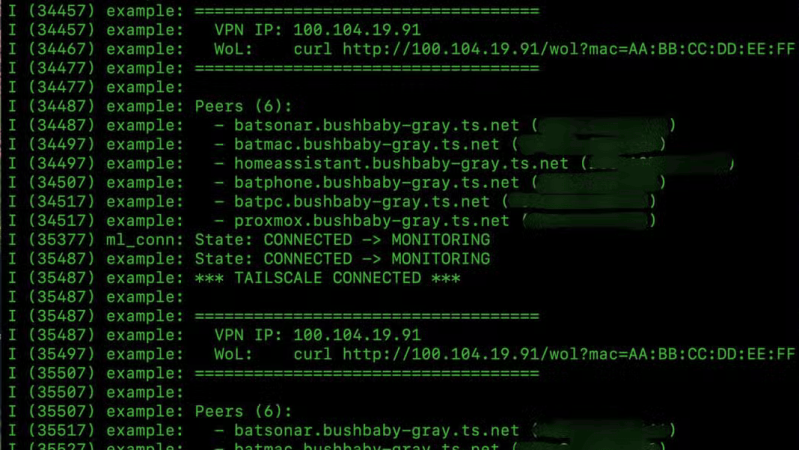
A black screen with green text is shown. The green text logs events from a VPN gateway.

Running A VPN Gateway On An ESP32

If you need a VPN gateway to access your home network, the fastest and most cost-effective way is probably by using a Raspberry Pi Zero. But in [Samir Makwana]’s view, an ESP32-S3 is just as capable for moderate use, and in some respects even superior.

This was possible thanks to the MicroLink project, which is a full implementation of a Tailscale client for the ESP32 family. In some ways the ESP32 worked better than a Raspberry Pi: it boots in two seconds rather than thirty, draws 0.5 Watts rather than 1.5, and there’s no chance of it failing due to a corrupted SD card. Compared to a Raspberry Pi, however, which can be set up as a Tailscale client in a few minutes, this took several hours to get running. The biggest issue was making sure that there was enough memory available for TLS handshakes, which was solved by enabling the ESP32’s PSRAM.

Once the VPN client is running, the ESP32 can be used as an SSH jump machine to access other devices on the home network, without needing to expose those machines to the open Internet. The ESP32 also hosts an HTTP server which can send a wake-on-LAN magic packet to another device on the local network, letting unused devices sleep without impairing their availability.

The ESP32 doesn’t provide much bandwidth — streaming video would cause issues — but it works well enough for lightweight applications. If you’re wanting to stream video from an ESP32, though, it is technically possible.

Building A Working Replica Of The Chernobyl Power Plant’s SKALA Display

In a recent video by the [Chornobyl Family] it’s shown how they made the SKALA status display which was featured at the recent 40-year memorial exhibition of the Chornobyl Nuclear Power Plant (ChNPP) #4 reactor accident, along with the RBMK reactor control panel replica and SKALA console which they had made previously.

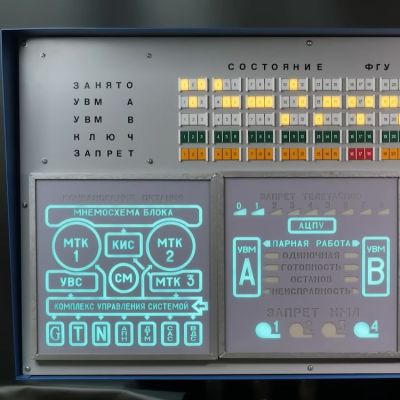
Detail of the SKALA display. (Credit: Chornobyl Family, YouTube)

We previously covered this SKALA control system of the ChNPP’s RBMK reactors, as well as its 1990s modernization. This SKALA status display is one of the original elements of the control room, providing a status overview of the entire control system at a glance, including its processors and peripheral devices.

The replica uses similar looking components, with a metal casing and LED lighting that invokes the aesthetics of the original electroluminescent mnemonic panels. Overall the goal was to keep the appearance as close to the original as possible — they even had operators of the ChNPP reactors look over the panel and give it their stamp of approval.

Some of the components like the error indicators had to be 3D printed, while the metal case was cut out of sheet metal. There’s also a very big speaker for the alarm, at the top right of the panel. Along with the LEDs for the electroluminescent-style indicators this meant a lot of addressable LEDs and a lot of wiring.

The full build plans are available via the [Chornobyl Family] Patreon, if you feel like building up your own RBMK-style reactor control room.

Continue reading “Building A Working Replica Of The Chernobyl Power Plant’s SKALA Display”

A Status Screen For Bambu Labs Printers

If you’ve got a Bambu Labs printer, it’s usually pretty straightforward to keep an eye on it via the onboard display or the various apps the company has released. However, if you want a dedicated display somewhere remote from your printer, you might like this build from [Keralots].

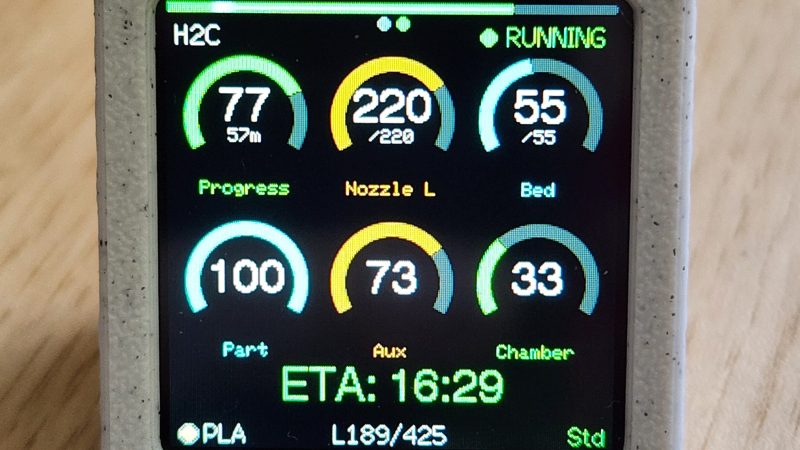
The project is based on an ESP32-S3 Super Mini, paired with a 1.54″ TFT display with a 240 x 240 resolution. It’s set up to talk to Bambu Labs printers over MQTT with TLS. It harvests status data and uses it to display a real-time dashboard with critical printer parameters display on arc gauges. There’s also plenty of live stats to pore over, as well as buzzer notifications if you want auditory alerts about what is going on. It’s possible to use with just about any Bambu Labs printer with a Bambu Cloud access token; otherwise, you can tinker with LAN Direct connections on certain models, but you might need to enable Developer Mode depending on your rig.

If you want to monitor your printer’s vital statistics at a glance, this project is a great way to do it. It breaks out the fundamental numbers in a clear and obvious fashion that’s a little easier to parse quickly compared to the interface of the official software. We’ve featured similar builds before, too. If you’re also paranoid about prints and using that to motivate you towards creating useful hardware, don’t hesitate to let us know on the tipsline.