DIY Dispenser Places Solder Paste Without The Mess

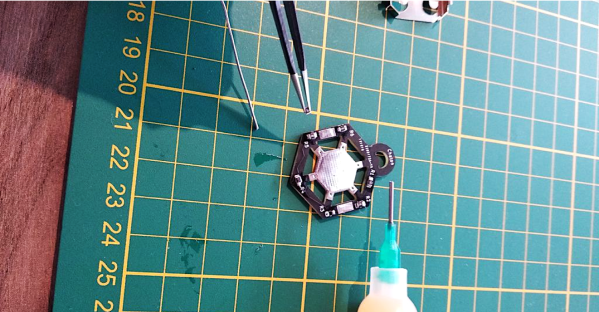
When doing surface-mount assembly you can certainly use a soldering iron in the traditional way, but it’s far more convenient to cover the pads with solder paste, place the components, and bake the board in a reflow oven. If you’re lucky enough to have a precut stencil this can be done in one go, otherwise a tiny blob of paste must be laboriously placed on each pad by hand. [Kevarek] has made this a bit easier by designing a low-cost handheld solder paste dispenser.

The unit takes the form of a handheld 3D printed wand containing a geared motor and a threaded shaft, that engages with a syringe full of paste clamped onto its end. There’s a control box powered by an STM32 microcontroller that not only allows adjustment of flow rate, but provides advanced features such as performing a slight retraction at the end of dispensing to avoid excess paste. There’s a push-button on the wand for control, as well as a set on the control box to adjust its parameters.

If you’ve ever handled solder paste, you’ll know it can be a uniquely annoying and finicky substance. Either it’s too stiff and clumps together, or too runny and spreads out. No doubt some readers are lucky enough to always have fresh paste of the highest quality to hand, but too often a hackerspace will have a tub of grey goop with uncertain provenance. We like this tool, and while it won’t make up for poor quality or badly stored paste, at least it’ll make applying paste a breeze.

We’ve covered paste dispensers quite a few times in the past, but you might also wish to read our in-depth guide to the subject.

A Cheap And Easy GoPro Mount For Model Rocketry

Launching model rockets is fun, but the real meat of the hobby lies in what you do next. Some choose to instrument their rockets or carry other advanced payloads. [seamster] likes to film his flights, and built a nosecone camera package to do so. 

A GoPro is the camera of choice for [seamster]’s missions, with its action cam design making it easy to fire off with a single press of a button. To mount it on the rocket, the nosecone was designed in several sections. The top and bottom pieces are 3D printed, which are matched with a clear plastic cylinder cut from a soda bottle. Inside the cylinder, the GoPro and altimeter hardware are held in place with foam blocks, cut to shape from old floor mats. The rocket’s parachute is attached to the top of the nose cone, which allows the camera to hang in the correct orientation on both the ascent and descent phases of the flight. Check out the high-flying videos created with this setup after the break.

It’s a simple design that [seamster] was able to whip up in Tinkercad in just a few hours, and one that’s easily replicable by the average maker at home. Getting your feet wet with filming your flights has never been easier – we’ve certainly come a long way from shooting on film in the 1970s.

Continue reading “A Cheap And Easy GoPro Mount For Model Rocketry”

Have LED Bulbs Reached Their Final (and Cheapest) Form?

[electronupdate] has done a lot of LED light bulb teardowns over the years, witnessing a drive towards ever-cheaper and ever-simpler implementations, and suspects that LED light bulb design has finally reached its ultimate goal. This teardown of a recent dollar store example shows that cost-cutting has managed to shave even more off what was already looking like a market saturated with bottom-dollar design.

The electrical components inside this glowing model of cost-cutting consists of one PCB (previously-seen dollar store LED bulb examples had two), eleven LEDs, one bridge rectifier, two resistors, and a controller IC. A wirewound resistor apparently also serves as a fuse, just in case.

Inside the unmarked controller IC. The design is as cheap as it is clever in its cost-cutting.

That’s not all. [electronupdate] goes beyond a simple teardown and has decapped the controller IC to see what lurks inside, and the result is shown here. This controller is responsible for driving the LEDs from the ~100 Volts DC that the bridge rectifier and large electrolytic cap present to it, and it’s both cheap and clever in its own way.

The top half is a big transistor for chopping the voltage and the bottom half is the simple control logic; operation is fast enough that no flicker is perceived in the LEDs, and no output smoothing cap is needed. The result, of course, is fewer components and lower cost.

Some of you may recall that back in the early days of LED lighting, bulbs that could last 100,000 hours were a hot promise. That didn’t happen for a variety of reasons and the march towards being an everyday consumable where cost was paramount continued. [electronupdate] feels they have probably reached that ultimate goal, at least until something else changes. They work, they’re cheap, and just about everything else has been successfully pried up and tossed out the door.

Make A Set Of Headphones From Scratch

There are a variety of ways to enjoy your audio, of which headphones are one. Making a set of headphones is a straightforward enough project, but [madaeon] has taken the art to a new level by building the headphone drivers from scratch rather than using an off-the-shelf pair.

The result is a set of moving coil drivers with a construction technique involving using the semi-opaque thin window from an envelope as a diaphragm and as a former for the coil. Cyanoacrylate adhesive holds everything in place. The diaphragm is suspended across the mouth of a cardboard tube with the coil positioned above a magnet, resulting in the minimum moving mass necessary for as good a sound reproduction as possible. Judge for yourself, there’s a video that we’ve placed below the break.

The drivers are placed in a set of 3D-printed on-ear holders, and while they probably won’t match an expensive set of commercial headphones, we’d hazard a guess that they won’t have too bad quality. At the very least, it’s an interesting design to base further experimentation on.

Surprisingly few home made speaker or headphone drivers have made it onto these pages, probably because of the ubiquity of the ready-made article. An exception is this flexible PCB speaker, and of course we’ve also talked about home made electrostatic speakers. Continue reading “Make A Set Of Headphones From Scratch”

Making Your Own Maple Syrup Just Got A Little Easier

[ctstarkdesigns] had fond memories of collecting maple syrup as a child. At the same time, he also remembered the work involved: from lugging buckets around on an unstable snow mobile to accidentally burning the mixture and making all the effort for naught. So he set out to make things a little easier this time around by building his own evaporator.

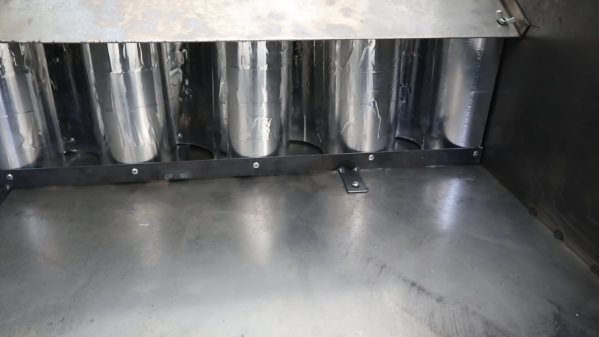
The build starts as many do, with a surplus 44-gallon drum. With an off-the-shelf kit, and some cutting and welding, it’s readily repurposed into a stove capable of burning wood in a roaring fire. From there, it’s a simple matter of making a few further incisions to install warming trays, used to hold the takings from the maple trees. There, the mixture can be boiled down into the tasty, delicious substance that goes so perfectly on pancakes.

The build has the dual benefits of both easing the boiling process and keeping the user warm while doing so. Already, the rig has proven itself as an adept heater, and we’re sure it will only prove more popular once it’s producing sweet maple syrup en mass. If that’s not enough, consider building an entirely automated system in your back yard!

GitHub Goes GUI-less

Git is a handy tool that many of us are using for more than just software development. Having a cloud-based upstream repository is also surprisingly useful, but until now using GitHub — the most common upstream server — meant firing up a web browser, at least for certain tasks. Now GitHub is releasing a beta version of command-line tools made to manipulate your GitHub repos.

The tools are early release so they mostly focus on issues and pull requests. Of course, git itself will do the normal things like clone and checkout — you’ve always been able to do that on the command line. The example given in the announcement blog post lists all issues with a help wanted label:

gh issue list --label "help wanted"

We noticed that asking to view the issue, while done on the command line, will still open a browser. The tools are still a little early, so this is an excellent time to let the developers know what you’d like or otherwise influence the project.

We were a little surprised it wouldn’t just consume git, so that you’d use the same commands for everything and it would just pass pre-formed commands to git. Of course, that would be pretty easy to write as a shell script wrapper if you were interested in such a thing.

You’d be forgiven for only thinking of git as a way to manage source code revisions, but it’s actually capable of all sorts of interesting tricks.

Wall Panels With 3760 Antennas Can Increase Wireless Range

Most of us know that to get the best possible WiFi signal, you want there to be as few walls as possible between you and the Access Point. But that might soon change, as researchers at MIT have found a way to make surfaces increase signal strength. Called RFocus, the technique uses a wall panel covered in simple antennas to dynamically focus or reflect RF energy towards a intended receiver.

The normal methods to increase wireless range usually involve increasing the transmitter output or adding larger, more efficient, or directional antennas to the receivers and transmitters. But these techniques are limited when you need to the reduce power consumption and size of the devices. The MIT teams approached the problem from a completely different angle, by optimizing the environment.

The wall panel in question consist of 94 PCBs, each containing 40 passive antenna elements in the form of copper rectangles. Each element is a quarter wavelength long (125 mm for 2.4 Ghz), and on its own it doesn’t have any real effect on the signals, allowing it to pass through the panel. Between the ends of elements are small RF switches, that can close to combine two antenna elements into single half wavelength antenna, creating a reflector. When this is applied across the panel in different patterns it can effectively beamform the signal to focus it at different points in space.

The RF switches are connected to shift registers, which are all controlled via a single SPI bus with an Arduino. Each RF switch is activated in a pseudo-random sequence, changing the configuration of the panel 10,000 times in 100 ms. The signal strength at the receiver is reported to the panel controller for each configuration, allowing the controller to select the best configuration for any single transmitter. In a scenario where multiple low-power sensor nodes are deployed, this can allow the receiver to “focus” on each node in turn. The full paper is a very interesting read, downloadable as a PDF.

RF is generally considered the black magic of electronics, but it can all become a bit clearer with a basic knowledge of antenna theory and modulation schemes.

Thanks to [Qes] for the tip!