Laptop With Raspberry Pi Inside Learns To Speak Battery

Early in November we took a look at a one of the best Raspberry Pi laptops we had ever seen, using the shell of a Sony VAIO. Laptops used to be hulking beasts, and that played into [Frank Adams’] hands as he got rid of the motherboard and had enough space to replace it with a Raspberry Pi and a few other support boards. This took advantage of the laptop’s screen, keyboard, LEDs, etc. But what’s a laptop without battery power? [Frank] hadn’t cracked that nut until now.

Inside of Sony VAIO laptop turned Raspberry Pi computer
VAIO battery and charging PCB seen to lower left

Adding battery power is trickier that it sounds, but [Frank] managed to get the Raspberry Pi to talk to the original Sony VAIO internal battery. His work on the project is shared, but this part of the story is best found starting on page 29 of his PDF project details.

Using the original battery is a good move since it’s designed to fit and has a charger ready to interface with the port on the laptop case. But these batteries have logic inside them, and there’s the rub. Communications use the 2-wire System Management Bus (SMBus) which is well documented. But the when trying to use the Pi’s I2C [Frank] couldn’t figure out to send a repeated start command.

He ended up writing his own C program that bit-bangs the communications he needed and now has the Pi speaking to the battery and listening to what it hears coming back. Reading through his description of this is fun since he includes his observations from a logic analyzer captures. He suspects an occasional bad read is due to Linux interrupting code execution. He watches for and catches these bad reads in software and can now reliably read all the battery vitals.

The hack leaves him with a system that functions in much the same way the original computer did: plug it in and it charges. He did add some hardware that lets him take a voltage reading from the battery using an ADC on the Teensy that was already present to control the keyboard and case LEDs. This adds a small constant draw on the battery, but for now he doesn’t leave the battery connected when the laptop is not in use.

If you’d like to read our original coverage of this laptop, here it is.

34C3: Using Your Car As Video Game Controller

Despite the presence of human drivers, modern cars are controlled by computers. In his talk at the Chaos Communication Congress [Guillaume Heilles] and [P1kachu] demonstrate the potential of taking control of a car’s computer. This of course leads to the natural conclusion of emulate an Xbox controller and using the car to play computer games.

His research was limited by the fact that the only cars they had access to were the daily drivers of different members of [P1kachu]’s family, which meant that all tinkering had to be strictly non-destructive. Despite this, they achieved impressive results and deliver a great introduction into reverse engineering.

[P1kachu] used a RasPi and an OBD-II adapter to access the car’s CAN bus and begins the presentation with a quick overview of the protocol. He then briefly touches on security measures that he ran into, which are optional and their implementation varies widely between manufacturers. His first attempt to access the CAN bus was successfully blocked by a challenge-response algorithm doing its work. His mother’s convertible however provided no such obstacles and gaining access allowed him to map the position of the steering wheel and pedals to a game controller, using the car to play video games.

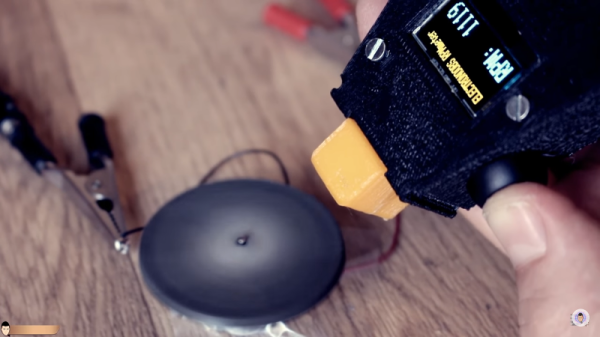
After this, [Guillaume] steps in and walks us through the teardown of a gadget that plugs into the OBD-II port and claims to do amazing things for your car’s mileage by reprogramming the ECU. The device was not brand specific and after having seen the variations in the ways different manufacturers implement the protocol, [Guillaume] and [P1kachu] doubted that the gadget was capable of even holding the information required to modify every known implementation out there. Listening to the output of the device, along with a quick analysis of the circuit followed by decapping the single chip they found, showed that their doubt was justified. The lecture closes with an extended Q&A that adds more information on car hacking. Those that don’t have access to a car can instead tear down hot glue guns, doppler modules or antique calculators.

Continue reading “34C3: Using Your Car As Video Game Controller”

BeefBot: Your Robotic Grill Master

Have you ever been too busy to attend to the proper cooking of a steak? Well, lament no more, and warn your cardiologist. A trio of students from Cornell University have designed and built the steak-grilling BeefBot to make your delicious dinner dreams a reality.

[Jonah Mittler], [Kelsey Nedd], and [Martin Herrera] — electrical and computer engineering students — are the ones you should thank for this robot-chef. It works as follows: after skewering the steak onto the robot’s prongs, BeefBot lowers it onto the grill and monitors the internal temperature in a way that only the well-seasoned grillmaster can replicate. Once a set temperature is reached, the steak is flipped — sorry, no crosshatch grillmarks here — and cooked until a desired doneness. A small screen displays the temperature if you want to babysit BeefBot — some manual adjustment may be needed after the steak flip to ensure it is cooking evenly — but it is otherwise a hands-off affair. If you don’t mind salivating over your screen, check out the project demonstration after the break.

At first glance you might think this a YouTube stunt, but this is real science. The writeup is exquisite, from the design and fabrication, to the math behind temperature calibration and regulation. Kudos to the hungry Cornell students who slaved over a hot griddle bringing this one to life!

Continue reading “BeefBot: Your Robotic Grill Master”

Electromagnet-Powered Pendulum

We’re always happy to see hackers inspired to try something different by what they see on Hackaday. To [SimpleTronic] has a project that will let you stretch your analog electronics skills in a really fun way. It’s an electromagnet pendulum analog circuit. Whether you’re building it, or just studying the schematics, this is a fun way to brush up on the non-digital side of the craft.

The pendulum is a neodymium magnet on the head of a bolt, dangling on a one foot aluminium chain. Below, a Hall Effect sensor rests atop an electromagnet — 1″ in diameter, with 6/8″ wire coiled around another bolt. As the pendulum’s magnet accelerates towards the electromagnet’s core, the Hall effect sensor registers an increase in voltage. The voltage peaks as the pendulum passes overhead, and as soon as the Hall Effect sensor detects the drop in voltage, the electromagnet flicks on for a moment to propel the pendulum away. This circuit has a very low power consumption, as the electromagnet is only on for about 20ms!

The other major components are a LM358N op-amp, a CD4001B quad CMOS NOR gate, and IRFD-120 MOSFET. [SimpleTronic] even took the time to highlight each part of the schematic in order to work through a complete explanation.

Continue reading “Electromagnet-Powered Pendulum”

Espple: A Wireless Apple 1 On An ESP8266

The Apple 1 was one of the three big hobbyist computers that burst onto the scene in 1977. Unlike the PET 2001 and the TRS-80, only a couple hundred Apple 1s were ever produced, and with only a handful in existence today, you’ll have to fork out some serious money to get a Wozniak original for yourself.

The Apple 1 experience is easily emulated, of course, but this ESP8266 emulates the Apple 1 on hard mode. Dubbed the Espple by its creator [Hrvoje Cavrak], it emulates the 6502-based original in all its 1-MHz glory, while providing 20-kB of RAM, a considerable upgrade over the 4-kB standard. The complete original character set is provided for that old-timey feel, and there’s a BASIC interpreter ready to go. The kicker here, though, is that the emulator is completely wireless. You telnet into the 8266 rather than connecting a keyboard directly, and video is transmitted over-the-air using a GPIO pin as a 60-MHz PAL transmitter. A short length of wire is all you need to transmit to an analog PAL TV on channel 4; the video below shows a little BASIC code running and a low-res version of Woz himself.

You’ll find Apple emulators aplenty around these parts, everything from an Apple ][ on an Arduino Uno to a tiny Mac on an ESP32. There hasn’t been much in the way of Apple 1 emulations, though, at least until now.

Continue reading “Espple: A Wireless Apple 1 On An ESP8266”

Fresh-Baked Plastic Tiles For All!

Recycling aims to better the planet, but — taken into the hands of the individual — it can be a boon for one’s home by trading trash for building materials. [fokkejongerden], a student at the [Delft University of Technology] in the Netherlands, proposes one solution for all the plastic that passes through one’s dwelling by turning HDPE into tiles.

Collecting several HDPE containers — widely used and easy enough to process at home — [fokkejongerden] cleaned them thoroughly of their previous contents, and then mulched them with a food processor. An aluminium mold of the tile was  then welded together making sure the sides were taller than the height of the tile. A second part was fabricated as a top piece to compress the tile into shape.

After preheating an oven to no hotter than 200 degrees Celsius, they lined the mold with parchment paper and baked the tile until shiny(90-120 minutes). The top piece was weighed down (clamping works too), compressing the tile until it cooled. A heat gun or a clothes iron did the trick to smooth out any rough edges.

Not only does [fokkejongerden]’s tiles give the recycler plenty of artistic freedom for creating their own mosaic floor, the real gem is the adaptable plastic recycling process for home use. For another method, check out this recycled, recycling factory that turns bottles in to rope and more! There’s even the potential for fueling your 3D printer.

[Via Instructables]

34C3: Hacking The Nintendo Switch

There’s a natural order to the world of game console hacking: every time a manufacturer releases a new game console they work in security measures that prevent the end user from running anything but commercially released games, and in turn every hacker worth his or her salt tries to break through. The end goal, despite what the manufacturers may have you believe, is not to run “bootleg” games, but rather to enable what is colloquially referred to as “homebrew”. That is to say, enabling the novel concept of actually running software of your choice on the hardware you paid for.

At 34C3, noted console hackers [Plutoo], [Derrek], and [Naehrwert] have demonstrated unsigned code running on Nintendo’s latest and greatest and while they are keeping the actual exploit to themselves for now, they’ve promised that a platform for launching homebrew is coming shortly for those who are on firmware version 3.0.0. From the sound of it, after 9 months on the market, Switch owners will finally have complete access to the hardware they purchased.

The key to running the team’s own code was through a WebKit exploit that was already months old by the time the Switch was released. Loading up an arbitrary webpage was the tricky part, as the Switch generally uses its web browser for accessing official sources (like the online game store). But hidden away in the help menus of Tetris, the developers helpfully put a link to their website which the Switch will dutifully open if you select it. From there it’s just a matter of network redirection to get the Switch loading a webpage from your computer rather than the Internet.

It’s easier to ask for forgiveness than permission.

But as the more security-minded of our readers may have guessed already, that just gets you into the browser’s sandbox. The team now had to figure out a way to break out and get full control of the hardware. Through a series of clever hacks the team was able to learn more about the Switch’s internal layout and operating system, slowly working their way up the ladder.

A particularly interesting hack was used to get around a part of the Switch’s OS that is designed to check which services code is allowed to access. It turns out that if code doesn’t provide this function with its own process ID (PID), the system defaults to PID 0 because the variable is not initialized. In other words, if you don’t ask the operating system which functions you have access to, you will get access to them all. This is a classic programming mistake, and a developer at Nintendo HQ is likely getting a very stern talking to right about now.

But not everything was so easy. When trying to get access to the boot loader, the team sniffed the eMMC bus and timed the commands to determine when it was checking the encryption keys. They were then able to assemble a “glitcher” which fiddled with the CPU’s power using FPGA controlled MOFSETs during this critical time in an attempt to confuse the system.

The rabbit hole is pretty deep on this one, so we’d recommend you set aside an hour to watch the entire presentation to see the long road it took to go from a browser bug to running their first complete demo. It’s as much a testament to the skill of  [Plutoo], [Derrek], and [Naehrwert] as it is the lengths at which Nintendo went to keep people out.

We’ve seen other attempts at reverse engineering Nintendo’s hardware, but by the looks of it, the Switch has put up a much harder fight than previous console generations. Makes you wonder what tricks Nintendo will have up their sleeves for the next generation.

Continue reading “34C3: Hacking The Nintendo Switch”