Breadboard Computer Plays Snake On Character Display; Also In A Browser!

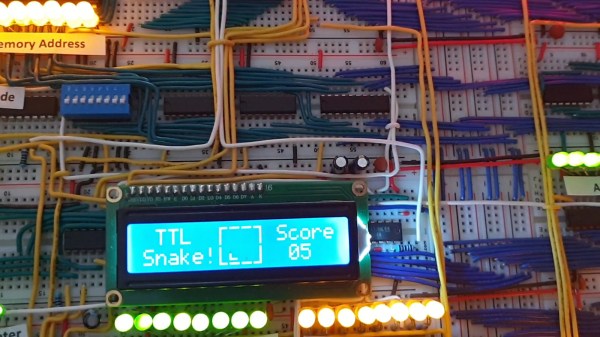
If building a homebrew computer on a breadboard is your thing, you’re most certainly familiar with [Ben Eater], whose design of using nothing but logic gates has served as inspiration for many replicas over the years. [visrealm] took the concept and expanded upon it, even adding a 16×2 LCD that let’s you play Snake by moving a single pixel on the character display!

Making the most of tiny resolution is impressive — it’s a difficult constraint for the game field. But there are other tricks at work as well. [visrealm] uses different intensities to distinguish between the snake and its food which is kind of a dark pixel in the demo shown after the break. But what stands out most is that the breadboard build is really only half of the story. In addition, [visrealm] built an entire emulator that resembles his actual breadboard design, which can be programmed and used via browser, giving WebAssembly a whole new meaning. While that’s convenient for anyone interested to play around with these breadboard computers, but lacks the patience to build one themselves, it also functions as the real one’s programming environment. In addition, an ESP8266 is used to load a new program directly via WiFi.

All the code and some build notes are available on GitHub, and if you’re looking for a nifty LCD emulator for your web site, there’s a standalone repository for that as well. But in case you need a better display option for your own breadboard computer, how about adding a VGA connector? And if you don’t build your own yet, it’s never too late to start.

Continue reading “Breadboard Computer Plays Snake On Character Display; Also In A Browser!”
Machine Learning Algorithm Runs On A Breadboard 6502

When it comes to machine learning algorithms, one’s thoughts do not naturally flow to the 6502, the processor that powered some of the machines in the first wave of the PC revolution. And one definitely does not think of gesture recognition running on a homebrew breadboard version of a 6502 machine, and yet that’s exactly what [Nick Bild] has accomplished.

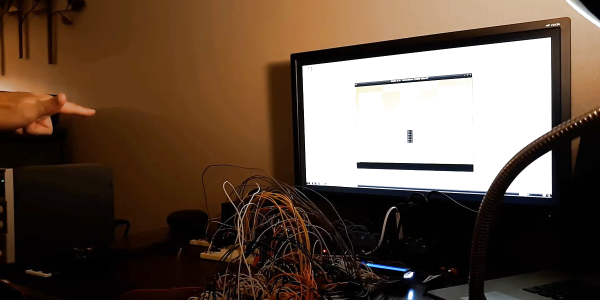
Before anyone gets too worked up in the comments, we realize that [Nick]’s Vectron breadboard computer is getting a lot of help from other, more modern machines. He’s got a pair of Raspberry Pi 3s in the mix, one to capture and downscale images from a Pi cam, and one that interfaces to an Atari 2600 emulator and sends keypresses to control games based on the gestures seen by the camera. But the logic to convert gesture to control signals is all Vectron, and uses a k-nearest neighbor algorithm executed in 6502 assembly. Fifty gesture images are stored in ROM and act as references for the four known gesture classes: up, down, left, and right. When a match between the camera image and a gesture class is found, the corresponding keypress is sent to the game. The video below shows that the whole thing is pretty responsive.

In our original article on [Nick]’s Vectron breadboard computer, [Tom Nardi] said that “You won’t be playing Prince of Persia on it.” That may be true, but a machine learning system running on the Vectron is not too shabby either.

Continue reading “Machine Learning Algorithm Runs On A Breadboard 6502”

Magnetic Bubble Memory Farewell Tour

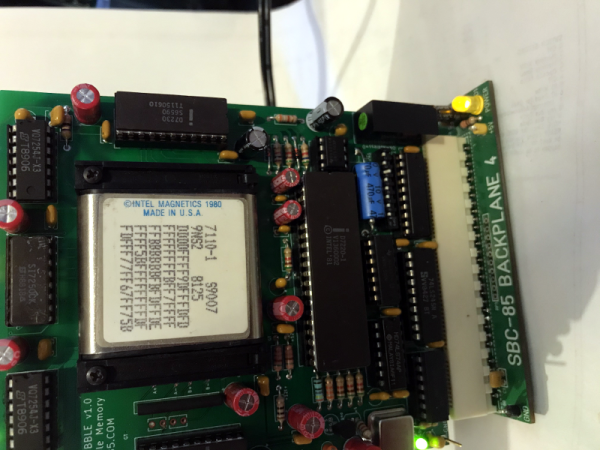
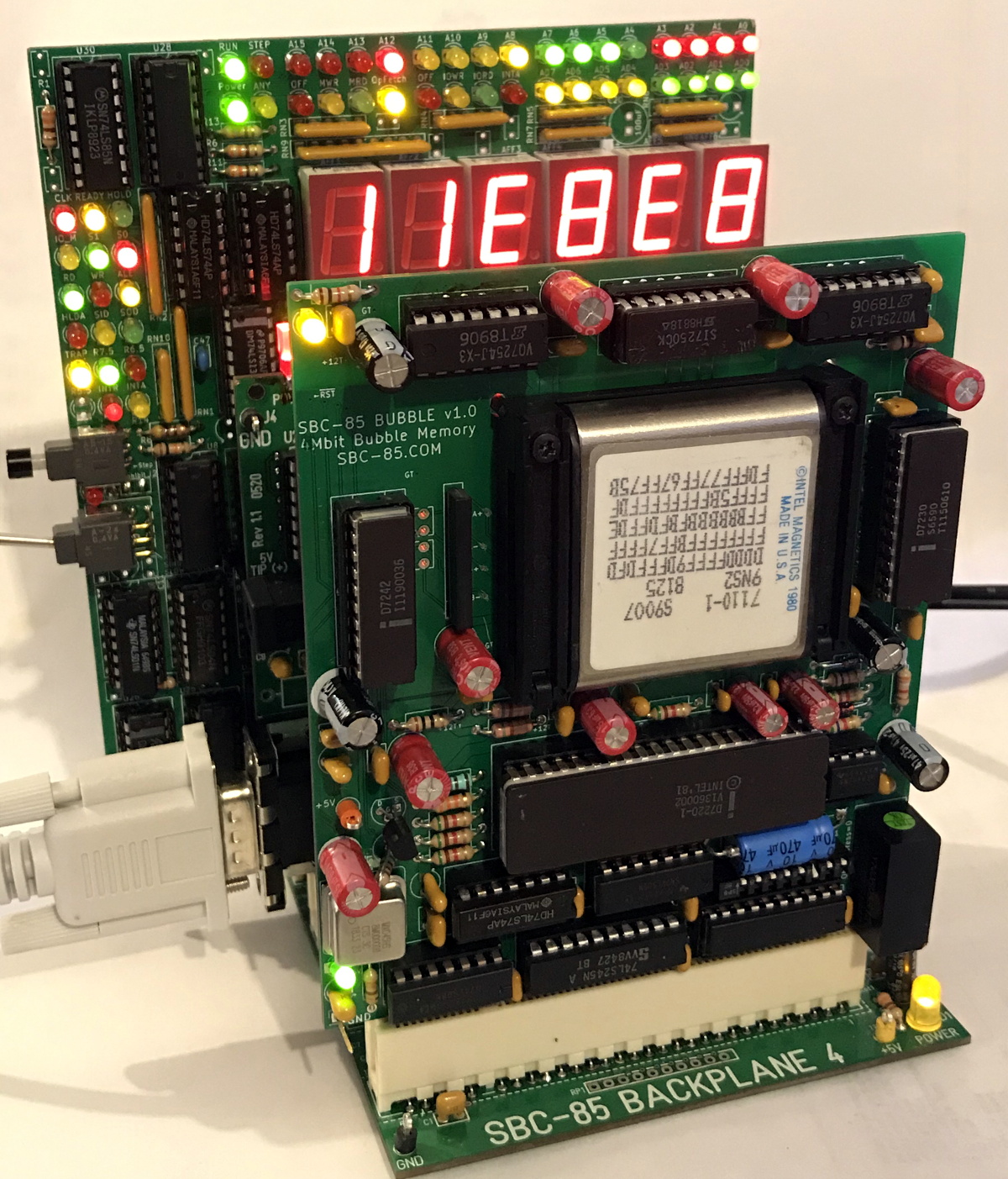
There’s something both satisfying and sad about seeing an aging performer who used to pack a full house now playing at a local bar or casino. That’s kind of how we felt looking at [Craig’s] modern-day bubble memory build. We totally get, however, the desire to finish off that project you thought would be cool four decades ago and [Craig] seems to be well on the way to doing just that.

If you don’t recall, bubble memory was going to totally wipe out the hard drive industry back in the late 1970s and early 1980s. A byproduct of research on twistor memory, the technology relied on tiny magnetic domains or bubbles circulating on a thin film. Bits circulated to the edge of the film where they were read using a magnetic pickup. Then a write head put them back at the other edge to continue their journey. It was very much like the old delay line memories, but with tiny magnetic domains instead of pressure waves through mercury.

We don’t know where [Craig] got his Intel 7110 but they are very pricey nowadays thanks to their rarity. In some cases, it’s cheaper to buy some equipment that used bubble memory and steal the devices from the board. You can tell that [Craig] was very careful working his way to testing the full board.

Because these were state-of-the-art in their day, the chips have extra loops and would map out the bad loops. Since the bubble memory is nonvolatile, that should be a one time setup at the factory. However, in case you lost the map, the same information appears on the chip’s label. [Craig’s] first test was to read the map and compare it to the chip’s printed label. They matched, so that’s a great sign the chip is in good working order and the circuit is able to read, at least.

We’ve talked about bubble memory before along with many other defunct forms of storage. There were a few military applications that took advantage of the non-mechanical nature of the device and that’s why the Navy’s NEETS program has a section about them.

Econet – Britain’s Early Educational Network

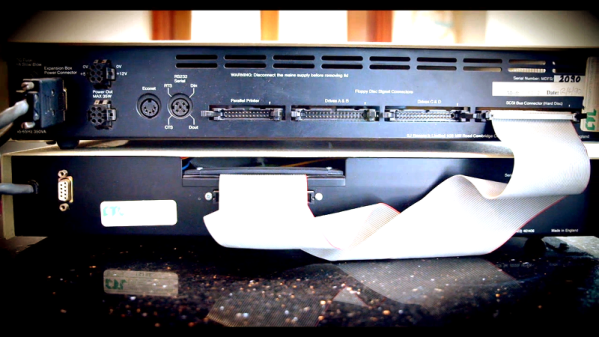
If you compare the early PC market for the US and the UK, you’ll notice one big difference. While many US schools had Apple computers, there were significant numbers of other computers in schools, as well. In the UK, pretty much every school that had a computer had an Acorn BBC Micro. [RetroBytes] takes us down memory lane, explaining how and why the schools went with Econet — an early network virtually unknown outside of the UK. You can see the video, which includes an interview with one of the Acorn engineers involved in Econet.

Nowadays, you don’t have to convince people of the value of a network, but back then it wasn’t a no brainer. The driver for most schools to adopt networking was to share a very expensive hard disk drive among computers. The network used RS-422, a common enough choice in Apple computers, spacecraft, and industrial control applications.

Continue reading “Econet – Britain’s Early Educational Network”

Logging Into Linux With A 1930s Teletype

Buried deep within all UNIX-based operating systems are vestiges of the earliest days of computing, when “hardware” more often than not meant actual mechanical devices with cams and levers and pulleys and grease. But just because UNIX, and by extension Linux, once supported mechanical terminals doesn’t mean that getting a teletype from the 1930s to work with it is easy.

Such was the lesson learned by [CuriousMarc] with his recently restored Model 15 Teletype; we covered a similar Model 19 restoration that he tackled. The essential problem is that the five-bit Baudot code that they speak predates the development of ASCII by several decades, making a converter necessary. A task like that is a perfect job for an Arduino — [Marc] put a Mega to work on that — but the interface of the Teletype proved a bit more challenging. Designed to connect two or more units together over phone lines, the high-voltage 60-mA current loop interface required some custom hardware. The testing process was fascinating, depending as it did on an old Hewlett-Packard serial signal generator to throw out a stream of five-bit serial pulses.

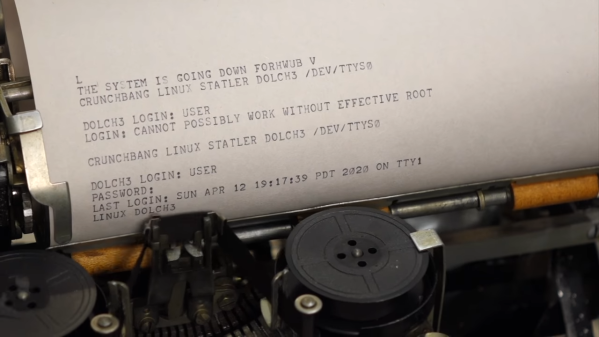
The big moment came when he used the Teletype to log into Linux on a (more or less) modern machine. After sorting out the mysteries of the stty command, he was able to log in, a painfully slow process at 45.5 bps but still a most satisfying hack. The ASCII art — or is it Baudot art? — is a nice bonus.

We love restorations like these, and can practically smell the grease and the faint tang of ozone around this device. We’re not thrilled by the current world situation, but we’re glad [CuriousMarc] was able to use the time to bring off a great hack that honors another piece of our computing history.

Continue reading “Logging Into Linux With A 1930s Teletype”

Learn PDP-11 Assembly For Fun But Probably No Profit

Learning a new skill is fun, especially one that could land you a new job. We don’t think you’ll find too much demand for PDP-11 assembly language programmers, but if it still interests you, check out [ChibiAkumas’s] video that starts a series on that subject for “absolute beginners.”

The PDP-11 is a venerable computer, but you can still find simulators ranging from SIMH to browser-based virtual devices with front panels. If you want real hardware, there is a PDP-11 on a chip that is still around (or you can score the real chips, sometimes) and there are some nice hardware simulations, too.

Continue reading “Learn PDP-11 Assembly For Fun But Probably No Profit”

Help Save The National Videogame Museum

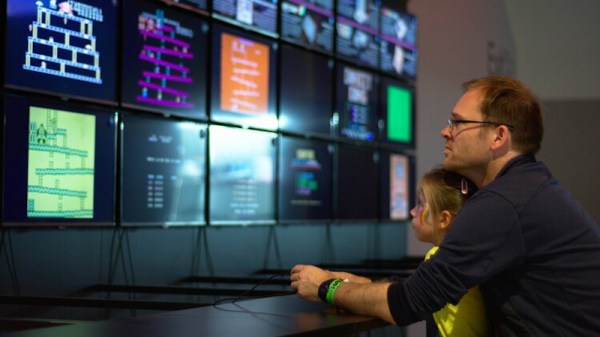
The National Videogame Museum in Sheffield, UK, houses a unique collection celebrating all decades of video games and their culture, and as the lockdown has brought with it a crisis threatening its very existence, has launched a crowdfunding campaign with a video we’ve placed below the break. As a relatively young organisation, they have yet to build up the financial buffer that a more established one would have. It’s important that this and other heritage sites live to open again another day, so we’d urge you to take a look.

On their website they’re providing a page of activities for the bored youngster in your life, but to whet your appetite should you wish to visit them in the future they also have a selection of pages about the rest of their exhibition.

One of the sad features of living through  a pandemic comes in knowing that some of the businesses and organisations we hold dear might not make it through the crisis. We’ve put in a few orders to smaller suppliers over the last week or two to shove a bit of extra business their way, and no doubt you have too. What is not so easy however, is when the threatened organisation is a visitor attraction; we can’t make the trip during a lockdown. The NVM is unlikely to be the only such attraction facing the pinch, so we’d urge you to look out for those that are close to you as well.

Continue reading “Help Save The National Videogame Museum”