Test Ideas Now With Sensors Already In Your Pocket

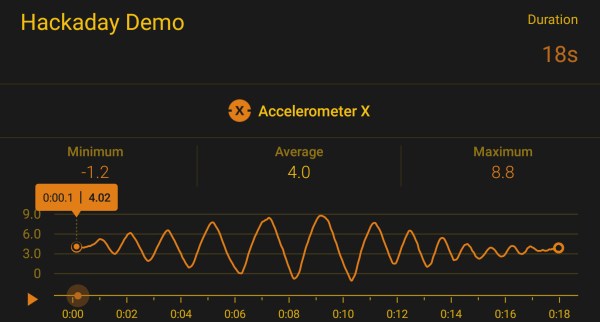
When project inspiration strikes, we’d love to do some quick tests immediately to investigate feasibility. Sadly we’re usually far from our workbench and its collection of sensor modules. This is especially frustrating when the desired sensor is in the smartphone we’re holding, standing near whatever triggered the inspiration. We could download a compass app, or a bubble level app, or something similar to glimpse sensor activity. But if we’re going to download an app, consider Google’s Science Journal app.

It was designed to be an educational resource, turning a smartphone’s sensor array into a pocket laboratory instrument and notebook for students. Fortunately it will work just as well for makers experimenting with project ideas. The exact list of sensors will depend on the specific iOS/Android device, but we can select a sensor and see its output graphed in real-time. This graph can also be recorded into the journal for later analysis.

Science Journal was recently given a promotional push by the band OK Go, as part of their OK Go Sandbox project encouraging students to explore, experiment, and learn. This is right up the alley for OK Go, who has a track record of making music videos that score high on maker appeal. Fans would enjoy their videos explaining behind-the-scene details in the context of math, science, and music.

An interesting side note. Anyone who’s been to Hackaday Superconference or one of the monthly Hackaday LA meetups will likely recognized the venue used in many of the OK Go Sandbox videos. Many of them were filmed at the Supplyframe Design Lab in Pasadena. It’s also nice to see AnnMarie Thomas (Hackaday Prize Judge from 2016 and 2017) collaborated with OK Go for the Sandbox project.

While the Science Journal app has provisions for add-on external sensors, carrying them around would reduce its handy always-available appeal. Not that we’re against pairing smartphones with clever accessories to boost their sensing capabilities: we love them! From trying to turn a smartphone into a Tricorder, to an inexpensive microscope, to exploring serious medical diagnosis, our pocket computers can do it all.

[via Engadget]
 

Crankshaft: Open Source Car Computer

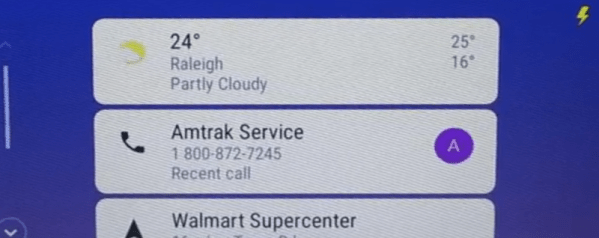
Modern cars and head units are pretty fancy gadget-wise. But what if your car still has an 8-track? No problem. Just pick up a Raspberry Pi 3 and a seven-inch touchscreen, and use Crankshaft to turn it into an Android Auto setup.

The open source project is based on OpenAuto which, in turn, leverages aasdk. The advantage to Crankshaft is it is a plug-and-play distribution. However, if you prefer, you can build it all yourself from GitHub.

Continue reading “Crankshaft: Open Source Car Computer”

Printed Nexus 7 SIM Tray Is Good ‘Nuff

When repairing something, there are in effect two schools of thought: you can craft a repair that seamlessly blends into the original hardware and doesn’t look like a repair, or you can slap that thing together and keep it moving. A lot of variables go into this decision making process, such as the complexity of the repair, the available materials, and of course whether or not you need to keep the fact you broke the thing from your significant other.

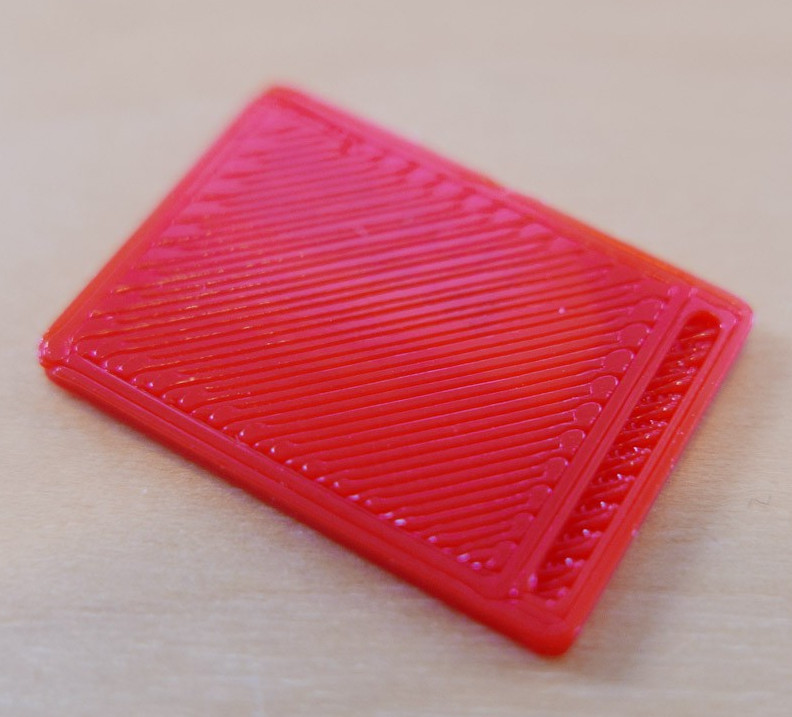
When the SIM holder on his Nexus 7 tablet broke recently, [Alex Whittemore] did the mental arithmetic and came to the conclusion that it wasn’t worth his time trying to figure out how to model an exact replacement. But he was able to print something that works well enough for his purposes, which is all that matters in the end. A perfect entry for our ongoing “Repairs You Can Print” contest.

You must be this small to ride

Apparently the SIM holder in the 2013 Nexus 7 is notoriously poor, and of course since this is a known issue, online retailers are trying to get as much as $100 USD out of you for a tiny sliver of plastic. Sometimes it really seems like Google was determined to run the Nexus line into the ground before bailing on it.

Printing such a tiny part, especially with the little details like the channel for you to hook your fingernail into, requires a fairly well calibrated printer. If you can’t muster up a 0.1mm first layer you might as well sit this one out; and if you haven’t mastered the art of bridging, that little valley to help you get the SIM back out may end up overflowing into a river of tears.

For [Alex], the piece ended up working perfectly. It might look a little weird, but if you’ve got the tablet in a case you’ll never see it anyway. It’s also worth noting that this design may work on other devices with a similar SIM arrangement, or at the very least, might be a good starting point to work from if you’ve got to come up with your own.

Remember, there’s still plenty of time to enter your own printed fix into our “Repairs You Can Print” contest. The top 20 repairs will take home $100 in Tindie credit, and for the best repair done by a Student or Organization, there’s two Prusa i3 MK3 printers with the Quad Material upgrade kits on the line.

HandHolo: A Homebrew ARG

Taking a dive into VR or augmented reality — once, dreamed-of science fiction — is not only possible for the average consumer, but crafting those experiences is as well! Hackaday.io user [kvtoet]’s HandHolo is a homebrew method to cut your teeth on peeking into a virtual world.

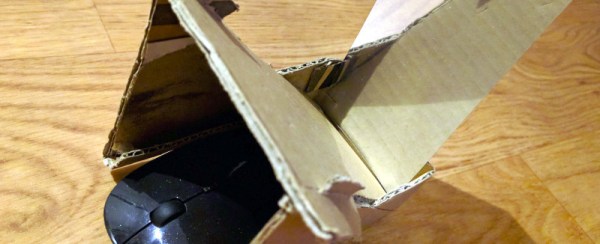
This project requires a smartphone running Android Oreo as its backbone, a Bluetooth mouse, a piece of cardboard and a small mirror or highly reflective surface. The phone is slotted into the cardboard housing — prototype with what you have! — above the mouse, and the mirror angled opposite the screen reflects the image back to the user as they explore the virtual scene.

Within Unity, [kvtoet]’s used a few scripts that access phone functions — namely the gyroscope, which is synchronised to the mouse’s movements. That movement is translated into exploration of the virtual space built in Unity and projected onto the portal-like mirror. Check it out!

Continue reading “HandHolo: A Homebrew ARG”

Cell Phone Surveillance Car

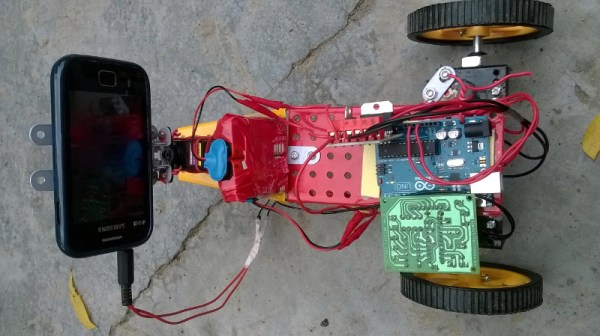
There are many viable options for home security systems, but where is the fun in watching a static camera feed from inside your place? The freedom to really look around might have been what compelled [Varun Kumar] to build a security car robot to drive around his place and make sure all is in order.

Aimed at cost-effectiveness and WiFi or internet accessibility, an Android smartphone provides the foundation of this build — skipping the need for a separate Bluetooth or WiFi module — and backed up by an Arduino Uno, an L298 motor controller, and two geared DC motors powering the wheels.

Further taking advantage of the phone’s functionality, the robot is controlled by DTMF tones. Using the app DTMF Tone Generator and outputting through the 3.5mm jack, commands are interpreted by a MT8870DE DTMF decoder module.While this control method carries some risks — as with many IoT-like devices — [Kumar] has circumvented one of DTMF’s vulnerabilities by adding a PIN before the security car will accept any commands.

He obtains a live video feed from the phone using AirDroid in concert with VNC server, and assisted by a servo motor for the phone is enabled to sweep left and right for a better look. A VNC client on [Kumar]’s laptop is able to access the video feed and issue commands. Check it out in action after the break!

Continue reading “Cell Phone Surveillance Car”

A Salty Solution For A Dead Nexus 5X

If you’re an Android fan, there’s a good chance you’ve heard of the Nexus 5X. The last entry in Google’s line of low-cost Nexus development phones should have closed the program on a high note, or at the very least maintained the same standards of quality and reliability as its predecessor. But unfortunately, a well known design flaw in the Nexus 5X means that the hardware is essentially a time-bomb. There are far too many reports of these phones entering into an endless bootloop right around the one year mark to say it’s just a coincidence.

The general consensus seems to be that faulty BGA chip soldering on the CPU works lose after about a year or so of thermal stress. Whatever the reason, [hillbillysam] recently found himself the proud owner of a dead Nexus 5X. Resigned to the fact that he would need to get a new phone, he at least wanted to get some of his data off the device before it went to that big landfill in the sky.

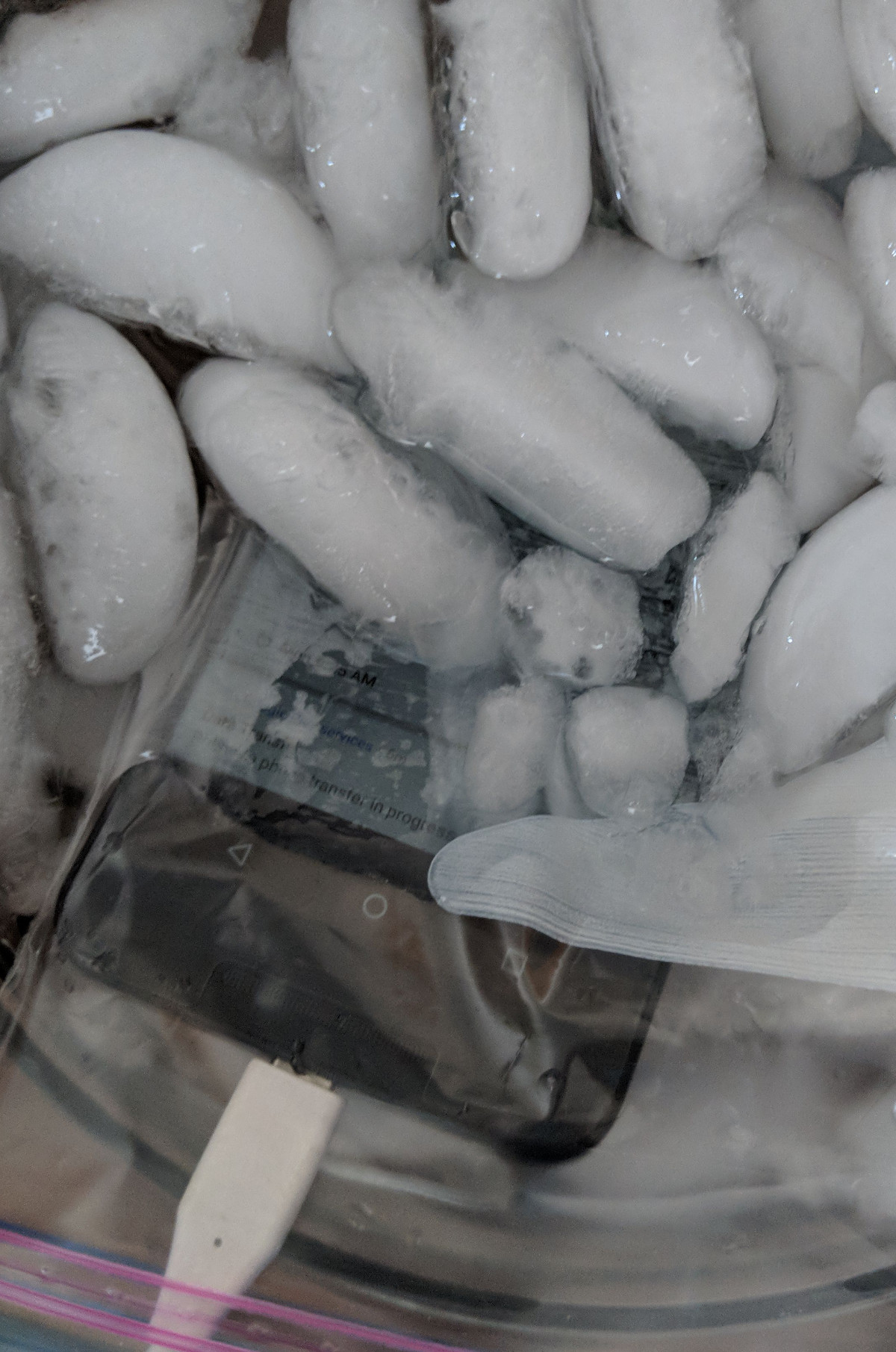
As it turns out these bootlooped phones can temporarily be revived by cooling them down, say by putting them in the freezer for a few hours. There’s plenty of debate as to why this works, but even our own [Lewin Day] can testify that it does seem to get the phone booting again; though only until it comes back up to operating temperature. With this in mind, [hillbillysam] reasoned that if he kept the phone as cold as possible while it was running, it may stay operational long enough for him to pull his files off of it over USB.

He couldn’t exactly freeze the phone in a block of ice, but remembering his high school chemistry, he came up with something pretty close. By adding salt to water, you can significantly lower temperature at which it freezes. Putting the phone into a watertight bag and submerging it in this supercooled solution is an easy and non-destructive way of keeping it very cold while still being accessible over USB.

His Nexus 5X was able to keep kicking the whole time it was luxuriating in its below-freezing saltwater bath, giving him plenty of time to copy everything he needed. It doesn’t sound like the kind of spa day we’d like to have personally, but to each their own.

If your Nexus 5X has met a similar fate, you may want to take a look at our previous coverage about the issue. While your mileage may vary, we’ve reported on a couple of success stories so it’s worth a shot.

[via /r/nexus5x]

PostMarketOS Saves Old Smartphones

Modern smartphones, even the budget models, are extremely impressive pieces of technology. Powerful ARM processors, plenty of RAM, and an incredible number of sensors and radios are packed into a device that in some cases are literally given away for free when you sign up for a service plan. Unfortunately manufacturers are not obligated to keep up with software updates, and while the hardware may be willing to keep on fighting, the user is often pushed to upgrade due to perennially outdated software. Even if you aren’t the kind of person to be put off by using a phone that doesn’t have the latest and greatest OS, the lack of software security updates pose a clear threat in a world where mobile devices are increasingly targeted by attackers.

But what if the operating system on your phone worked more like the on one your computer? That’s the dream of postmarketOS, a Linux distribution created by [Oliver Smith] that is designed to be installed on outdated (mostly Android) smartphones and tablets. He’s recently made a comprehensive blog post about the state of the project a little over 6 months since it started, and we have to say things are looking very impressive so far.

One of the key goals of postmarketOS is to avoid the fragmented nature of previous attempts at replacing Android with a community-developed operated system. By avoiding binary blobs and focusing on getting the mainline Linux kernel running on as much as the hardware as possible, there’s no need to make different forks and releases for each supported device. By unifying the OS as much as far as it can be, an upstream update can be pushed to all devices running postmarketOS regardless of their make and model, just like with traditional Linux distributions.

The blog post shows two things very clearly: that the community is extremely excited and dedicated to the prospect of running what is essentially desktop Linux on old smartphones and tablets, and that postmarketOS still has a long way to go. In these early days, many devices aren’t what could be considered “daily drivers” by most standards. In fact, the blog post mentions that they’ve decided to abandon the term “supported” when talking about devices, and make no claims beyond the fact that they will boot.

Still, incredible progress is being made on everything from mainline kernel development to getting standard Linux desktops such as Gnome, MATE and XFCE4 running. Work has also been done on the backend process of compiling and packaging up components of the operating system itself, promising to speed up development times even for those who don’t have a beefy machine they can dedicate to compiling. The blog post ends with a helpful list of things the reader can do to help support postmarketOS, ranging from making your own t-shirts to porting to new hardware.

At Hackaday we’ve seen our fair share of hackers and makers re-purposing old smartphones and tablets, keeping them out of the landfills they would almost certainly end up in otherwise. A project that aims to make it even easier to hack these cheap and incredibly useful devices is music to our ears.