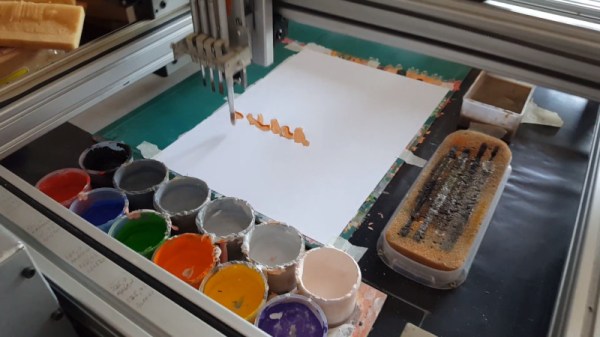
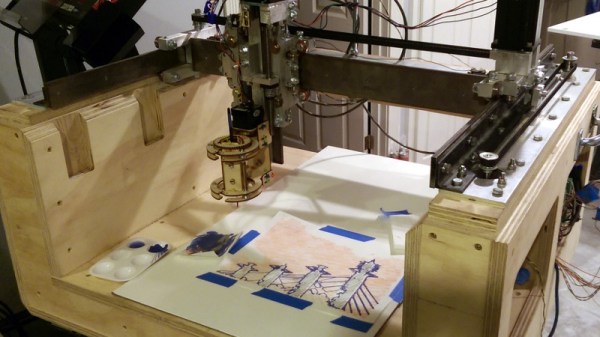
Samples of the artwork created by [Jose’s] portrait painter.[Jose’s] portrait painter relies on a Cartesian CNC setup, with an X-Y gantry fitted with a retractable brush carrier. The carrier holds four brushes, allowing the device to paint with different sized strokes as per the artistic requirements. An algorithm is used to turn images into a series of brushstrokes, which are then turned into G-code to drive the system. Colors are mixed just like a human painter would, with the brush dipping into a series of paint pots. Using the hue-saturation-brightness (HSB) color system makes this easy.
While it’s much slower than your average printer, the goal here isn’t to create photorealistic images, but to create something with artistic appeal. The artworks painted by the ‘bot have a remarkable likeness to oil paintings by human artists, thanks to using similar techniques. We’re sure [Jose’s] experience as an oil painter helped out here, too.
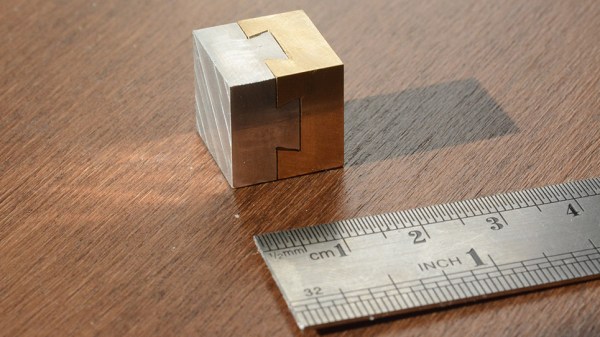
There’s a trinket called a dovetail cube, and [mitxela] thought it would make a fine birthday present. As you can see from the image, he was successful in creating a tiny version out of aluminum and brass. That’s not to say there weren’t challenges in the process, and doing it [mitxela] style means:
Make it tiny! 15 mm sides ought to do it.
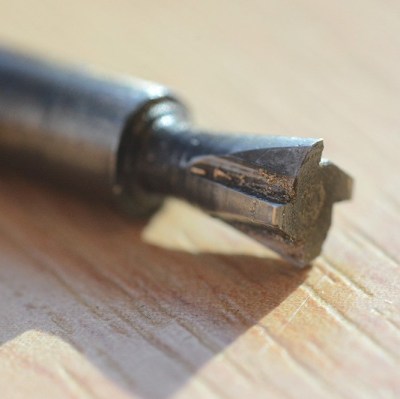
Don’t have a tiny dovetail bit on hand, so make that as well.
Of course, do it all without CNC in free-machining style.
Whoops the brass stock is smaller than expected, so find a clever solution.
That birthday? It’s tomorrow, by the way.
The project was a success, and a few small learning experiences presented themselves. One is that the shape of a dovetail plays tricks on the human eye. Geometrically speaking, the two halves are even but it seems as though one side is slightly larger than the other. [mitxela] says that if he were to do it again, he’d make the aluminum side slightly larger to compensate for this visual effect. Also, deburring with a knife edge on such a small piece flattened the edges ever so slightly, causing the fit to appear less precise than it actually is.
Still, it was a success and a learning experience. Need more evidence that [mitxela] thrives on challenge? Take a look at his incredible vector game console project.
The success that [Julian Baumgartner] has found on YouTube is a perfect example of all that’s weird and wonderful about the platform. His videos, which show in utterly engrossing detail the painstaking work that goes into restoring and conserving pieces of fine art, have been boosted in popularity by YouTube’s Autonomous Sensory Meridian Response (ASMR) subculture thanks to his soft spoken narration. But his latest video came as something of a surprise to lovers of oil paintings and “tingles” alike, as it revealed that he’s also more than capable of scratch building his own equipment.
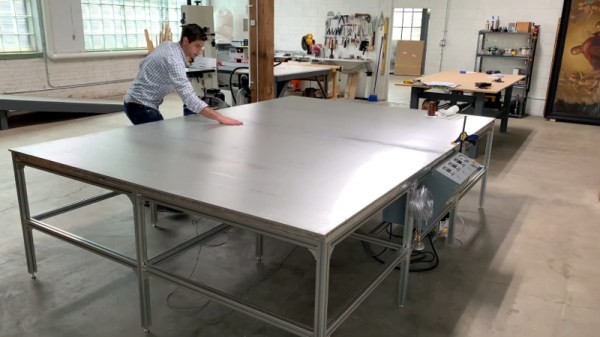
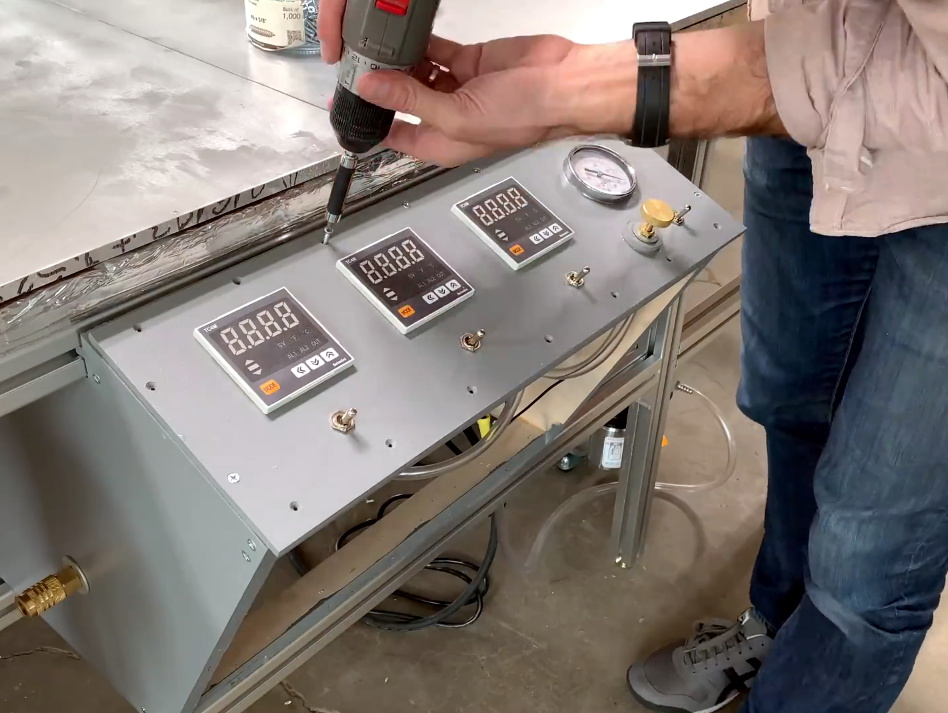
Anyone who’s been following his incredible restorations will be familiar with his heated suction table, which is used to treat various maladies a canvas may be suffering from. For example, by holding it at a sufficiently high temperature for days on end, moisture can be driven out as the piece is simultaneously smoothed and flattened by the force of the vacuum. But as [Julian] explains in the video after the break, the heated suction table he’s been using up to this point had been built years ago by his late father and was starting to show its age. After a recent failure had left him temporarily without this important tool, he decided to design and build his own fault-tolerant replacement.
The table itself is built with a material well known to the readers of Hackaday: aluminum extrusion. As [Julian] constructs the twelve legged behemoth, he extols the many virtues of working with 4040 extrusion compared to something like wood. He then moves on to plotting out and creating the control panel for the table with the sort of zeal and attention to detail that you’d expect from a literal artist. With the skeleton of the panel complete, he then begins wiring everything up.
Underneath the table’s 10 foot long surface of 6061 aluminum are 6 silicone heat pads, each rated for 1,500 watts. These are arranged into three separate “zones” for redundancy, each powered by a Crydom CKRD2420 solid state relay connected to a Autonics TC4M-14R temperature controller. Each zone also gets its own thermocouple, which [Julian] carefully bonds to the aluminum bed with thermally conductive epoxy. Finally, a Gast 0523-V4-G588NDX vacuum pump is modified so it can be activated with the flick of a switch on the control panel.
What we like most about this project is that it’s more than just a piece of equipment that [Julian] will use in his videos. He’s also released the wiring diagram and Bill of Materials for the table on his website, which combined with the comprehensive build video, means this table can be replicated by other conservators. Whether it’s restoring the fine details on Matchbox cars or recreating woodworking tools from the 18th century, we’re always excited to see people put their heart into something they’re truly passionate about.
Us: “I’ll take Retro style displays we absolutely have to have for $200, Alex.”
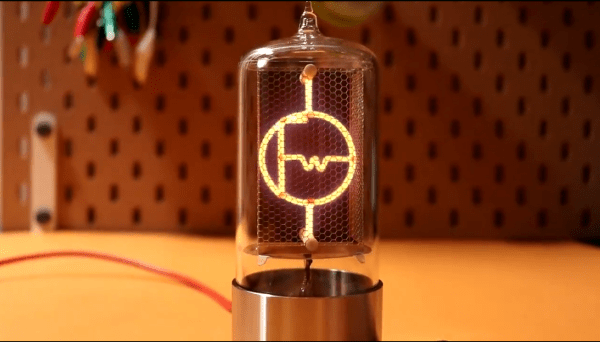
Trebek: “This nixie tube is unlike any conventional tube you’ve seen before, handbuilt and NOT numbers or letters.”
Us: “What is FriendlyWire’s new logo tube?”
Trebek: “Heck yeah.”
Nixie tubes are the vacuum technology that manages to do far less than a graphic LCD while looking about a million times cooler. Generally speaking, these tubes are no longer manufactured, and the old stock you can get your hands on usually contain a set of filaments shaped like numbers. But @FriendlyWire’s tweet of this Nixie tube by [Dalibor Farny] breaks both of those rules. This handmade tube isn’t just a numerical display or a colon display (the punctuation mark, get your head out of the gutter). It’s a custom logo, and it’s beautiful.
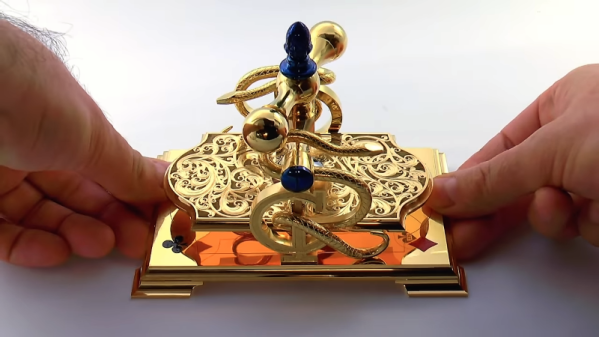
Digging a little deeper, [Chris] offered to make this card press for [Chris Ramsay], a magician who specializes in cardistry, or the art of illusions with cards. The feel of playing cards is crucial to performing with them, and a card press keeps a deck of cards in shape. Not a commonly available device, [Clickspring Chris] designed one in an elaborate style that brought in elements from [Chris Ramsay]’s logo.
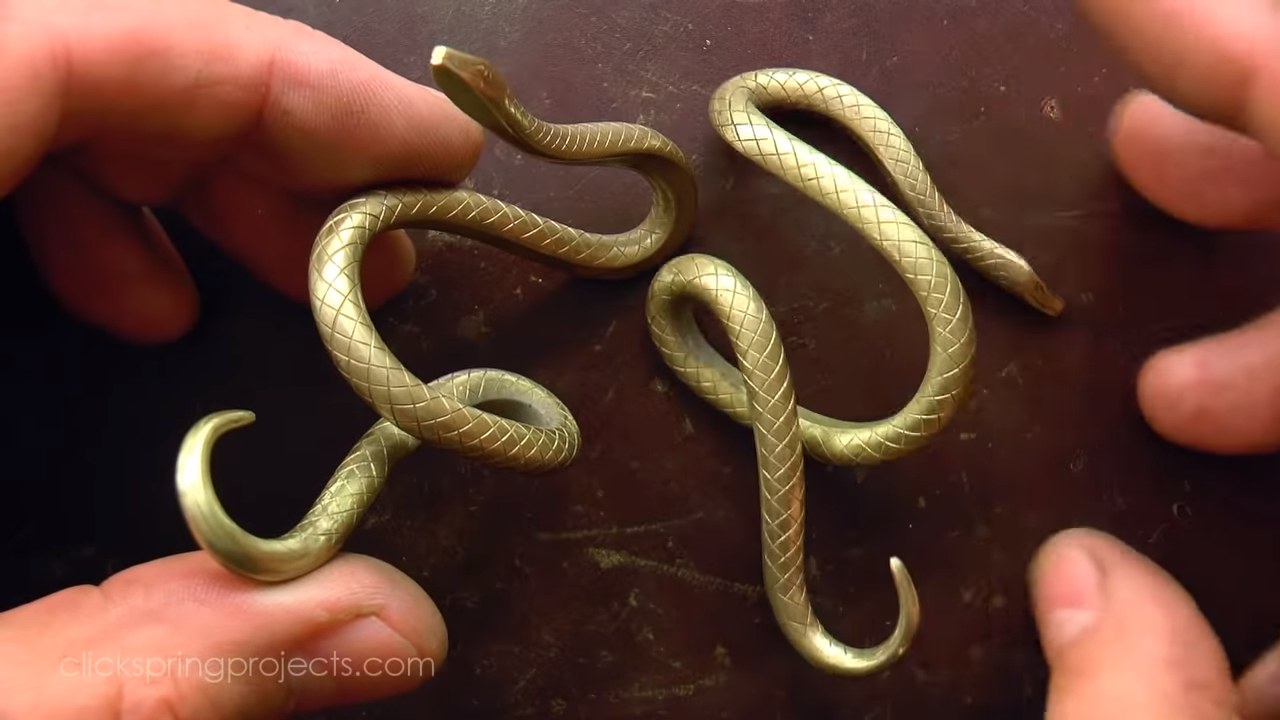
Like all Clickspring videos, this one is a joy to watch, but in a departure, there’s no narration — just 30 minutes of precision machining and metal finishing. [Chris] has gotten into metal engraving in a big way, and used his skills to add details to everything from the stylized acorn at the top to the intricate press plate, all of which was done freehand. And those snakes! Made from brass rod and bent into shape by hand, they wrap around the side supports to form [Chris Ramsay]’s logo. All the brass ended up gold plated, while all the screws ended up with a heat-blued finish. Settle in and enjoy the video below.
It’s been a while since the Clickspring skeleton clock was finished, in which time [Chris] has been working on a reproduction of the Antikythera mechanism. His video output slowed considerably, though, when he made a new finding about the mechanism, an observation worthy of writing up as a scholarly paper. We can’t begrudge him the time needed to pursue that, and we’re glad he found time for this project too.
Sometimes we manage to miss projects when they first appear, only to have the joy of discovering them a while later. So it is with [John Opsahl]’s Project Convert To Paint, a CNC painting ‘bot that takes a bitmap image and paints it on canvas as a fine artist would, with a real brush, and paints.
It was first created for the 2017 robotart.org competition, and takes the form of a fairly standard CNC gantry machine. It departs from the norm in its chuck however, as it has what is described as a universal artist chuck, capable of holding a variety of artistic implements. The images are converted from bitmap to vector format, and thence to gcode with the help of a bit of custom Python code.
He’s at pains to say that simply because an image can be converted to a paintable format does not mean that it will produce a good picture. But some of the results are rather impressive, delivering anything from a pointilist effect to a broader brush stroke. We can see that with a bit of experience in the processing it would be possible to create a veritable gallery of masterpieces.
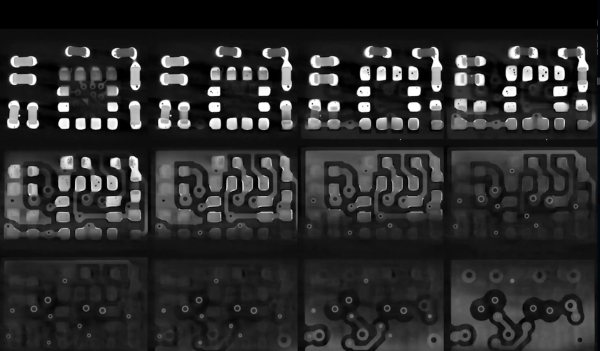
At risk of getting any ASMR buffs who might be reading cranky because there’s no audio, [Chris], or [@no1089] on Twitter, has gifted us with this visually stunning scan of his Maxim MAX86160 in-ear heart monitor mounted on a rigidflex PCB. You can take a look, in the video below the break.
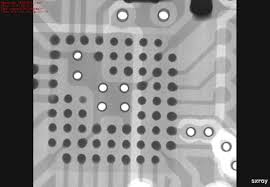
If you’re wondering why anyone would scan a board, other than boredom, know that it’s actually quite common. X-Ray machines are commonly used as a quick, passive way to check a board that’s fresh off the production line. These aren’t the X-Rays like those of broken bones you’re (hopefully not too) used to seeing though, they’re Computed Tomography scans (CT scans, CAT scans), in effect just 3D X-Rays.
For electronics manufacturers and assemblers, CT scans are incredibly useful because they provide a non-destructive way to check for errors. For example, how do you know if that middle BGA pin is actually soldered correctly? You could run a functional test and make sure everything is working (at least, everything you check), but that takes time. The longer it takes to validate, the higher the manufacturing cost. In manager speak: “cost bad. Fast good.”
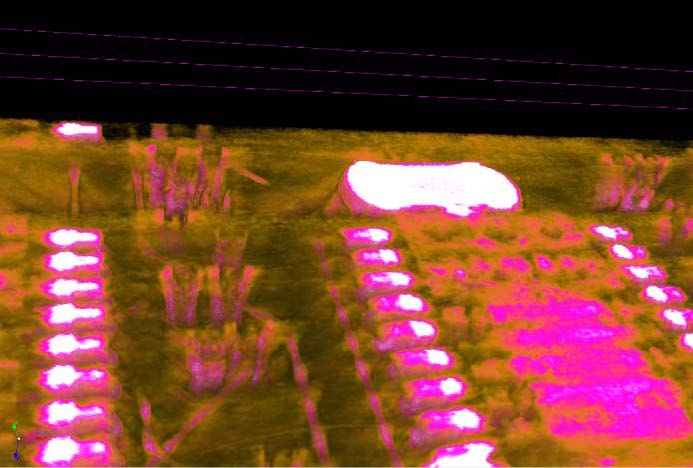
It’s also common to use a CT scan to create a full 3D model of a board. This makes it easy to check every little detail, especially the ones that are visually obscured by surface mount devices or critical signal paths that are buried under board layers.
Highlight of solder joints on small-outline integrated circuit (SOIC) to a PCB’s pads.
But we know you really want more of this video, but better. And we’ve got the goods. For the chill folk among you, here’s a 55-minute version without all the CT scan info cluttering the screen. For those of you currently blasting eDM in your headphones, here’s a 30 second clip of it looping at ~5x speed. Eat your heart out: