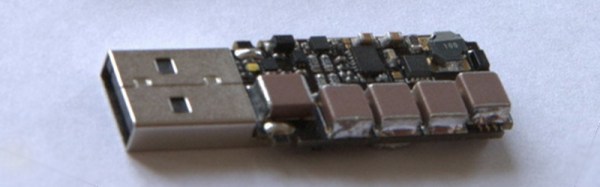
The USB Killer, Version 2.0

There are a lot of stupid things you can do with the ports on your computer. The best example is the Etherkiller, an RJ45 plug wired directly to a mains cable. Do not plug that into a router. USB is a little trickier, but with a sufficient number of caps, anyone can build a USB killer that will fry any computer (.ru, Google Translatrix)

The USB Killer v2.0 is [Dark Purple]’s second version of this device. The first version was just a small board with a DC/DC converter, a few caps, and a FET. When plugged in to a computer, the converter would charge the caps up to -110V, dump that voltage into the USB signal wires, and repeat the entire process until the computer died. This second version is slightly more refined, and it now dumps -220V directly onto the USB signal wires. Don’t try this at home.

So, does the device work? Most definitely. A poor Thinkpad X60 was destroyed with the USB killer for purposes of demonstration in the video below. This laptop was originally purchased just for the test, but the monster who created the USB killer grew attached to this neat little laptop. There’s a new motherboard on the way, and this laptop will live again.
Continue reading “The USB Killer, Version 2.0” →

ARMing A Breadboard — Everyone Should Program An ARM

I’m always a little surprised that we don’t see more ARM-based projects. Of course, we do see some, but the volume isn’t what I’d expect given that low-level ARM chips are cheap, capable, low power, and readily available. Having a 32-bit processor with lots of memory running at 40 or 50 MIPS is a game changer compared to, say, a traditional Arduino (and, yes, the Arduino Due and Zero are ARM-based, so you can still stay with Arduino, if that’s what you want).

A few things might inhibit an Arduino, AVR, or PIC user from making the leap. For one thing, most ARM chips use 3.3V I/O instead of the traditional 5V levels (there are exceptions, like the Kinetis E). There was a time when the toolchain was difficult to set up, although this is largely not a problem anymore. But perhaps the largest hurdle is that most of the chips are surface mount devices.

Of course, builders today are getting pretty used to surface mount devices and you can also get evaluation boards pretty cheaply, too. But in some situations–for example, in classrooms–it is very attractive to have a chip that is directly mountable on a common breadboard. Even if you don’t mind using a development board, you may want to use the IC directly in a final version of a project and some people still prefer working with through hole components.

The 28 Pin Solution

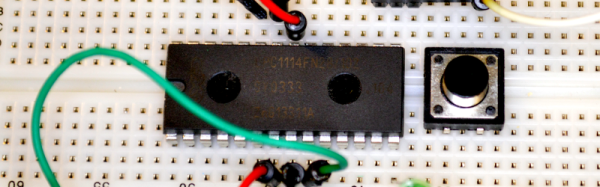
One solution that addresses most, if not all, of these concerns is the LPC1114FN28 processor. Unlike most other ARM processors, this one comes in a 28 pin DIP package and works great on a breadboard. It does require 3.3V, but it is 5V tolerant on digital inputs (and, of course, a 3.3V output is usually fine for driving a 5V input). The chip will work with mbed or other ARM tools and after prototyping, you can always move to a surface mount device for production, if you like. Even if you are buying just one, you should be able to find the device for under $6.

Continue reading “ARMing A Breadboard — Everyone Should Program An ARM” →

Get Your Internet Out Of My Things

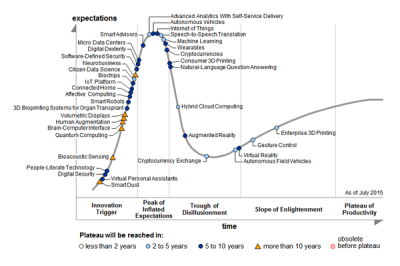
2014 was the year that the Internet of Things (IoT) reached the “Peak of Inflated Expectations” on the Gartner Hype Cycle. By 2015, it had only moved a tiny bit, towards the “Trough of Disillusionment”. We’re going to try to push it over the edge.

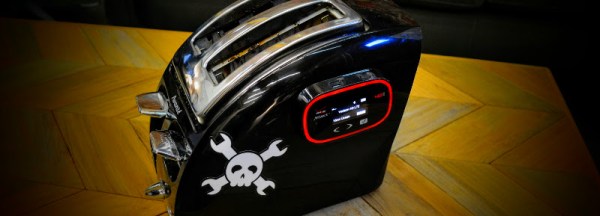
emerging-tech-hc.png;wa0131df2b233dcd17Depending on whom you ask, the IoT seems to mean that whatever the thing is, it’s got a tiny computer inside with an Internet connection and is sending or receiving data autonomously. Put a computer in your toaster and hook it up to the Internet! Your thermostat? Hook it up to the Internet!? Yoga mat? Internet! Mattress pad? To the Intertubes!
Snark aside, to get you through the phase of inflated expectations and on down into disillusionment, we’re going to use just one word: “security”. (Are you disillusioned yet? We’re personally bummed out anytime anyone says “security”. It’s a lot like saying “taxes” or “dentist’s appointment”, in that it means that we’re going to have to do something unpleasant but necessary. It’s a reality-laden buzzkill.)

Continue reading “Get Your Internet Out Of My Things” →

How Analog Tide Predictors Changed Human History

If you’re completely landlocked like I am, you may dream of ocean waves lapping at the shore, but you probably don’t think much about the tides. The movement of the ocean tides is actually quite important to many groups of people, from fishermen to surfers to coastal zone engineers. The behavior of the tides over time is helpful data for those who study world climate change.

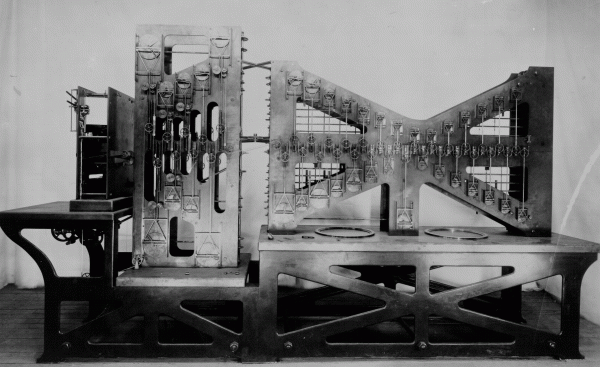
Early tide prediction was based on observed changes in relation to the phases of the Moon. These days, tide-predicting is done quickly and with digital computers. But the first purpose-built machines were slow yet accurate analog computation devices that, as they were developed, could account for increasing numbers of tidal constituents, which represent the changes in the positions of tide-generating astronomical bodies. One of these calculating marvels even saved the Allies’ invasion of Normandy—or D-Day— in World War II.

Continue reading “How Analog Tide Predictors Changed Human History” →

Google OnHub Can Has Root

It’s always nice to get down to the root directory of a device, especially if the device in question is one that you own. It’s no huge surprise that a Google product allows access to the root directory but the OnHub requires locating the hidden “developer mode” switch which [Maximus64] has done. The Google engineers have been sneaky with this button, locating it at the bottom of a threaded screw hole. Has anyone seen this implemented on other hardware before?

There isn’t a blog post regarding this, however [Maximus64] shared a video on YouTube walking us through the steps to root and un-root Google’s OnHub, which is embedded after the break. He also states “wiki coming soon” in the description of the video, so we’ll keep eye on it for an update.

We covered the product announcement back in August and have heard a few reviews/opinions about the device but not enough to make an opinionated assumption. Rooting the device doesn’t seem to increase the OnHub’s number of LAN ports but we think it’s still worth the effort.

Continue reading “Google OnHub Can Has Root” →

ARMs And FPGAs Make For Interesting Dev Boards

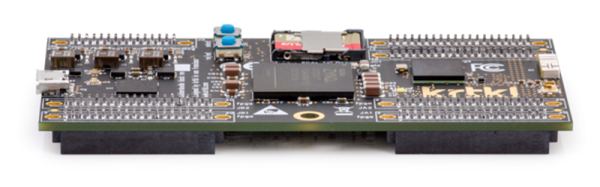
Tiny Linux computers are everywhere, and between BeagleBones, Raspberry and Banana Pis, and a hundred other boards out there, there are enough choices to go around. There is an extremely interesting ARM chip from Xilinx that hasn’t seen much uptake in the field of tiny credit-card sized computers: the Zynq. It’s an ARM Cortex-A9 coupled with an FPGA. It’s great for building peripherals that wouldn’t normally be included on a microcontroller. With Zynq, you just instantiate the custom bits in the FPGA, then interface them with a custom Linux driver. Thanks to CrowdSupply, there’s now a board out there that brings this intriguing chip to a proper development platform. It’s called the Snickerdoodle, and if you’ve ever wanted to see the capabilities of an FPGA tightly coupled to a fast processor, this is the board to watch.

The core of the Snickerdoodle is a Xilinx Zynq that features either a 667 MHz ARM Cortex A9 and a 430k gate FPGA (in the low-end configuration) or an 866 A9 and 1.3M gate FPGA. This gives the Snickerdoodle up to 179 I/O ports – far more than any other tiny Linux board out there.

Fully loaded, the Snickerdoodle comes with 2.4 and 5GHz WiFi, Bluetooth, 1GB of RAM, and an ARM Cortex A9 that should far surpass the BeagleBone and Raspberry Pi 2 in capabilities. This comes at a price, though: the top-shelf Snickerdoodle has a base price of about $150.

Still, the power of a fast ARM and a big FPGA is a big draw and we’re expecting a few more of these Zynq boards in the future. There are even a few projects using the Zynq on hackaday.io, including one that puts the Zynq in a Raspberry Pi-compatible footprint. That’s exceedingly cool, and we can’t wait to see what people will build with a small, fast ARM board coupled to an FPGA.

Conference Badges Are The Newest Form Of Hardware Art

About four decades ago, many European truck drivers started placing electronic LED badges in their windshields. Most of them were simple; nothing more than an animated heart pierced by an arrow. It became a common distraction in the highway night panorama of that time, at least until it became illegal. Most motorists became accustomed to seeing them, and the idea of the truck drivers making a statement with electronics always stuck with me. Now I have the chance to help people make a similar statement. Conference badges are not just a way to identify those who have registered, but a fashion statement and a mark of pride for conference organizers. They’ve become an art form, and engineers always want to stretch the limits of what is possible.

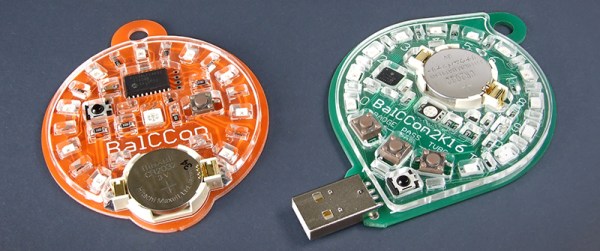
Every September, we have BalCCon, an international hacker’s conference at Novi Sad, Serbia. I was asked to design a badge for the 2016 event, and this is the first (well, the second) release. It is based on the PIC18LF24K50 and consists of a circle of LEDs which randomly displays pre-defined patterns. Every badge has its own infrared transceiver (LED-receiver pair), so the fun begins when two or more badges spot each other: they go from Adagio to full on Rondo, losing their default, dull visual pattern for a more dynamic, attention grabbing one, but most importantly – they synchronize. This means that, in a group of people, all badges will play the same pattern in unison. Every badge can spread the pattern code, so the whole group, however large, soon becomes synchronized. But if one of them “gets lost” somehow, it will try to learn it back from a neighbor or it might even launch into its own, randomly generated one. Sometimes it manages to spread it further and you get to witness a battle for light show domination.

This isn’t merely a story of designing badges, but of design choices that come in on budget while achieving a look that will delight those who end up wearing the hardware.

Continue reading “Conference Badges Are The Newest Form Of Hardware Art” →